
If you rely on ABB drives to power your equipment, encountering faults can bring your operations to a halt. You might feel frustrated when your drive suddenly stops working or shows an error code you don’t understand.
But don’t worry—most ABB drive issues are fixable with straightforward troubleshooting steps. You’ll discover the common causes behind ABB drive faults, how to identify them quickly, and simple methods to reset and prevent these problems. By following these clear, practical tips, you’ll save time, reduce downtime, and keep your systems running smoothly.
Ready to take control of your ABB drive troubleshooting? Let’s dive in and get your drives back on track.

Credit: www.youtube.com
Common Abb Vfd Faults
ABB Variable Frequency Drives (VFDs) are widely used for motor control in many industries. These drives face several common faults that affect performance and reliability. Understanding these faults helps in quick troubleshooting and reduces downtime.
Many faults arise from environmental conditions, electrical issues, or mechanical problems. Regular checks and maintenance can prevent serious failures. Below are the most common ABB VFD faults and their causes.
Overheating And Cooling Problems
Overheating is a frequent cause of VFD faults. Dust buildup, blocked filters, and faulty fans reduce cooling efficiency. High ambient temperatures worsen the problem. When the drive overheats, it may shut down to protect itself. Regular cleaning and proper ventilation are essential to avoid this issue.
Overcurrent And Overload Issues
Overcurrent faults occur if the motor accelerates too fast or faces mechanical resistance. Overload happens when the motor runs beyond its capacity. These faults cause the drive to trip and stop working. Correctly sizing the motor and controlling acceleration reduce these risks.
Loose Electrical Connections
Vibration and temperature changes can loosen electrical connections. Loose terminals cause unstable operation and sometimes arcing. This leads to drive errors or component damage. Inspecting and tightening connections regularly improves drive reliability.
Capacitor Failures
Capacitors inside the VFD degrade over time. Electrolytic capacitors have a limited lifespan and fail due to heat or age. A failed capacitor affects the power quality and drive function. Periodic testing and replacement of capacitors extend drive life.
Power Quality Disturbances
Voltage spikes, sags, and harmonics stress VFD components. These disturbances come from unstable power supplies or external equipment. Poor power quality can cause drive faults and reduce efficiency. Using surge protectors and filters helps maintain stable operation.
Credit: www.reddit.com
Internal Component Failures
Internal component failures are a frequent cause of issues in ABB drives. These failures often result from stress on key parts inside the drive. Understanding these problems helps in quick diagnosis and repair. It also extends the drive’s lifespan and improves reliability.
Two main components prone to failure are power semiconductors and capacitors. Each has unique signs and troubleshooting steps. Knowing these details can save time and reduce downtime.
Power Semiconductors Breakdown
Power semiconductors like IGBTs handle high voltage and current. They control the motor speed by switching power on and off rapidly. Overcurrent or voltage spikes can damage these parts. Heat buildup adds extra stress and can cause breakdowns.
Signs of a semiconductor failure include sudden drive shutdowns or error codes. The drive may also overheat or fail to start. Testing involves checking for short circuits or open circuits in the semiconductor modules. Replacing damaged semiconductors restores normal drive function.
Capacitor Wear And Tear
Capacitors store and smooth electrical energy inside the drive. Electrolytic capacitors age and lose capacity over time. Heat and voltage stress speed up this aging process. Worn capacitors cause unstable voltage and drive malfunctions.
Common symptoms include unexpected resets, voltage drops, or error messages. Visual inspection might reveal bulging or leaking capacitors. Testing capacitance values confirms degradation. Timely capacitor replacement prevents further damage to the drive.
Effective Troubleshooting Steps
Effective troubleshooting steps are essential for resolving issues with ABB drives quickly and efficiently. These steps help identify the root cause and reduce downtime. A clear approach ensures accurate diagnosis and proper repair.
Following a structured method simplifies the troubleshooting process. It involves checking fault codes, inspecting mechanical and electrical components, and using diagnostic tools. Each step plays a key role in restoring the drive to normal operation.
Diagnosing Fault Codes
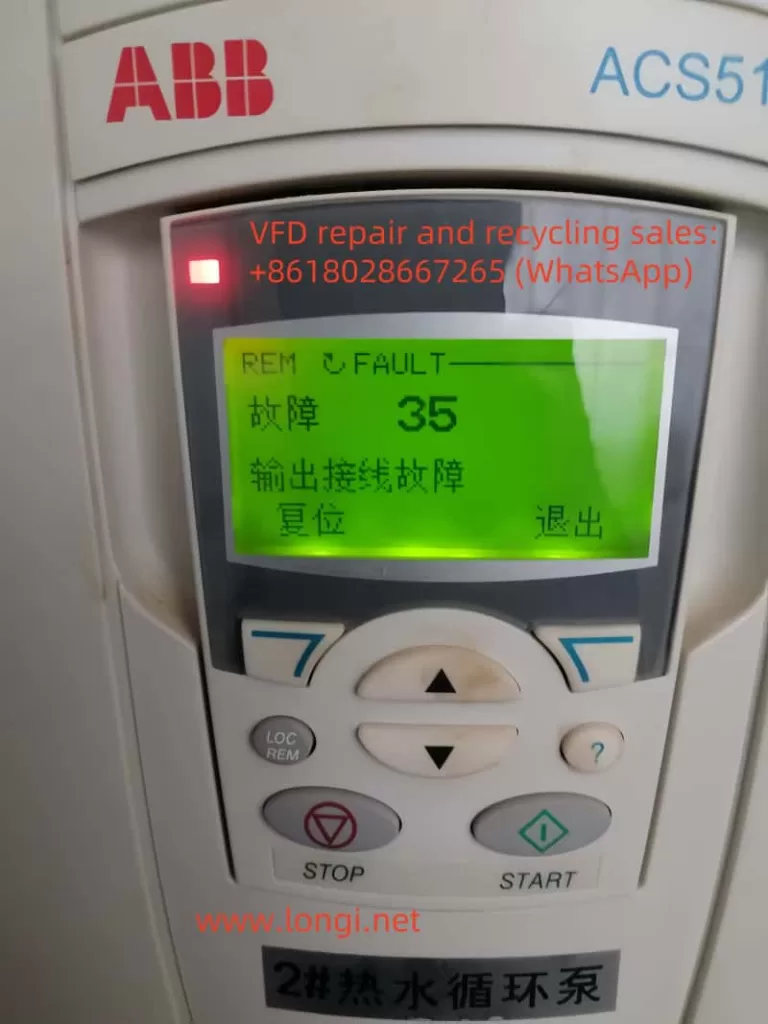
Fault codes provide valuable clues about drive problems. ABB drives display specific error codes that point to the issue. Start by reading these codes on the drive’s display panel or software interface.
Consult the ABB manual to understand each fault code’s meaning. This helps narrow down the possible causes quickly. Record the codes and note any patterns or repeated faults for better analysis.
Inspecting Mechanical And Electrical Causes
Mechanical issues can cause drive faults. Check for loose belts, worn bearings, or damaged shafts that may affect the motor. Mechanical drag or jamming often triggers overload faults.
Electrical causes include loose connections, damaged cables, or incorrect wiring. Inspect terminals and connectors for signs of wear or corrosion. Tighten any loose screws to ensure good electrical contact.
Overheating is common due to dust buildup or poor cooling. Clean filters and fans to improve airflow around the drive. Ensure ambient temperature stays within ABB’s recommended range.
Using Diagnostic Tools
ABB drives support diagnostic tools that simplify fault analysis. Use ABB’s software like Drive Composer or Control Builder to connect with the drive. These tools display real-time data and detailed fault history.
Diagnostic tools allow you to test inputs, outputs, and communication signals. They help verify the drive’s configuration and detect hidden issues. Using these tools reduces guesswork and speeds up troubleshooting.
Regular use of diagnostic software helps maintain drive health and prevents future faults. It also assists in fine-tuning drive settings for optimal performance.
Resetting Abb Drive Faults
Resetting ABB drive faults is crucial to restore normal operation after an error occurs. Faults can stop the drive, affecting connected equipment and processes. Knowing how to reset these faults helps reduce downtime and keeps systems running smoothly.
There are several ways to reset ABB drive faults. Some methods require manual action, while others can be automated. Each method suits different situations and user preferences.
Manual Reset Via Control Panel
The simplest way to reset faults is through the control panel. Press the reset button on the display or navigate the menu to find the reset option. This method allows direct interaction with the drive and immediate fault clearing.
Always check the fault code before resetting. It helps identify the cause and prevents repeated faults after reset.
External Digital Input Reset
ABB drives allow resetting faults using an external digital input. Connect a switch or relay to the drive’s reset input terminal. Activating this input clears the fault remotely without accessing the control panel.
This method is useful for automated systems where manual access is limited or not possible.
Power Cycling Method
Turning the drive power off and then on again can reset faults. This method resets the internal control logic and clears temporary errors. Ensure the drive is powered down safely to avoid damage.
Power cycling is a quick fix but not recommended as a regular reset method.
Auto-reset Function Settings
Some ABB drives have an auto-reset feature. This function attempts to clear faults automatically after a set time. It reduces downtime by restarting the drive without manual intervention.
Configure auto-reset carefully. Use it only for minor faults that do not harm the system.
Preventing Future Failures
Preventing future failures in ABB drives is essential to ensure long-term reliability and reduce downtime. Many common faults arise from environmental issues, improper setup, or electrical problems. Taking proactive steps can help avoid costly repairs and keep your drives running smoothly.
Maintaining Cleanliness And Cooling
Dust, dirt, and moisture can block airflow and cause overheating. Regularly clean filters and fans to maintain proper cooling. Avoid placing drives in areas with excessive dust or humidity. Good ventilation helps keep temperatures low and extends drive life.
Proper Motor And Drive Sizing
Select the right motor and drive size for your application. Undersized equipment can cause overload and stress components. Match the drive capacity to the motor’s power and load requirements. Proper sizing reduces mechanical wear and electrical faults.
Controlled Acceleration Settings
Set acceleration and deceleration rates carefully to prevent overcurrent faults. Fast starts increase mechanical stress and electrical load. Use smooth ramp-up and ramp-down settings to protect the drive and motor. Controlled acceleration enhances system stability.
Securing Wiring And Grounding
Check all wiring connections regularly for tightness and corrosion. Loose or damaged wires cause intermittent faults and arcing. Proper grounding prevents electrical noise and potential damage. Use quality cables and secure terminals firmly to improve reliability.
Credit: www.longi.net
Safety Tips Before Resetting
Resetting an ABB drive requires careful preparation to avoid damage and ensure safety. Taking the right steps before resetting protects both the machine and the operator. Understanding the issue and securing the work area are key parts of this process.
Identifying Root Causes
Find the exact reason for the drive fault first. Check for error codes on the drive display. Inspect electrical connections for looseness or damage. Look for signs of overheating or dust buildup. Review recent changes in the machine or environment. Confirm if the motor or load is causing the problem. Pinpointing the root cause prevents repeated faults after reset.
Ensuring Machine Safety
Turn off power to the drive before any work. Use lockout-tagout procedures to keep power off. Wear proper protective gear, like gloves and goggles. Clear the area of unnecessary personnel and equipment. Confirm the machine cannot start unexpectedly during reset. Follow manufacturer safety guidelines strictly. These steps reduce risk of injury and machine damage.
Frequently Asked Questions
What Are The Common Faults In Abb Vfd?
Common faults in ABB VFDs include overheating from dust or poor cooling, overcurrent due to fast acceleration or mechanical load, loose connections, capacitor failure, and power quality issues like voltage spikes.
What Is The Most Common Vfd Failure?
The most common VFD failure is overheating caused by dust buildup, poor cooling, or clogged filters. Overcurrent and loose connections also frequently cause faults. These issues damage internal components like capacitors and power semiconductors, leading to drive trips and failures.
How Do You Reset The Fault On Abb Drive?
To reset a fault on an ABB Drive, use the control panel’s fault reset option. Alternatively, trigger an external digital input or power cycle the drive by switching it off and on. Ensure the fault condition is resolved before resetting.
What Are Common Vfd Troubleshooting Tips?
Common VFD troubleshooting tips include checking for overheating, ensuring proper cooling, verifying secure wiring, inspecting for dust buildup, and adjusting acceleration ramps. Regularly clean the drive, confirm correct motor sizing, and reset faults via the control panel or power cycle to maintain optimal operation.
What Are Common Abb Drive Faults To Watch For?
Common faults include overheating from dust or poor cooling, overcurrent due to fast starts, and loose electrical connections. These issues often cause drive trips or component damage. Keeping the drive clean and well-ventilated helps prevent faults.
Conclusion
Troubleshooting ABB drives becomes easier with clear steps and careful checks. Keep drives clean and well-ventilated to avoid overheating. Check connections often to prevent loose wiring issues. Match motor size and settings to the application for smooth operation. Use controlled starts to reduce overcurrent risks.
If faults appear, reset them promptly using the control panel. Regular maintenance helps keep your ABB drive running reliably. Simple habits protect your equipment and minimize downtime. Stay proactive, and your drive will serve you well.



