
Is your ceiling fan acting up just when you need it most? Maybe it won’t start, spins unevenly, or makes strange noises.
Before you call a professional or rush to replace it, there’s a good chance you can fix the problem yourself. Understanding simple ceiling fan troubleshooting steps can save you time, money, and frustration. You’ll discover easy-to-follow tips that will help you identify common issues and get your fan running smoothly again.
Keep reading—you’re just a few fixes away from enjoying cool, comfortable air once more.
Power Issues
Power issues are a common cause of ceiling fan problems. Without stable and sufficient power, a ceiling fan may stop working or run erratically. Diagnosing power problems requires checking several electrical components to ensure proper voltage and connection. The following sections will help identify and fix common power-related issues.
Insufficient Power Supply
A ceiling fan needs enough power to operate smoothly. Insufficient power can make the fan slow or stop altogether. This issue may happen if the wiring is old or damaged. Loose connections can also reduce the power reaching the fan. Check the wiring and connections for damage or looseness. Replace any faulty wires to restore full power to the fan.
Voltage Fluctuations
Voltage changes can cause the fan to work improperly. High or low voltage can damage the motor or make it run unevenly. Use a voltage tester to measure the power supply at the fan’s connection. If the voltage is unstable, contact an electrician to fix the problem. Avoid running the fan on fluctuating voltage to prevent further damage.
Circuit Breaker And Switch Checks
The circuit breaker or wall switch may cause power issues. A tripped breaker cuts power to the fan. Reset the breaker by switching it off and on again. Test the wall switch to ensure it works correctly. Replace faulty switches or breakers to restore power. Always turn off the main power before inspecting electrical parts for safety.

Credit: cbpetersenelectric.com
Remote Control Problems
Mechanical troubles in ceiling fans often cause performance issues. These problems can stop the fan from working smoothly. Many mechanical faults arise from wear and tear or poor installation. Fixing them early avoids costly repairs and keeps the fan running efficiently.
Fan Motor Testing
Test the fan motor to check its condition. First, turn off the power to avoid shocks. Use a multimeter to measure motor resistance. Low or no resistance means the motor may be faulty. Listen for unusual sounds when the motor runs. These signs show the motor needs repair or replacement.
Blade Inspection And Alignment
Check the fan blades for damage or warping. Bent or cracked blades reduce airflow and cause wobbling. Clean dust from all blades to keep balance. Align blades evenly by adjusting their angle and position. Proper blade alignment prevents shaking and extends fan life.
Noisy Operation Causes
Identify causes of noisy fan operation to fix them quickly. Loose screws or mounting brackets create rattling sounds. Dry or worn bearings cause grinding or squeaking noises. Lubricate moving parts with suitable oil to reduce friction. Tighten all screws and bolts to stop vibration noise.
Mechanical Troubles
Fan speed and function are key to a ceiling fan’s performance. A fan that does not run at the right speeds or fails to work properly can cause discomfort. Understanding common issues helps fix problems quickly. Check the fan’s speed control, capacitor, and switches to diagnose issues effectively.
Speed Control Failures
Speed control failures cause the fan to run only at one speed or not at all. The speed control unit manages the power to the motor. If it is faulty, the fan may stall or run erratically. Test the speed control by adjusting the settings and watching for changes. Replace the control if no speed changes occur.
Capacitor Problems
The capacitor helps start the fan and keep it running smoothly. A bad capacitor may cause the fan to hum but not spin. It can also make the fan slow or stop suddenly. Test the capacitor with a multimeter for proper capacitance. Replace the capacitor if readings are low or zero.
Switch And Wall Control Issues
Switches and wall controls send power signals to the fan. A broken switch or loose wiring can cause the fan to stop or only run at one speed. Check the wall switch for proper function and inspect wiring connections. Replace faulty switches or repair loose wires to restore control.
Credit: hendersonelectric.com
Wiring Mistakes
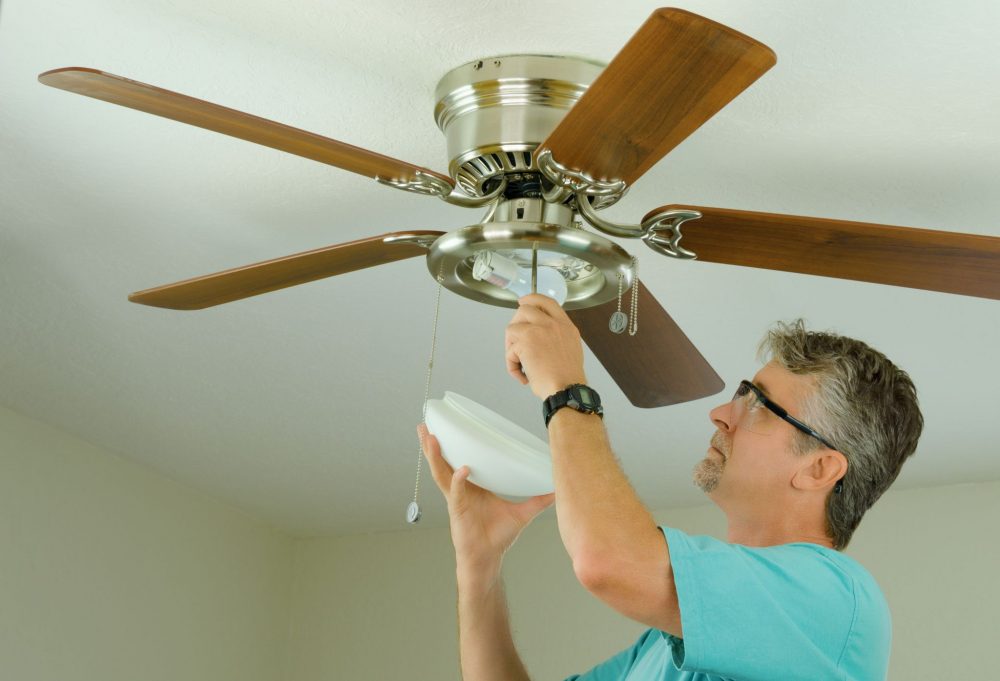
Lighting issues in ceiling fans can disrupt comfort and mood in any room. Sometimes, the fan lights fail to turn on or flicker constantly. These problems often stem from simple causes. Checking bulbs, sockets, wiring, and dimmer switches often solves the issue quickly. This section guides you through key steps to troubleshoot lighting problems.
Bulb And Socket Checks
Begin by inspecting the light bulbs. Make sure bulbs are not burnt out or loose. Replace any damaged bulbs with the correct type and wattage. Next, check the light sockets for corrosion or dirt. Clean the sockets gently with a dry cloth. Avoid using water or liquids. Ensure bulbs fit snugly to avoid poor contact. Loose bulbs cause flickering or no light.
Wiring For Fan Lights
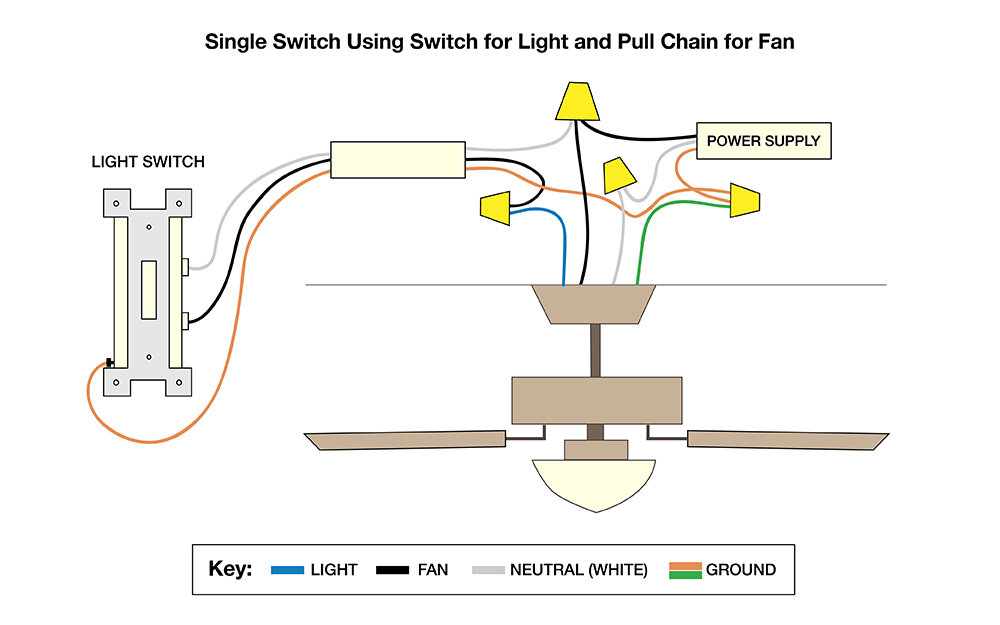
Examine the wiring connected to the fan lights. Turn off power before touching any wires. Look for loose, frayed, or disconnected wires. Tighten wire nuts and secure any loose connections. Use a voltage tester to confirm power flow to the light fixture. Faulty wiring may require professional help. Proper wiring ensures consistent power delivery and prevents flickering.
Dimmer Compatibility
Check if your ceiling fan lights use dimmer switches. Not all dimmers work well with fan lights. Some dimmers cause flickering or lights that won’t turn on. Use dimmers designed for LED or CFL bulbs if your fan uses those. Replace incompatible dimmers with standard switches for steady lighting. Proper dimmer compatibility improves light performance and avoids damage.
Credit: www.temecula-handyman.com
Frequently Asked Questions
What Causes A Ceiling Fan To Just Stop Working?
A ceiling fan stops working due to power issues, faulty wiring, a blown fuse, motor failure, or remote control problems.
How Do I Reset My Ceiling Fan?
Turn off power at the breaker. Wait 10 seconds, then turn it back on. Press the remote’s reset or sync button. For older fans, match dip switches on remote and receiver. Hold the receiver’s reset button for smart fans until lights flash.
Test the fan afterward.
How To Test A Ceiling Fan To See If It Works?
Turn off power, remove fan blades, wire motor to power cord. Hold motor; plug in power. Check if motor spins at all speeds. Reinstall blades if it works.
What Are Common Mistakes In Ceiling Fan Wiring?
Common ceiling fan wiring mistakes include reversing hot and neutral wires, loose connections, skipping ground wire, incorrect wire matching, and neglecting power shutoff before installation.
Why Is My Ceiling Fan Not Spinning At All?
A ceiling fan may not spin due to power issues or a faulty motor. Check the circuit breaker and wiring first. If power is fine, the motor or capacitor might need repair.
Conclusion
Ceiling fan problems can often be fixed with simple steps. Check power sources and remote controls first. Resetting the fan or replacing batteries helps a lot. Match dip switches carefully for remote syncing. If issues remain, calling a professional is wise.
Regular checks keep your fan running smoothly. Small efforts save time and money on repairs. Stay cool and comfortable by maintaining your ceiling fan well. Troubleshooting is easier than you might think.



