
Is your Compustar remote starter not working like it used to? You’re not alone, and the good news is many common problems have simple fixes you can try yourself.
Whether your car won’t start remotely, the key fob seems unresponsive, or the system just acts glitchy, understanding what might be causing the issue puts you one step closer to a quick solution. In this guide, you’ll discover easy troubleshooting tips to get your remote starter back in action—no need to wait for a costly mechanic visit.
Keep reading to learn how to identify the problem and fix it fast, so your car is ready to go when you are.

Credit: www.youtube.com
Common Quick Checks
Before diving into complex fixes, perform some common quick checks. These steps help identify simple issues causing the remote starter to fail. Most problems relate to basic safety settings or power supply. These checks save time and avoid unnecessary repairs.
Key Fob Battery
The key fob battery often causes remote start problems. A weak or dead battery can block the signal. Replace the battery with a new one to restore proper function. Keep spare batteries handy for quick swaps.
Vehicle In Park
The vehicle must be in Park for the remote starter to work. The system prevents starting if the car is in any gear. Check the gear shift and ensure it clicks firmly into the Park position. A loose or incorrect gear can disable the remote start.
Doors, Hood, And Trunk
All doors, the hood, and the trunk must be fully closed. The remote start system disables itself if any entry point is open. Check each door and the hood latch carefully. Even a slightly open door can stop the remote start.
Remote Start Procedure
Follow the correct remote start steps for your Compustar system. Some models require pressing the lock button twice before starting. Holding the start button too long or too short can cause failure. Review the user manual for the precise sequence.
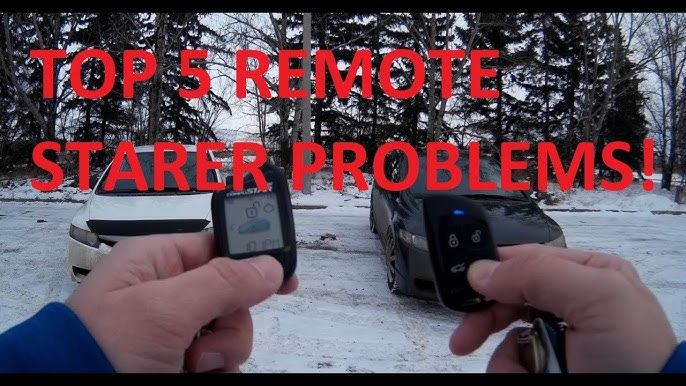
Credit: www.youtube.com
Deeper Troubleshooting Steps
Diving deeper into Compustar remote starter troubleshooting reveals key system safeguards. These safety features often block remote start to protect your vehicle. Understanding these can help you diagnose persistent problems and avoid unnecessary repairs.
Each step targets common hidden issues. Checking these can restore your remote starter’s function efficiently. Follow these detailed checks for better troubleshooting results.
Check Engine Light Impact
A lit Check Engine Light often disables remote start. The system detects potential engine or emission issues. This safety measure prevents damage or unsafe starts.
Use an OBD-II scanner to read error codes. Clear codes only after fixing the problem. Remote start works once the light turns off.
Car Battery Condition
A weak car battery may not support remote starting. Low voltage fails to power the starter or ignition. Test the battery with a voltmeter or at a shop.
Replace or charge the battery if voltage is below 12 volts. Good battery health ensures reliable remote start activation every time.
Hood Pin Switch Issues
The hood pin switch signals if the hood is open or closed. A faulty switch can falsely report an open hood, blocking remote start.
Inspect the hood latch area for damage or misalignment. Clean or replace the hood pin switch to fix false triggers.
Failed Start Attempts
Multiple failed remote start attempts trigger a system lockout. This prevents continuous unsuccessful starts and protects the starter motor.
Start the car manually with the key to reset the system. Wait a few minutes before trying remote start again.
Valet And Shutdown Switches
Some installers add valet or shutdown switches under the dash. These switches disable remote start for security or service reasons.
Locate and ensure these switches are in the “on” or normal position. Resetting them can restore remote start function.
Resetting Your Remote Starter
Resetting your Compustar remote starter can fix many common issues quickly. This process clears minor glitches and restores normal function. Different reset methods suit various problems. Follow the steps carefully for the best results. This guide covers three main reset methods.
Battery Reset Method
Start by removing the battery from your remote. Wait for about one minute before reinserting it. This simple step clears the remote’s memory. It often solves issues caused by low battery power or signal errors. After reinserting, test the remote to see if it works properly.
Key Cycle Reset
Insert your car key into the ignition and turn it to the ON position. Leave it on for about ten seconds, then turn it back to OFF. Repeat this cycle three times in a row. This action resets the vehicle’s remote start system. It helps clear any communication errors between the car and remote.
Button Sequence Reset
Press and hold the lock and unlock buttons on your remote at the same time. Hold them for about 15 seconds until the LED light flashes. Release the buttons and wait for the remote to reset. This method works well for fixing syncing problems. Try starting your car remotely after the reset.
When To Seek Professional Help
Knowing when to seek professional help with your Compustar remote starter saves time and stress. Some issues need expert skills and tools for safe, effective repair. Early professional intervention prevents more damage and costly fixes.
Simple problems can be fixed at home. Complex issues like key fob reprogramming, module faults, or wiring problems need a trained technician. This section highlights key scenarios where professional help is best.
Reprogramming The Key Fob
The key fob controls your remote start system. If it stops working after battery replacement, the fob may need reprogramming. This process requires special equipment and software. A professional can quickly sync your fob to the vehicle. Incorrect programming may cause system errors or lockouts. Avoid guessing; get expert assistance for reprogramming.
Remote Start Module Problems
The remote start module is the system’s brain. Faulty modules cause erratic starts or no response. Diagnosing module issues involves testing with diagnostic tools. Professionals can identify and replace defective modules safely. DIY attempts risk damaging the system or vehicle electronics. Turn to a technician for module repairs or replacements.
Wiring And System Malfunctions
Wiring connects all components of the remote starter system. Damaged or loose wires cause intermittent failures or complete shutdowns. Detecting wiring issues requires knowledge of vehicle electrical systems. Professionals trace and fix wiring faults without causing harm. Complex wiring work should never be done without proper training. Call an expert to handle system malfunctions and wiring repairs.
Tips To Prevent Future Issues
Preventing future issues with your Compustar remote starter saves time and hassle. Simple habits and checks keep your system working well. Follow these easy tips to avoid common problems and enjoy smooth remote starts every time.
Regular Battery Checks
Check your remote’s battery often to ensure it has power. A weak or dead battery stops the remote from working. Replace batteries as soon as you notice the signal weakening. Also, keep your car’s battery in good condition. Low car battery voltage can block the remote starter from activating.
Proper Remote Use
Use the remote correctly by following the sequence of button presses. Press the lock button twice if required by your system. Avoid pressing buttons too quickly or holding them too long. Store the remote in a safe place to prevent damage or accidental presses. Proper use extends the remote’s life and keeps the system reliable.
System Maintenance
Keep your remote starter system clean and dry. Dirt or moisture can cause malfunctions. Have a professional inspect the hood sensor and other safety switches regularly. Ensure all doors, the hood, and trunk close fully before starting. Fix any Check Engine Light issues promptly to avoid disabling the remote start function.
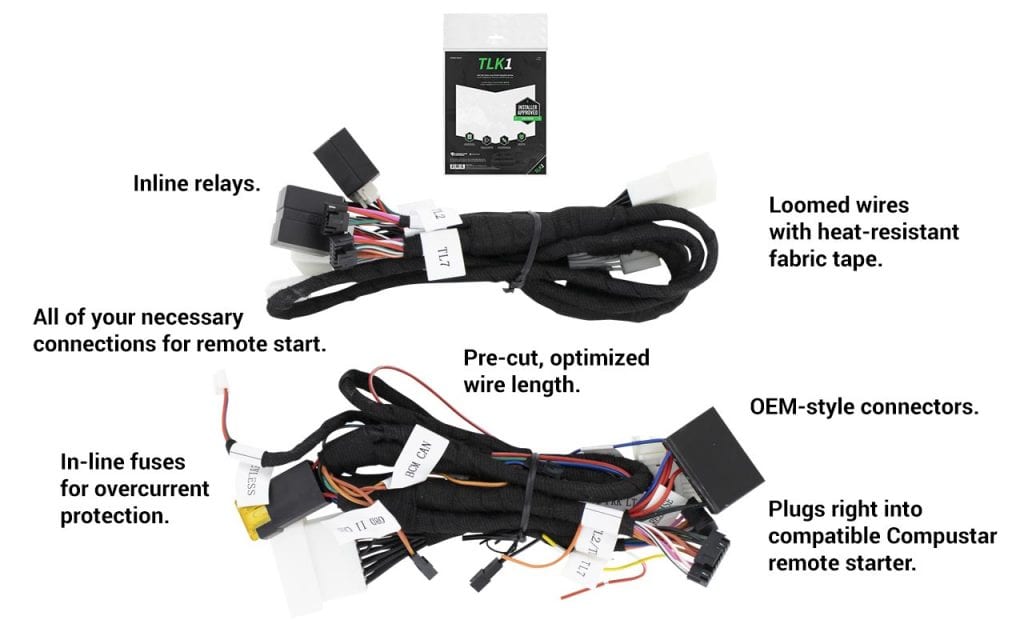
Credit: www.compustar.com
Frequently Asked Questions
Why Is My Remote Start Suddenly Not Working?
Your remote start may stop working due to a dead key fob battery, open doors, hood, or trunk, or the car not being in Park. A triggered safety sensor, a Check Engine Light, low car battery, or system glitch can also cause issues.
Check these first.
What Are Common Remote Start Errors?
Common remote start errors include dead key fob battery, car not in Park, open doors or hood, Check Engine Light on, low car battery, and faulty hood sensor. System glitches or too many failed attempts may also disable remote start, requiring a reset or professional reprogramming.
How To Restart Compustar Remote Start?
To restart a Compustar remote start, ensure the vehicle is in Park with all doors, hood, and trunk closed. Replace the key fob battery if needed. Press the lock button twice on the remote. If issues persist, reset or reprogram the system following the manufacturer’s instructions.
How To Reset Autostart Remote Starter?
To reset an autostart remote starter, ensure the car is in Park with all doors, hood, and trunk closed. Replace the key fob battery if needed. Turn the ignition on and off three times, then press the remote start button.
Consult the manual for model-specific steps.
Why Won’t My Compustar Remote Starter Work Suddenly?
A safety feature may be triggered, like an open hood or door. Also check the key fob battery and car battery levels.
Conclusion
Troubleshooting your Compustar remote starter can save time and stress. Start with simple checks: key fob battery, car in Park, and all doors closed. Look for warning lights or unusual sounds from your vehicle. Small issues like a stuck hood sensor or low car battery often cause problems.
If basic fixes don’t work, consider professional help to reprogram or inspect the system. Staying patient and following these steps keeps your remote starter working smoothly. Keep your car ready with reliable remote start troubleshooting tips.



