
If you’re using a CPAP machine, you know how important it is for a good night’s sleep and your overall health. But what happens when your CPAP isn’t working quite right?
Maybe the mask feels uncomfortable, the air leaks, or your nose feels dry and irritated. These common problems can make therapy frustrating and keep you from getting the rest you need. The good news is, many CPAP issues have simple fixes you can try at home.
In this guide, you’ll discover easy troubleshooting tips to improve your comfort, boost your machine’s performance, and make your sleep therapy more effective. Keep reading to take control of your CPAP experience and wake up refreshed every morning.
Credit: cpapliquidators.com
Mask And Air Leaks
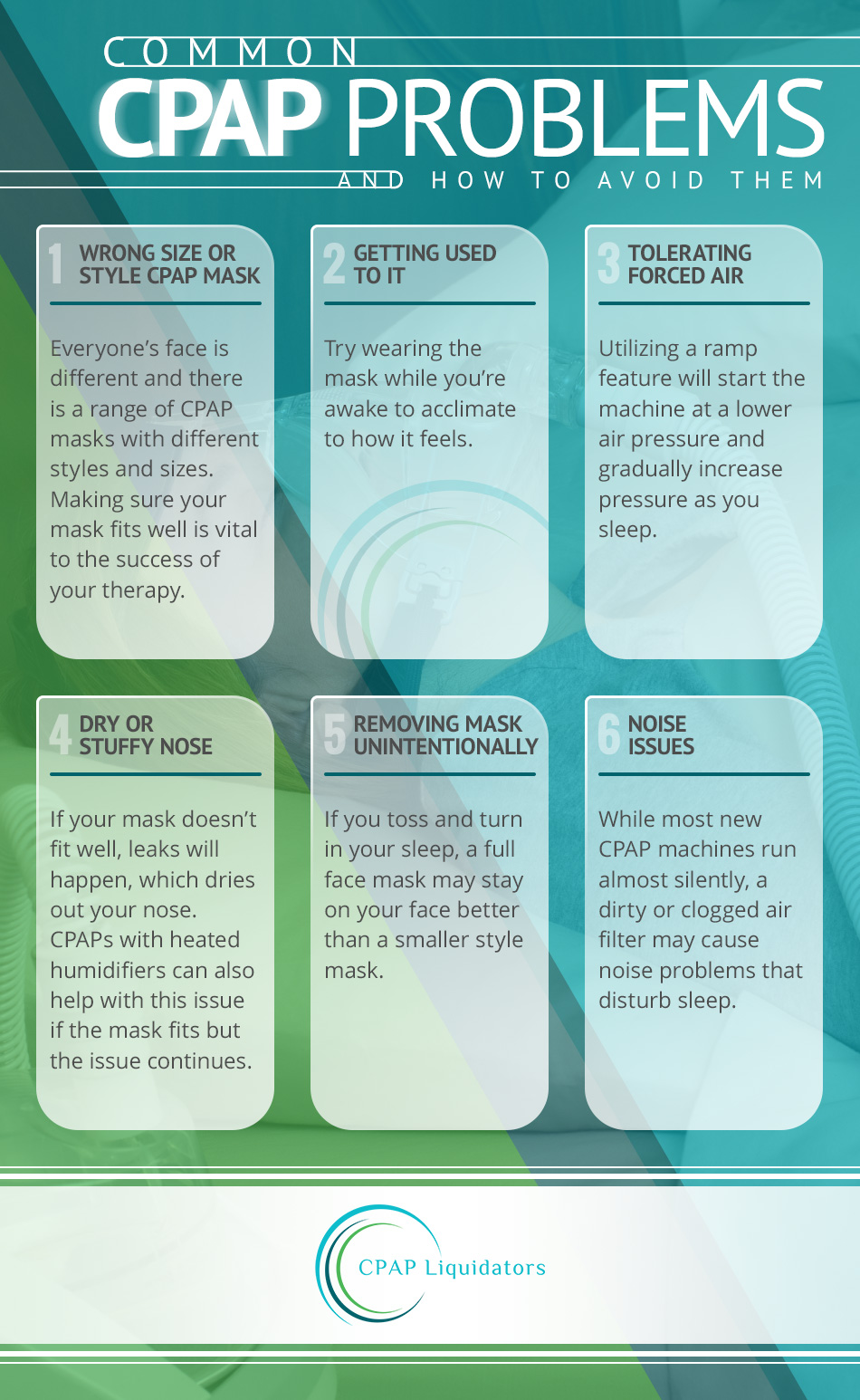
Mask and air leaks are common issues that can disrupt your CPAP therapy. Leaks reduce the pressure needed to keep your airway open. This can cause discomfort, dry eyes, and noisy airflow. Fixing leaks improves comfort and treatment effectiveness.
Adjusting Headgear
Start by checking your headgear straps. They should be snug but not too tight. Tight straps can cause pain and skin marks. Loose straps allow air to escape around the mask edges. Adjust straps evenly for a secure fit that feels comfortable.
Cleaning Mask Cushion
Dirt and oils build up on the mask cushion over time. This stops it from sealing properly. Clean the cushion daily with mild soap and warm water. Rinse well and let it air dry. A clean cushion seals better and reduces leaks.
Fixing Buckling Issues
The mask cushion can buckle if it is too soft or worn out. Buckling breaks the seal and causes leaks. Check the cushion for cracks or tears. Replace it if needed. Also, avoid over-tightening the mask, which can cause buckling.
Checking Air Tube
Inspect the air tube for holes, cracks, or loose connections. Damaged tubes let air escape before reaching your mask. Make sure the tube connects tightly to the machine and mask. Replace the tube if you find any damage to stop leaks.
Credit: libertysleep.ca
Dryness In Mouth, Nose, And Eyes
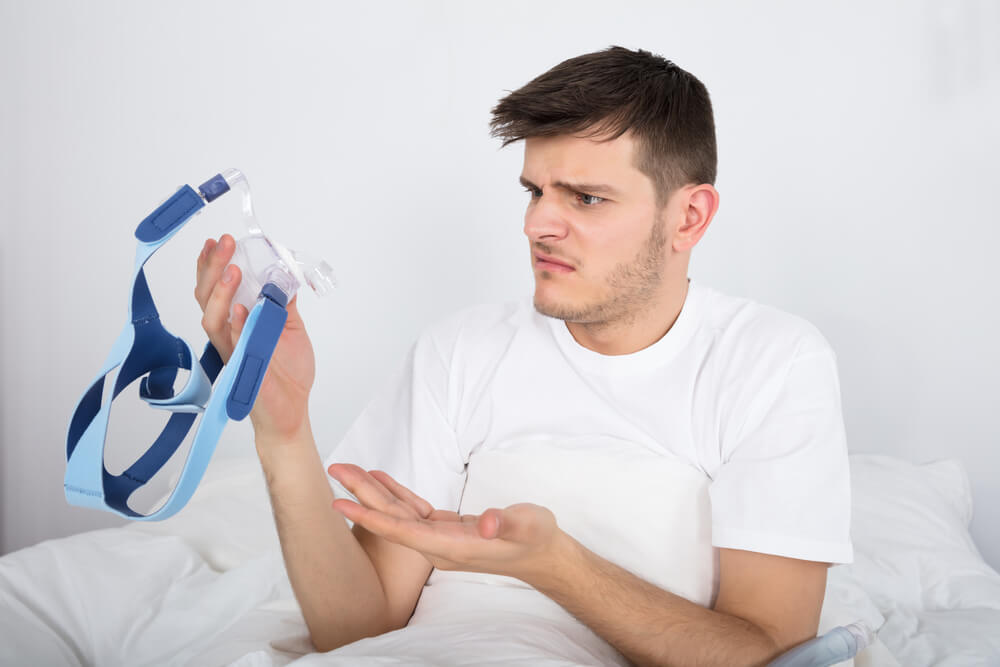
Dryness in the mouth, nose, and eyes is a common complaint among CPAP users. This discomfort can affect sleep quality and overall therapy success. The air pressure from the CPAP machine can sometimes dry out the mucous membranes. Simple adjustments can help reduce this dryness and improve comfort during use.
Increasing Humidifier Settings
Raising the humidifier level adds moisture to the air. This helps keep your nose and throat moist. Adjust the settings gradually to find the right balance. Too much humidity can cause water buildup in the mask or hose.
Using Ramp Feature
The ramp feature starts CPAP pressure low and increases it slowly. This gives your body time to adjust. It can reduce dryness and make falling asleep easier. Try setting the ramp to a longer duration for gentle pressure increase.
Staying Hydrated
Drink plenty of water throughout the day. Proper hydration keeps your tissues moist naturally. Avoid caffeine or alcohol before bed as they cause dehydration. Staying hydrated reduces dryness in your mouth and nose at night.
Using Chin Strap
A chin strap helps keep your mouth closed during sleep. Mouth breathing leads to dry mouth and throat. The strap supports your jaw and prevents air from escaping. It improves CPAP effectiveness and reduces dryness.
Applying Saline Or Gel
Saline sprays or gels soothe dry nasal passages. Use them before bedtime or as needed during the night. These products add moisture and reduce irritation. Choose unscented, gentle formulas to avoid discomfort.
Trying Full Face Mask
A full face mask covers both nose and mouth. It is helpful for mouth breathers who experience dry mouth. This mask style delivers air through both openings. It reduces dryness and improves comfort during therapy.
Noise Troubleshooting
Noise from a CPAP machine can disrupt your sleep and reduce therapy effectiveness. Fixing noise issues improves comfort and helps maintain steady treatment. Common noise causes include dirty filters, clogged parts, and loose assembly. Troubleshooting these areas can quickly reduce or stop unwanted sounds.
Replacing Dirty Filters
Dirty filters block airflow and cause the machine to work harder. This creates unusual noises or whistling sounds. Check your CPAP filters regularly and replace them every month or as needed. New filters ensure smooth airflow and reduce noise. Always use filters recommended by the manufacturer for best results.
Cleaning Exhalation Port
The exhalation port allows air to escape from the mask. Dust or debris can clog this port, causing noisy airflow or hissing sounds. Remove the mask and clean the port with a soft brush or cloth. Clear ports let air flow freely, minimizing sound and improving comfort during use.
Ensuring Proper Assembly
Noise can come from parts that are not connected properly. Check all tubing, mask, and machine connections. Loose or misaligned parts create vibrations or rattling noises. Fit each piece securely and confirm there are no gaps or bends in the tubing. Proper assembly keeps your CPAP quiet and effective throughout the night.
Power And Pressure Issues
Power and pressure issues can disrupt your CPAP therapy and reduce its effectiveness. These problems often cause discomfort or poor sleep. Identifying and fixing them early helps maintain good therapy results.
Checking Power Connections
Ensure the CPAP machine is plugged into a working outlet. Check the power cord for any damage or loose connections. Try a different outlet if the machine does not turn on. Some machines have a power switch; confirm it is in the ON position. A stable power supply is essential for consistent therapy.
Verifying Pressure Settings
Incorrect pressure settings can cause discomfort or poor therapy. Review the pressure levels on your CPAP screen. Compare the settings with the prescription from your healthcare provider. Do not change settings without medical advice. Pressure that feels too low or high can affect your breathing during sleep.
Using Ramp For Pressure Adjustment
The ramp feature helps you adjust pressure gradually. It starts at a low pressure and slowly increases to the prescribed level. Use this if you find full pressure uncomfortable at first. Ramp makes falling asleep easier and improves comfort. Check your machine’s manual to learn how to activate ramp mode.
Consulting Provider For Pressure Changes
Only a healthcare provider can safely change pressure settings. Contact your provider if your therapy feels uncomfortable or ineffective. They may adjust pressure based on your sleep study or symptoms. Never adjust pressure on your own as it may harm your therapy. Regular follow-ups ensure your CPAP works properly for you.
Humidifier Problems
Humidifier problems in CPAP machines can affect therapy comfort. The humidifier adds moisture to the air you breathe. This prevents dryness in your nose and throat. Trouble with the humidifier reduces the benefits of CPAP therapy. Common issues include water levels not changing, the hot plate not warming, and the chamber not sitting correctly. These problems can cause discomfort and affect sleep quality.
Water Not Decreasing
If the water level in the humidifier does not drop during use, the humidifier may not be working. This means no moisture is added to the air. Check if the water chamber is sealed properly. Also, verify that the machine is turned on and set to humidify. A faulty sensor or heater can cause this issue. Contact your provider for repair or replacement if needed.
Hot Plate Not Warming
The hot plate warms the water to create steam. If it does not heat, the air will be dry and cold. This can cause nasal dryness and irritation. Check the power connection and settings. Dirt or mineral buildup on the plate can prevent heating. Clean the plate gently with a soft cloth. Persistent issues may require professional service.
Ensuring Proper Chamber Seating
The water chamber must sit firmly in the humidifier base. Poor seating stops the humidifier from working correctly. Remove and replace the chamber carefully. Make sure it clicks or fits snugly. Check for cracks or damage that can cause leaks. Proper seating ensures even heating and moisture delivery during therapy.

Credit: www.grepmed.com
Compliance And Comfort Tips
Comfort and compliance are key to successful CPAP therapy. Using your machine often and comfortably helps improve sleep and health. Small changes can make a big difference in how you feel with CPAP. Follow these tips to boost your comfort and keep therapy consistent.
Improving Mask Fit
A good mask fit stops air leaks and skin irritation. Try adjusting straps slowly for a snug, not tight, fit. Clean your mask daily to avoid oil and dirt buildup. Replace cushions or masks every few months to keep a proper seal. A well-fitted mask feels light and secure all night.
Adjusting Pressure Settings
Pressure settings control how much air the machine delivers. Too high pressure can cause discomfort or dry mouth. Too low pressure may not keep your airway open. Use the machine’s ramp feature to start at low pressure and increase slowly. Only change pressure after talking to your doctor or therapist.
Talking To Your Doctor
Your doctor can help solve issues with comfort or compliance. Share any pain, dryness, or trouble sleeping with your CPAP. They can adjust settings or suggest different masks or humidifiers. Regular follow-ups ensure your therapy stays effective and comfortable. Never hesitate to ask for help or advice.
Frequently Asked Questions
How Can I Tell If My Cpap Machine Is Not Working Properly?
Signs your CPAP machine may malfunction include weak pressure, unusual noise, mask leaks, dry nose or mouth, and humidifier issues. Check connections, clean parts, and monitor water usage. Consult your provider if problems persist to ensure effective therapy.
What Is The 4 Hour Cpap Rule?
The 4-hour CPAP rule requires users to wear the machine at least four hours nightly. This ensures therapy effectiveness and insurance coverage. Consistent use improves sleep apnea symptoms and maintains treatment benefits. Doctors recommend meeting this minimum for optimal health results.
What Are Common Problems With Cpap Machines?
Common CPAP problems include mask leaks, dry mouth or nose, discomfort, noisy machines, and pressure issues. Regular cleaning and proper fit help. Adjust humidifier settings for dryness and check connections to fix leaks or noise. Consult your provider for persistent problems or pressure adjustments.
Why Is The Water Not Going Down In My Cpap Machine?
Water not draining in your CPAP machine usually means the humidifier isn’t working properly. Check the humidifier and contact your equipment provider for service or replacement.
How Can I Tell If My Cpap Machine Is Not Working Properly?
Signs of a malfunctioning CPAP include weak pressure and unusual noise. Humidity problems or cold air from the machine also indicate issues. Checking these helps ensure your therapy works well.
Conclusion
Troubleshooting your CPAP machine helps improve your sleep quality. Small fixes like adjusting the mask or checking the humidifier can make a big difference. Regular cleaning keeps the machine working well and prevents common problems. Pay attention to any changes in pressure or unusual noises.
Always consult your healthcare provider if issues persist. Staying proactive ensures your therapy remains effective and comfortable every night. Simple steps lead to better rest and healthier breathing.



