
If you own a Cummins engine, you know how crucial it is to keep it running smoothly. But what happens when your engine throws fault codes and leaves you guessing what’s wrong?
That’s where the Cummins Fault Code Troubleshooting Manual becomes your best friend. This manual helps you understand those confusing error codes, guiding you step-by-step to identify and fix issues quickly. Imagine saving time, avoiding costly repairs, and getting your engine back to peak performance without the headache.
Keep reading, and you’ll discover simple ways to decode fault codes, troubleshoot common problems, and use essential tools like Cummins INSITE software—so you’re always in control of your engine’s health.
Fault Codes Basics
Understanding fault codes is crucial for anyone working with Cummins engines. These codes help diagnose problems quickly and accurately. Knowing the basics makes troubleshooting easier and faster. This section explains what fault codes are, how they are created, and the common types you may encounter.
What Are Fault Codes
Fault codes are special numbers stored by the engine’s computer. They indicate specific problems within the engine or its systems. Each code points to a different issue, like sensor failures or mechanical faults. These codes help technicians find and fix problems without guesswork.
How Codes Are Generated
The engine control module (ECM) monitors many sensors and parts. When it detects a problem, it creates a fault code. This happens if a sensor sends a wrong signal or a component fails. The code is saved in the ECM’s memory for later reading. Fault codes stay active until the problem is fixed or cleared.
Common Code Types
There are several types of fault codes. Some are generic and apply to many engines. Others are specific to Cummins models. Common codes include sensor errors, fuel system issues, and emission faults. Knowing these types helps in choosing the right repair steps quickly.

Credit: www.scribd.com
Reading Codes
Reading fault codes is the first step in fixing Cummins engine problems. Fault codes give clear clues about the engine’s condition. Understanding how to read these codes saves time and money. It helps pinpoint exact issues quickly. There are different ways to read codes depending on the tools available. This section explains three common methods for reading Cummins fault codes.
Using Scan Tools
Scan tools connect to the engine’s electronic control module (ECM). They read and display fault codes instantly. Most scan tools show code descriptions for easy understanding. This tool is fast and user-friendly. Mechanics use scan tools to check engine health on-site. Some scan tools also allow clearing codes after repairs. Make sure the scan tool supports Cummins engines for accurate results.
Manual Code Retrieval
Manual code retrieval uses the engine’s dashboard or indicator lights. This method works without electronic devices. The engine flashes a pattern of lights to represent codes. Count the flashes to identify each code. This approach is helpful if no scan tool is available. It requires patience and careful counting. Manuals provide detailed instructions on how to read these flashes.
Insite Software Guide
INSITE is Cummins’ official diagnostic software. It connects via a laptop and a communication adapter. INSITE shows live engine data and fault codes. The software explains each code and suggests fixes. It also allows clearing codes after repairs. INSITE is ideal for detailed troubleshooting. It requires a subscription and technical knowledge to operate.
Clearing Fault Codes
Clearing fault codes on Cummins engines is essential for maintaining engine health. Fault codes indicate problems detected by the engine control module (ECM). Removing these codes helps confirm repairs and restore normal engine functions. This section covers simple ways to clear codes, both with and without tools, and explains the right time to reset them.
Resetting Without Tools
Resetting fault codes without diagnostic tools is possible. Disconnect the battery’s negative terminal for about five minutes. This interrupts power to the ECM and clears temporary codes. Reconnect the battery and start the engine. Note that this method only clears codes temporarily. Persistent issues will cause codes to return until fixed.
Using Insite To Clear Codes
Cummins INSITE software allows easy fault code clearing. Connect your laptop or device to the engine’s diagnostic port. Open INSITE and navigate to the fault codes section. Select the codes and choose the “Clear” option. This method removes codes stored in the ECM and confirms repairs. INSITE also helps diagnose and monitor engine performance after clearing codes.
When To Clear Codes
Clear fault codes only after fixing the root problem. Clearing codes too early hides ongoing issues. This can lead to engine damage or poor performance. Use clearing as a final step to verify repairs. Regularly check codes during maintenance to catch problems early. Proper timing ensures accurate engine diagnostics and smooth operation.
Credit: www.ebay.com
Troubleshooting Steps
Troubleshooting Cummins fault codes requires a clear, step-by-step approach. Each step helps identify the root cause of engine issues. Following these steps reduces repair time and saves money. This section breaks down the key troubleshooting actions for Cummins engines.
Inspecting Wiring And Connections
Start by checking all wiring harnesses and connectors. Look for loose, damaged, or corroded wires. Bad connections often cause fault codes. Clean connectors with electrical contact cleaner. Secure any loose wires or terminals. Proper wiring ensures accurate sensor signals and engine control.
Testing Sensors And Components
Use a multimeter or scan tool to test sensors. Verify sensor readings against manufacturer specifications. Faulty sensors trigger warning lights and errors. Replace any sensor that shows incorrect values or no signal. Check fuel injectors, temperature sensors, and pressure sensors carefully. Good sensor function is vital for engine performance.
Following Repair Procedures
After identifying issues, follow the manual’s repair steps exactly. Use the correct tools and parts specified by Cummins. Perform repairs in the recommended order for safety and efficiency. Clear fault codes after repairs using a scan tool or Cummins INSITE software. Test the engine to confirm the problem is resolved and no new codes appear.
Common Fault Codes
Common fault codes in Cummins engines signal issues that affect engine health. Recognizing these codes helps maintain performance and avoid costly repairs. The codes come from various systems within the engine and give clues about the problem.
Understanding the nature of these codes can save time during troubleshooting. Each fault code corresponds to a specific error or failure. This section explains common fault codes found in Cummins engines and what they mean.
Engine Performance Codes
Engine performance codes indicate problems with fuel delivery, combustion, or power output. These codes may show issues like misfires, low fuel pressure, or timing errors. Detecting these faults early prevents engine damage and reduces downtime. Examples include codes for injector faults and turbocharger performance.
Sensor Failure Codes
Sensor failure codes point to malfunctioning or disconnected sensors. Sensors monitor temperature, pressure, and airflow. Faulty sensors send incorrect data to the engine control module (ECM). This can cause poor engine response or unexpected shutdowns. Common sensor faults involve crankshaft position sensors and coolant temperature sensors.
Emission Control Codes
Emission control codes relate to systems that reduce pollutants. These include exhaust gas recirculation (EGR), diesel particulate filters (DPF), and selective catalytic reduction (SCR). Codes in this group warn of blocked filters, faulty valves, or injector problems. Fixing these issues ensures compliance with emission laws and protects the environment.

Credit: www.ebay.com
Killer Dowel Pin Issue
The Killer Dowel Pin Issue affects certain Cummins engines. It involves a small pin in the timing gear housing. This pin can loosen or back out during engine operation. When this happens, it can cause severe damage to the timing gears and cover. The problem leads to costly repairs and engine downtime. Understanding this issue helps with early detection and repair.
Problem Overview
The dowel pin is designed to keep the timing gears aligned. Over time, vibration can cause the pin to move or fall out. This movement damages the timing gears and timing cover. Engines with this issue may show noise from the front of the engine. There might also be performance loss or engine misfires. If left unchecked, it can lead to complete engine failure.
Repair Solutions
Repair involves removing the timing cover and inspecting the pin. Replace damaged gears and install a new dowel pin. A retainer or locking tab can secure the pin in place. Repair kits are available to make this process easier. Following the repair, test the engine to ensure proper timing gear function.
Preventive Measures
Inspect the dowel pin during regular engine maintenance. Use a locking tab or retainer to keep the pin secure. Avoid excessive engine vibration by maintaining proper engine mounts. Use genuine Cummins parts for replacements. Early detection and repair prevent costly damage and extend engine life.
Resources And Manuals
Access to reliable resources and manuals is essential for effective Cummins fault code troubleshooting. These materials provide clear guidance on diagnosing and resolving engine issues. They help technicians and vehicle owners save time and avoid costly repairs. Well-structured manuals simplify complex fault codes into understandable steps.
Understanding where to find accurate information ensures proper maintenance and repair. Cummins offers various platforms and formats to meet different needs. From online databases to physical copies, the options cover all levels of expertise. Exploring these resources can improve troubleshooting accuracy and efficiency.
Cummins Quickserve Online
Cummins QuickServe Online is a powerful tool for fault code troubleshooting. It provides instant access to detailed engine data and diagnostic information. Users can search by engine model, serial number, or fault code. The platform offers repair instructions, parts lists, and service bulletins.
QuickServe Online updates regularly to include the latest fixes and diagnostic tips. It supports technicians with step-by-step troubleshooting guides. This resource reduces guesswork and speeds up repair times.
Authorized Dealers And Technicians
Authorized Cummins dealers and certified technicians offer expert support for fault code issues. They have access to proprietary tools and training. These professionals can perform accurate diagnostics and recommend correct repairs.
Visiting an authorized dealer ensures the use of genuine parts and proper service procedures. Dealers often provide warranty coverage and software updates. Their experience helps prevent recurring problems and protects engine performance.
Digital And Physical Manuals
Digital and physical manuals remain essential for troubleshooting Cummins fault codes. Digital manuals offer quick search functions and easy updates. They can be accessed on tablets, laptops, or smartphones.
Physical manuals serve as reliable references in workshops without internet access. They include wiring diagrams, error code definitions, and maintenance schedules. Both formats complement each other, supporting thorough diagnostics and repairs.
Advanced Diagnostics
Advanced diagnostics offer detailed insights into Cummins engine faults. They help pinpoint exact issues quickly. This reduces downtime and repair costs. Using modern tools and software makes troubleshooting precise and efficient. Understanding these advanced methods empowers technicians and vehicle owners alike. Below are key techniques to enhance fault code analysis.
Using Insite Fault Information System
The INSITE Fault Information System (FIS) is a powerful tool. It provides real-time fault data from the engine’s control module. Users can view detailed descriptions of each fault code. INSITE helps identify root causes and suggests repair steps. It also tracks engine performance and monitors sensor data. This system simplifies complex diagnostics for better decision-making.
Accessing Fis Files
FIS files contain valuable diagnostic information collected during engine operation. To access them, connect a compatible device to the engine’s electronic control module. Download the FIS files using Cummins-approved software or tools. These files store fault history and sensor readings over time. Reviewing FIS files reveals patterns that help in troubleshooting intermittent issues. Always save copies for future reference and analysis.
Step-by-step Troubleshooting
Start troubleshooting by reading the fault codes with INSITE or a scan tool. Note each code and its description carefully. Check related sensor data and engine conditions recorded in FIS files. Follow Cummins troubleshooting charts for each fault code. Perform visual inspections and test components as guided. Clear fault codes after repairs and monitor if they return. Repeat steps if problems persist to ensure accurate fixes.
Diy Repair Tips
Handling Cummins fault codes on your own can save time and money. These DIY repair tips guide you through basic troubleshooting steps. Understanding simple fixes helps keep your engine running smoothly. This section covers essential tools, common repairs, and when professional help is needed.
Tools Needed
Gathering the right tools makes repairs easier and safer. A digital code reader or scan tool is essential for reading fault codes. Basic hand tools like wrenches, screwdrivers, and pliers help with most repairs. A multimeter can test electrical components. Gloves and safety glasses protect you during work. Having a flashlight improves visibility in tight spaces.
Common Fixes
Many fault codes have straightforward solutions. Tightening loose connections often solves electrical issues. Replacing damaged sensors or wires fixes sensor-related faults. Cleaning air filters and fuel filters improves engine performance. Resetting codes after repairs clears old errors. Following the manual’s guidance ensures correct steps and prevents damage.
When To Seek Professional Help
Some problems need expert diagnosis and repair. Complex engine faults or repeated codes require professional attention. If the engine stalls or runs poorly after DIY fixes, call a mechanic. Faults involving fuel injection or turbochargers may need special tools. Safety concerns or lack of experience are also good reasons to seek help.
Frequently Asked Questions
What Year Does Cummins Have The Killer Dowel Pin?
Cummins introduced the Killer Dowel Pin in engines starting around 2007 to prevent timing gear damage. This upgrade improves engine reliability.
How To Clear Cummins Fault Codes Without Scan Tool?
To clear Cummins fault codes without a scan tool, disconnect the negative battery terminal for five minutes. Reconnect it to reset codes temporarily. Address underlying issues promptly, as codes may reappear if problems persist. This method works only as a temporary fix.
What Are The Diagnostic Trouble Codes?
Diagnostic trouble codes (DTCs) identify vehicle issues by signaling specific system faults. Technicians use DTCs to diagnose and fix problems quickly.
How To Get Codes Out Of A Cummins Engine?
Connect a diagnostic tool like Cummins INSITE to the engine’s ECM. Read and record fault codes displayed. Clear codes using the tool’s erase option. Turn off the ignition after clearing. Address any issues causing codes to prevent recurrence.
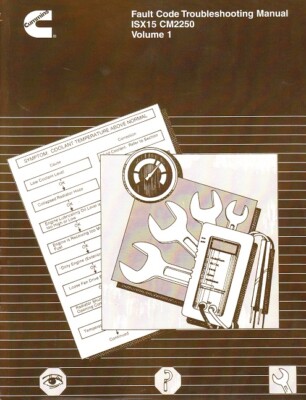
What Is Cummins Fault Code Troubleshooting Manual?
It is a guide to identify and fix Cummins engine fault codes. The manual helps users understand error codes and repair steps. It simplifies engine diagnostics for better maintenance.
Conclusion
Understanding Cummins fault codes helps keep engines running smoothly. Use the troubleshooting manual to identify problems fast. Clear codes properly to avoid repeated issues. Regular checks save time and prevent costly repairs. Always follow safe steps when working on engines.
Reliable resources like Cummins QuickServe offer detailed guides. Stay informed to maintain your engine’s best performance. Troubleshooting becomes easier with the right information at hand.



