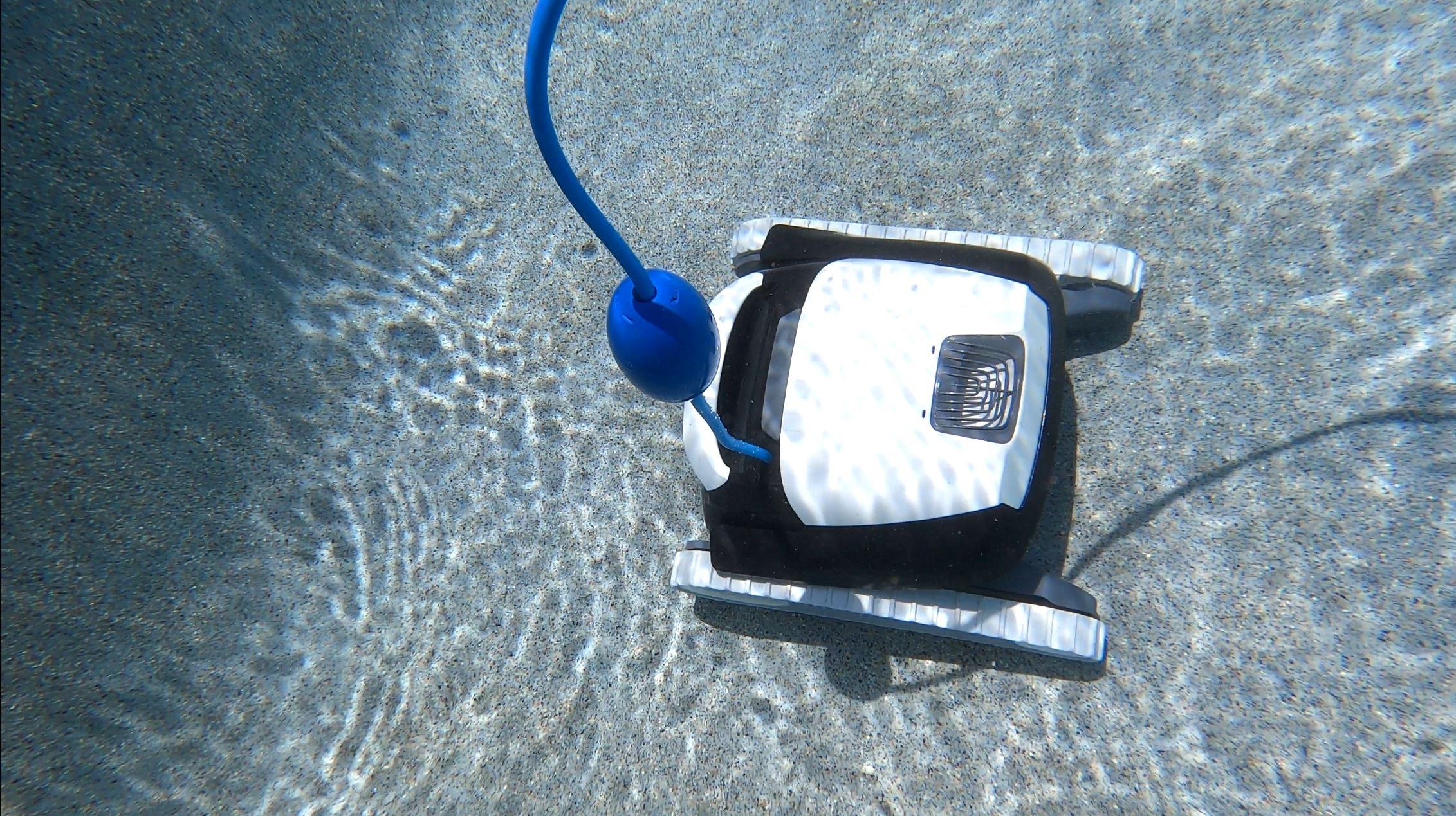
Is your Dolphin S300 robotic pool cleaner acting up? Maybe it won’t start, stops mid-cycle, or just isn’t cleaning like it used to.
You’re not alone—and the good news is, many common issues have simple fixes you can do yourself. In this guide, you’ll discover easy troubleshooting steps that save you time, money, and frustration. Whether it’s a power glitch, clogged filters, or tangled cables, you’ll learn exactly what to check and how to get your Dolphin S300 back to perfect cleaning in no time.
Keep reading—your pool deserves the best care, and you deserve a hassle-free fix.
Credit: diy.inyopools.com
Common Dolphin S300 Issues
The Dolphin S300 pool cleaner is popular for its efficiency and ease of use. Despite its strengths, users may face some common issues. These problems can affect its performance and cleaning results. Understanding these issues helps in quick troubleshooting and maintenance.
Below are the frequent problems reported by Dolphin S300 owners. Each issue can usually be fixed with simple checks and care.
Power Problems
Power problems often stop the Dolphin S300 from working. The cleaner may not turn on or may stop during a cycle. Check the power supply and outlet first. Make sure the power cable is not damaged. A faulty power unit can also cause issues. Unplug and reconnect the power supply to reset the unit. If problems continue, test the outlet with another device.
Movement Failures
The cleaner may fail to move or get stuck. This usually happens due to debris blocking wheels or tracks. Inspect the wheels and tracks for dirt or hair. Clear any obstructions carefully. Sometimes, worn brushes or loose tracks reduce mobility. Replace worn parts to restore smooth movement. Ensure the pool surface is suitable for the cleaner’s operation.
Poor Cleaning Performance
Poor cleaning is a common complaint. It happens when filters get clogged with debris. Remove and clean the filter basket regularly. Check the impeller for blockages that reduce suction power. Worn brushes also lower cleaning quality. Replace brushes if they look damaged or frayed. Regular maintenance keeps the cleaner working at its best.
Cable Tangling
Cable tangling restricts the cleaner’s movement and causes errors. This happens if the cable is not laid out properly before use. Avoid twisting or looping the cable around pool features. Spread the cable straight across the pool before starting the cleaner. Use a swivel or cable management device if needed. Proper cable care prevents tangles and ensures smooth cleaning cycles.
Power Troubleshooting
Power issues are common with the Dolphin S300 robotic pool cleaner. They can stop the cleaner from turning on or completing its cycle. Troubleshooting power problems helps you find the root cause. It saves time and avoids unnecessary repairs. This section covers simple steps to check power supply, cables, and isolate faults.
Checking Power Supply And Outlets
Start by verifying the power supply unit (PSU) is plugged in properly. Use a different outlet to ensure the socket works. Look for any signs of damage or loose connections on the plug or socket. The PSU should have a power light that turns on when connected. If the light is off, the power supply might be faulty. Avoid using extension cords or adapters that could cause issues.
Inspecting Power Cables
Examine the power cable connecting the PSU to the Dolphin S300. Look for cuts, frays, or kinks along the cable length. Damaged cables can stop power flow or cause intermittent faults. Make sure the cable is fully inserted into the cleaner and PSU. Avoid pulling or twisting the cable to prevent internal wire breaks. Replace the cable if any damage is found.
Isolating Robot And Psu Issues
Disconnect the blue cable from the PSU to isolate the problem. Check if the PSU light stays on without the robot connected. If the light goes off, the PSU may be defective. Next, reconnect the robot and see if it powers on. If the PSU is fine but the robot does not start, the issue could be inside the cleaner. This method helps identify if the fault lies with the PSU or the robot itself.
Movement Problems
Movement problems with the Dolphin S300 can stop your cleaner from doing its job. The robot might not move at all or get stuck during cleaning. These issues often come from dirt buildup, worn parts, or motor trouble. Understanding common causes helps fix the problem fast.
Check parts regularly to keep your cleaner moving smoothly. Small blockages or worn components can cause big issues. Follow these steps to troubleshoot movement problems.
Removing Debris From Wheels And Tracks
Debris can jam the wheels and tracks, stopping movement. Check for leaves, hair, or small stones caught in these parts. Remove any visible dirt carefully by hand. Use a soft brush to clean tight spots. Clean wheels and tracks often to avoid blockage. This simple step restores smooth movement quickly.
Examining The Drive Belt
The drive belt moves the wheels and tracks. Inspect it for cracks, tears, or looseness. A worn or broken belt stops the cleaner from moving. Replace the belt if it looks damaged or too loose. Tighten it gently if it feels slack. Proper belt condition ensures the robot moves as it should.
Addressing Motor Overheating
The motor may overheat and stop working temporarily. Overheating happens if the motor runs too long or faces heavy resistance. Let the cleaner rest if it stops moving suddenly. Check for blocked parts causing extra load on the motor. Keep the machine clean to prevent overheating. Regular breaks help protect the motor and extend its life.
Improving Cleaning Efficiency
Improving the cleaning efficiency of your Dolphin S300 ensures your pool stays sparkling clean. Regular maintenance avoids common issues that reduce performance. Simple checks and part replacements can keep the cleaner working at its best.
Cleaning And Replacing Filters
Dirty filters block water flow and lower suction power. Remove the filter basket after each use. Rinse it thoroughly with a hose to clear trapped debris. Replace the filter if it shows tears or damage. Clean filters help the cleaner pick up dirt effectively.
Clearing Impeller Blockages
The impeller moves water through the cleaner. Leaves and small debris often clog this part. Turn off and unplug the unit before inspecting. Remove the impeller cover and clear any blockages. A clean impeller ensures strong water flow and better suction.
Inspecting Brushes And Tracks
Brushes scrub dirt from pool surfaces while tracks provide movement. Check brushes for wear or missing bristles. Replace worn brushes for proper scrubbing action. Inspect the tracks for damage or looseness. Tighten or replace tracks to maintain smooth movement.
Cable Management Tips
Proper cable management is essential for keeping your Dolphin S300 running smoothly. Tangled or damaged cables can cause power interruptions and affect cleaning performance. Organizing and inspecting the cable regularly helps prevent common issues and extends the cleaner’s lifespan.
Proper Cable Layout
Lay the cable straight along the poolside before use. Avoid sharp bends or twists that can cause damage. Spread the cable evenly to prevent tangling during operation. Use cable clips or weights to keep it in place if needed. Make sure the cable is long enough to reach all pool areas without stretching.
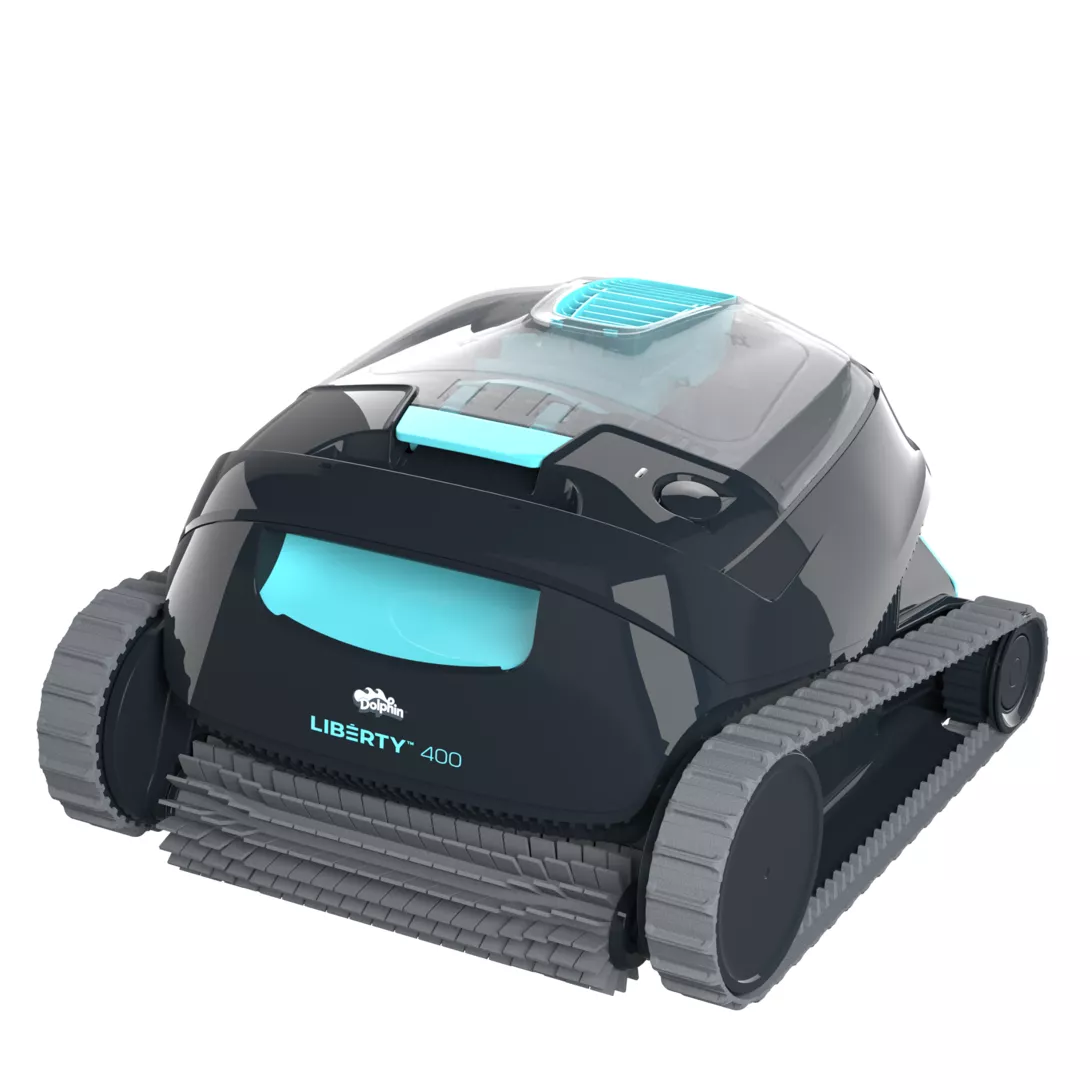
Untangling And Inspecting The Swivel Joint
Check the swivel joint for twists or knots in the cable. Untangle any loops carefully to avoid pulling on the connection. Inspect the swivel for cracks or wear that could limit movement. Clean debris from the joint to maintain smooth rotation. Replace the swivel if it shows signs of damage to ensure free cable movement.
Credit: www.maytronics.com
Routine Maintenance Steps
Routine maintenance is essential to keep your Dolphin S300 pool cleaner working well. Regular care helps avoid common problems and extends the cleaner’s life. Small tasks done often make a big difference in performance.
Follow these easy steps to maintain your Dolphin S300. They keep the cleaner efficient and your pool sparkling clean.
Regular Filter Cleaning
Clean the filter after every use. Remove the filter basket carefully. Rinse it with a garden hose to clear dirt and debris. Avoid using harsh chemicals or brushes that can damage the filter. A clean filter improves suction and cleaning power. Dirty filters cause poor cleaning and may strain the motor.
Checking For Wear And Tear
Inspect brushes, tracks, and wheels often. Look for cracks, worn bristles, or loose parts. Replace any damaged components quickly. Worn brushes reduce scrubbing ability. Damaged tracks affect movement and can cause the cleaner to stop. Check cables for cuts or twists that may block power. Regular checks prevent bigger repairs later.
Storing The Cleaner Properly
Store your Dolphin S300 in a dry, shaded place. Avoid direct sunlight and extreme temperatures. Keep it off the ground to prevent damage from moisture or pests. Coil the power cable loosely to avoid kinks. Proper storage protects the cleaner’s electronics and materials. It also keeps the cleaner ready for the next use.
Resetting The Dolphin S300
Resetting the Dolphin S300 is a useful step to fix many common issues. It helps clear minor errors and refresh the system. This process can improve performance without complex repairs. Understanding how to reset the unit is important for smooth operation.
Power Cycling The Unit
Power cycling is the simplest way to reset the Dolphin S300. First, unplug the power supply from the wall socket. Then, disconnect the power cable from the cleaner itself. Wait at least 30 seconds. This pause allows the internal system to fully shut down. After the wait, reconnect the cables and plug back into power. Turn on the unit and check if the problem is fixed.
Steps Without A Dedicated Reset Button
The Dolphin S300 does not have a dedicated reset button. To reset, use the power cycling method instead. Unplug the power supply completely from the wall and cleaner. Wait for about 30 seconds to 1 minute. This step clears any temporary faults. Reconnect everything carefully and power on the device. This process resets the cleaner’s internal software. It often resolves errors and improves device responsiveness.
Extending Dolphin S300 Lifespan
Extending the lifespan of your Dolphin S300 ensures you get the best value from this advanced pool cleaner. Proper care and maintenance help prevent early wear and mechanical problems. Simple steps can keep your cleaner working efficiently for years.
Minimizing Environmental Damage
Keep the pool water balanced and clean to protect the Dolphin S300. Avoid harsh chemicals that can corrode parts. Rinse the cleaner with fresh water after each use to remove chlorine and debris. Prevent exposure to extreme temperatures by not leaving the device in direct sun or freezing conditions.
Adjusting Usage Frequency
Use the Dolphin S300 according to your pool’s needs. Overusing it can cause unnecessary wear on motors and brushes. Running the cleaner too little allows dirt to build up, which stresses the device during cleaning. Find a balanced schedule to maintain pool cleanliness without overworking the machine.
Proper Storage Practices
Store the Dolphin S300 in a cool, dry place away from direct sunlight. Avoid placing heavy items on top of the cleaner or its cable. Coil the cable loosely to prevent kinks and damage. Remove the cleaner from the pool promptly after each cycle to reduce wear and tear.
Credit: manuals.maytronics.com
Frequently Asked Questions
Where Is The Reset Button On The Maytronics Dolphin Cleaner?
The Maytronics Dolphin Cleaner has no dedicated reset button. To reset, unplug the power supply, wait 30 seconds, then reconnect it.
What Are Common Problems With Dolphin Cleaners?
Common Dolphin cleaner problems include power supply issues, clogged filters, impeller blockages, worn brushes, cable tangling, and debris jamming wheels or tracks. These cause poor cleaning, failure to move, or incomplete cycles. Regularly clean filters, untangle cables, and inspect parts to maintain optimal performance.
Why Is My Dolphin Pool Cleaner On But Not Moving?
Your Dolphin pool cleaner may not move due to debris blocking wheels or impeller, power supply issues, or motor problems. Check and clean filters, untangle the cable, inspect for jams, and ensure the power source works properly to fix the issue.
What Is The Lifespan Of A Dolphin Pool Cleaner?
A Dolphin pool cleaner typically lasts 3 to 5 years with regular maintenance. Proper care extends its lifespan significantly.
How Do I Reset The Dolphin S300 Pool Cleaner?
To reset, unplug the power supply from the outlet and disconnect it from the cleaner. Wait about 30 seconds, then reconnect and plug it back in. This simple reset often fixes minor issues quickly.
Conclusion
Troubleshooting the Dolphin S300 becomes simpler with regular checks. Clean filters and remove debris often. Inspect brushes, impellers, and cables for damage or tangles. Ensure the power supply works properly every time. These small steps keep your cleaner running well.
Staying consistent helps avoid common issues and extends device life. Keep your pool sparkling with minimal effort.