
Is your electric gate acting up when you least expect it? Whether it’s refusing to open, moving sluggishly, or making strange noises, these problems can disrupt your day and compromise your security.
But don’t worry—you don’t have to be an expert to get your gate back on track. In this guide, you’ll discover simple, effective troubleshooting tips that help you quickly identify and fix common electric gate opener issues. From checking power supplies to clearing sensor blockages, you’ll learn exactly what to do to keep your gate running smoothly.
Keep reading to regain control and avoid costly repairs by tackling these problems head-on!

Credit: topens.com
Common Gate Issues
Electric gate openers can face several common issues that disrupt their normal function. Identifying these problems early helps maintain smooth operation and security. Understanding typical faults saves time and repair costs. Below are frequent issues with electric gates and simple troubleshooting tips.
Power And Remote Failures
Power problems often stop the gate from working. This includes power outages, tripped circuit breakers, or loose wiring. Remote controls may fail due to dead batteries or signal interference. Check the power supply and replace remote batteries first. Reset the system if needed. Clear any obstacles blocking the sensors or tracks. Use manual release mode to open the gate during power failures.
Movement Problems
Slow or jerky gate movement usually results from debris in the tracks or lack of lubrication. Worn rollers, hinges, or chains also cause motion issues. Clean the tracks and remove dirt or leaves. Lubricate all moving parts with suitable grease. Inspect rollers and replace damaged components. A weak motor can strain under load; call a professional if the motor seems tired.
Unusual Noises
Strange sounds during gate operation often indicate worn gears or loose hardware. Lack of lubrication creates grinding or squeaking noises. Tighten any loose screws or bolts. Apply lubricant to gears, chains, and hinges regularly. Persistent noise may signal motor trouble. Consult a technician for a thorough inspection and repairs.
Sensor Malfunctions
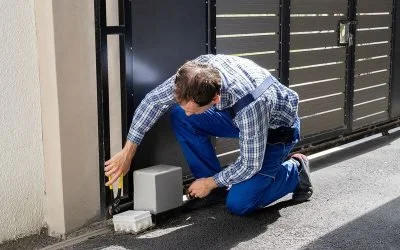
Gate sensors control safe opening and closing. They can fail due to dead batteries in wireless sensors or blocked sensor eyes. Dirt, spider webs, or plants often cover sensors. Clean sensor lenses gently and check alignment. Signal interference or faulty receivers can also cause problems. Replace batteries and test the remote control. Professional help may be required for complex sensor faults.
Credit: www.intelegates.com
Power Supply Checks
Power supply issues often cause electric gate openers to stop working. Checking the power supply is a simple first step in troubleshooting. This helps identify if the problem lies in electrical connections, circuit breakers, or remote controls. A steady power source is key for smooth gate operation.
Verifying Electrical Connections
Start by inspecting the wires and connectors. Make sure all cables are tightly connected and free from damage. Loose or corroded wires can cut power flow. Look for signs of wear or water damage. Secure any loose connections and replace damaged wires to restore power.
Circuit Breaker And Fuse Inspection
Check the circuit breaker panel for any tripped breakers. A breaker may trip due to a power surge or short circuit. Reset any tripped breakers by switching them off and on again. Also, examine fuses linked to the gate opener. Replace blown fuses with the correct type to ensure safety and proper function.
Remote Battery Replacement
Remote controls depend on batteries for signals. Dead or weak batteries cause the gate to ignore commands. Remove the remote’s cover and replace old batteries with new ones. Use the battery type recommended by the manufacturer. Test the remote after replacement to confirm it works properly.
Clearing Obstructions
Obstructions can stop your electric gate from working properly. Clearing these blockages ensures smooth operation and extends the gate’s life. Regular checks and cleaning prevent many common problems.
Track And Sensor Cleaning
Clean the gate tracks regularly to remove dirt and grime. Use a brush or cloth to clear dust from sensors. Dirty sensors may fail to detect the gate’s position. Keep the tracks free from grease and buildup for easy movement.
Removing Debris And Nests
Check the gate area for leaves, sticks, or other debris. Remove any nests made by birds or insects near sensors and tracks. These obstructions can block the gate’s path or sensor signals. Clear the space around the gate for safe operation.
Ensuring Sensor Alignment
Make sure sensors face each other correctly. Misaligned sensors can cause the gate to stop or reverse. Adjust them gently until the indicator light shows proper connection. Test the gate after alignment to confirm it moves without stopping.
Credit: apollogateopeners.com
Lubrication And Maintenance
Proper lubrication and maintenance keep your electric gate opener running smoothly. Regular care reduces wear and prevents common issues. Focus on key parts like hinges, rollers, chains, and gears to ensure long-lasting operation.
Routine checks and simple tasks can avoid costly repairs and improve gate performance.
Hinges And Rollers
Hinges and rollers need regular lubrication to prevent rust and friction. Use a silicone-based lubricant for smooth movement. Avoid heavy grease as it attracts dirt and dust. Clean these parts first, then apply lubricant sparingly. This reduces noise and stops jerky gate motion.
Chains And Gears
Chains and gears work together to open and close the gate. Keep them clean and lightly lubricated to avoid sticking or slipping. Use a lubricant designed for metal chains. Check for rust or wear during maintenance. Replace damaged chains or gears to maintain smooth operation.
Routine Hardware Tightening
Loose hardware can cause gate misalignment and strain the motor. Check bolts, screws, and brackets regularly. Tighten any loose parts with the correct tools. This simple step prevents damage and keeps the gate stable. Regular tightening improves safety and extends the opener’s life.
Manual Release And Reset
Manual release and reset are essential steps for electric gate opener troubleshooting. These functions help regain control when automatic systems fail. They also assist in restoring normal operation after faults. Understanding how to use manual mode and perform system resets can save time and prevent costly repairs.
Manual release allows the gate to be opened or closed without power. Resetting the system clears errors and restarts the control unit. These actions are often simple but must be done carefully to avoid damage. Here are key points to follow for manual release and reset.
Engaging Manual Mode
Locate the manual release lever or key on the gate motor. This device disengages the motor from the gate. Turn or pull the lever according to the manufacturer’s instructions. The gate should move freely by hand once released. Use this mode only when the automatic system is not working. Remember to re-engage the motor before restoring power. Manual mode is vital during power outages or motor failures.
System Reset Procedures
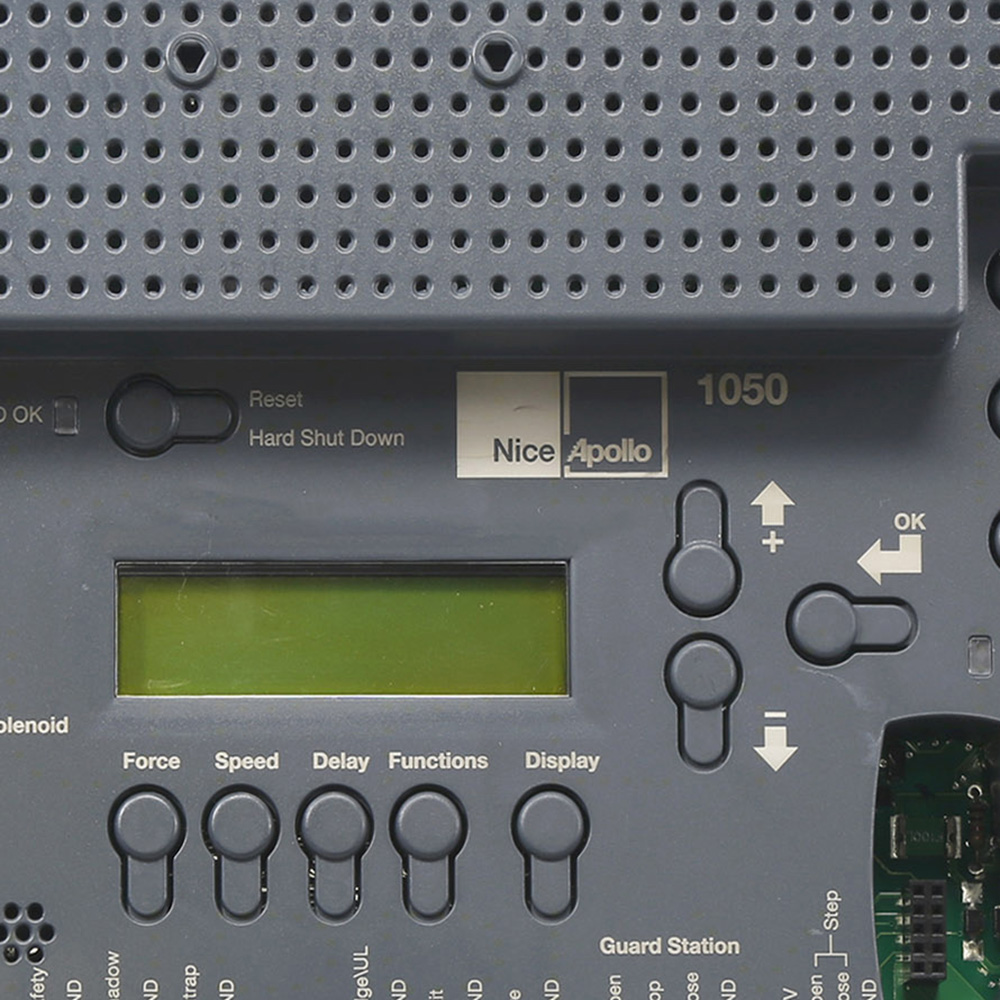
Reset the gate opener by cutting the power supply. Switch off the circuit breaker or unplug the unit. Wait for 30 seconds to 1 minute to allow the system to clear errors. Turn the power back on and observe if the gate responds normally. Some models have a reset button on the control box. Press and hold this button if available. Resetting can fix sensor errors, motor jams, and control board glitches.
Remote And Keypad Troubleshooting
Check the remote control batteries first. Replace weak or dead batteries with fresh ones. Ensure the remote is within range of the gate receiver. Test the keypad by entering the correct code carefully. Clean the keypad to remove dirt or moisture that may block keys. If the remote or keypad still fails, try reprogramming them according to the manual. Signal interference or damaged receivers may require professional repair.
When To Seek Professional Help
Knowing when to seek professional help is vital for electric gate opener troubleshooting. Some problems need expert attention to avoid damage or safety risks. Simple fixes you can do at home are fine, but certain issues require a skilled technician. Recognizing these signs saves time and money.
Electrical Repairs
Electrical faults can be dangerous. Issues like wiring problems, circuit board failures, or power supply faults need professional repair. Handling electricity without knowledge risks injury or further damage. A trained technician has the tools and skills to diagnose and fix electrical issues safely.
Complex Mechanical Issues
Mechanical problems such as broken gears, damaged motors, or misaligned components are often tricky. These require special tools and experience to repair correctly. Trying to fix complex parts without training can worsen the problem. Professionals can ensure smooth and safe gate operation.
Sensor Recalibration And Replacement
Sensors control gate safety and operation. Faulty sensors cause the gate to stop working or behave unpredictably. Recalibrating or replacing sensors needs precise adjustment and testing. Experts can handle sensor issues to keep your gate reliable and secure.
Frequently Asked Questions
What Are The Most Common Electric Gate Problems And How Can They Be Fixed?
Common electric gate problems include power issues, remote failure, sensor blockage, worn parts, and lack of lubrication. Fix these by checking power, replacing batteries, clearing debris, lubricating components, aligning sensors, inspecting wiring, and using manual release. Call a professional for complex electrical or mechanical repairs.
How Do You Troubleshoot An Electric Gate?
Check the power supply and circuit breaker first. Replace remote batteries and clear sensor obstructions. Clean and align sensors. Lubricate moving parts and inspect wiring. Use manual release if needed. Call a professional for complex electrical or mechanical issues.
How To Reset An Electric Gate?
To reset an electric gate, disconnect power for 30 seconds, then reconnect. Press the reset button if available. Check the manual for model-specific steps.
What To Do When Electric Gates Won’t Open?
Check the power supply and circuit breaker first. Replace remote batteries and clear sensor obstructions. Use manual release if stuck. Lubricate moving parts and inspect wiring. Call a professional for persistent electrical or mechanical issues.
What Causes My Electric Gate Opener Not To Respond?
The gate opener may not respond due to power loss, dead remote batteries, or a tripped breaker. Check power supply, replace batteries, and reset breakers first. Clear any obstructions that might block sensor signals.
Conclusion
Electric gate openers need regular care to work well. Check power and remote batteries first. Clear any dirt or leaves blocking sensors or tracks. Lubricate moving parts often to avoid noise and jerky motion. Tighten loose parts and replace worn components quickly.
Use manual release if the gate won’t move. Some problems need a professional’s help to fix safely. Keeping these tips in mind helps your gate open smoothly every time. Simple steps save time and prevent bigger repairs later. Stay patient and follow each step carefully for best results.



