Is your electric golf cart acting up right when you need it most? Whether it suddenly won’t move forward, refuses to start, or seems to lose power unexpectedly, these issues can be frustrating and confusing.
But don’t worry—you don’t have to be a mechanic to get your cart back on the path. In this guide, you’ll discover simple, step-by-step troubleshooting tips that anyone can follow to diagnose and fix common electric golf cart problems. From finding the reset button to checking your batteries and solenoid, you’ll learn exactly where to look and what to do next.
Ready to take control and get your golf cart running smoothly again? Keep reading and let’s solve those issues together!
Reset Button Locations
Finding the reset button on an electric golf cart is key to quick troubleshooting. The reset button helps clear small faults and resets the system. It is usually a small, red button located on different parts of the cart. Knowing where to look saves time and helps get your cart running again fast.
Each part of the golf cart may have its own reset button. Check the motor, motor controller, charger, and sometimes the battery pack. These buttons act like circuit breakers. They pop out or need pressing to reset the electrical system after an overload or fault.
On The Motor
The reset button on the motor is often a small, red button. It sits on the motor housing, usually under the seat. This button is a thermal breaker. It trips when the motor overheats or draws too much current. Pressing it resets the motor and lets the cart run again.
On The Motor Controller
The motor controller controls the power flow to the motor. It may have a small red reset button on its casing. Sometimes, you need a tool to press this button. Resetting the controller can fix electrical faults and restore normal operation quickly.
On The Charger
Many golf cart chargers include a reset button on the front or side panel. The button is often red or black. Pressing it resets the charger’s internal circuit. If no button exists, unplug the charger for a few minutes to reset it. This can clear charging errors.
On The Battery Pack
Newer lithium battery packs sometimes have a reset button near the terminals. This button helps reset the battery’s internal protection system. It is usually small and red. Resetting the battery pack can solve power delivery issues and restore charge flow.
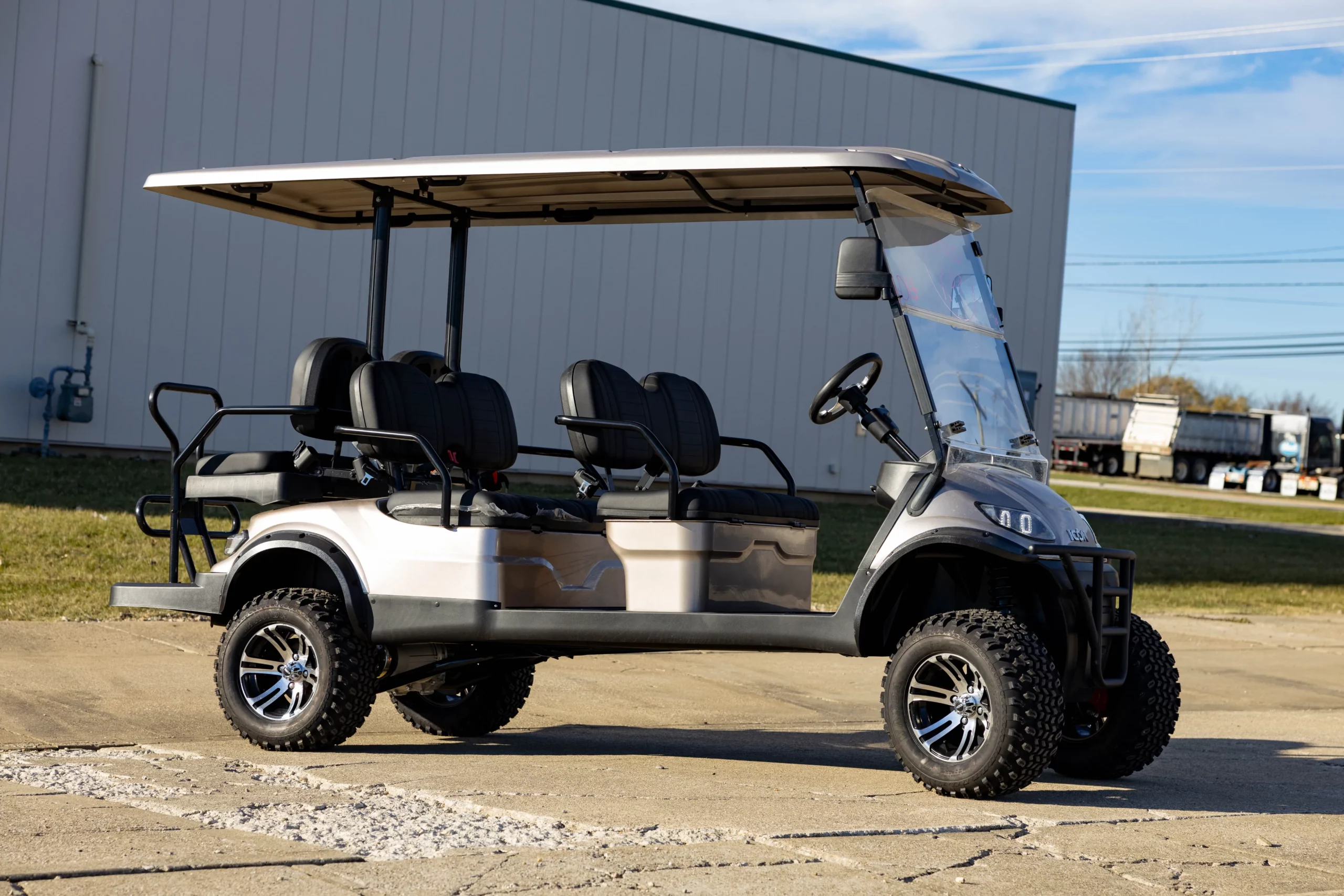
Credit: hartvillegolfcarts.com
Reset Steps
Resetting your electric golf cart can fix many common problems quickly. It clears minor faults and restores normal function. Following the right reset steps saves time and avoids costly repairs. Below are simple reset methods for key components of your cart.
Motor And Controller Reset
Turn the cart key off and set the switch to “Tow” mode. Locate the small red reset button on the motor or controller. Press the button firmly until it clicks. This button acts as a circuit breaker for overload protection.
After pressing, turn the key back on and switch to “Run” mode. Test the cart to see if it moves properly. If it still does not work, inspect wiring connections for corrosion or looseness. The motor or controller may need professional repair if the problem remains.
On-board Computer Reset
Turn off the cart and switch the tow/run lever to “Tow.” Disconnect the negative battery terminal to cut power to the On-Board Computer (OBC). Wait about one minute to let the system fully power down.
Reconnect the battery terminal and switch the lever back to “Run.” Turn on the key and check if the cart operates normally. This reset refreshes the OBC and clears minor software glitches. Always follow the manufacturer’s instructions for your specific model.
Troubleshooting Power Issues
Power issues are common problems in electric golf carts. They can stop your cart from running smoothly. Troubleshooting these problems helps you find faults fast. Fixing power issues often involves checking connections and motor health. Simple checks prevent bigger repairs later. This section explains how to spot and fix power problems in your golf cart.
Loose Or Corroded Connections
Loose or corroded connections block power flow. Check all battery terminals and wire connections. Tighten any loose cables using a wrench. Clean corrosion with a mixture of baking soda and water. Use a wire brush to scrub off rust or buildup. Dry all parts before reconnecting. Faulty connections cause weak power or no power at all.
Motor Failure Signs
A failing motor shows clear signs before it stops working. Listen for unusual noises like grinding or humming. The cart may move slower than usual or stop suddenly. Smell burning odors near the motor area. Check if the motor gets very hot quickly. These signs mean the motor could be damaged. Replace or repair the motor to restore power.

Credit: taraelectricvehicles.com
Movement Problems
Electric golf carts may face movement problems that stop them from running smoothly. These issues can arise from simple faults or worn parts. Checking the key components can save time and money. Understanding common causes helps fix the cart faster. Focus on brake switches, shift linkage, and the neutral safety switch for most movement troubles.
Brake Switch Checks
The brake switch stops the motor when brakes are pressed. A faulty switch can block the cart from moving. Test the brake switch with a multimeter for continuity. Make sure the brake pedal fully presses the switch. Replace the switch if it shows no signal or is damaged.
Shift Linkage Inspection
The shift linkage connects the gear selector to the transmission. Misalignment can cause the cart not to move. Check for loose or broken linkage parts. Adjust the linkage to ensure it clicks firmly into each gear. Lubricate the joints to prevent stiffness and wear.
Neutral Safety Switch
The neutral safety switch prevents starting in gear. A bad switch can stop movement or starting. Locate the switch near the transmission or shift lever. Test it with a multimeter to confirm it works properly. Replace the switch if it fails to engage or disengage correctly.
Battery Maintenance
Proper battery maintenance is vital for electric golf carts. A well-maintained battery ensures longer life and better performance. Neglecting battery care leads to frequent breakdowns and costly repairs. Simple steps like correct charging and cleaning can prevent many common issues. Below are key tips to keep your golf cart battery healthy and reliable.
Charging Tips
Always use the charger designed for your battery type. Overcharging damages the battery and shortens its life. Charge the battery after each use to keep it full. Avoid letting the battery run completely empty. Charge in a dry, cool place to avoid overheating. Disconnect the charger once the battery is full. Check charger connections for corrosion or loose wires regularly.
Cleaning And Care
Keep battery terminals clean and free of corrosion. Use a mix of baking soda and water to clean terminals safely. Dry terminals thoroughly after cleaning to prevent rust. Inspect cables for cracks or wear and replace if needed. Ensure the battery is secured firmly in its tray to avoid vibrations. Regular cleaning improves electrical contact and extends battery life.
Solenoid Symptoms
The solenoid plays a crucial role in your electric golf cart’s starting system. It acts like a switch, sending power from the battery to the motor. Recognizing solenoid symptoms helps prevent bigger problems and costly repairs. Watch for these common signs that point to solenoid issues.
No Start Or Clicking Sounds
If your golf cart does not start and you hear clicking noises, the solenoid might be failing. The clicking means the solenoid tries to engage but cannot complete the circuit. This can happen due to worn contacts or low voltage. Testing the solenoid with a multimeter can confirm the problem. Fixing or replacing the solenoid often restores normal starting function.
Intermittent Power Loss
Power loss during operation can signal solenoid trouble. The cart may run fine one moment and lose power the next. This happens when the solenoid’s internal parts make poor contact. Loose or dirty connections also cause this issue. Cleaning terminals and tightening wires often improves performance. Persistent power drops usually require solenoid replacement.
Signs Of Overheating
Overheating solenoids show visible signs like melted plastic or a burning smell. Excess heat comes from high resistance inside the solenoid or electrical shorts. Overheating can damage the solenoid and other components. Avoid running the cart if you notice these signs. Inspect and replace the solenoid to prevent further damage and maintain safety.
Quick Fixes And Tips
Quick fixes can save time and money when your electric golf cart acts up. Simple checks often reveal small problems before they grow. Knowing these tips helps keep your cart running smoothly. Regular care reduces the risk of breakdowns and extends battery life.
Routine Checks
Start with the battery. Check if terminals are clean and tight. Look for corrosion or loose wires. Inspect the charger and cables for damage. Test the battery voltage regularly to ensure it holds charge.
Examine the motor and controller for signs of wear or dirt. Clean any dust or debris carefully. Check the tires for proper inflation and wear. Keep the brake system adjusted and functioning well.
When To Replace Parts
Replace batteries if they do not hold a charge or show damage. Swap out worn tires that affect handling and safety. Change brushes in the motor when performance drops or sparking occurs.
Replace the controller or motor if the cart fails to start or runs inconsistently. Replace cables if frayed or damaged to prevent shorts. Use parts recommended by the manufacturer for best results.

Credit: evtitan.com
Frequently Asked Questions
Where Is The Reset Button On An Electric Golf Cart?
The reset button on an electric golf cart is usually a small red button on the motor, motor controller, or charger. It acts as a circuit breaker. Check under the seat or near the motor housing. Always turn the key off before pressing it.
Refer to your manual for exact location.
Why Won’t My Electric Golf Cart Go Forward Or Reverse?
Your electric golf cart may not move due to a faulty brake switch, misaligned shift linkage, loose wiring, or a bad neutral safety switch. Check these parts first to restore forward and reverse functions.
Why Did My Electric Golf Cart Suddenly Stop Working?
Your electric golf cart may stop suddenly due to dead or uncharged batteries, a tripped reset button, or loose wiring connections. Check battery charge, press the motor or controller reset button, and inspect wiring for corrosion or disconnection to restore function quickly.
What Are The Symptoms Of A Bad Solenoid In A Golf Cart?
A bad golf cart solenoid causes no start, no click, or rapid clicking when pressing the pedal. The cart may lose power or fail to engage the motor.
Where Is The Reset Button On An Electric Golf Cart?
The reset button is usually a small, red button on the motor or controller. It may also be on the charger or battery pack. Check under the seat or near the motor for its exact location.
Conclusion
Electric golf carts need simple care to run well. Checking the reset button often solves small issues fast. Always inspect wires and connections for damage or looseness. Testing the brake switch and shift linkage helps when the cart won’t move.
Regular maintenance keeps your cart reliable and safe. Stay patient and follow steps carefully to fix common problems. This way, your golf cart will keep working smoothly for many rides to come.