
Fiber optic networks are the backbone of today’s fast and reliable internet connections. But what happens when your fiber optic connection starts acting up?
You might notice slow speeds, intermittent drops, or no connection at all. Troubleshooting fiber optic issues can seem complicated, but with the right steps, you can quickly identify and fix common problems. You’ll discover simple checks you can perform yourself, tools that make pinpointing faults easier, and expert tips to keep your fiber optic network running smoothly.
Ready to take control of your connection and solve those frustrating fiber issues? Let’s dive in.

Credit: www.noyafa.com
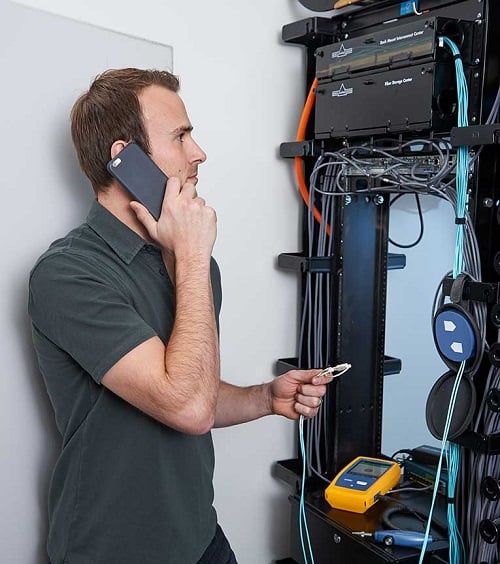
Credit: www.flukenetworks.com
Frequently Asked Questions
How Do I Troubleshoot My Fiber Optic Internet?
Check your modem/router power and indicator lights first. Inspect fiber cables for bends or damage. Secure all connections firmly. Reboot your devices to refresh the connection. Clean connector ends with proper wipes. Use a Visual Fault Locator to detect breaks or signal loss.
Replace damaged cables if needed.
What Are Four Causes Of Fiber Optic Failure?
Four causes of fiber optic failure include improper bending, connector contamination, physical damage, and signal misalignment. These issues disrupt signal transmission and degrade network performance. Regular inspection and proper handling prevent most failures.
What Are Common Fiber Connector Problems?
Common fiber connector problems include contamination, physical damage, signal loss, poor alignment, and water ingress, affecting performance.
How To Test If A Fiber Optic Cable Is Working?
Test fiber optic cables by checking device power and indicator lights. Inspect cables for damage or bends. Clean connectors carefully. Use a Visual Fault Locator to find breaks. Measure signal loss with a light source and power meter for accurate results.
What Are The Common Causes Of Fiber Optic Failure?
Fiber optic failure often happens due to cable bending, connector contamination, or physical damage. Signal misalignment and fiber fading also cause issues. Regular inspection helps prevent these problems.
Conclusion
Effective fiber optic troubleshooting starts with simple, clear steps. Always check power and device lights first. Inspect cables closely for bends, damage, or dirt. Clean connectors to avoid signal loss and maintain quality. Use proper tools like Visual Fault Locators for precise detection.
Address issues early to prevent bigger problems later. Regular maintenance keeps your fiber network running smoothly. Stay patient and methodical for best results. Troubleshooting fiber optics is manageable with basic knowledge and care.



