
If you rely on your Fleck 5600 water softener to keep your water clean and free of hard minerals, any glitch can quickly disrupt your daily routine. Maybe your water spots your dishes again, or you notice a salty taste—signs that something isn’t quite right.
You might be wondering, “How do I fix this myself without calling a technician? ” This guide is made for you. We’ll walk you through simple, clear steps to troubleshoot common issues with your Fleck 5600 water softener. By the end, you’ll know how to spot problems like a clogged brine tank or salt bridging and how to get your system working smoothly again.
Keep reading to take control of your water softener and enjoy soft, clean water once more.
Signs Of A Clogged Brine Tank
The Fleck 5600 water softener relies on a clean brine tank to work well. A clogged brine tank stops salt from dissolving. This blocks the softening process and reduces water quality. Recognizing signs of a clogged tank helps fix problems early. Watch for changes in salt, water level, and water hardness. These clues point to issues in the brine tank.
Salt Bridge Formation
A salt bridge is a hard crust of salt inside the tank. It forms when salt sticks together and hardens. This bridge stops water from reaching the salt below. The salt cannot dissolve into the water. The softener then fails to make the brine solution it needs. You may see a dry layer of salt on top while a solid block lies underneath.
Excessive Water Levels
Too much water in the brine tank is a warning sign. The water level stays high or overflows after a regeneration cycle. This happens because salt cannot dissolve properly. The system cannot draw the correct brine amount for softening. Check water levels after the softener runs. If it is always full, the tank may be clogged.
Dark Sludge Buildup
Look for dark, thick sludge at the bottom of the tank. This muck is a mix of salt, sediment, and minerals. It can clog the tank and block salt from dissolving. Sludge buildup lowers water softener efficiency. Regular cleaning of the brine tank prevents sludge from forming. A dark layer inside the tank means cleaning is overdue.
Water Hardness Indicators
Signs of hard water can reveal a clogged brine tank. Hard water spots on dishes or glassware appear again. Soap may not lather well on skin or hair feels stiff. The water softener is not removing minerals as it should. Test water hardness if you suspect brine tank problems. A rise in hardness means the softener is not working properly.
Unusual Noises And Pressure Drops
Listen for strange sounds from the water softener. Gurgling or clinking noises may indicate salt or sludge blockage. Water pressure may drop due to restricted flow inside the tank. These signs point to a clogged brine tank or salt bridge. Keep an ear out for odd noises during regeneration cycles. They signal the need for inspection or cleaning.
Checking For Clogs
Checking for clogs in your Fleck 5600 water softener is a crucial step in troubleshooting. Clogs can block salt or water flow, reducing softener performance. Identifying these blockages early helps keep your water softener running smoothly. Below are simple methods to detect clogs effectively.
Visual Inspection Techniques
Start with a clear visual check of the brine tank. Look for hardened salt crusts, known as salt bridges. These form a solid layer that stops salt from dissolving properly. Also, check for excessive water pooling or dark sludge at the tank bottom. These signs indicate buildup or blockages. Use a flashlight for better visibility inside the tank.
Stick Test Method
Use a wooden stick or broom handle to test for salt bridges. Gently push the stick down through the salt. If it hits a hard surface and cannot reach the bottom, a clog is present. This solid mass blocks salt from dissolving into water. Break the salt bridge carefully to restore normal salt flow.
Monitoring Water Levels During Regeneration
Observe the water level inside the brine tank during regeneration cycles. Water should drop as salt dissolves to form brine. If the water level stays high or overflows, a clog may be blocking salt flow. Listen for unusual gurgling sounds, which can indicate trapped air or blockages. This monitoring helps confirm if the tank is clogged.
Clearing Salt Bridges
Salt bridges form when salt crystals harden and create a crust inside the brine tank. This crust stops salt from dissolving properly. The water softener then cannot create the brine needed to soften water. Clearing these salt bridges restores the unit’s performance and water quality. Follow these steps to fix salt bridge problems in your Fleck 5600 water softener.
Breaking Up Salt Crusts
Use a broom handle or similar tool to gently tap the salt crust. Avoid using sharp or metal objects to prevent damage. Break the crust into smaller pieces carefully. Remove large chunks by hand if possible. This helps salt dissolve evenly during regeneration. Make sure the salt is loose and not stuck to the tank walls.
Cleaning The Brine Tank
Empty the brine tank completely before cleaning. Remove old salt and any debris from the bottom. Rinse the tank with warm water to clear out residue. Use a mild soap solution if needed, but rinse thoroughly. Let the tank dry before refilling with fresh salt. Regular cleaning prevents salt bridges and improves softener function.
Handling Drain Line And Injector Issues
Check the drain line for clogs or kinks that block water flow. Clear any obstructions using a small brush or compressed air. Inspect the injector for buildup or damage. Clean the injector with a soft brush and warm water. Replace parts if worn out. Proper flow ensures the brine solution mixes well and softening works correctly.
Credit: www.manualslib.com
Resetting The Fleck Softener
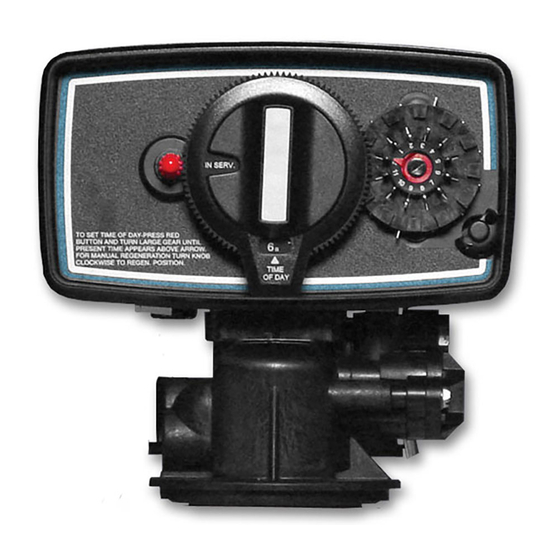
Resetting the Fleck 5600 water softener is a simple task that often solves common issues. A reset clears errors and restarts the system. This step can fix timer problems and restore normal operation. Follow these steps carefully to reset your softener and adjust its settings.
Manual Reset Steps
First, locate the control panel on your Fleck 5600 softener. Press and hold the “Up” and “Down” arrows together for about 10 seconds. The screen will clear and reboot. Release the buttons once the display resets. This action restarts the system and clears minor faults.
Next, check the current time and day settings. If incorrect, reset them using the arrows. Setting the right time ensures proper regeneration cycles. Finally, confirm the softener is in service mode after reset. This means it is ready to treat your water again.
Timer Adjustment Tips
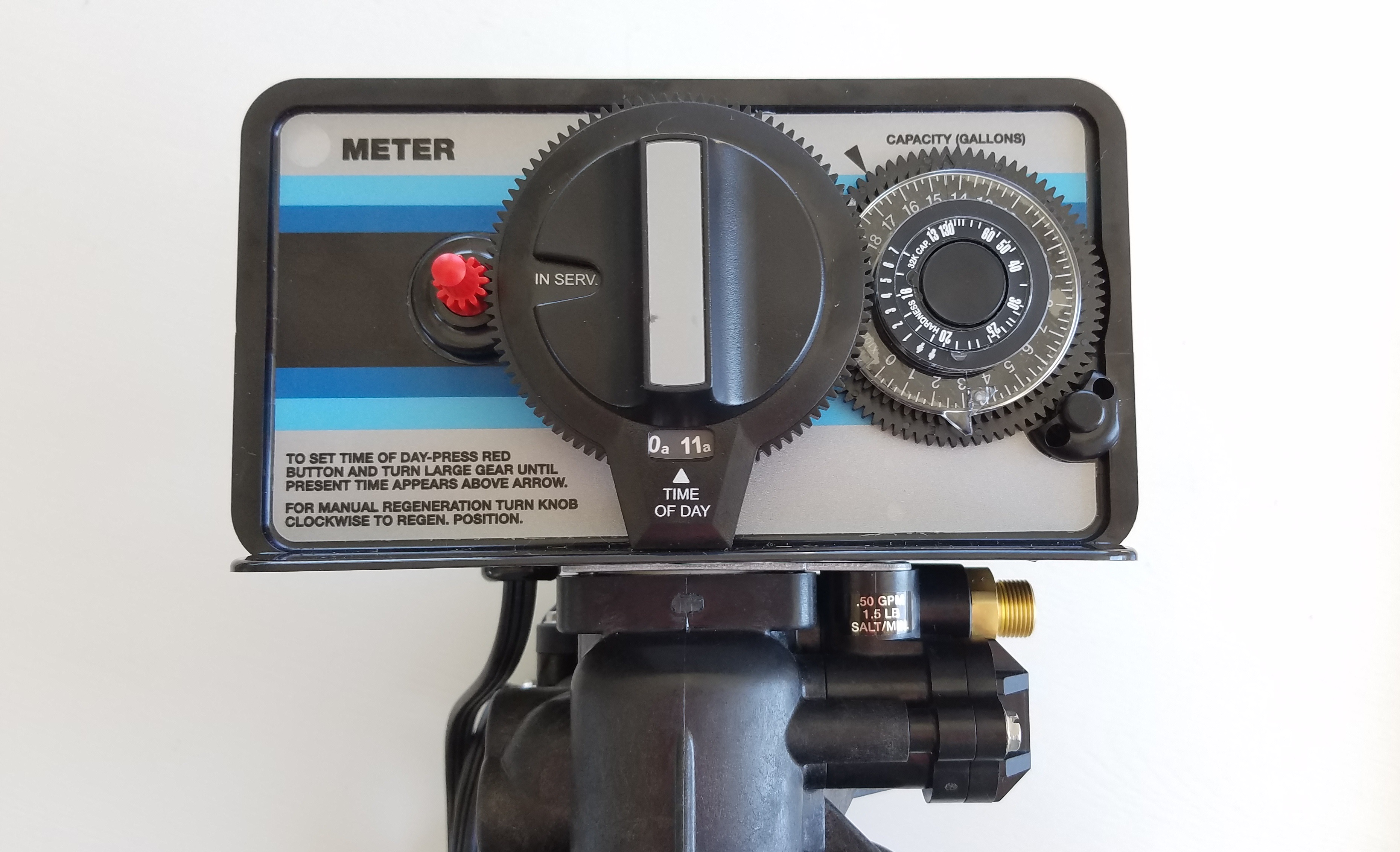
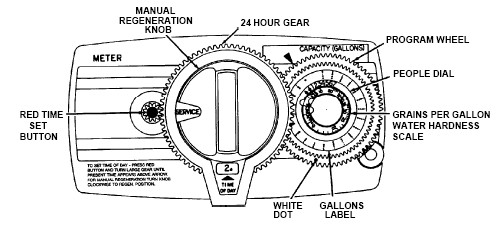
The Fleck 5600 timer controls when regeneration occurs. Make sure the time matches your local time. Use the “Up” and “Down” buttons to adjust the hour and minutes. Set the regeneration time during low water use, such as late night or early morning.
Check the day of the week setting as well. It should match the current day. The softener uses this for scheduling regeneration. Incorrect settings can cause missed or early regenerations. Resetting and adjusting the timer keeps your system efficient.
Common Softener Problems
Common softener problems can disrupt your water softening process. They cause hard water spots, foul taste, and appliance damage. Understanding these issues helps keep your Fleck 5600 running smoothly. Troubleshooting saves time and avoids costly repairs.
Salt Quality Effects
Low-quality salt causes poor softening results. It leaves behind impurities that clog the system. Salt with dirt or additives creates buildup in the brine tank. Use pure, high-grade salt to ensure efficient regeneration. Poor salt lowers the lifespan of your softener parts.
Injector Clogs
The injector moves brine into the resin tank. Dirt and salt particles can block this small part. A clogged injector stops proper brine flow. This problem leads to hard water and system errors. Regular cleaning prevents clogs and keeps your softener working.
Salt Tank Water Levels
Water levels in the salt tank must stay balanced. Too much water causes salt to dissolve improperly. Too little water means the salt cannot form brine. Both conditions reduce softener performance. Check the water level during regeneration cycles for best results.
Mechanical Failures
Mechanical parts like valves and timers can wear out. Broken parts cause leaks, regeneration failures, or no water flow. Regular inspection helps spot worn or damaged components. Replace faulty parts quickly to maintain softener efficiency. Proper maintenance extends the system’s life.
Credit: www.h2oequipment.com
Maintenance Tips
Proper maintenance keeps your Fleck 5600 water softener working well. Simple habits prevent common issues and extend the system’s life. Focus on salt use, cleaning, and tracking performance to avoid troubles.
Using Proper Salt Types
Choose salt designed for water softeners. Pellet or crystal salt dissolves evenly and reduces buildup. Avoid rock salt as it may contain impurities. Clean salt helps the system run smoothly and prevents clogging. Check salt quality regularly to keep the softener efficient.
Regular Cleaning Schedule
Clean the brine tank at least once a year. Remove old salt and rinse the tank with warm water. Clean the resin tank if you notice reduced water softness. Use a soft brush to remove dirt and buildup. Regular cleaning stops salt bridges and sludge from forming.
Monitoring System Performance
Watch water softness and salt levels every month. Check for spots on dishes or stiff hair as signs of poor softening. Listen for unusual noises during regeneration cycles. Track salt consumption to spot unusual drops or increases. Early detection helps fix issues before they worsen.
Credit: www.apswater.com
Frequently Asked Questions
How Do I Know If My Brine Tank Is Clogged?
You know your brine tank is clogged if salt forms a hard crust, water overflows, or water softening fails. Probe the salt with a stick; hitting a solid block signals clogging. Notice gurgling sounds or hard water signs like spots on dishes and dry skin.
How To Reset A Water Softener Fleck?
To reset a Fleck water softener, press and hold the “Regenerate” or “Recharge” button until the system starts a regeneration cycle. This restarts the timer and clears previous settings. Ensure no water is used during this process for proper reset.
What Are Common Water Softener Problems?
Common water softener problems include salt bridging, clogged brine tanks, resin bead fouling, motor failures, and incorrect settings. These issues cause hard water, low water pressure, or salty taste. Regular maintenance and using high-quality salt help prevent these problems and ensure efficient softener operation.
How To Manually Regenerate Fleck 5600 Water Softener?
To manually regenerate a Fleck 5600 water softener, press and hold the “Recharge” button until the valve advances to the regeneration cycle. Release the button and the system will begin regenerating immediately. Ensure the unit is powered and has enough salt before starting.
How Do I Identify A Clogged Brine Tank In Fleck 5600?
A clogged brine tank often has hard salt crusts blocking water flow. You may notice water spots on dishes or stiff skin. Probing the salt with a stick can confirm a solid blockage.
Conclusion
Troubleshooting your Fleck 5600 water softener can save time and money. Check for salt bridges and clogged parts regularly. Keep the brine tank clean to maintain soft water quality. Simple tests like the stick test help spot blockages early. Follow steps to break up salt buildup and clean the tank.
Regular maintenance ensures your softener works smoothly. This prevents hard water problems like spots and dry skin. Stay attentive to any unusual noises or water issues. Proper care keeps your Fleck 5600 running efficiently for years.



