If your Ford F150 backup camera is acting up, you’re not alone—and you don’t have to stay frustrated. Whether the screen goes blank, the image is fuzzy, or you see a “camera unavailable” message, these common issues can make parking and reversing a real headache.
But here’s the good news: many of these problems have simple fixes that you can try yourself before spending money on repairs. In this guide, you’ll discover easy troubleshooting steps—from checking fuses and inspecting wiring to performing system resets and cleaning the camera lens.
By following these tips, you’ll get your backup camera working smoothly again, boosting both your safety and confidence on the road. Ready to solve your Ford F150 backup camera troubles? Let’s dive in.
Common Backup Camera Issues
Ford F150 backup cameras face several common issues that affect their reliability. These problems can disrupt your driving experience and compromise safety. Understanding these issues helps you troubleshoot quickly and get back on the road with confidence.
Most problems involve the display or camera feed. Some issues result from wiring or software glitches. Identifying symptoms lets you target the root cause efficiently.
Blank Screen And Frozen Image
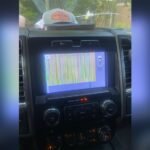
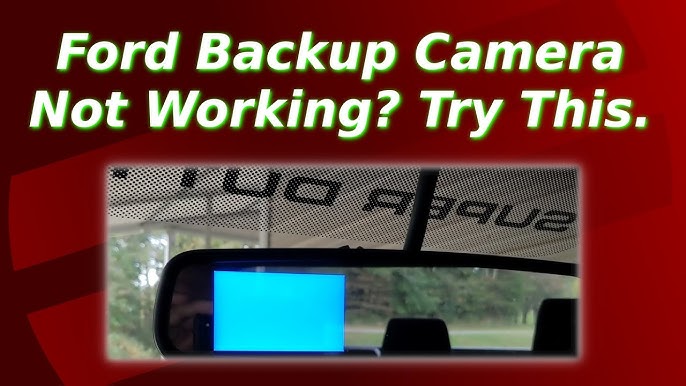
The screen may go completely blank or freeze on one image when you shift into reverse. This usually happens due to a loose camera connection or a software glitch in the Sync system. Sometimes, moisture can cause corrosion in the camera’s wiring or connectors, leading to a dead display.
Restarting the engine or performing a soft reset on the Sync system often solves this. Check the wiring for damage or corrosion if the problem persists.
Camera Unavailable Message
A common error reads “Camera Unavailable” on the infotainment screen. This message typically appears if the system cannot detect the camera signal. The cause may be a blown fuse, damaged wiring, or a faulty camera module.
Inspect the fuse box for any blown fuses labeled for the camera or reverse system. Also, examine wiring connections behind the tailgate and under the bumper for damage or corrosion.
Distorted Or Blurry Feed
Sometimes, the camera feed appears unclear, blurry, or distorted. Dirt, water droplets, or scratches on the camera lens often cause this issue. Poor lighting or misaligned camera angles also affect image quality.
Clean the lens carefully and check the camera’s mounting position. If the distortion continues, the camera may need calibration or replacement.
Delayed Video Display
The video feed may lag or delay after shifting into reverse. This delay can make it hard to judge distances or see obstacles clearly. Software delays or slow Sync system updates often cause this.
Updating the Sync software through Wi-Fi can reduce lag. In some cases, a system reset or professional calibration may be necessary for smooth video performance.

Credit: www.reddit.com
Main Causes Of Problems
The Ford F150 backup camera helps drivers see behind the truck. Problems with this camera affect safety and convenience. Understanding the main causes helps fix issues faster. Common problems include blank screens, frozen images, or error messages like “camera unavailable.” These usually stem from software, water damage, wiring, or power supply issues.
Sync Software Glitches
The SYNC system controls the backup camera display. Software bugs or outdated versions cause the camera to freeze or not show images. The system may display error messages or fail to switch to the camera view. Restarting the engine or performing a soft reset often resolves these glitches. Keeping the SYNC software updated reduces these problems.
Water Damage In Tailgate Connectors
Water can enter the tailgate connectors through seals or cracks. Moisture causes corrosion and shorts in the electrical contacts. This damage interrupts the camera signal and power. The camera may stop working or show distorted images. Inspecting and drying connectors, plus replacing damaged seals, prevents water damage.
Wiring And Connection Faults
Loose or damaged wiring affects the backup camera’s function. The wiring harness near the tailgate often suffers from wear or pinching. Connectors under the rear bumper or behind the camera can become loose or corroded. Checking and securing all connections restores camera operation. Clean any corrosion and ensure tight fits.
Blown Fuses Affecting Power
The backup camera depends on power from the truck’s fuse box. A blown fuse cuts power to the camera system. The fuse related to the camera may be labeled “BCM Camera” or “Reverse.” Checking and replacing blown fuses restores power. Locate the fuse box near the passenger kick panel to inspect fuses easily.
Quick Diy Fixes
Quick DIY fixes can solve many common problems with the Ford F150 backup camera. These simple steps require no special tools. They help restore clear images and proper camera function fast. Follow these easy methods to troubleshoot the backup camera at home.
Cleaning The Camera Lens
Dirt, dust, and water spots often blur the camera lens. Use a soft cloth and mild cleaner to wipe the lens gently. Avoid harsh chemicals that can damage the lens coating. Cleaning the lens regularly improves the camera’s view and image clarity.
Soft Reset Of Sync System
The SYNC system controls the backup camera display. A soft reset clears minor software glitches. To reset, press and hold the power button on the infotainment screen for about 10 seconds. The system will restart automatically. This step often fixes frozen or blank camera images.
Battery Terminal Disconnect
Disconnecting the battery resets the vehicle’s electrical system. Open the hood and locate the battery terminals. Remove the negative terminal first, then the positive. Wait for five minutes before reconnecting both terminals. This resets the backup camera and SYNC system hardware.
Adjusting Camera Settings
Incorrect settings may cause poor camera performance. Access the SYNC menu and select the camera settings. Adjust brightness, contrast, and guidelines as needed. Make sure the camera view is enabled. Proper settings enhance the backup camera’s visibility and usefulness.
Inspecting And Cleaning Connectors
Loose or dirty connectors can cause camera issues. Check the wiring behind the camera and under the rear bumper. Look for corrosion, dirt, or damaged wires. Clean connectors with electronic contact cleaner. Secure all connections firmly to ensure stable signal transmission.
Fuse And Wiring Checks
Checking the fuse and wiring is a crucial step in troubleshooting the Ford F150 backup camera. Electrical issues often cause the camera to malfunction or stop working entirely. By inspecting fuses and wiring connections, you can identify common problems and fix them quickly. This process helps avoid costly repairs and gets your backup camera working again.
Locating And Checking Bcm Fuse
The Body Control Module (BCM) fuse controls power to the backup camera system. Locate the fuse box on the passenger side kick panel. Look for a fuse labeled “BCM Camera,” “Reverse,” or similar. Remove the fuse and check if it is blown. A blown fuse will have a broken wire inside or show discoloration. Replace any blown fuse with one of the same amperage to restore power to the camera.
Inspecting Tailgate Wiring Harness
The tailgate wiring harness connects the backup camera to the main vehicle wiring. Open the tailgate and examine the wiring where it passes from the body to the tailgate. Look for any signs of damage, such as cuts, frays, or pinched wires. Damaged wiring can interrupt the camera signal or power. Repair or replace damaged sections to ensure a stable connection for the camera system.
Cleaning Corroded Connectors
Corrosion on connectors can block electrical signals and cause camera failure. Check the connector behind the camera, usually under the Ford logo on the tailgate. Also, inspect the main connector under the rear bumper. Use a contact cleaner or rubbing alcohol with a soft brush to clean any corrosion. Allow the connectors to dry completely before reconnecting. Securely attach all connectors to prevent future corrosion and connection problems.
Sync System Updates And Resets
The SYNC system in the Ford F150 controls many tech features, including the backup camera. Problems with the camera often link to SYNC software issues. Updating or resetting the SYNC system can solve many common camera glitches. These steps help refresh the system and clear errors.
Below are key methods to update and reset the SYNC system. These include factory resets, software updates, and soft resets.
Performing A Factory Reset
A factory reset restores SYNC to its original settings. This clears personal data and resets system errors. To do this, go to the main menu on the SYNC screen. Select “Settings,” then “System,” and find “Factory Reset” or “Restore Defaults.” Confirm the choice. The system will restart and erase all custom settings. This step often fixes persistent backup camera problems caused by software errors.
Checking For Software Updates
Software updates improve SYNC performance and fix bugs. Connect your F150 to Wi-Fi or use a USB drive with the update file. On the SYNC screen, open “Settings,” then “General,” and select “Software Update.” Follow the prompts to check for and install updates. Updated software can resolve camera issues like frozen images or error messages. Regular updates keep the system running smoothly.
How To Soft Reset Sync
A soft reset restarts the SYNC system without erasing data. Press and hold the power button on the SYNC screen for about 10 seconds. The screen will go blank and then reboot. This quick reset clears minor glitches and refreshes the system. After the reset, test the backup camera to see if the issue is fixed. Soft resets are a simple first step before trying more advanced fixes.
Credit: www.youtube.com
Advanced Troubleshooting
Advanced troubleshooting techniques help fix tough backup camera problems on the Ford F150. These steps go beyond basic checks and resets. They require careful actions but often solve persistent issues. Follow these detailed methods to restore your backup camera’s full function.
Hard Reset By Battery Disconnect
Disconnect the battery to perform a hard reset on your F150’s system. Start by turning off the engine and opening the hood. Use a wrench to remove the negative battery terminal. Avoid touching metal parts with the disconnected cable.
Wait about 10 to 15 minutes. This pause allows the vehicle’s computer to fully reset. Reattach the negative terminal securely and close the hood. Restart the engine and shift into reverse to check the camera. This method clears system glitches causing display errors or frozen images.
Calibration With Scan Tools
Calibration may be necessary if camera guidelines or images appear off. Ford scan tools or compatible OBD-II devices can perform this task. Connect the scan tool to the vehicle’s diagnostic port, usually under the dashboard.
Follow the tool’s instructions to enter calibration mode. The process often requires driving the truck while turning the steering wheel slowly. This helps the system adjust the camera angle and parking lines. Calibration fixes alignment errors and improves image accuracy.
Replacing The Backup Camera
Replacing the backup camera is a last step if resets and calibration fail. Start by opening the tailgate and locating the camera behind the Ford emblem. Carefully remove any trim or covers obstructing access.
Disconnect the wiring harness from the old camera. Install the new camera by attaching the wiring harness and securing it in place. Test the new camera by shifting into reverse. Replacement resolves issues caused by water damage, corrosion, or physical faults in the camera unit.
When To Seek Professional Help
Knowing when to seek professional help for your Ford F150 backup camera saves time and prevents damage. Some problems require expert tools and knowledge. Attempting complex fixes alone can worsen the issue or void warranties. Understanding the signs that call for professional service helps keep your vehicle safe and fully functional.
Recognizing Recalls
Ford may issue recalls for backup camera defects. These recalls fix safety risks or persistent faults. Check your vehicle identification number (VIN) on Ford’s official site. If your F150 is under recall, schedule a free repair at an authorized service center. Ignoring recalls can lead to unsafe driving conditions.
Persistent Or Complex Issues
Backup camera problems that continue after basic troubleshooting need expert attention. Issues like frequent screen freezes, distorted images, or “camera unavailable” errors often involve wiring or software faults. Professionals use diagnostic tools to identify hidden errors. Complex repairs ensure your camera works reliably and lasts longer.
Authorized Dealer Services
Authorized Ford dealers have trained technicians and original parts. They follow manufacturer guidelines for repairs and calibrations. Visiting a dealer maintains your vehicle’s warranty and resale value. Dealers also offer software updates that fix bugs and improve camera performance. Trusting professionals ensures safe and effective backup camera service.

Credit: www.cjponyparts.com
Frequently Asked Questions
How To Reset Ford Rear Camera?
To reset the Ford rear camera, perform a soft reset by rebooting the SYNC system via Settings > System > Restore Defaults. Alternatively, disconnect the negative battery terminal for a few minutes, then reconnect. Check camera fuses and wiring for damage or corrosion before testing the camera again.
What Is The Problem With The Ford Rear View Camera?
The Ford rear view camera often shows blank screens, freezes, or “camera unavailable” messages. Causes include SYNC software glitches, water damage to connectors, loose wiring, or blown fuses. Cleaning the lens, resetting SYNC, or checking fuses may fix these common issues.
Why Is The Rear View Camera Unavailable On My F150?
The rear view camera on your F150 may be unavailable due to software glitches, blown fuses, damaged wiring, or water intrusion. Try cleaning the lens, checking fuses, resetting the SYNC system, or inspecting wiring for damage. Professional calibration or repairs might be necessary if issues persist.
Why Is My 2013 Ford F150 Backup Camera Working Intermittently?
Your 2013 Ford F150 backup camera works intermittently due to software glitches, wiring issues, blown fuses, or water damage. Check and clean connectors, reset the SYNC system, inspect fuses, and update software to fix the problem.
Why Is My Ford F150 Backup Camera Not Showing An Image?
A blank or black screen often means a loose connection or blown fuse. Check the wiring and fuses near the tailgate and inside the fuse box. Sometimes, a software glitch in the SYNC system can cause this issue.
Conclusion
Troubleshooting your Ford F150 backup camera can save time and money. Start with simple steps like checking fuses and wiring. Resetting the SYNC system often fixes software glitches quickly. Keep connectors clean and dry to avoid damage. Updating the system software improves camera performance.
If issues persist, a professional calibration may be necessary. Regular checks help maintain clear, reliable backup images. Stay patient and methodical for the best results. Your safety depends on a working backup camera.