
Is your Genie Intellicode garage door opener acting up when you need it most? You’re not alone.
Many homeowners face issues like unresponsive remotes, flashing red lights, or a door that just won’t close properly. The good news is, most problems can be fixed quickly with a few simple troubleshooting steps you can do yourself. In this guide, you’ll discover easy, clear solutions to get your Genie garage door opener back in perfect working order—without waiting for a costly service call.
Keep reading, and you’ll learn how to spot common issues, what they mean, and exactly how to fix them fast. Your garage door’s smooth operation is just a few steps away!
Common Issues
Genie Intellicode garage door openers are reliable but sometimes face common issues. These problems can stop your garage door from working properly. Knowing the usual faults helps you fix them fast. Troubleshooting saves time and avoids costly repairs. Below are typical issues and simple ways to solve them.
Remote Not Working
The remote may stop working due to dead batteries. Replace the batteries with fresh ones. Check if the remote is within range of the opener. Strong sunlight or walls can block the signal. Reprogram the remote if it lost connection to the opener. Press the remote’s program button three times to reset.
Flashing Red Lights
Flashing red lights on the opener indicate an error. It could be a blocked sensor or wiring problem. Clean the safety sensors with a soft cloth. Make sure the sensors face each other correctly. Look for loose wires or damage near the opener. Reset the system by unplugging the power for 30 seconds.
Door Reverses Or Won’t Close
The door may reverse if sensors detect an obstacle. Check for objects or dirt blocking the sensors. Adjust the sensor alignment if they are out of line. The door’s force settings might be too low. Increase the closing force slightly to fix this. Ensure the tracks and rollers are clean and lubricated.
Wall Button Works But Remote Doesn’t
If the wall button works but the remote doesn’t, the remote may be unpaired. Reprogram the remote to the opener by pressing the learn button. Check for interference from nearby devices like routers or LED lights. Replace the remote’s batteries as a simple fix. Inspect the remote for physical damage or wear.

Credit: www.youtube.com
Remote Problems
Remote problems often cause frustration with your Genie Intellicode garage door opener. These issues stop the door from opening or closing smoothly. Understanding common remote problems helps you fix them quickly and avoid service calls.
Most remote issues arise from simple causes like dead batteries, lost programming, or signal interference. These troubles prevent your remote from communicating with the garage door opener. Identifying the exact cause makes troubleshooting easier and faster.
Dead Batteries
Dead batteries are the most common cause of remote failure. The remote needs power to send signals to the opener. If the door does not respond, replace the batteries first. Use fresh batteries and insert them correctly. Test the remote after replacement to see if it works.
Lost Programming
Lost programming happens if the remote loses connection with the opener. This can occur after battery changes or power outages. To fix this, reprogram the remote to the opener. Follow the manufacturer’s instructions carefully. Usually, pressing a learn button on the opener and the remote resets the link.
Signal Interference
Signal interference blocks the remote’s signal from reaching the opener. Electronic devices like LED bulbs, Wi-Fi routers, or cordless phones cause interference. Try moving these devices away from the opener. Also, check if the remote works closer to the door. Interference weakens the remote’s range and effectiveness.
Sensor And Antenna Issues
Sensor and antenna issues often cause Genie Intellicode garage door openers to stop working correctly. These parts help the opener detect obstacles and receive signals from the remote. Problems here can prevent the door from opening or closing safely. Understanding common sensor and antenna problems can help fix the opener faster.
Blocked Or Dirty Sensors
Sensors may stop working if dirt or objects block their view. Dust, spider webs, or debris can cover the sensor lenses. This stops the sensors from seeing the door’s path clearly. Clean the sensors with a soft cloth and mild cleaner. Make sure nothing is in front of the sensors that could block the signal.
Misaligned Sensors
Sensors must face each other exactly to work properly. Even a small shift can cause a sensor error. Check if the sensors are level and pointing straight. Adjust them gently by hand until the indicator lights on both sensors stay solid. Misalignment stops the door from closing safely.
Antenna Positioning
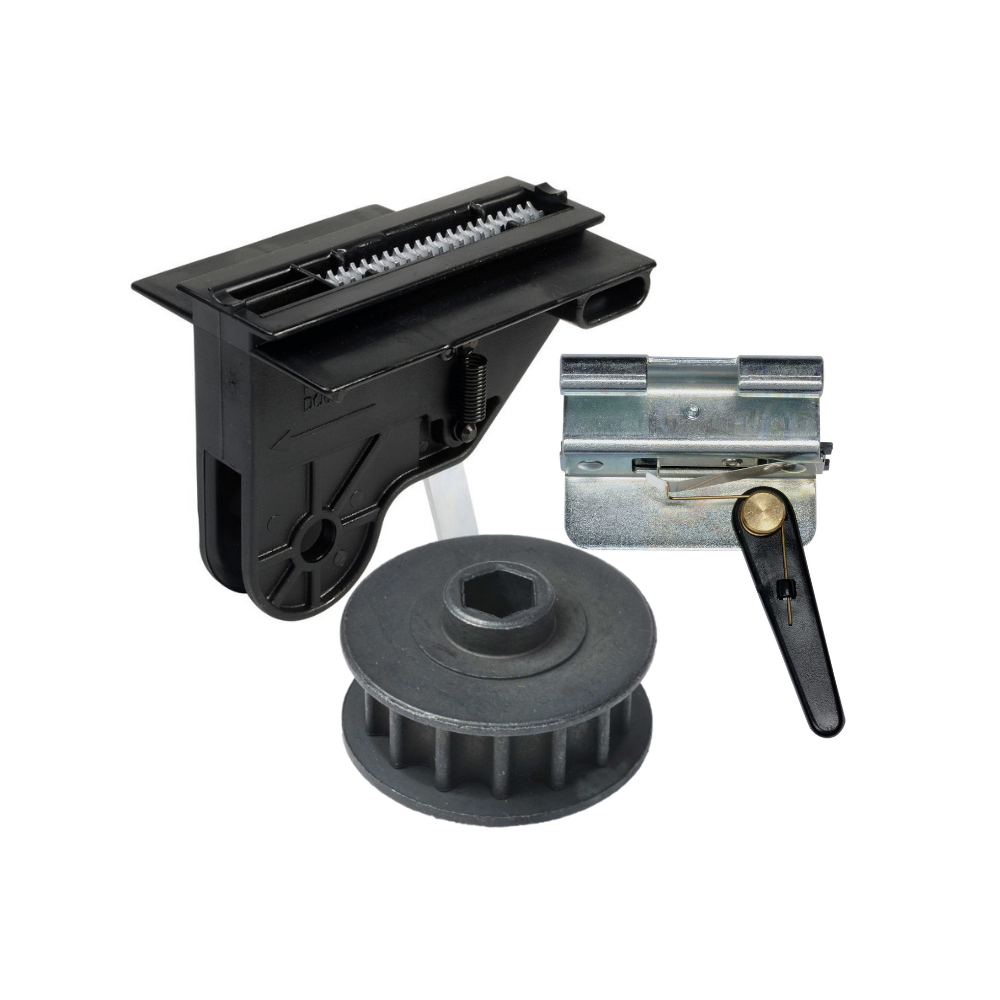
The antenna receives signals from the remote control. It should hang down freely from the opener unit. If it is bent, cut, or tangled, the signal may weaken. Keep the antenna away from metal objects or wires. Proper antenna placement improves remote range and responsiveness.
Credit: store.geniecompany.com
Quick Fixes
Quick fixes often solve common issues with the Genie Intellicode Garage Door Opener. These easy steps help restore your opener’s function fast. Follow each step carefully to ensure proper operation. Most problems arise from simple causes that you can fix yourself.
Check Power Supply
Ensure the garage door opener is plugged in correctly. Check the circuit breaker for any tripped switches. A loose or disconnected power cord stops the opener from working. Confirm the outlet has power by testing it with another device.
Replace Remote Batteries
Old batteries reduce the remote’s signal strength. Remove the cover and insert fresh batteries. Use the correct type recommended by the manufacturer. Weak batteries often cause the remote to fail or work only at close range.
Reprogram The Remote
Reset the remote to sync it with the opener. Press the learn button on the opener unit until the indicator light flashes. Then, press a button on the remote to complete programming. This step fixes lost or corrupted codes in the remote.
Remove Signal Interference
Other wireless devices can block the remote signal. Move Wi-Fi routers, LED lights, and cordless phones away from the opener area. Turn off nearby devices one at a time to find the source of interference. Clear signals ensure smooth remote operation.
Clean And Align Sensors
Dirty or misaligned sensors prevent the door from closing properly. Wipe the sensor lenses with a soft cloth. Check that the sensors face each other directly. Adjust their position until the indicator lights stay solid green. Proper sensor alignment guarantees safety and function.
Resetting Intellicode System
Resetting the Intellicode system on your Genie garage door opener can solve many common problems. This process clears old codes and allows you to reprogram your remote controls. It helps fix issues like unresponsive remotes or security glitches. Follow the steps carefully to reset both the remote and the motor unit. This will restore smooth operation and secure access to your garage.
Remote Reset Procedure
Start by locating the remote’s reset button. Press and hold it for about 10 seconds. Release the button once the LED light blinks. This action erases the old code stored in the remote.
Next, press the button you want to program. Hold it until the LED blinks again. Your remote is now ready to sync with the motor unit. Repeat this for all remotes you want to use.
Motor Unit Reset Steps
Find the “Learn” or “Program” button on the motor unit. It is usually near the antenna wire or light cover. Press and hold this button until the indicator light turns off, about 6 seconds.
Release the button and wait for the light to come back on. This confirms the motor unit has reset and erased all remote codes. Finally, reprogram your remotes following the remote reset procedure to pair them with the motor unit again.
When To Call A Professional
Knowing when to call a professional for your Genie Intellicode garage door opener saves time and prevents damage. Simple problems you can fix yourself. Complex or electrical issues need expert care. This helps keep your door safe and working well.
Logic Board Replacement
The logic board controls your garage door opener’s functions. Signs of failure include the opener not responding or flashing error lights. Repairing or replacing the board requires electrical knowledge and special tools. Incorrect handling can cause more damage. A professional can safely test and replace the logic board.
Persistent Sensor Problems
Garage door safety sensors stop the door from closing on objects. Misalignment or dirt may cause sensor errors. If cleaning and adjusting do not fix the problem, a deeper issue may exist. Sensors might have wiring faults or need replacement. Professionals diagnose sensor circuits and ensure correct installation.
Complex Programming Issues
Programming your Genie Intellicode opener controls remotes and security codes. Some programming steps are simple, but errors can lock the system or cause malfunction. Complex issues include lost codes or system resets. Expert technicians know the correct procedures and tools. They fix programming problems without risking your garage door’s security.
Credit: www.youtube.com
Frequently Asked Questions
What Does The Red Light Mean On A Genie Garage Door Opener?
The red light on a Genie garage door opener signals an error. It indicates system blockage, faulty parts, or programming issues. Check sensors, wiring, and remote programming to resolve the problem.
What Are Common Troubleshooting Tips For Genie Garage Door Openers?
Check battery life and replace if dead. Reprogram remotes using the “Learn” button. Clear sensor obstructions and clean lenses. Ensure antenna is properly positioned. Move Wi-Fi routers or LED bulbs away to reduce signal interference. Reset the system by pressing the remote button three times.
How Do I Reset A Genie Intellicode System?
Press the remote button three times quickly to reset the Genie Intellicode system. This sets a new code and restores function.
What Are The Most Common Genie Remote Issues?
Common Genie remote issues include dead batteries, lost programming, signal interference, safety sensor misalignment, and antenna problems. These cause the remote to work inconsistently or not at all. Replacing batteries, reprogramming the remote, clearing obstructions, and checking antenna positioning often fix these problems.
What Does A Flashing Red Light On Genie Opener Mean?
A flashing red light signals an error like blockage or programming issues. Check for obstacles and ensure sensors are aligned. Resetting the opener often clears the error.
Conclusion
Troubleshooting your Genie Intellicode garage door opener can be simple. Start with checking the batteries and remote programming. Inspect the safety sensors and clear any obstructions. Look for flashing red lights as they show specific errors. Reset the system if needed by following the proper steps.
Regular maintenance helps avoid many common problems. Taking these steps can restore your garage door’s smooth operation quickly. Stay patient and methodical during the process. Your garage door opener will work reliably again with these tips.



