
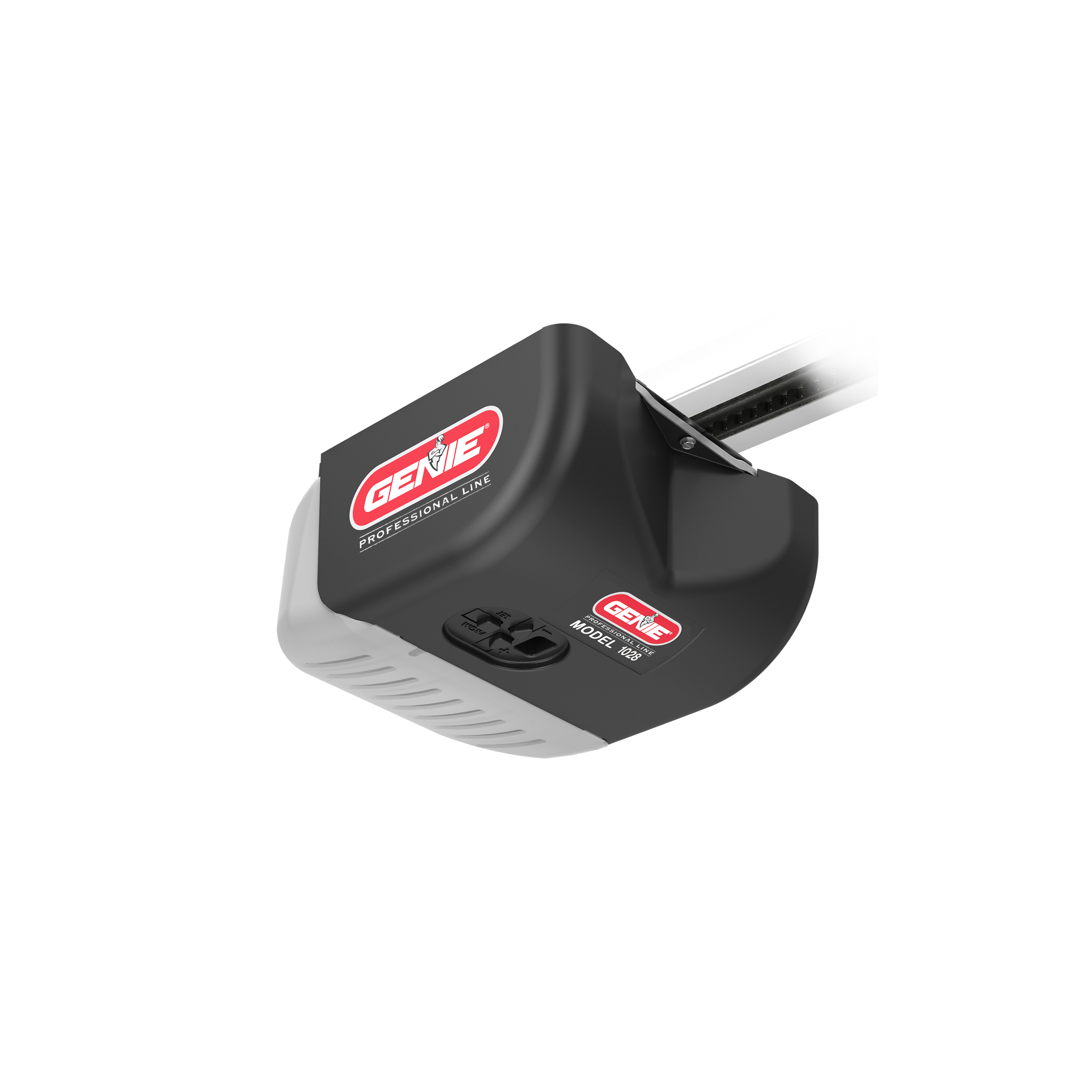
If your Genie Model 1028 garage door opener isn’t working the way it should, you’re not alone—and you’ve come to the right place. Whether your door won’t open, closes halfway, or the remote seems unresponsive, these issues can be frustrating and disrupt your daily routine.
But don’t worry, you can often fix the problem yourself with a few simple steps. In this guide, you’ll find clear, easy-to-follow troubleshooting tips that will help you quickly identify and solve common problems with your Genie Model 1028. Keep reading, and you’ll have your garage door running smoothly again in no time.
Credit: www.geniecompany.com
Common Genie Remote Issues
Genie Model 1028 remotes may face common issues that stop them from working properly. These problems can range from simple fixes to more technical concerns. Understanding these issues helps in quick troubleshooting and restores remote function fast.
Most Genie remote issues involve power, signal, or connection errors. Some problems might seem complex but often have easy solutions. Checking each common issue step-by-step saves time and avoids unnecessary expenses.
Dead Batteries
Dead batteries are the most frequent cause of remote failure. The remote might not respond at all or work only at a short distance. Replace old batteries with new ones to restore full power. Always keep spare batteries handy for quick swaps.
Lost Programming
Sometimes the remote loses its programming and stops communicating with the opener. This happens after power outages or interference. Reprogram the remote by pressing the “Learn” button on the opener motor. Then press the remote button until the opener light blinks. This reconnects the remote and opener.
Signal Interference
Other devices can block or weaken the remote signal. Common culprits include LED bulbs, Wi-Fi routers, and other wireless gadgets. Signal interference causes the remote to work only near the opener or not at all. Moving interfering devices or changing their channels can help.
Safety Sensor Problems
Safety sensors prevent the door from closing on objects or people. If sensors are misaligned or dirty, the remote may stop working properly. Check if sensors face each other and clean their lenses gently. Fix sensor alignment to restore remote control.
Antenna Issues
The opener’s antenna receives the remote signal. If the antenna is damaged or blocked, the remote won’t work well. Make sure the antenna hangs down freely and is not cut or bent. Adjust or replace the antenna if needed for better reception.
Opener Logic Board Failures
The logic board controls the opener’s functions, including remote signals. A faulty board can cause the remote to stop working, even if the wall button works. Board failures usually require professional repair or replacement. Test other issues first before suspecting the logic board.

Credit: www.geniecompany.com
Quick Troubleshooting Steps
Facing issues with your Genie Model 1028? Quick troubleshooting steps can help. These steps cover common problems and simple fixes. Try these before calling for service. They save time and effort.
Verify Power Supply
Check if the opener is plugged in securely. Look for tripped circuit breakers or blown fuses. Ensure the power outlet works by testing with another device. No power means the opener won’t function.
Replace Remote Batteries
Old or weak batteries cause the remote to stop working. Remove the batteries and replace them with fresh ones. Use the correct battery type. Test the remote after replacement to see if it works.
Reprogram The Remote
The remote may lose its connection to the opener. Press the “Learn” button on the motor unit. Then, press the button on the remote. Wait for the opener light to blink, confirming the new programming.
Eliminate Signal Blockers
Objects or walls can block the remote signal. Remove large metal items near the opener or remote. Keep the remote within range and line of sight. Avoid interference from other electronics like LED bulbs or routers.
Inspect Safety Sensors
Safety sensors must be aligned and clean. Check for dirt or obstructions on the sensor lenses. The sensors should face each other directly. Misaligned sensors can stop the door from closing or opening.
Door Movement Problems
Checking the sensors and wiring is key when troubleshooting the Genie Model 1028. These components ensure the garage door operates safely and smoothly. Faulty sensors or loose wires can stop the door from moving or cause it to reverse unexpectedly. Regular inspection helps catch problems early and keeps the opener working well.
Safe-t-beam Alignment
The Safe-T-Beam sensors detect objects in the door’s path. Make sure both sensors face each other directly. Misaligned sensors will prevent the door from closing. Check for blinking lights on the sensors. A steady light means proper alignment. Adjust the sensors until the lights stay steady and the door moves without stopping.
Sensor Lens Cleaning
Dirt or spider webs can block the sensor lenses. Clean the lenses gently with a soft cloth. Avoid harsh chemicals that may damage the sensors. Keep the area around the sensors clear of debris. Clean lenses improve signal strength and prevent false triggers that stop the door from closing.
Wiring Inspection
Inspect the wires connecting the sensors and opener. Look for loose connections or damaged insulation. Tighten any loose wires and replace frayed or broken cables. Damaged wiring can cause sensor failure or erratic door behavior. Secure the wires to avoid pinching or stretching during door movement.
Sensor And Wiring Checks
Force and limit adjustments are crucial for the Genie Model 1028 garage door opener. These settings control how much power the motor uses and where the door stops when opening or closing. Proper adjustments help the door operate smoothly and safely. Incorrect settings can cause the door to stop too soon or apply too much force, leading to damage or safety risks.
This section explains how to adjust the closing force, set travel limits, and override the wall console control. Follow these steps carefully for effective troubleshooting.
Adjust Closing Force
The closing force controls how hard the door pushes down. Too much force can damage the door or opener. Too little force can stop the door before it closes fully. Use a screwdriver to turn the force adjustment screw on the motor unit. Turn clockwise to increase force. Turn counterclockwise to decrease force. Test the door after each adjustment to find the right balance.
Set Travel Limits
Travel limits tell the opener where to stop the door. There are two limit screws: one for up travel and one for down travel. Turn the up limit screw clockwise to stop the door higher. Turn counterclockwise to stop it lower. Do the same with the down limit screw to adjust the closing position. Check that the door stops fully open and fully closed without extra force.
Override Wall Console Control
The wall console usually controls the door. Sometimes you may need to override it during troubleshooting. Locate the manual release cord hanging from the opener. Pull it down to disconnect the door from the opener. This lets you move the door by hand. It helps test the door’s movement and check for obstructions. Reconnect the door by pulling the cord toward the opener after testing.
Force And Limit Adjustments
Advanced fixes for the Genie Model 1028 involve deeper troubleshooting steps. These steps go beyond basic checks and require careful attention. They target issues that simple resets or battery changes cannot solve. Understanding these fixes helps you handle complex problems safely and effectively.
Motor Malfunction Signs
The motor is the heart of your garage door opener. Signs of motor trouble include strange noises, slow door movement, or no movement at all. You might hear grinding, humming, or clicking sounds. The door may stop halfway or fail to open or close. These symptoms suggest motor wear or electrical faults inside the unit.
Logic Board Replacement
The logic board controls all opener functions. Faulty boards can cause erratic behavior or total failure. Symptoms include lights flashing abnormally or the unit not responding to remotes. Replacing the logic board requires unplugging the opener and removing the cover. Carefully disconnect wires and install the new board following the manual instructions. Test all functions before closing the cover.
When To Call A Professional
Some problems need expert help. Motor replacements or logic board fixes can be tricky. If you feel unsure or lack tools, calling a professional is wise. Professionals have the training to diagnose and repair safely. They can also check related parts like springs and cables. Avoid risking injury or further damage by hiring an expert when necessary.

Credit: support.geniecompany.com
Frequently Asked Questions
How To Reset Genie 1028 Garage Door Opener?
Press and hold the “Learn” button on the Genie 1028 opener until the LED lights. Release it, then press the remote button to reset and reprogram.
What Are Common Troubleshooting Tips For Genie Garage Door Openers?
Check power supply and replace remote batteries. Reprogram the remote using the opener’s “Learn” button. Clear signal interference from nearby devices. Inspect and align safety sensors; clean sensor lenses. Ensure the antenna hangs straight down. Verify the door isn’t blocked or locked.
Call a professional if motor or cables are damaged.
Why Is My Genie 2028 Clicking But Wont Open?
Your Genie 2028 clicks but won’t open due to a motor malfunction, faulty wiring, or a locked door. Broken springs or cables may block it. Check power, wiring, and sensors. Call a professional if mechanical parts are damaged.
What Are The Most Common Genie Remote Issues?
Common Genie remote issues include dead batteries, lost programming, signal interference, misaligned safety sensors, antenna problems, and opener logic board faults.
What Should I Do If Genie Model 1028 Won’t Open?
Check if the garage door is locked or blocked. Inspect the motor and wiring for damage. Clear any obstructions and try again.
Conclusion
Troubleshooting the Genie Model 1028 can be simple with clear steps. Check batteries, sensors, and wiring first. Clean sensor lenses and realign them if needed. Reprogram the remote to restore connection. Move other electronics away to reduce interference. Regular maintenance helps avoid future problems.
Always follow safety precautions during repairs. These tips help keep your garage door working well. Stay patient and methodical while troubleshooting. The Genie Model 1028 can serve you reliably with care.



