Is your Keurig coffee pot acting up just when you need that perfect cup of coffee? You’re not alone.
When your Keurig stops brewing, leaks, or shows error messages, it can be frustrating and disrupt your daily routine. But don’t worry—most issues are easier to fix than you might think. You’ll discover simple, step-by-step solutions to get your Keurig back to brewing delicious coffee quickly.
Keep reading, and soon your coffee pot will be working like new again.
Credit: www.vetrallaservizi.it
Common Keurig Problems
Keurig coffee makers are popular for quick and easy coffee. Sometimes, these machines face problems that stop them from working well. Knowing common issues helps fix the machine fast. This section covers frequent problems and simple solutions.
Machine Not Brewing
The Keurig may not brew due to a clogged needle or water line. Check the needle for coffee grounds or debris. Clean it carefully with a paperclip or needle cleaner. Also, ensure the water reservoir is full and properly placed. Restart the machine after cleaning to test brewing.
Leaking Water
Leaks often come from a loose water reservoir or damaged seals. Make sure the reservoir fits tightly on the machine. Inspect the rubber seals for cracks or wear. Replace any damaged parts to stop leaks. Clean spilled water quickly to prevent damage.
Slow Brewing
Slow brewing may happen due to mineral buildup inside the machine. Descale the Keurig regularly using a vinegar or descaling solution. This removes minerals and helps water flow better. Also, use fresh, clean water in the reservoir to keep brewing fast.
Error Messages
Keurig shows error messages for various problems. Common errors include “Add Water,” “Drip Tray Full,” or “Brew Button Not Pressed.” Follow the instructions on the screen to fix the issue. Reset the machine by unplugging it for a few minutes if errors persist.

Credit: www.newtel.pe
Fixing Brew Issues
Fixing brew issues on your Keurig coffee pot can be simple. Many problems come from small blockages or parts needing attention. Follow easy steps to get your coffee flowing again.
Cleaning The Needle
The needle pierces the coffee pod and lets water flow. It can get clogged with coffee grounds or residue. Turn off the machine and unplug it. Use a paperclip or needle to clear the holes. Be gentle to avoid damage. Clean both the entrance and exit needles for best results.
Descaling The Machine
Mineral buildup from water can block the system. Descale your Keurig regularly to remove deposits. Use a descaling solution or white vinegar. Fill the water reservoir with the solution. Run brew cycles without a coffee pod until empty. Rinse by running water-only cycles to clear taste and residue.
Checking Water Reservoir
Water must reach the heating element for brewing. Check if the reservoir is full and seated correctly. Clean the reservoir to remove dirt or mold. Make sure the water sensor inside is clean and dry. Poor contact here stops the machine from brewing.
Resetting The Keurig
Resetting can fix software glitches that block brewing. Turn off and unplug the machine. Wait one minute, then plug it back in. Press and hold the brew button for five seconds. Release and try brewing again. This simple reset often restores normal function.
Stopping Leaks
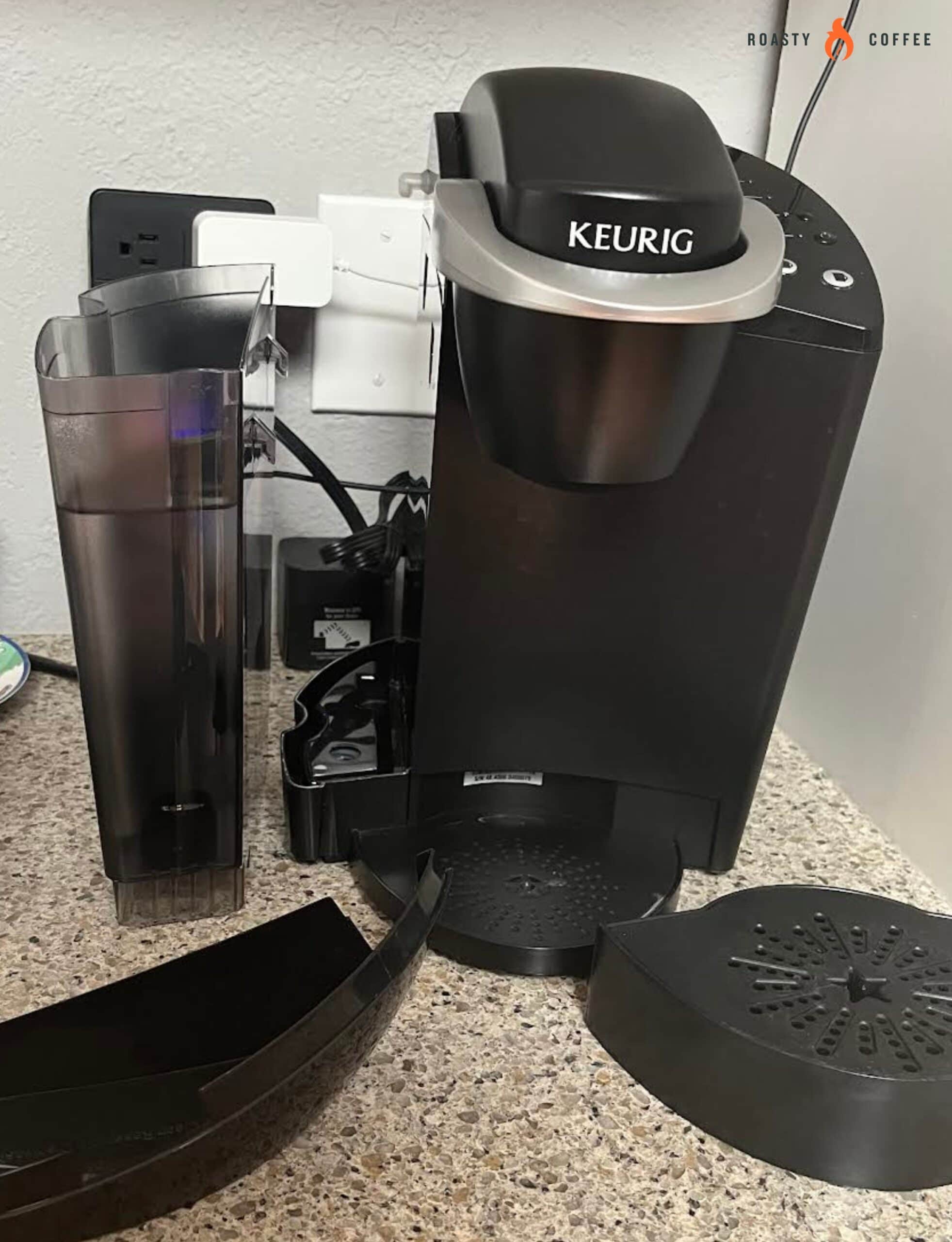
Stopping leaks in your Keurig coffee pot is important to keep your kitchen clean. Leaks waste water and can damage your machine. Fixing leaks often means checking a few simple parts. You can do this yourself with little effort.
Inspecting The Water Reservoir
Start by looking at the water reservoir. Check if it is cracked or broken. A small crack can cause water to leak out. Make sure the reservoir fits tightly in place. If it moves or shifts, water may spill. Clean the reservoir base to remove any dirt or debris.
Replacing Seals And Gaskets
Seals and gaskets stop water from leaking inside the machine. Over time, they can wear out or crack. Remove old seals carefully and replace them with new ones. Use parts made for your Keurig model. Test the machine after replacing seals to see if leaks stop.
Cleaning Drip Tray
The drip tray collects spills and overflow. If it is full or dirty, water may leak onto your counter. Empty the tray regularly and wash it with soap and water. Dry it well before putting it back. Keeping the drip tray clean helps prevent leaks and messes.
Speeding Up Brewing
Speeding up the brewing process of your Keurig coffee pot makes your mornings smoother. A faster brew means less wait time and more fresh coffee. This section covers easy steps to help your coffee brew quicker and taste better.
Ensuring Proper Water Level
Check the water reservoir before you start. Too little water can slow the machine down. Fill the reservoir to the maximum line. This helps the machine work at full speed. Avoid overfilling as well. Proper water level balances speed and safety.
Using Fresh Coffee Pods
Old or stale pods can slow down brewing. Use fresh, sealed pods for best results. Fresh pods allow water to flow easily. This speeds up the brewing process. Store pods in a cool, dry place to keep them fresh longer.
Maintaining Regular Cleaning
Clean your Keurig regularly to avoid blockages. Mineral buildup can slow water flow. Use a descaling solution or vinegar once a month. Clean the needle that punctures the pods. A clean machine brews faster and makes better coffee.
Handling Error Codes
Handling error codes on your Keurig coffee pot can be tricky. These codes help identify problems quickly. Knowing what each code means saves time and frustration. It also helps you decide the next steps to fix the issue. Understanding error codes keeps your coffee machine running smoothly and ensures great coffee every time.
Interpreting Common Codes
Many Keurig models show error codes on the display. Common codes include “Add Water,” “Descale,” and “Check Water Filter.” “Add Water” means the water reservoir is empty. Fill it up to continue brewing.
“Descale” signals mineral buildup inside the machine. Running a descaling cycle cleans it and improves performance. “Check Water Filter” means the filter needs replacement. Swap it out to keep water pure and taste fresh.
Other codes may point to temperature or sensor issues. Consult your user manual for exact meanings. Sometimes a simple reset clears the error. Unplug the machine, wait 30 seconds, and plug it back in.
When To Contact Support
Contact Keurig support if errors persist after basic fixes. Complex problems may need professional help. Faulty parts or software glitches require expert attention. Avoid trying to repair internal components yourself. This could void your warranty or cause damage.
Keep your model number and error code handy when calling support. This speeds up diagnosis and repair advice. Support teams guide you through troubleshooting or arrange repairs. Quick support ensures your coffee pot works well again soon.

Credit: www.youtube.com
Preventive Maintenance Tips
Keeping your Keurig coffee pot in good shape saves time and money. Small efforts stop big problems before they start. Follow simple steps to keep your machine clean and working well.
Routine Cleaning Schedule
Clean your Keurig every week. Remove and wash the drip tray and water reservoir. Wipe the outside with a damp cloth. Run a cleaning cycle with vinegar or a descaling solution once a month. This removes mineral buildup that blocks water flow.
Using Filtered Water
Fill the water tank with filtered water only. Tap water has minerals that cause scale buildup. Filtered water keeps your machine cleaner longer. It also improves the taste of your coffee.
Proper Storage Practices
Turn off your Keurig when not in use. Empty the water tank if you won’t use it for days. Store it in a dry place away from dust. Keep the lid closed to avoid dirt inside.
Frequently Asked Questions
Why Is My Keurig Not Brewing Coffee?
Your Keurig may not brew due to clogs or low water levels. Clean the needle and refill the water tank to fix this.
How Do I Fix A Keurig That Won’t Turn On?
Check if the power cord is plugged in and the outlet works. Try pressing the power button firmly.
What Causes Keurig To Show An Error Message?
Error messages often happen from dirty parts or faulty sensors. Descale your machine and reset it by unplugging for a minute.
How Can I Stop My Keurig From Leaking Water?
Leaks can come from loose parts or damaged seals. Tighten all components and replace worn-out seals if needed.
Why Is My Keurig Coffee Weak Or Watery?
Weak coffee may result from using wrong cup size or old coffee pods. Use fresh pods and select the correct brew size.
Conclusion
Troubles with your Keurig coffee pot do not have to ruin your day. Small fixes often solve common problems quickly. Regular cleaning keeps the machine working well. Paying attention to error messages helps identify issues fast. Keep your coffee pot in good shape for fresh, hot coffee every time.
Simple care and quick action save time and frustration. Enjoy your coffee without hassle.