Is your KitchenAid built-in refrigerator not cooling the way it should? Or maybe the ice maker has stopped working just when you needed it most?
You’re not alone. Many KitchenAid owners face common issues like temperature fluctuations, ice maker troubles, or unexpected leaks. The good news is, many of these problems have simple fixes you can try yourself before calling a repair expert. In this guide, you’ll learn how to quickly spot the cause of these issues and take effective steps to get your fridge back to perfect working order.
Keep reading to save time, avoid costly repairs, and enjoy a smoothly running refrigerator again.
Credit: www.kitchenaid.com
Common Cooling Problems
Cooling problems are common in KitchenAid built-in refrigerators. These issues often cause food spoilage and energy waste. Understanding typical causes helps fix the problem faster. Some problems are simple, others need professional help. Below are frequent cooling issues and their main reasons.
Dirty Condenser Coils
Dirty condenser coils reduce cooling efficiency. Dust and debris block heat release, causing the fridge to work harder. This leads to warm temperatures inside. Cleaning the coils regularly keeps the cooling system effective. Use a vacuum or brush to remove dirt carefully.
Faulty Evaporator Fan
The evaporator fan circulates cold air inside the fridge. A broken fan stops airflow, causing uneven cooling. You may notice warm spots or the fridge not cooling at all. Listen for fan noise; silence can indicate a problem. Replacing the fan usually restores proper cooling.
Blocked Vents And Frost
Blocked vents stop cold air from moving inside the fridge. Frost buildup often causes vent blockage. This frost can form from a defrost system failure. Airflow restriction results in warm areas and temperature swings. Removing frost and clearing vents improves cooling and air circulation.
Thermostat Issues
The thermostat controls the fridge’s temperature. A faulty thermostat gives wrong signals to the cooling system. The fridge may get too cold or stay warm. Testing the thermostat with a multimeter checks its function. Replacing a bad thermostat helps maintain the right temperature.
Ice Maker Troubles
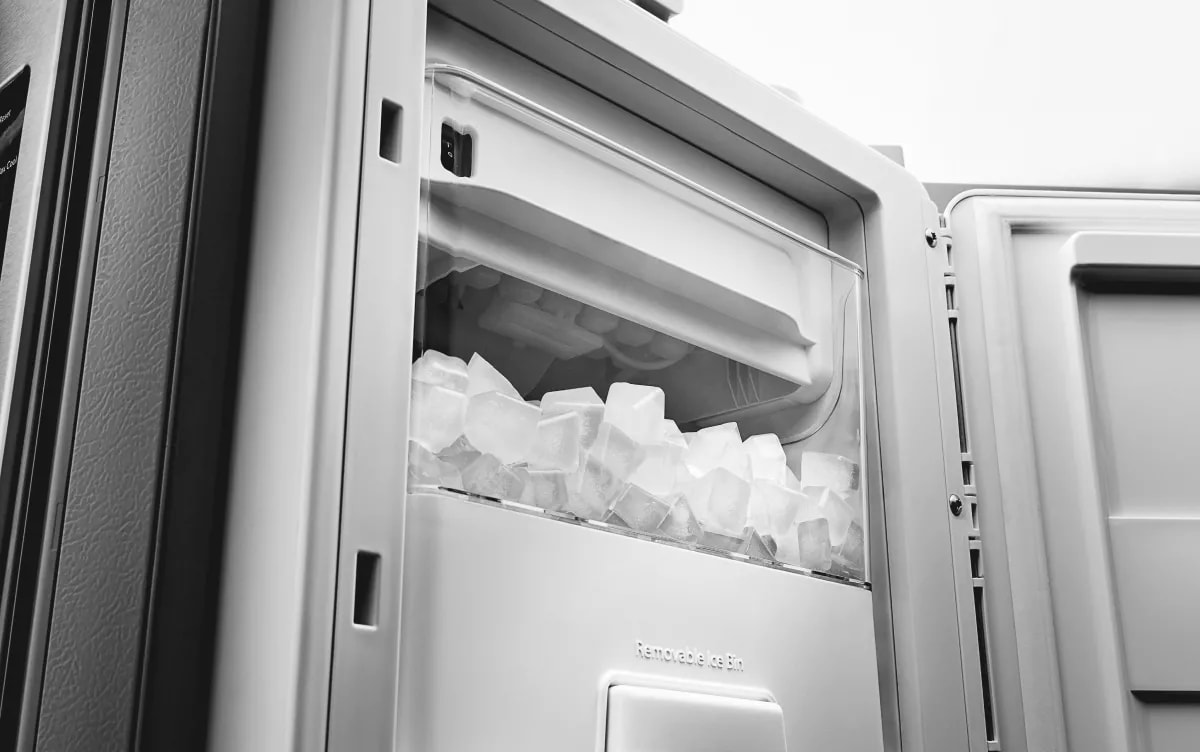
Ice maker troubles in KitchenAid built-in refrigerators can disrupt your daily routine. A faulty ice maker stops ice production or causes poor ice quality. Troubles often arise from water supply issues or parts that wear out over time. Understanding common ice maker problems helps you fix them quickly and avoid costly repairs.
Clogged Water Lines
Water lines deliver water to the ice maker. Dirt, minerals, or ice can block these lines. A clogged line stops water flow, so the ice maker cannot produce ice. Check the water line for kinks or frozen sections. Use warm water to thaw any ice blockages. Cleaning the line regularly prevents clogging and keeps ice flowing.
Water Inlet Valve Failure
The water inlet valve controls water entering the ice maker. If the valve fails, no water reaches the ice tray. A faulty valve may cause leaks or no ice production. Test the valve with a multimeter for electrical issues. Replace the valve if it does not open or close properly. A working valve ensures steady water flow for ice making.
Defective Ice Maker Assembly
The ice maker assembly includes the motor and control parts. A defective assembly can stop ice production or cause jams. Signs include the ice maker not cycling or ejecting ice cubes. Inspect the assembly for broken gears or sensors. Replace damaged parts or the entire unit if needed. A good ice maker assembly keeps ice coming smoothly.
Leaks And Ice Buildup
Leaks and ice buildup are common issues in KitchenAid built-in refrigerators. These problems can cause water to pool inside or outside the fridge and ice to form where it should not. Identifying the cause helps prevent damage and keeps the fridge working well.
Blocked Defrost Drain
The defrost drain removes water during the defrost cycle. If it gets blocked, water cannot flow out. This water then pools inside the fridge or freezes, causing ice buildup. A blocked drain often results from food debris or ice clogging the drain hole.
To fix this, locate the defrost drain inside the freezer. Clear any visible debris carefully. Use warm water to flush the drain and remove ice blockages. This simple step often stops leaks and ice problems quickly.
Damaged Door Gasket
The door gasket seals the fridge door to keep cold air inside. If the gasket is cracked or torn, warm air enters. This causes condensation, leading to leaks and ice buildup near the door.
Inspect the gasket for any damage or dirt. Clean it with mild soap and water to improve the seal. Replace the gasket if it is cracked or warped to stop leaks and keep the fridge cold.
Unusual Noises
Unusual noises from your KitchenAid built-in refrigerator can cause concern. These sounds often signal an issue needing attention. Identifying the noise type helps in troubleshooting effectively. Some noises are normal, while others suggest a problem.
Rattling And Humming Sounds
Rattling sounds may come from loose parts or items inside the fridge. Check the shelves and drawers for secure placement. Tighten any loose screws or panels. The humming sound usually comes from the compressor or fan running. This noise is common during cooling cycles but should not be too loud. Excessive humming may indicate a failing compressor or blocked fan. Clean the condenser coils and fan blades to reduce noise. If the sound persists, call a professional for inspection.
Buzzing And Clicking
Buzzing noises often come from the water valve or ice maker. This happens when water flows or the valve opens and closes. Ensure the water line is not kinked or blocked. Clicking noises usually come from the relay or thermostat switching on and off. A few clicks are normal, but continuous clicking can signal a relay or control board issue. Listen carefully to locate the sound source. Repair or replace faulty parts to stop these noises and protect your fridge’s performance.
Quick Diy Fixes
Quick DIY fixes can help solve common KitchenAid built-in refrigerator problems fast. You can try these simple steps before calling for professional help. These fixes often improve cooling and ice maker issues.
Most problems start with dirt, water flow, or wrong settings. These easy tasks need no special tools and take little time. Follow the tips below to keep your refrigerator running smoothly.
Cleaning Coils And Drains
Dirty condenser coils make the fridge work harder. Dust and debris block airflow and reduce cooling. Clean coils with a vacuum or brush every six months.
Check the defrost drain for clogs. A blocked drain causes water buildup and leaks inside. Use warm water or a pipe cleaner to clear the drain.
Checking Water Lines
Water lines supply the ice maker and dispenser. A kink or clog stops water flow. Inspect the lines for bends or damage.
Disconnect and flush the water line to clear blockages. Replace damaged lines to prevent leaks and ice maker issues.
Adjusting Temperature Settings
Wrong temperature settings cause cooling problems. The fridge should stay between 37-40°F (3-4°C). The freezer should be at 0°F (-18°C).
Adjust the thermostat dial or digital control panel. Wait 24 hours to see if the temperature stabilizes. Reset if needed.
When To Call A Technician
Knowing when to call a technician for your KitchenAid built-in refrigerator can save time and prevent further damage. Some problems need expert tools and skills. Ignoring serious signs may cause bigger issues or spoil your food.
Simple fixes like cleaning coils or adjusting settings you can try yourself. But certain symptoms mean it is time to get professional help. Below are key signs to watch for.
Persistent Cooling Issues
When your refrigerator does not cool well after basic checks, call a technician. If temperature stays too high or too low, the problem may be deep inside. A technician can test parts like compressors and sensors. These fixes need special knowledge to avoid damage.
Faulty Fans And Control Boards
Fans and control boards keep your fridge running smoothly. If you hear strange noises or see error codes, these parts could be failing. A technician can safely inspect and replace faulty fans or boards. Handling electrical parts yourself can be risky and cause more harm.
Major Water Leaks
Large water leaks inside or under your fridge are a serious issue. They may come from blocked drains or broken water lines. Leaks can damage floors and electrical parts. A technician will find the leak’s source and fix it properly. Avoid waiting, as leaks tend to get worse quickly.
Basic Troubleshooting Steps
Basic troubleshooting steps help solve common KitchenAid built-in refrigerator problems quickly. These easy checks prevent small issues from becoming big repairs. Follow simple actions to identify and fix typical faults in your appliance.
Start with these essential steps to restore your refrigerator’s performance. Each step targets common causes of cooling or operational problems. Performing them regularly keeps your refrigerator running smoothly.
Check Power Supply
Ensure the refrigerator is properly plugged into a working outlet. Test the outlet by plugging in another device. Check the circuit breaker for any tripped switches. A stable power supply is crucial for proper operation.
Inspect Thermostat Settings
Verify the thermostat is set to the recommended temperature, usually between 35°F and 38°F. Avoid setting it too low or too high. Incorrect thermostat settings can cause cooling issues or frost buildup.
Ensure Proper Airflow
Keep vents inside the refrigerator free from blockages. Avoid overfilling shelves, which can restrict air circulation. Proper airflow maintains consistent temperatures throughout the compartments.
Examine Door Seals
Check the door seals for cracks, gaps, or dirt. Clean seals with warm, soapy water to remove debris. Replace seals if they are damaged to prevent cold air leakage and energy loss.
Clean Condenser Coils
Dust and dirt on condenser coils reduce cooling efficiency. Locate coils, usually at the back or underneath the unit. Use a vacuum or brush to gently clean the coils every six months for best results.

Credit: www.youtube.com
Running Diagnostics
Running diagnostics on your KitchenAid built-in refrigerator helps find problems fast. This process checks key parts and shows error codes. These codes guide you to fix issues or decide if a technician is needed.
Diagnostics save time and prevent guesswork. Knowing how to enter and read these codes is useful for any owner. Below, learn the steps to start diagnostics and understand what the error codes mean.
Entering Diagnostic Mode
To enter diagnostic mode, first open the refrigerator door. Locate the control panel on the front or inside edge. Press and hold specific buttons in a sequence. Usually, press “Light” then “Lock” and hold for 5 seconds.
The display will change, showing “dE” or a code. This means the fridge is in diagnostic mode. Use the arrow or temperature buttons to scroll through tests. Tests check sensors, fans, and temperature controls.
Exit diagnostic mode by pressing the “Lock” or “Power” button. If the fridge does not enter diagnostics, try again or check the manual for your model.
Interpreting Error Codes
Error codes show when a part fails or a sensor reads abnormal data. Codes like “F1” or “E3” appear on the display. Each code points to a specific problem, such as a fan motor or temperature sensor issue.
Write down the code before exiting diagnostic mode. Compare it with the refrigerator’s error code list. This list is in the user manual or online on KitchenAid’s support site. Codes help decide if cleaning, resetting, or part replacement is needed.
Some common codes may mean blocked vents, faulty fans, or defrost errors. Understanding codes reduces repair time and cost. Use the information to decide if you can fix it or call a professional.
Resetting The Refrigerator
Resetting your KitchenAid built-in refrigerator can fix many common issues fast. It helps clear minor electronic glitches and restores normal function. A reset often solves temperature or control panel problems without needing a service call.
Use simple reset methods like power cycling or control panel reset. These steps are easy to do and require no special tools. Follow the instructions below to reset your refrigerator safely.
Power Cycle Method
Unplug the refrigerator from the power outlet. Wait for about five minutes to let all systems shut down completely. Plug the refrigerator back in and turn it on. This clears temporary electronic faults and restarts the appliance fresh.
Check if the temperature settings return to normal after powering back on. Power cycling is often the first step in troubleshooting cooling or display issues.
Control Panel Reset
Locate the control panel on your refrigerator door or inside the unit. Press and hold the reset or power button for 5 to 10 seconds. Release the button once the display turns off or resets.
This method resets the internal software without unplugging the fridge. It often fixes error codes or unresponsive controls. After the reset, set your desired temperature again.

Credit: www.kitchenaid.com
Frequently Asked Questions
What Is The Most Common Problem With A Kitchenaid Refrigerator?
The most common problem with a KitchenAid refrigerator is cooling issues caused by dirty condenser coils, blocked vents, or faulty fans. Ice maker malfunctions and water leaks also frequently occur due to clogged water lines or defrost drain blockages.
How Do I Run A Diagnostic On My Kitchenaid Refrigerator?
Press and hold the “Lighting” and “Lock” buttons simultaneously for 5 seconds. The display will show error codes. Use these codes to identify issues. Refer to the KitchenAid manual for code meanings and next steps.
How Do I Reset A Kitchenaid Fridge?
To reset a KitchenAid fridge, unplug it for 5 minutes, then plug it back in. Adjust the temperature controls to desired settings. This restarts the control board and clears minor errors.
What Is The First Thing To Check When A Refrigerator Stops Working?
Check if the refrigerator is plugged in and the circuit breaker is on. Then, verify the thermostat setting and inspect for blocked vents or dirty condenser coils.
What Causes My Kitchenaid Refrigerator Not To Cool Properly?
Dirty condenser coils or a faulty evaporator fan often cause cooling issues. Blocked vents or defrost problems can also stop proper airflow inside.
Conclusion
Troubleshooting your KitchenAid built-in refrigerator can save time and money. Start with simple steps like cleaning coils and checking vents. Watch for blocked drains or water line issues causing leaks. Listen carefully to identify unusual noises early. Adjust temperature settings to keep food fresh.
Some problems need expert repair to avoid bigger damage. Regular maintenance helps prevent common issues. Stay patient and systematic during each check. Your fridge can run smoothly again with proper care. Keep this guide handy for quick reference when problems arise.