
Is your landline phone acting up right when you need it most? No dial tone, static noise, or dropped calls can be frustrating and disrupt your day.
But before you rush to call a technician or give up on your reliable landline, there are simple steps you can take to fix these common issues yourself. In this guide, you’ll discover easy, effective troubleshooting tips that put you in control of your phone’s performance.
Whether your connection feels weak or your phone won’t ring, understanding how to pinpoint and solve the problem will save you time, money, and stress. Keep reading to regain clear, dependable calls with your landline telephone today!
Credit: www.youtube.com
Common Landline Issues
Landline telephones are reliable tools for communication. Yet, like all technology, they face common issues. Knowing these problems helps fix them quickly. This section covers frequent landline troubles and easy ways to identify them.
No Dial Tone
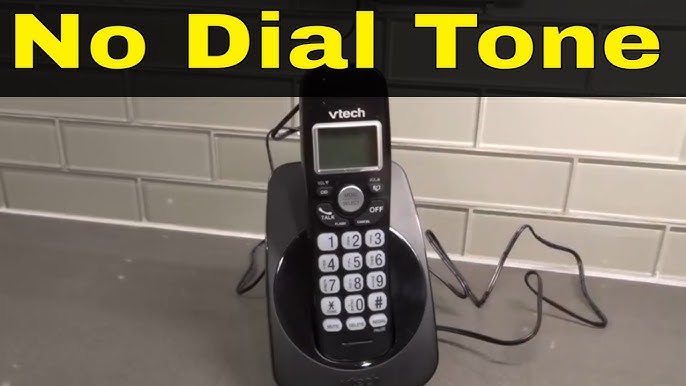
No dial tone means you cannot hear the steady sound when picking up the phone. This issue usually points to a problem with the phone line or the phone itself. A loose or damaged cord often causes it. Sometimes, the service provider has an outage or service interruption. Testing with another phone can help find the source of the problem.
Static And Noise
Static or noise during calls disturbs clear communication. It often sounds like crackling, buzzing, or hissing. Poor wiring or a faulty connection can cause this problem. Electronic devices near the phone line might also create interference. Cleaning the phone jack and moving devices away may reduce noise. Checking the cables for damage is important too.
Dropped Calls
Dropped calls happen when the call ends suddenly without warning. This issue may come from weak signals or line faults. Old or damaged phone wiring can cause dropped calls. Weather conditions sometimes affect the line quality. Contacting the phone company can help if the problem continues. Keeping the equipment updated supports better call stability.
Credit: www.hellobaby-monitor.com
Basic Equipment Checks
Basic equipment checks are the first step in troubleshooting landline telephone issues. These checks help identify common problems quickly. They require no special tools and are easy to perform. Taking time to verify your equipment can save calls to support. Follow these simple steps to ensure your landline hardware works correctly.
Verify Cable Connections
Check all cables connected to your phone and wall jack. Make sure each cable is firmly plugged in. Look for any visible damage or wear on the cables. Loose or damaged cables often cause no dial tone or static noise. Secure connections prevent signal loss and improve call quality.
Test With Another Phone
Use a different phone to test the same wall jack. If the second phone works, your original phone may be faulty. A non-working phone might have a broken cord or internal issue. Testing with another device helps isolate the problem quickly. Replace or repair the faulty phone as needed.
Try Different Wall Jacks
Plug your phone into another wall jack in your home. If it works in a different jack, the first jack may be faulty. Check the wall jack for damage or loose wiring. Sometimes, internal wiring issues cause poor or no connection. Using a different jack can restore phone service temporarily.
Isolation Testing
Isolation testing helps find the exact cause of landline phone issues. It removes all connected devices and adds them back step-by-step. This method narrows down where the problem lies. It saves time and prevents replacing good equipment.
Follow simple steps to test your landline efficiently. This process works for home and office phones. It identifies faulty devices or wiring quickly.
Unplug All Devices
Start by unplugging every device from the phone line. Remove phones, fax machines, and splitters. This clears the line and stops interference. Check the phone line from the wall jack.
Use a working phone to test the line directly. Listen carefully for a dial tone. No tone here means the problem is outside your equipment.
Add Devices One By One
Plug in each device one at a time. After connecting each device, test the line again. This step helps spot the device causing trouble. Test phones, answering machines, and adapters separately.
Wait for the dial tone after every connection. A sudden loss of tone points to the last device added. This method isolates issues quickly.
Identify Faulty Equipment
Once the faulty device is found, remove it from the setup. Check cables and connections on that device. Replace or repair the device if needed. Faulty equipment often causes no dial tone or poor sound.
Keep testing the line to confirm the problem is fixed. Proper isolation testing ensures your landline works smoothly again.
Dsl And Filter Problems
DSL and filter problems often cause issues with landline telephone service. These problems can lead to static, no dial tone, or dropped calls. Many times, the solution lies in checking and maintaining the DSL filters connected to your phone lines. Proper handling of these filters ensures clear voice calls and a stable internet connection.
Check Dsl Filters
Start by inspecting the DSL filters on all phone jacks. Filters separate voice and internet signals. Without them, both services can interfere with each other. Look for dirt, cracks, or loose connections. Test each filter by unplugging it and seeing if the phone improves. Faulty filters often cause noise or no dial tone.
Replace Damaged Filters
Damaged filters must be replaced immediately. Old or broken filters cannot properly block DSL signals. This leads to poor call quality and internet issues. Purchase new filters from your phone provider or electronics store. Replace each suspicious filter one by one. This simple step often fixes many landline problems.
Proper Filter Installation
Install filters correctly to avoid problems. Always plug the filter into the phone jack first. Then connect the phone or device to the filter’s phone port. Do not connect the filter to the DSL modem port. Incorrect installation causes signal overlap and noise. Follow the instructions on the filter package for best results.
Network Interface Device Testing
Network Interface Device (NID) testing is an essential step in troubleshooting landline telephone issues. The NID acts as the connection point between the telephone company’s network and your home’s wiring. Testing this device helps identify if problems are inside your home or with the external network. This process can save time and avoid unnecessary service calls.
Locate The Nid Or Ont
The first step is to find the Network Interface Device or Optical Network Terminal (ONT). The NID is usually outside your home, mounted on an exterior wall. It looks like a small box with a removable cover. For fiber optic lines, the ONT is often installed indoors near the main service entry. Knowing the location is key to performing tests accurately.
Perform A Line Test
Open the NID cover carefully. Inside, you will see a test jack or a simple phone jack. Disconnect your home’s wiring from the NID. Plug a working telephone directly into the test jack. Listen for a dial tone. If the dial tone is clear, the outside line is fine. If there is no dial tone, the problem is with the external network.
Determine Internal Vs External Issues
This test helps decide if the issue lies inside or outside your home. If the test phone works at the NID, the problem is inside your home wiring or devices. Check all phone cords, connectors, and devices inside. If the test phone does not work, contact your telephone service provider. They will repair external network faults.

Credit: www.liberia.ubuy.com
Resetting Your Landline
Resetting your landline can fix many common problems quickly. It helps clear glitches and restores normal function. Sometimes, simple resets solve issues like no dial tone or call forwarding errors. Follow these easy steps to reset your phone and get it working again.
Power Cycle The Phone
Start by unplugging the phone from the power source. Wait about 30 seconds to 1 minute. Plug it back in and wait for it to fully restart. This simple power cycle can fix minor errors and restore the connection. It refreshes the phone’s system without changing settings.
Use Vertical Service Codes
Vertical Service Codes (VSCs) control special phone features. Dial 73 to deactivate call forwarding. Pick up the phone, wait for the dial tone, then dial the code. Listen for a beep or busy signal to confirm the reset. These codes help fix forwarding issues fast and reset certain settings.
Reset Call Forwarding
Call forwarding can cause missed calls if not set properly. To reset, disable forwarding using the VSC 73. This stops all calls from going to another number. After turning it off, test your line by making a call. Resetting call forwarding clears errors and restores normal ringing.
Wiring Troubleshooting
Wiring issues cause many landline telephone problems. Faulty wiring can block calls or cause static noise. Fixing wiring problems often restores phone service fast. This section explains how to find and fix wiring faults step-by-step.
Inspect Wall Jacks
Start by checking the wall jacks where phones connect. Look for loose or broken parts inside the jack. Use a flashlight to see clearly. Wiggle the phone plug gently to test the connection. Replace any jacks that feel loose or damaged.
Check For Damaged Cables
Next, examine the phone cables for cuts or bends. Damaged cables often cause poor signal or no dial tone. Trace the entire cable length from the phone to the wall jack. Replace cables with visible wear or broken connectors to ensure a stable link.
Replace Faulty Wiring
If problems persist, old or faulty wiring inside walls may be the cause. Hiring a professional electrician is safest for internal wiring replacement. For external wiring, carefully remove and replace damaged wires. Use quality wiring to avoid future issues and maintain clear calls.
When To Contact Your Provider
Knowing when to contact your landline provider saves time and stress. Some problems need expert help beyond basic troubleshooting. Your provider can check network issues or repair faults you cannot fix. Recognizing signs that require professional support keeps your phone working well.
Persistent Line Issues
Calls drop often or sound distorted. You hear static or buzzing noises constantly. These problems may signal deeper line faults. After testing your phone and cords, call your provider. They can test the line quality and fix wiring problems.
Service Outages
No dial tone or complete loss of service affects calls. Outages may result from storms, maintenance, or technical faults. Check if neighbors have the same issue. Report outages to your provider to get updates and estimated repair times.
Equipment Replacement Requests
Faulty phones or damaged equipment cause poor call quality. If your handset or base unit is broken, request a replacement. Providers often supply or suggest compatible devices. They may also guide you on installation and setup.
Frequently Asked Questions
How To Diagnose Landline Phone Problems?
Check all phone connections and cords for damage. Test the phone on another wall jack. Unplug other devices to isolate issues. Test at the Network Interface Device (NID). Call your service provider if problems persist outside the home.
What Does 73 Do On A Landline?
Dialing *73 on a landline cancels call forwarding immediately. It stops calls from redirecting to another number.
How To Reset Landline?
To reset a landline, unplug the phone from the wall jack. Wait 30 seconds, then plug it back in. Test the line for a dial tone. If issues persist, try a different phone or jack. Contact your service provider if the problem continues.
What Is The Most Common Cause Of No Dial Tone On Landline?
The most common cause of no dial tone on a landline is a loose or damaged phone cord connection. Check all cables and jacks for secure attachment.
What Causes No Dial Tone On A Landline Phone?
A damaged or unplugged phone cord often causes no dial tone. Faulty phone jacks or service outages can also be reasons. Checking connections and testing with another phone helps find the issue.
Conclusion
Troubleshooting your landline phone need not be hard. Start by checking all cables and connections carefully. Test the phone on another jack to isolate the problem. Replace damaged cords and remove any filters that may block the signal. Use simple steps like power cycling the phone to fix common issues.
Taking these actions can restore clear calls quickly. Keep your phone line working smoothly with regular checks. A little effort helps avoid frustration and keeps communication open.



