
Is your Miele vacuum not working like it used to? You’re not alone.
Even the best machines can run into problems, but fixing your Miele vacuum doesn’t have to be confusing or stressful. Whether it suddenly stopped working, the brushroll won’t spin, or the filter light keeps flashing, you can troubleshoot many issues yourself—and get back to cleaning in no time.
In this guide, you’ll discover simple steps to identify and solve common Miele vacuum problems, clear blockages, reset thermal breakers, and understand what those warning lights mean. Keep reading, and you’ll learn how to keep your Miele running smoothly, saving you time, money, and the hassle of calling for repairs.
Power Issues
Power issues are common problems that stop your Miele vacuum from starting or running. These issues can arise from simple causes like a loose plug or a tripped circuit breaker. Fixing power problems often requires a few quick checks before calling for repairs. Follow these steps to troubleshoot power problems and get your vacuum working again.
Checking Power Cord And Plug
First, examine the power cord for any visible damage. Look for cuts, frays, or bends along the cord. Ensure the plug fits tightly into the socket. A loose connection can prevent power from reaching the vacuum. Try plugging the vacuum into a different outlet to rule out outlet issues. Never use a damaged power cord; replace it immediately for safety.
Inspecting Home Fuse And Circuit Breaker
Check your home’s fuse box or circuit breaker panel next. A tripped breaker or blown fuse can cut power to the vacuum outlet. Flip the breaker off and then on again to reset it. Replace any blown fuses with the correct type. Testing other devices on the same circuit helps confirm if the problem is with your home wiring.
Resetting Thermal Cut-out Switch
Miele vacuums include a thermal cut-out switch to prevent overheating. If the vacuum suddenly stops, the switch may have tripped. Locate the small reset button near the motor or brushroll area. Press the button firmly to reset the thermal cut-out. Before resetting, clear any blockages from the brushroll or hose to avoid repeated trips.

Credit: acevacuums.com
Brushroll And Motor Problems
The brushroll and motor are key parts of your Miele vacuum. Problems here often cause poor cleaning or a stopped vacuum. Brushroll issues include blockages from hair or debris. Motor problems often show as overheating or sudden stops. Fixing these quickly keeps your vacuum working well.
Clearing Brushroll Blockages
Turn off and unplug the vacuum before clearing blockages. Remove the brushroll cover carefully. Check for hair, string, or dirt wrapped around the brushroll. Use scissors or your fingers to cut and pull debris away. Make sure the brushroll spins freely after cleaning. Replace the cover securely before using the vacuum again.
Using Thermal Reset Button
Some Miele vacuums have a thermal reset button on the motor housing or brushneck. This button protects the motor from overheating. If the brushroll stops, press this button after clearing blockages. The button often pops out slightly when triggered. Press it back in firmly to reset the motor. This step can restore normal vacuum operation quickly.
Handling Brushroll Overheating
Overheating often happens when airflow is blocked. Check the hose, brushroll, and dust container for clogs. Empty the dust container if full. Clean or replace the vacuum filters regularly. Let the vacuum cool down for 30 minutes if it overheats. Avoid running the vacuum on thick carpets for long periods to prevent overheating.
Filter And Dust Bin Maintenance
Proper maintenance of your Miele vacuum’s filter and dust bin ensures strong suction and long-lasting performance. Keeping these parts clean prevents blockages that can cause the vacuum to stop working. Regular care also helps the machine run quietly and efficiently.
Filters trap fine dust and allergens, so they need attention to stay effective. The dust bin collects dirt and debris, and emptying it correctly avoids messes and damage. Follow these simple steps to maintain your Miele vacuum’s filter and dust bin.
Resetting Filter Check Light
The filter check light signals when filters need attention. After cleaning or replacing filters, press the filter check button on the vacuum body. This resets the light and tells the vacuum the filters are fresh.
There is no single reset button for Miele vacuums. Resetting the filter check light keeps the vacuum alert system accurate. Always reset after any filter work to avoid false warnings.
Cleaning And Replacing Filters
Remove filters carefully from the vacuum. Tap them gently to shake off dust outside. Wash washable filters in cold water only. Let them dry completely before reinstalling.
Replace non-washable filters as recommended in the manual, usually every 6 to 12 months. Clean filters keep airflow strong and protect the motor from dust damage.
Emptying Dust Bin Properly
Remove the dust bin from the vacuum body by pressing the release button. Hold it over a trash can and open the bottom flap to empty debris. Avoid shaking the bin too hard to prevent dust clouds.
Wipe the inside of the dust bin with a dry cloth if needed. Replace the bin firmly to keep the vacuum sealed and suction strong. Regular emptying stops clogging and keeps your vacuum running smoothly.
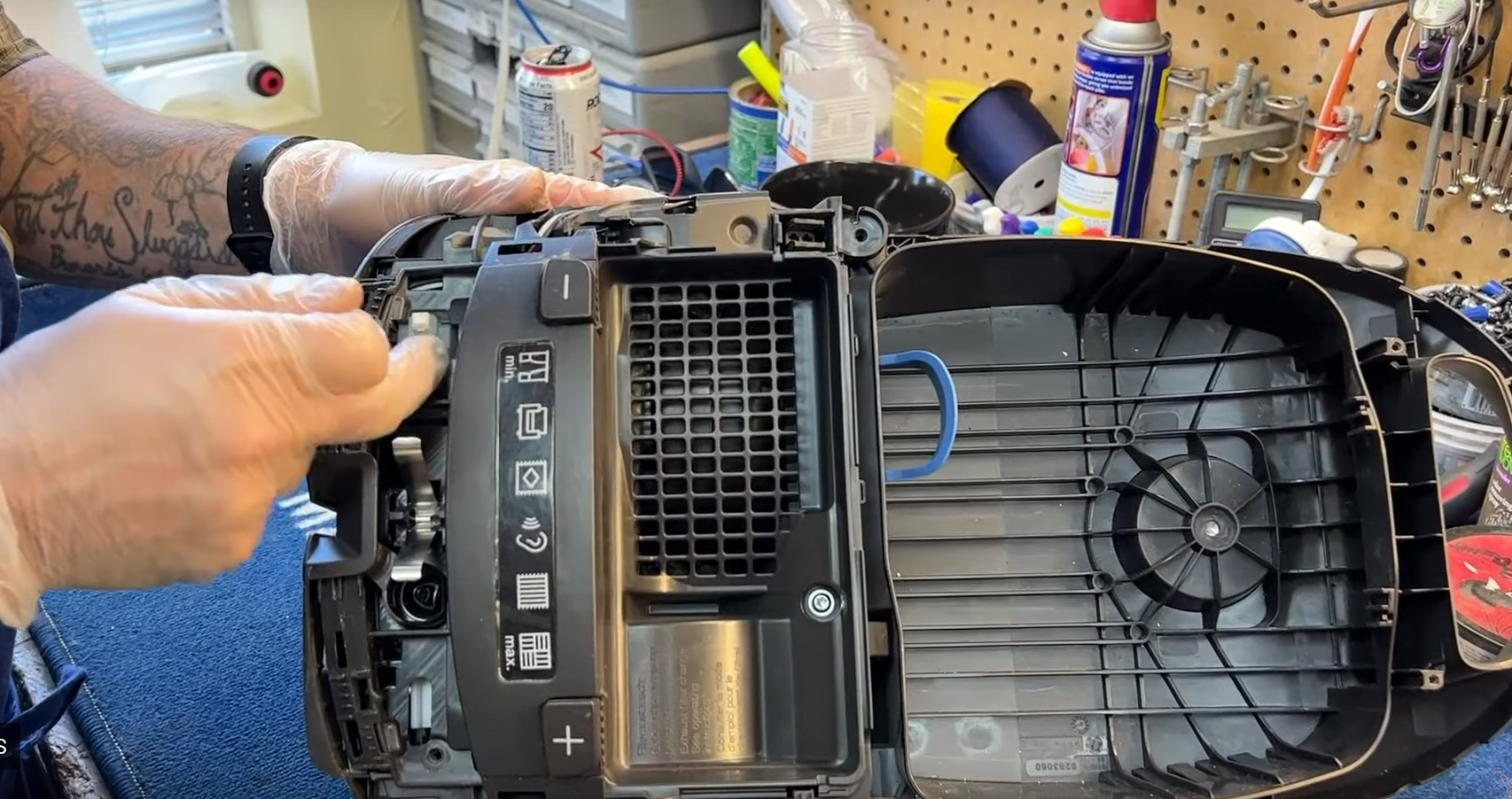
Credit: www.vacuumsrus.com
Hose And Airflow Blockages
Hose and airflow blockages are common issues that reduce Miele vacuum performance. Dirt, hair, and debris can clog the hose or air passages. This limits suction power and may cause the vacuum to shut off. Identifying and clearing these blockages keeps your vacuum running smoothly. Regular checks prevent damage and extend the machine’s life.
Detecting Hose Clogs
Start by detaching the hose from the vacuum. Look through the hose for any visible blockages. Shine a flashlight inside to spot hidden debris. Feel for suction on the hose end. Weak or no suction signals a clog. Listen for strange sounds like whistling or rattling. These often indicate airflow problems.
Removing Debris From Air Passages
Remove the hose carefully to avoid damage. Use a long, flexible brush to push out dirt. Avoid sharp objects that may tear the hose. Clear the air passages inside the vacuum body too. Check the brush roll and dust container for blockages. Clean or replace filters regularly to maintain airflow. Always reconnect parts securely after cleaning.
Preventing Frequent Blockages
Empty the dust bag or container before it becomes full. Avoid vacuuming large or sharp objects. Use the correct attachments for different surfaces. Check the hose and brush roll for hair or string after each use. Store the vacuum in a dry place to prevent moisture buildup. Schedule regular maintenance to catch small issues early.
Robot Vacuum Reset
Resetting a Miele robot vacuum can fix many common issues. It clears errors and restores proper function. The reset process varies by model but usually involves button combinations. This process helps restore the vacuum to its original factory settings. It also resolves remote control problems that may arise.
Button Combinations For Factory Reset
To perform a factory reset, press specific buttons on the robot vacuum. Hold the Spot and Turbo buttons together. While holding them, press the OK button once. Release all buttons after a few seconds. The vacuum will restart and reset to factory defaults. This method clears any saved errors or settings that cause problems.
Restoring Default Settings
Restoring default settings erases all custom options. The robot returns to its original configuration. This step often fixes navigation and cleaning schedule issues. Make sure the vacuum is fully charged before starting. After reset, reprogram any preferred settings or schedules. This keeps your vacuum working smoothly.
Troubleshooting Remote Control Issues
Remote control problems often require a reset as well. Remove the batteries from the remote for 30 seconds. Press any button on the remote to discharge leftover power. Reinsert the batteries and turn the remote back on. If the remote still fails, try resetting the robot vacuum first. This can restore the connection between devices.
Extending Vacuum Lifespan
Extending the lifespan of your Miele vacuum helps you save money and keeps cleaning efficient. Proper care prevents common problems and keeps the machine running smoothly. Small habits make a big difference over time.
Avoiding Carpet Fresheners
Carpet fresheners can clog your vacuum’s filters and hoses. The powdery residue builds up inside, reducing suction power. This leads to overheating and motor strain. Skip using carpet fresheners directly in your vacuum. Instead, freshen carpets after cleaning with sprays or room fresheners.
Regular Filter And Brush Maintenance
Clean filters regularly to keep airflow steady. Dirty filters cause the vacuum to work harder and wear out faster. Check brushes for hair and debris after every use. Remove tangled threads to prevent motor damage. Replace filters as recommended in your Miele manual for best results.
Replacing Parts Cost-effectively
Use genuine Miele parts for replacements to ensure proper fit and function. Look for authorized dealers offering competitive prices. Replace worn brushes and belts promptly to avoid further damage. Keep spare parts on hand to reduce downtime. Timely replacements extend the vacuum’s life and improve performance.
Common Miele Vacuum Errors
Miele vacuums are known for their quality and durability. Still, users face common errors that affect performance. Understanding these errors helps fix issues quickly and keep the vacuum running smoothly. This section covers typical Miele vacuum problems and simple ways to solve them.
Handling Overload And Warning Lights
Overload occurs when the vacuum motor works too hard. This often happens if the dust bag or filter is full. The vacuum shows warning lights to alert you. Stop the vacuum and check for blockages.
Clear the dust bag or replace it if needed. Clean or replace filters regularly. Overload can also happen if the brushroll is stuck. Remove hair or debris from the brushroll to free it. After clearing blockages, the vacuum usually resets itself.
Responding To Sudden Shutdowns
Sudden shutdowns happen to protect the vacuum motor. The vacuum may overheat or face a power surge. Turn off the vacuum and unplug it. Let it cool down for 30 minutes.
Check for blockages in the hose, brushroll, and dust bin. Press the thermal reset button near the motor if available. This button pops out when overheated and resets the motor breaker. Restart the vacuum only after clearing all blockages and cooling it.
Dealing With Reduced Suction Power
Reduced suction is a common complaint. It usually means the airflow is blocked. Check the dust bag or canister; empty it if full. Clean or replace filters to improve airflow.
Inspect the hose and wand for clogs. Remove any dirt or debris inside. Also, check the brushroll for tangled hair. Proper cleaning keeps suction strong and vacuum efficient.

Credit: www.youtube.com
Frequently Asked Questions
Where Is The Reset Button On My Miele Vacuum?
Miele vacuums lack a single reset button. Reset filter lights by pressing the button on the vacuum body. For brushroll reset, press the small button near the motor after clearing blockages. Robot vacuums reset via specific button combinations on the unit and remote.
Why Did My Miele Vacuum Suddenly Stop Working?
Your Miele vacuum may stop working due to blockages, a full dust bag, or an overheated thermal cut-out. Check the hose, brushroll, and filters for clogs. Allow the vacuum to cool, then reset the thermal breaker if needed. Also, inspect the power cord and home fuse.
What Is The Life Expectancy Of A Miele Vacuum?
A Miele vacuum typically lasts 10 to 15 years with proper care and regular maintenance. High-quality parts ensure long durability.
What Are Common Miele Appliance Problems?
Common Miele appliance problems include clogged filters, brushroll blockages, overheating, and thermal cut-out trips. Power issues, faulty switches, and full dust bags also occur. Regular maintenance prevents most faults and ensures optimal performance.
How Do I Reset The Filter Check Light On My Miele Vacuum?
Press the filter check button on the vacuum body after changing the filter. This clears the light. It helps the vacuum know the filter is clean and working.
Conclusion
Troubleshooting your Miele vacuum can save time and money. Start by checking for blockages in the hose, brushroll, and dustbin. Clean or replace filters regularly to maintain strong suction. Use the thermal reset button if the brushroll stops working after overheating.
Always inspect the power cord and plug for damage if the vacuum won’t start. Following these simple steps helps keep your vacuum running smoothly. Regular care ensures longer life and better cleaning performance. Don’t ignore warning lights; they guide you to common issues fast.
Stay patient and methodical for the best results.



