If you rely on your Minn Kota trolling motor for smooth, quiet navigation on the water, you know how frustrating it can be when it suddenly stops working or behaves unpredictably. Whether your motor won’t start, loses power, or shows error codes, figuring out what’s wrong can feel overwhelming.
That’s where the Minn Kota Troubleshooting Manual comes in—designed to help you quickly identify and fix common problems without wasting time or money. In this guide, you’ll discover simple steps to check your battery, connections, and propeller, plus expert tips to tackle deeper motor issues.
By following these easy instructions, you’ll get your motor back up and running faster, so you can focus on what really matters—enjoying your time on the water. Keep reading to learn how to troubleshoot your Minn Kota trolling motor like a pro.
Credit: minnkota.johnsonoutdoors.com
Common Power Issues
Power issues are the most common problems with Minn Kota trolling motors. These problems stop the motor from running or cause it to lose power suddenly. Most power issues come from simple sources like the battery, connections, or wiring. Checking these parts first can save time and effort. This section covers basic steps to find and fix power problems quickly.
Battery And Connection Checks
Start by checking the battery charge level. A low or dead battery will not run the motor. Use a voltmeter to test the battery voltage. Make sure battery terminals are clean and tight. Corrosion or loose connections cause poor power flow. Clean terminals with a wire brush and tighten the clamps. Check all cables for damage or wear. Replace any frayed or broken wires immediately.
Fuse And Wiring Inspection
Next, inspect the fuse that protects the motor’s electrical system. A blown fuse cuts power completely. Remove the fuse and check for a break in the wire inside. Replace a blown fuse with one of the same rating. Look over all wiring harnesses for cracks or corrosion. Damaged wires cause shorts or open circuits. Secure loose wires and clean corroded terminals with electrical contact cleaner.
Motor Controller Problems
The motor controller manages power to the motor. Faulty controllers can block power flow or send incorrect signals. Check the controller for signs of damage or burning. Test the controller connections for tightness and corrosion. Reset the controller if your model supports it. Replace the controller if it fails these tests. Testing may require a multimeter or professional help.

Credit: www.youtube.com
Propeller And Lower Unit Fixes
The propeller and lower unit are vital parts of your Minn Kota trolling motor. Problems here often cause poor performance or complete failure. Fixing these parts can restore smooth operation and extend motor life. Follow simple steps to troubleshoot and repair common issues.
Clearing Debris And Damage
Debris like weeds, fishing line, or small branches can wrap around the propeller. This blocks rotation and strains the motor. Remove the propeller and clean off all debris carefully. Check for cracks, chips, or bends in the blades. Replace the propeller if damaged to avoid further harm to the lower unit.
Direct Motor Testing
Direct motor testing helps identify electrical faults inside the lower unit. Disconnect the motor wires and use a multimeter to check for continuity. Test the motor by applying power directly to see if it spins freely. No movement or strange noises may indicate worn brushes or internal damage needing repair or replacement.
Speed Selector Bypass
The speed selector switch controls motor speed but can fail over time. Bypassing the selector allows the motor to run at a fixed speed for testing purposes. This helps determine if the issue lies in the switch or the motor itself. Use caution and proper tools to safely bypass and test the speed control circuit.
Resetting Minn Kota Motors
Resetting Minn Kota motors can solve many common issues quickly. It clears error codes and restores normal function. This step often fixes problems without needing repairs or part replacements.
Different Minn Kota models require specific reset methods. Understanding the right reset process helps avoid damage and saves time. Follow the steps carefully for best results.
Power Drive Reset Steps
Turn off the Power Drive motor completely. Wait for about 10 seconds before turning it back on.
Press and hold the power button for 3 seconds. Release the button and wait for the motor to initialize.
The motor will perform a self-check and reset its internal settings. This process may take up to 30 seconds.
Once complete, test the motor to ensure it runs smoothly. Repeat the reset if necessary.
Ulterra Trim And Stow Reset
Switch off the Ulterra motor and remove the remote control. Wait 10 seconds before proceeding.
Press and hold the trim button on the motor head. While holding, turn the motor back on.
Keep holding the trim button until the motor cycles through its trim and stow positions.
Release the button once the motor finishes the cycle. This resets the trim and stow functions.
Test the motor by using the remote to trim and stow. The motor should respond correctly.
Model-specific Troubleshooting
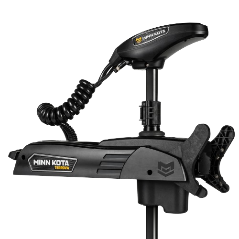
The Minn Kota Troubleshooting Manual offers tailored solutions for different models. Each model has unique parts and features. Knowing these specifics helps fix problems fast. The manual breaks down issues by model type. This section covers common errors by model. It guides users through clear, simple steps to resolve problems. Follow these instructions to keep your motor running smoothly.
Ulterra Motor Errors
The Ulterra motor uses advanced sensors and electronics. Errors often show as blinking lights or no response. Check the trim and stow functions first. Reset the motor by turning it off, then on. Inspect wiring for loose or corroded connections. If errors persist, use the manual’s error code list. Codes help identify specific parts needing repair or replacement.
Soft-pot Issues On Older Models
Older Minn Kota models use a soft-pot control for speed settings. Problems include erratic speed changes or no speed control. Clean the soft-pot with a mild cleaner and a soft cloth. Check the wiring for damage or loose ends. Recalibrate the soft-pot as described in the manual. Replace it if cleaning and calibration do not fix the issue.
Powerdrive And Autopilot Solutions
PowerDrive and AutoPilot systems add smart navigation features. Problems can include unresponsive steering or incorrect autopilot behavior. Start by checking the battery voltage and connections. Calibrate the compass and sensors as per the manual. Update firmware if available. Reset the system by powering it down and up again. Contact support for complex errors beyond basic fixes.
Edrive Lcd And Paddle Control
eDrive models feature an LCD display and paddle controls. Issues may involve unresponsive paddles or blank LCD screens. Check the display connections and cable integrity. Clean paddle sensors gently to remove dirt or grime. Reset the control head by disconnecting power briefly. Replace faulty cables or control heads if problems continue. The manual provides step-by-step instructions for these tasks.
Tools And Testing Methods
Understanding the right tools and testing methods is key for fixing Minn Kota trolling motors. Proper tools help identify problems quickly. They ensure repairs are safe and effective. This section explains essential tests and tools to keep your motor running smoothly.
Wire Continuity Testing
Wire continuity testing checks if electrical wires carry current properly. Use a multimeter set to continuity mode. Touch the probes to each wire end. A beep or low resistance shows a good wire. No beep means a break or fault. This test helps find wiring issues fast.
Brush And Speed Coil Checks
Brushes and speed coils control motor movement and speed. Inspect brushes for wear or damage. Worn brushes can cause poor motor performance. Test speed coils with a multimeter for correct resistance. Broken coils stop the motor from running. Regular checks keep parts in good condition.
Using Model-specific Guides
Each Minn Kota model has unique features and wiring. Use model-specific manuals for accurate troubleshooting steps. These guides include wiring diagrams and test points. Follow them to avoid mistakes and save time. Manuals for Ulterra, Terrova, and i-Pilot models are especially helpful.

Credit: s2b4aa72b8b1c7323.jimcontent.com
Finding Manuals And Support
Finding manuals and support for your Minn Kota trolling motor is essential for quick fixes and proper maintenance. A good troubleshooting manual guides you step-by-step to resolve common issues. It covers everything from battery checks to advanced component tests. Several resources offer reliable manuals and expert help to keep your motor running smoothly.
Official Minn Kota Resources
Minn Kota’s official website provides comprehensive manuals and guides. You can download user manuals, wiring diagrams, and troubleshooting tips. These resources cover various models like Ulterra, Terrova, and Endura. The site also offers product registration and warranty information. Direct access to these materials ensures you get accurate and updated support.
Video Tutorials And Help Centers
Video tutorials show step-by-step repair and maintenance procedures. Many are available on platforms like YouTube and Minn Kota’s official help center. These videos demonstrate how to reset motors, check wiring, and replace parts. Visual guides make complex tasks easier to understand. Help centers often include FAQs and troubleshooting articles for quick answers.
Expert Q&a Platforms
Online forums and Q&A platforms connect you with Minn Kota experts and other users. Sites like JustAnswer allow you to ask specific questions and receive professional advice. Community forums share real-life experiences and solutions. These platforms help solve uncommon problems and clarify manual instructions. Interaction with experts saves time and reduces guesswork.
Frequently Asked Questions
Is There A Reset Button On A Minn Kota Trolling Motor?
Minn Kota trolling motors do not have a dedicated reset button. To reset, power cycle the unit by turning it off and on. For advanced models, follow specific reset steps in the user manual or use the i-Pilot remote to perform electronic resets if needed.
Why Did My Minn Kota Trolling Motor Stop Working?
Your Minn Kota trolling motor may stop working due to loose or corroded battery connections, a blown fuse, or damaged wiring. Check the propeller for debris or damage. Faulty motor brushes, control board issues, or internal motor problems can also cause failure.
Refer to the Minn Kota manual for detailed troubleshooting.
How To Reset Minn Kota Power Drive?
To reset a Minn Kota PowerDrive, turn it off, then back on. Press the power button three times quickly to initiate reset. Use the i-Pilot remote to adjust trim after reset.
Why Is My Trolling Motor Getting Power But Not Working?
Your trolling motor may get power but not work due to loose or corroded battery connections, a blown fuse, faulty control switch, or damaged motor components. Check wiring, fuses, propeller obstructions, and test the motor controller to identify the exact issue.
How Do I Reset A Minn Kota Trolling Motor?
To reset, turn the motor off and on again. Press the reset sequence if your model supports it. Check your manual for specific steps.
Conclusion
Minn Kota troubleshooting can save time and prevent frustration. Start with simple checks like battery charge and clean connections. Look for debris or damage on the propeller. Test switches, fuses, and wiring next. Follow model-specific steps for advanced features like i-Pilot.
Regular maintenance helps avoid common problems. Use the official Minn Kota manual for detailed guidance. Keep your motor running smoothly and enjoy your time on the water. Troubleshooting gets easier with practice and patience. Stay calm, check carefully, and fix issues step-by-step.