
Is your motion detector light acting up, leaving you in the dark or turning on at the wrong times? You’re not alone.
These handy devices are designed to keep your home safe and energy-efficient, but when they malfunction, it can be frustrating and confusing. Luckily, most problems can be fixed quickly with some simple troubleshooting steps you can do yourself. In this guide, you’ll learn how to identify common issues, reset your motion sensor light, and get it working perfectly again.
Keep reading to take control of your lighting and avoid costly repairs.
Common Causes
Understanding the common causes of motion detector light problems helps fix issues quickly. Many times, simple factors affect the light’s performance. Checking these areas first saves time and effort. Troubleshooting becomes easier with a clear idea of what might be wrong.
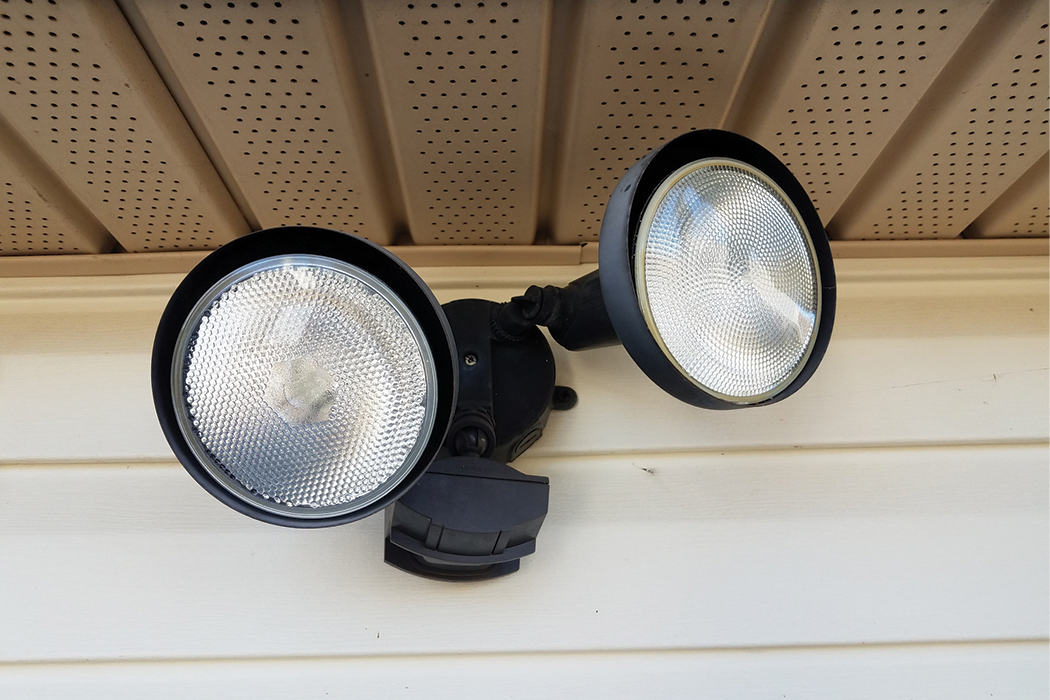
Sensor Misalignment
Motion detector lights rely on accurate sensor alignment. If the sensor points away from the desired area, it may not detect movement. Even a small shift from wind or accidental bumps can cause misalignment. Adjusting the sensor to face the right direction restores proper function.
Dirty Or Obstructed Lens
The sensor lens must be clean and clear to work well. Dust, dirt, or spider webs on the lens block the sensor’s view. This blockage reduces sensitivity or stops detection altogether. Wiping the lens gently with a soft cloth often solves the problem.
Power Supply Issues
Motion detector lights need steady power to operate correctly. Loose wiring, tripped breakers, or faulty outlets can interrupt power supply. Checking connections and resetting breakers usually fixes these issues. Ensuring consistent power keeps the light working reliably.
Faulty Bulb Or Batteries
A burnt-out bulb or dead batteries cause the light to fail. Using the wrong bulb type or wattage also affects performance. Replacing bulbs with the correct ones restores brightness. For battery-powered models, fresh batteries ensure continuous operation.
Credit: brinkshome.com
Simple Resets
Simple resets often fix common issues with motion detector lights. They clear glitches and restore normal function quickly. Start with these easy steps before moving to complex fixes.
Light Switch Reset
Turn off the light switch controlling the motion detector light. Wait about 10 seconds. Turn the switch back on. This action resets the sensor’s internal system. It often solves minor sensor errors. Try this step first as it takes only moments.
Circuit Breaker Reset
Locate your home’s circuit breaker panel. Find the breaker for the motion detector light. Switch it off and wait 30 seconds. Turn the breaker back on. This hard reset can fix power-related sensor issues. It refreshes the electrical flow and clears faults.
Adjusting Sensor Settings
Adjusting the sensor settings is key to fixing motion detector light problems. Small changes can improve how the light reacts to movement. Proper adjustments help avoid false triggers or missed detections. This section covers easy ways to tweak your sensor for better performance.
Cleaning The Sensor
Dirt and dust block the sensor’s view. Wipe the lens gently with a soft, dry cloth. Avoid harsh chemicals or water that can damage the sensor. Clean the sensor regularly to keep it working well. A clear lens detects motion more accurately.
Modifying Sensitivity And Time Dials
Look for dials labeled “Sensitivity” or “Time” on the sensor unit. Turn the sensitivity dial down to reduce false triggers from small movements. Adjust the time dial to change how long the light stays on after motion stops. Small tweaks can match the sensor to your space and needs.
Checking For Obstructions
Objects like plants or furniture can block the sensor’s view. Make sure nothing moves in front of the sensor that could trigger the light constantly. Remove or reposition any items that interfere with the sensor’s line of sight. Clear paths help the sensor detect motion correctly.
Credit: www.theelectriciansco.com
Replacing Components
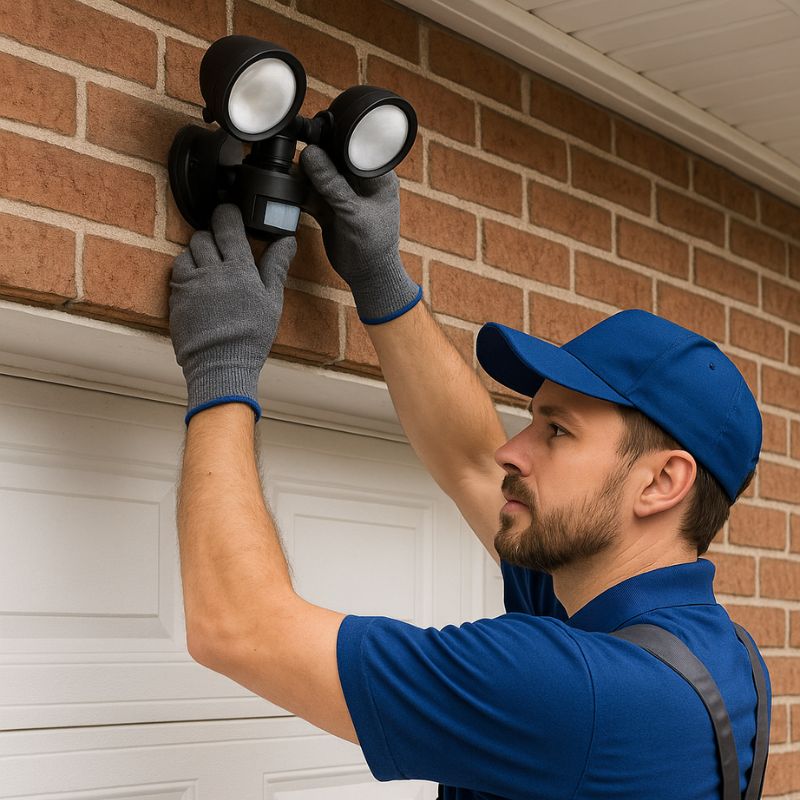
Replacing components is a key step in fixing motion detector lights. Parts like bulbs and batteries wear out over time. Changing these can restore the light’s function quickly. This section covers simple swaps that anyone can do safely at home.
Bulb Replacement
First, turn off the power to the light. Remove the old bulb carefully. Check the bulb type and wattage before buying a new one. Use a bulb that matches the fixture’s specifications. Screw the new bulb in gently but firmly. Turn the power back on and test the light. A new bulb often solves flickering or no-light issues.
Battery Check And Replacement
Some motion detector lights run on batteries. Open the battery compartment to inspect the cells. Look for leaks or corrosion on the battery terminals. Use fresh batteries of the correct size and type. Insert them with the right polarity (+ and -). Close the compartment securely. Test the light by triggering the sensor. Replacing batteries can fix dim or unresponsive lights.
Advanced Troubleshooting
Advanced troubleshooting helps solve complex motion detector light issues. These problems often require more than simple fixes. Understanding how the system works is useful. It can save time and avoid extra costs.
Start by checking the override mode. This feature may keep the light on or off. Next, inspect wiring connections. Loose or damaged wires cause many failures. Finally, know when to call an electrician. Some issues need professional help for safety and proper repair.
Override Mode Check
Override mode lets you control the light manually. Sometimes it stays active by mistake. Check your light’s manual to find out how to disable it. Look for a switch or button on the device. Press it to return to automatic sensor control. If the light still does not respond, move to the next step.
Inspecting Wiring Connections
Turn off the power before inspecting wiring. Open the fixture carefully to access wires. Look for loose, frayed, or burnt wires. Tighten any loose connections with a screwdriver. Replace damaged wires or connectors. Make sure all wires match the correct terminals. Poor wiring often causes flickering or no light at all.
When To Call An Electrician
Call an electrician if wiring looks complicated or unsafe. Avoid working with electricity if unsure. Professionals have tools and skills for safe repairs. If the light still fails after basic checks, expert help is wise. Faulty sensors or internal parts need special attention. A licensed electrician can fix these problems properly.
Fixes For Lights Stuck On
When motion detector lights stay on constantly, it drains power and reduces their effectiveness. Fixing this issue improves safety and saves energy. Several simple steps can restore your light’s normal function quickly. These fixes focus on common causes like sensor faults, power glitches, and settings errors. Follow each method carefully to troubleshoot lights stuck on.
Cleaning Or Replacing Photocell
The photocell controls light activation based on ambient brightness. Dirt, dust, or damage can make it think it is always dark. Gently clean the photocell lens with a soft cloth. Avoid harsh chemicals that may damage it. If cleaning does not help, consider replacing the photocell. A new photocell restores proper light sensing and stops the light from staying on.
Resetting After Power Flicks
Power flickers or outages can confuse the motion sensor’s internal settings. Resetting the light often fixes this. Switch off the light at the breaker or power switch. Wait about 30 seconds for the system to clear its memory. Turn the power back on and test the light. This reset can clear errors causing the light to remain on.
Disabling Motion Sensor Permanently
Some situations require the motion sensor to be off. This lets the light operate like a regular bulb. Locate the sensor’s control panel or switch. Follow the manufacturer’s instructions to disable the motion detection feature. This stop the sensor from triggering the light constantly. Use this option only if troubleshooting does not solve the problem.
Preventive Tips
Taking steps to prevent motion detector light problems saves time and money. Simple habits keep your light working well. These tips reduce errors and improve sensor accuracy. Follow these easy preventive measures for lasting performance.
Regular Cleaning
Dust and dirt block the sensor’s view. Wipe the lens gently with a soft cloth weekly. Avoid harsh chemicals that can damage the surface. Keep the sensor clear of spider webs and debris. Clean sensors detect motion better and last longer.
Proper Installation
Place the sensor where it has a clear, wide view. Avoid pointing it toward moving trees or busy streets. Secure wiring tightly to prevent loose connections. Use the right bulb type and wattage for the fixture. Correct setup stops false triggers and failures.
Routine Testing
Test the motion light monthly to ensure it works. Walk in front of the sensor at different angles. Check if the light turns on and off properly. Adjust sensitivity and timer settings as needed. Early testing finds issues before they become big problems.

Credit: www.homedepot.com
Frequently Asked Questions
Why Is The Motion Detector Light Not Working?
The motion detector light may fail due to dirty sensors, misaligned lenses, or faulty wiring. Check the power supply and replace bulbs if needed. Adjust sensitivity settings and clear any obstructions. Persistent issues might require professional wiring inspection or unit replacement.
How Do I Reset A Motion Detection Light?
Turn off the power at the switch or circuit breaker. Clean the sensor lens gently. Adjust sensitivity and timer dials. Restore power and test the light. Replace bulbs or batteries if needed.
Do Motion Detector Lights Go Bad?
Yes, motion detector lights can go bad due to sensor wear, wiring issues, or bulb failure. Regular cleaning and testing help maintain function.
How To Fix Motion Sensor Light That Stays On?
Clean the sensor lens to remove dirt. Adjust sensitivity and time delay dials lower. Check for nearby obstructions. Replace faulty bulbs or batteries. Reset power by switching off the circuit breaker. Inspect wiring if the issue persists and consider professional help.
Why Is My Motion Detector Light Not Working?
Motion detector lights may fail due to dirty sensors or blocked lenses. Check wiring and power supply for loose connections or tripped breakers.
Conclusion
Troubleshooting a motion detector light takes patience and simple steps. Start by cleaning the sensor lens and checking for obstructions. Test the power supply and reset the circuit breaker if needed. Adjust the sensitivity and time settings to suit your space.
Replace bulbs or batteries when they wear out. Wiring issues might require professional help. Regular care keeps your motion detector light working well. Follow these tips to save time and avoid replacing the entire unit. A working motion sensor light improves safety and convenience around your home.



