
Is your packaging machine acting up right when you need it most? Whether you face poor seals, inconsistent bag sizes, or unexpected jams, these issues can halt your production and cost you valuable time and money.
But don’t worry—understanding how to troubleshoot your packaging machine can quickly get you back on track. By focusing on key areas like temperature control, pressure settings, alignment, and cleanliness, you can pinpoint problems before they escalate. You’ll discover straightforward steps to identify common faults and practical fixes you can apply immediately.
Ready to reduce downtime and boost efficiency? Let’s dive into the essential packaging machine troubleshooting tips tailored just for you.
Common Issues
Packaging machines can face several common issues that disrupt production. These problems often affect sealing, film feeding, belts, sensors, and filling systems. Identifying these issues early helps maintain smooth operations. Understanding each problem allows for quicker fixes and less downtime.
Seal failures happen when the packaging does not close properly. Causes include incorrect temperature settings, dirty sealing bars, or worn-out sealing strips. Check the heat settings and clean the sealing surfaces regularly. Replace damaged parts to ensure a strong, airtight seal.
Film feeding issues cause misaligned or jammed packaging material. These problems occur due to poor tension, dirty rollers, or damaged film. Adjust the film tension and clean the rollers to improve feeding. Inspect the film for tears or wrinkles before use.
Belts and drives move the packaging components. Slipping belts or worn drives cause uneven motion or stoppages. Check belt tightness and alignment often. Replace worn belts and lubricate drive parts to keep the machine running smoothly.
Safety devices and sensors protect operators and ensure correct machine operation. Errors can arise from dirty or misaligned sensors, or faulty wiring. Clean sensor lenses and check connections regularly. Test emergency stops and safety guards to confirm proper function.
Filling faults lead to incorrect product amounts in packages. Causes include clogged nozzles, wrong settings, or inconsistent product flow. Clean filling nozzles and verify calibration. Adjust filling speed and volume to match product requirements for accuracy.
Seal Failures
Seal failures are a frequent issue in packaging machines. They cause weak or incomplete seals that can spoil product quality. Identifying the cause helps fix the problem quickly. Common factors include wrong temperature, pressure, dirty seal bars, worn tape, and misalignment. Each factor affects the seal strength and appearance.
Temperature And Pressure Settings
Correct temperature and pressure are key to strong seals. Too low heat prevents proper melting of the film. Too high heat can burn or weaken the seal. Pressure must be enough to press the film together evenly. Check machine settings and adjust them based on the film type. Use a temperature gun to verify the seal bar heat. Regularly test pressure with a gauge to keep it consistent.
Cleaning Seal Bars And Wheels
Dirty seal bars or wheels cause poor seals. Residue from melted film or dust blocks heat transfer. Clean bars with a soft cloth and alcohol regularly. Avoid abrasive tools that can scratch the surface. Inspect wheels for buildup that stops smooth film movement. Clean wheels and remove stuck particles to ensure even sealing. Clean parts reduce defects and extend machine life.
Teflon Tape Wear
Teflon tape covers seal bars and protects the film. Over time, tape wears out or tears. Worn tape leads to uneven heat and sticking films. Check tape condition often and replace it when damaged. Use the correct thickness and type for your machine. Proper tape helps maintain seal quality and prevents film jams during packaging.
Alignment And Obstructions
Misaligned seal bars cause weak or incomplete seals. Check bar alignment with a straight edge tool. Adjust bars to be parallel and evenly touching the film. Remove any debris or film scraps caught between bars. Obstructions prevent full contact and cause seal gaps. Inspect the sealing area before starting the machine. Clear space ensures smooth operation and strong seals.
Film Feeding Problems
Film feeding problems often disrupt packaging machine operations and slow production. These issues cause wrinkles, tears, or jams in the film roll. Addressing film feeding faults improves machine efficiency and reduces waste. Troubleshooting focuses on key areas such as tension, cleanliness, settings, and sensors.
Film Tension Adjustment
Proper film tension keeps the film flat and prevents slipping or tearing. Check the tension rollers and adjust them according to the machine manual. Too tight tension causes film breakage. Too loose tension leads to wrinkles and misfeeds.
Use a tension gauge if available to measure and set correct tension levels. Regularly inspect tension springs and belts for wear. Replace parts that fail to maintain steady tension.
Cleaning Film Belts
Dirty film belts reduce grip and cause feeding issues. Residue from dust, oil, or adhesive builds up on belts over time. Clean belts frequently with a soft cloth and mild cleaner suitable for the belt material.
Avoid harsh chemicals that damage belts. Ensure belts dry fully before restarting the machine. Clean belts improve film traction and reduce slippage.
Bag Length Settings
Incorrect bag length settings cause film waste and inconsistent packages. Verify the bag length matches the product size and film roll width. Adjust the settings on the control panel or machine interface carefully.
Test a few cycles after adjustment to ensure the length is correct. Fine-tune if the bags are too short or too long. Accurate settings help maintain uniform packaging.
Sensor Calibration
Sensors detect film position and signal the machine when to stop feeding. Misaligned or dirty sensors cause feeding errors and stops. Clean sensor lenses regularly with a dry cloth.
Calibrate sensors following manufacturer instructions to ensure accurate detection. Replace faulty sensors to restore proper film tracking. Proper sensor operation prevents jams and misfeeds.

Credit: www.eliter-packaging.com
Belt And Drive Issues
Belt and drive issues are common problems in packaging machines. They cause machine stoppages and affect production speed. These issues often result from worn belts, loose tension, or damaged drive parts. Identifying and fixing these problems quickly keeps the machine running smoothly. Regular checks prevent unexpected breakdowns and costly repairs.
Belt Tension Checks
Check the belt tension regularly to ensure proper grip. A belt that is too loose may slip and reduce machine efficiency. A belt that is too tight can cause wear on bearings and other parts. Use a tension gauge or follow the manufacturer’s guidelines to set the right tension. Adjust the tension carefully to avoid damage.
Cleaning And Maintenance
Keep belts and drive areas clean from dust and debris. Dirt buildup can cause belt slippage and wear. Wipe belts with a dry cloth and remove any stuck material. Lubricate drive components as recommended to reduce friction. Regular cleaning extends belt life and maintains smooth operation.
Inspecting Drive Components
Check pulleys, gears, and shafts for signs of wear or damage. Look for cracks, corrosion, or misalignment. Replace any worn or broken parts immediately. Ensure all fasteners are tight and secure. Proper inspection prevents drive failures and keeps the machine reliable.
Safety And Sensor Errors
Safety and sensor errors are critical issues in packaging machine troubleshooting. These errors often stop the machine to protect operators and products. Understanding how safety features and sensors work helps fix problems fast and keeps the process smooth. Addressing these errors prevents damage and avoids costly downtime.
Guard Doors And Emergency Stops
Guard doors protect operators from moving parts. The machine stops if a door opens during operation. Check door switches and locks for damage or misalignment. Emergency stop buttons halt the machine instantly. Test all emergency stops regularly. Faulty switches or wiring cause false stops or no response. Replace broken parts immediately to ensure safety.
Conveyor And Product Settings
Sensors detect product position on the conveyor belt. Incorrect sensor settings lead to missed or false signals. Verify sensor alignment and clean lenses to avoid dirt blocking detection. Adjust conveyor speed and product spacing to match sensor timing. Use the machine’s interface to fine-tune these settings for smooth operation.
Clearing Obstructions
Obstructions block sensors or conveyor movement. Inspect and remove jams or debris carefully. Check sensor areas for dust or residue. Clean sensors with a soft cloth to restore function. After clearing, reset the machine and test sensor signals. Regular cleaning reduces frequent sensor errors and improves safety.
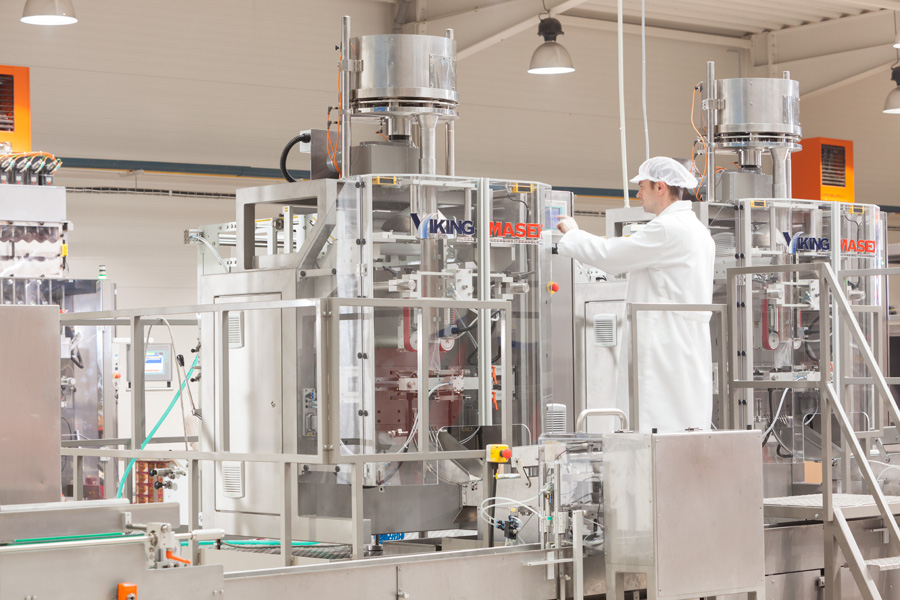
Credit: vikingmasek.com
Filling System Faults
The filling system is a vital part of any packaging machine. It controls the amount of product placed into each package. Faults in this system can cause underfilling, overfilling, or inconsistent fills. These problems waste product and slow down production lines. Detecting and fixing filling system faults is key to smooth operations and quality packaging.
Calibration Checks
Calibration ensures the filling system measures product accurately. Regular checks keep volumes consistent across packages. Use a standard container to verify the fill amount. Adjust the machine settings if the fill is too low or too high. Calibration errors cause waste and customer complaints. Keep a log of calibration results for ongoing monitoring.
Seal And Valve Inspection
Seals and valves control the flow of product into packages. Worn or damaged seals lead to leaks or drips. Inspect these parts for cracks, wear, or residue build-up. Clean the valves regularly to prevent clogging. Replace any faulty seals or valves to restore proper filling. Proper sealing maintains product hygiene and prevents spills.
Air And Clog Removal
Air pockets and clogs disrupt smooth filling. Air can cause inconsistent volumes or splashing. Clogs block product flow and cause machine stops. Bleed air from the system by releasing trapped pockets. Clear clogs by flushing lines or disassembling parts if needed. Regular cleaning prevents build-up that leads to clogs. Keep the filling system free of air and blockages for steady operation.
Troubleshooting Process
Proper maintenance is vital to keep packaging machines running smoothly. Regular care prevents breakdowns and extends equipment life. Simple maintenance tasks improve machine performance and reduce downtime.
Routine Cleaning
Clean packaging machines daily to remove dust and debris. Wipe film belts, sealing bars, and sensors gently. Avoid harsh chemicals that can damage parts. Keeping the machine clean helps prevent jams and poor sealing.
Regular Safety Checks
Test emergency stops and safety guards regularly. Ensure safety interlocks work correctly to protect operators. Report and fix any safety faults immediately. A safe machine reduces accident risks and meets regulations.
Component Replacement Schedule
Replace worn parts before failure occurs. Check belts, blades, and heaters for signs of wear. Follow manufacturer guidelines for replacement intervals. Keeping parts fresh maintains packaging quality and machine reliability.
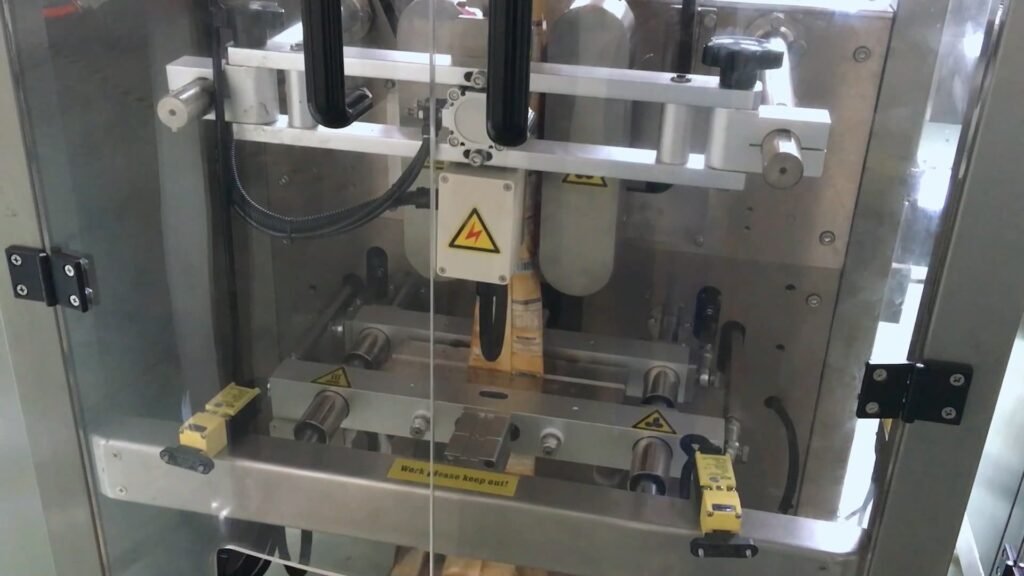
Credit: smartpackmc.com
Frequently Asked Questions
Why Is The Sealer Machine Not Working?
The sealer machine may not work due to incorrect temperature, low seal pressure, dirty seal bars, or worn Teflon tape. Clean parts, adjust settings, align components, and remove product from the seal area to fix the issue. Check belts and sensors for proper operation.
How To Troubleshoot Machinery?
Troubleshoot machinery by identifying the problem, isolating its cause, fixing the issue, verifying the fix, and preventing recurrence. Check settings, clean parts, inspect mechanical components, and adjust parameters as needed.
What Are The Defects In Packaging Film?
Defects in packaging film include holes, gels, contamination, coating issues, and laminating faults. These affect functionality and appearance, reducing product quality and consumer trust.
When Should Packaging Machines Be Checked For Safety?
Packaging machines should be checked for safety regularly during routine maintenance. Inspect emergency stops, guards, and safety interlocks. Always address any safety malfunctions immediately to prevent accidents.
What Causes Packaging Machine Sealing Failures?
Sealing failures often happen due to dirty or damaged sealing bars. Check and clean the bars regularly to keep seals strong. Also, ensure temperature settings match the packaging material.
Conclusion
Troubleshooting packaging machines keeps production smooth and efficient. Regular checks prevent common issues like jams or weak seals. Always inspect temperature, pressure, and alignment carefully. Clean parts often to avoid buildup that causes errors. Replace worn components before they cause bigger problems.
Simple fixes save time and reduce downtime. Stay consistent with maintenance for better machine performance. This approach helps avoid costly repairs and improves product quality. Remember, small steps make a big difference in packaging success.



