
Is your Pit Boss pellet grill acting up when you’re ready to fire it up? You’re not alone.
Many pellet grill owners face frustrating issues like the grill not heating properly, strange error codes, or pellets not feeding smoothly. But don’t worry—these common problems often have simple fixes that you can tackle yourself. In this guide, you’ll discover straightforward troubleshooting tips for your Pit Boss pellet grill.
From checking your pellets and cleaning the firepot to inspecting the auger and electrical connections, we’ll walk you through easy steps to get your grill back on track. Keep reading, and you’ll be grilling like a pro again in no time.
Power Issues
Power issues are a common reason why your Pit Boss pellet grill may not start or function properly. These problems can prevent the grill from turning on or cause it to shut down unexpectedly. Checking the power system helps identify simple faults before calling for repairs. Always ensure your grill has a steady and safe electrical connection. Small fixes can often restore power quickly and get your grill back to work.
Checking Power Source
Start by verifying the power outlet is working. Plug another device into the same outlet to test it. Avoid using damaged extension cords or power strips. Check the grill’s power cord for cuts or frays. Make sure the cord is fully plugged into the outlet and the grill. A loose or faulty connection can stop power flow. If the outlet has a switch, confirm it is turned on. Reset any tripped circuit breakers linked to the outlet.
Inspecting Controller Fuse
The controller fuse protects the grill’s electronics from power surges. Locate the fuse on the control board inside the grill. Look closely for a blackened or broken filament. A blown fuse will cut power to the controller. Replace the fuse with the exact type recommended by Pit Boss. Always disconnect the grill from power before opening the control panel. After replacing the fuse, test the grill to see if it powers up.
Power Button And Dial Settings
Check the power button by pressing it firmly until you see a blue light. The blue light confirms the grill is receiving power. Turn the dial to the desired temperature setting. Sometimes the dial may be stuck or turned off, preventing startup. Rotate the dial slowly to ensure it moves freely. If the button or dial feels loose or broken, it may need repair. Confirm the grill’s display screen lights up to signal proper function.
Credit: www.esseg.eu
Heating Problems
Heating problems with your Pit Boss pellet grill can stop your cookout in its tracks. The grill may not reach the set temperature or keep it steady. Several factors cause these issues. Checking each can help you find the fix quickly. Start with the pellets and end with the environment for a full check.
Dry Pellets And Storage
Wet or old pellets burn poorly and cause low heat. Store pellets in a dry, airtight container. Check that pellets snap crisply when broken. Avoid using pellets that look soft or crumbly. Dry pellets burn hotter and longer, improving grill performance.
Fan Operation And Wiring
The fan moves air to keep the fire burning. If the fan fails, heat drops quickly. Listen for the fan’s sound when the grill runs. Check the yellow wire connectors for looseness or damage. Secure or replace any loose wires to restore airflow.
Firepot Cleaning
A clogged firepot blocks airflow and lowers heat. Ash and debris build up after many uses. Remove the firepot and clean out all ash. Clear the air holes to improve oxygen flow. Regular cleaning keeps the fire burning strong and steady.
Igniter Functionality
The igniter lights the pellets at startup. If it fails, the grill won’t heat. Watch the igniter rod—it should glow bright orange within minutes. If it stays dark or flickers, test or replace the igniter. A working igniter is key for quick heating.
Proper Grill Positioning
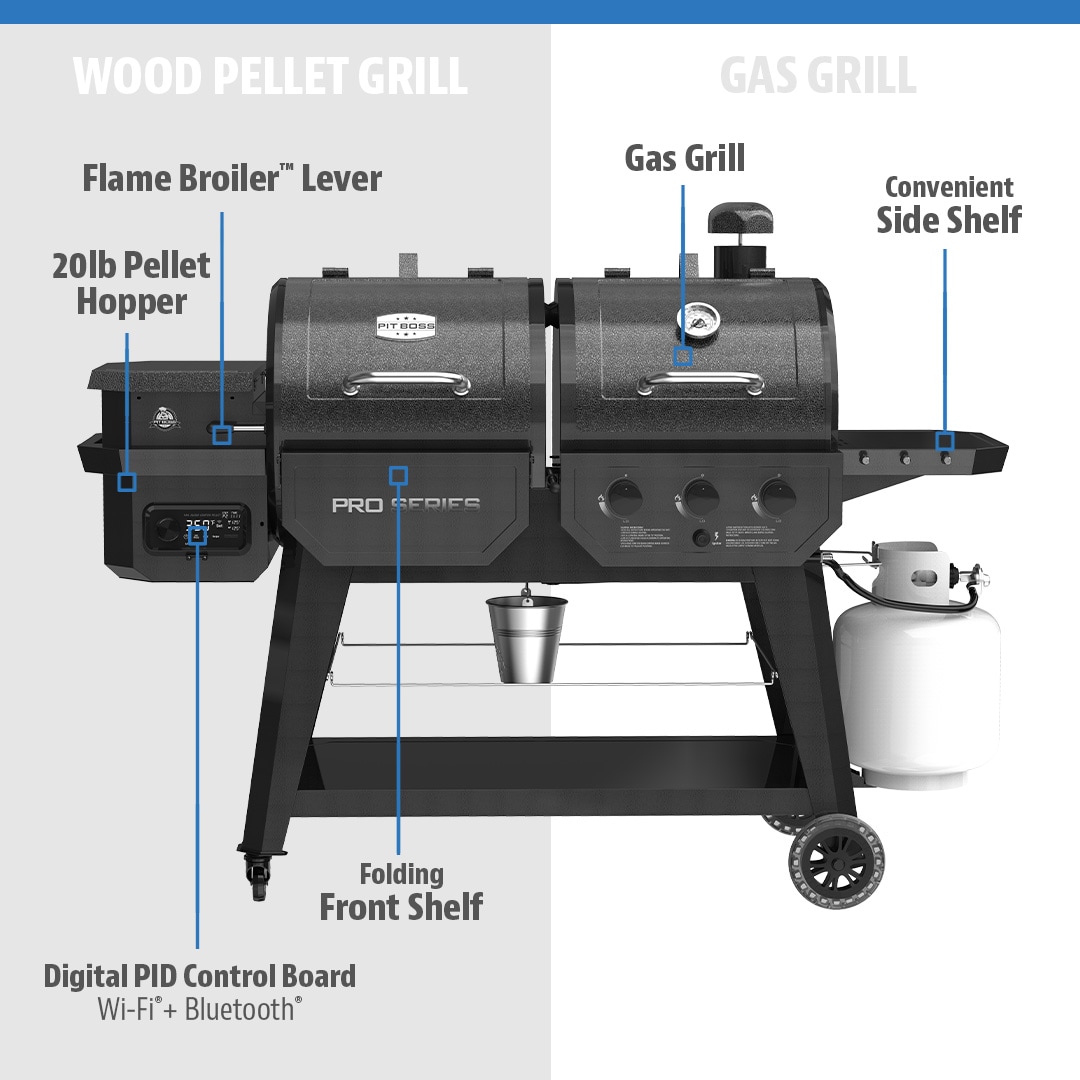
Position the flame broiler slide correctly. Keep the chimney cap fully open for proper airflow. Incorrect setup can smother the fire or cause heat loss. Follow the grill’s manual for proper parts placement and adjustments.
Environmental Effects
Cold weather and wind affect grill temperature. Wind cools the grill, and cold air lowers heat output. Shield the grill from wind or move it to a warmer spot. Use a grill cover or windbreak to help maintain steady heat.
Excess Smoke
Excess smoke from a Pit Boss pellet grill signals a problem with airflow or fuel. Too much smoke can affect food flavor and cooking performance. This issue often means the fire lacks enough oxygen or the pellets are not burning well. Troubleshooting excess smoke helps keep your grill working right and your meals tasting great.
Air Intake Adjustment
Airflow controls smoke output. Poor air intake causes thick, heavy smoke. Check the air vents to ensure they are open and not blocked. Adjust the vents to allow more oxygen into the firepot. Proper air flow helps pellets burn clean and reduces smoke. Make small changes and watch the smoke level.
Firepot And Ash Management
A dirty firepot limits oxygen flow and causes smoke. Remove ash and leftover pellets regularly. Use a brush or vacuum to clean the firepot and air holes. Clear air holes help fire burn hotter and cleaner. Check for ash build-up after every use to avoid smoke issues. Keeping the firepot clean improves grill efficiency.
Pellet Quality
Low-quality or damp pellets produce excessive smoke. Use dry, fresh pellets designed for pellet grills. Store pellets in a sealed container to keep moisture out. Wet pellets smolder instead of burning, causing thick smoke. Buying good pellets ensures steady heat and less smoke. Always check pellet condition before grilling.
Pellet Feeding Issues
Pit Boss pellet grills rely on a steady flow of pellets to maintain consistent heat and smoke. Pellet feeding issues are common problems that can interrupt this flow. These issues cause the grill to stop producing heat or to burn pellets inefficiently. Understanding how to identify and fix these problems helps keep your grill running smoothly.
Clearing Auger Jams
The auger moves pellets from the hopper to the firepot. Jams occur when pellets get stuck or broken inside the auger tube. To clear a jam, unplug the grill first. Remove the hopper and inspect the auger tube. Use a tool or stick to gently push or pull out stuck pellets. Avoid forcing the auger motor to run during a jam. After clearing, reassemble the hopper and test the grill.
Auger Motor Inspection
The auger motor powers the pellet feed system. Check the motor for unusual noises or failure to turn. Look for loose wires or damaged connectors. Use a multimeter to test motor continuity if available. Replace the motor if it shows no signs of life or runs inconsistently. Regular motor checks prevent feeding interruptions and keep the grill reliable.
Preventing Future Jams
Use dry, high-quality pellets stored in a sealed container. Moist pellets swell and cause blockages. Clean the hopper and auger tube regularly to remove dust and debris. Avoid overfilling the hopper to ensure smooth pellet movement. Running the grill at recommended temperatures reduces pellet crumbling. These steps help avoid future pellet feeding problems and improve grill performance.
Temperature Probe
The temperature probe plays a key role in maintaining the perfect cooking temperature on your Pit Boss pellet grill. It monitors the heat inside the grill and sends this data to the controller. Accurate readings help the grill adjust the pellet feed and fan speed to keep the temperature steady. Troubles with the temperature probe can lead to wrong temperature displays or poor grill performance. Understanding how to handle the probe can solve many common issues.
Probe Placement
Place the temperature probe in the thickest part of the meat. Avoid touching bones or fat, which can give false readings. The probe should be deep enough to measure the internal temperature accurately. On the grill, do not place the probe too close to the heat source. This placement can cause the probe to read higher than the actual meat temperature.
Cleaning And Calibration
Keep the temperature probe clean for accurate readings. Wipe it with a damp cloth after each use. Avoid harsh chemicals that can damage the probe. Calibrate the probe occasionally by testing it in boiling water. The probe should read around 212°F (100°C) at boiling point. If it shows a different number, adjust your grill’s settings or consider replacing the probe.
External Thermometer Use
Using an external thermometer can verify the temperature probe’s accuracy. Insert the external thermometer alongside the grill’s probe into the meat. Compare both readings during cooking. Large differences mean the grill’s probe might be faulty. Rely on the external thermometer for critical cooking times until the probe is fixed or replaced.
General Maintenance
General maintenance is essential for your Pit Boss pellet grill’s performance and longevity. Regular care prevents common issues and keeps the grill working smoothly. Simple steps help avoid costly repairs and ensure consistent cooking results.
Firepot And Ash Cleaning
Clean the firepot after every few uses to remove ash buildup. Ash blocks airflow and reduces heat efficiency. Use a brush or vacuum to clear ashes and debris. Check air holes for clogs and clean them gently. A clean firepot ensures better burning and temperature control.
Pellet Storage Tips
Store pellets in a dry, airtight container to keep them fresh. Moisture causes pellets to swell and jam the auger. Avoid storing pellets near heat or humidity sources. Use high-quality pellets designed for Pit Boss grills. Proper pellet storage prevents feeding issues and ensures steady smoke.
Inspecting Electrical Connections
Check all electrical connections regularly for looseness or corrosion. Pay attention to yellow wire connectors near the fan and auger motor. Secure any loose wires to avoid power loss or malfunction. Inspect the power cord and plug for damage. Good electrical contact keeps your grill starting and running reliably.
Startup Procedures
Follow a consistent startup routine for best results. Turn on the grill and set the temperature before loading food. Allow the igniter to glow orange for a few minutes to start the fire. Watch for steady pellet feeding and flame stability. Proper startup avoids ignition failure and uneven cooking.
Software And Connectivity
Software and connectivity play a key role in the smooth operation of your Pit Boss pellet grill. These features allow you to control temperature and cooking settings remotely. Troubleshooting software and connectivity issues ensures your grill stays responsive and reliable. Problems often arise from outdated firmware, incorrect Bluetooth settings, or Wi-Fi configuration errors. Fixing these issues can restore full control and improve your grilling experience.
Firmware Updates
Keeping your grill’s firmware updated is important. Manufacturers release updates to fix bugs and improve performance. Check the Pit Boss website or app for the latest firmware version. Download and install updates following the provided instructions. A successful update can resolve many software glitches. If your grill freezes or misbehaves, start by updating the firmware.
Bluetooth Settings
Bluetooth lets you control the grill from your phone. Ensure Bluetooth is turned on in your device settings. Pair your phone with the grill using the Pit Boss app. If the connection fails, try turning Bluetooth off and on again. Restart the app and grill if needed. Remove old device pairings that may cause conflicts. A clear Bluetooth connection helps maintain consistent control.
Wi-fi Configuration
Wi-Fi allows remote monitoring and control from anywhere. Connect your grill to a stable Wi-Fi network using the app. Enter your network name and password carefully. If the grill cannot connect, check your router settings and signal strength. Restart your router and grill for a fresh connection. Avoid networks with strict firewalls or guest mode restrictions. Proper Wi-Fi setup ensures real-time updates and alerts.

Credit: grillpartsreplacement.com

Credit: grillpartsreplacement.com
Frequently Asked Questions
What Are The Common Problems With Pit Boss Grills?
Common Pit Boss grill problems include no heat, ignition failure, excessive smoke, auger jams, and inaccurate temperature readings. Causes often involve wet pellets, dirty firepot, blocked airflow, loose fan wires, or faulty components. Regular cleaning, dry pellets, and checking electrical connections help prevent these issues.
How To Reset Pit Boss?
To reset a Pit Boss grill, unplug it, wait 10 seconds, then plug it back in. Turn the power off, then on again. This restarts the control board and clears minor errors. Ensure pellets are dry and the firepot is clean before restarting.
What Are The Flashing Dots On Pit Boss?
The flashing dots on a Pit Boss grill indicate the control board is in startup or error mode. They signal ignition or sensor issues. Check pellet dryness, airflow, and electrical connections to resolve these alerts quickly.
What Would Cause A Pit Boss Grill Not To Heat Up?
A Pit Boss grill may not heat due to wet or poor-quality pellets, clogged firepot, faulty igniter, obstructed airflow, auger jams, loose fan wires, or power issues. Regularly clean ash, ensure dry pellets, check electrical connections, and verify the fan and auger function for proper heating.
Why Won’t My Pit Boss Pellet Grill Turn On?
Check if the grill is plugged in and the power button is pressed. Inspect the fuse in the controller for damage and replace if needed. Ensure the power outlet and cord are working properly.
Conclusion
Troubleshooting your Pit Boss pellet grill becomes easier with these simple checks. Keep pellets dry and firepot clean for best results. Regularly inspect the fan, auger, and wiring connections. Watch for signs like no heat, excessive smoke, or ignition failure.
Small issues often stem from blocked airflow or damp pellets. Fixing these quickly helps maintain grill performance. Remember, basic maintenance prevents many common problems. Stay patient and follow step-by-step solutions carefully. Your grill will reward you with great cooking every time.



