Are you struggling with your Polaroid camera not working the way it should? Whether your photos aren’t developing properly, the camera won’t turn on, or you’re seeing strange spots on your prints, these issues can be frustrating.
But don’t worry—you’re not alone, and many common Polaroid problems have simple fixes. In this guide, you’ll discover easy troubleshooting tips to get your camera back in action. From checking your batteries and cleaning the rollers to understanding what those blinking lights mean, we’ll help you solve your Polaroid problems step-by-step.
Keep reading to make sure every shot you take turns into a perfect instant memory.

Credit: www.reddit.com
Common Photo Issues
Polaroid cameras create instant memories. Sometimes, photos have issues that spoil the fun. Common photo problems affect picture quality and can confuse users. Understanding these issues helps fix them quickly. This section covers frequent photo problems and how to troubleshoot them.
Blurry And Out Of Focus
Blurry photos happen when the camera moves during shooting. Holding the camera steady is crucial. Check if the lens is clean and free of smudges. Some Polaroid models need proper distance from the subject. Use the flash in low light to improve sharpness.
Dark Or Overexposed Photos
Dark photos usually mean low light or wrong settings. Overexposed photos are too bright and lose details. Avoid direct sunlight or very bright backgrounds. Adjust the exposure dial if your model has one. Try shooting in shaded areas for balanced light.
Spots And Stripes On Prints
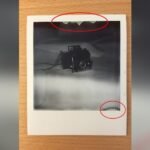
Spots and stripes appear when film rollers are dirty or damaged. Clean the rollers gently with a cotton swab. Avoid touching the photo surface while it develops. Store film in a cool, dry place to prevent damage. Use fresh film packs to reduce print defects.
Black And White Photos
Black and white photos may result from expired or damaged film. Some Polaroid films are designed for black and white images. Check the film packaging before use. If color film prints black and white photos, try a new film pack. Temperature can also affect color development.
Unusual Color Casts
Color casts make photos look too red, blue, or green. This can happen with expired film or extreme temperatures. Keep film at room temperature before use. Avoid strong colored lighting when taking pictures. Using fresh film helps maintain true colors.
No Photo Ejection
No photo ejection means the camera did not push the photo out. Check if the film pack is loaded correctly. Dirty or broken rollers can block photo ejection. Replace the batteries with fresh ones to ensure enough power. If problems persist, the camera may need professional repair.

Credit: www.youtube.com
Power And Ejection Problems
Power and ejection problems are common issues with Polaroid cameras. These problems can stop your camera from working properly. They affect how the camera turns on and how the film comes out. Troubleshooting these issues helps you get back to taking instant photos quickly.
Many power problems start with the battery. The camera may not turn on if the batteries are dead or inserted wrong. Ejection problems often involve the film or the door that holds the film. Sometimes the camera’s screen or display can freeze, especially in digital models.
Camera Won’t Turn On
Check the batteries first. Make sure they are fresh and placed correctly. Old or weak batteries cause power failure. Clean the battery contacts if they look dirty. Sometimes, the camera needs a reset. Remove batteries, wait a minute, then reinsert them. If it still won’t turn on, the camera might need repair.
Film Won’t Eject
Film jams happen often. Open the film door and check for stuck film. Remove any stuck pieces carefully. Make sure you are using the correct film type. Dirty rollers inside can stop film from ejecting. Clean rollers gently with a soft cloth. Avoid forcing the film out, as it can damage the camera.
Film Door Problems
The film door must close tightly to work. Check for dirt or debris on the door edges. Clean the edges with a dry cloth. If the door latch is broken, the camera may not eject film. Do not force the door open or closed. A damaged door might require professional repair or replacement.
Display Freezes On Digital Models
Digital Polaroid cameras may freeze on the display. This can happen due to software glitches or low battery. Turn the camera off and remove the batteries. Wait a few seconds before turning it back on. If freezing continues, try a factory reset from the menu. Software updates may fix this issue too.
Battery Tips
Battery issues often cause Polaroid cameras to stop working properly. Good battery care can keep your camera ready to shoot. Follow these simple tips to avoid common battery problems and enjoy clear, instant photos every time.
Correct Battery Installation
Always insert batteries in the right direction. Polaroid cameras usually show + and – signs inside the battery compartment. Match the battery ends to these signs carefully. Wrong placement means no power and a dead camera. Double-check before closing the compartment to prevent this issue.
Choosing The Right Batteries
Use fresh, high-quality batteries for the best camera performance. Polaroid cameras often require AA or specific lithium batteries. Avoid cheap or old batteries as they drain quickly and cause problems. Check your camera manual for the recommended battery type and stick to it.
Signs Of Low Battery
Watch for warning signs that show your battery is low. The camera may blink a red light or fail to turn on. Pictures might come out blank or not develop fully. If your camera acts slow or the flash stops working, replace the batteries right away to avoid missing shots.
Roller Maintenance
Roller maintenance plays a key role in keeping your Polaroid camera working well. The rollers push the film through the camera and spread chemicals evenly. Dirty or worn rollers can cause photos to come out blurry or with strange marks. Regular care of the rollers helps avoid these issues and keeps your pictures clear.
Cleaning Rollers
Use a soft, lint-free cloth to clean the rollers gently. Avoid harsh cleaners that can damage the rollers. A cotton swab slightly dampened with water works well for removing sticky residue. Clean the rollers after every few packs of film to prevent buildup. Rotate the rollers as you clean to reach all surfaces. Let them dry fully before using the camera again.
Preventing Chemical Smudges
Dirty rollers cause chemical smudges on photos. Keep your hands clean and dry when loading film. Store film packs in a cool, dry place to avoid leaking chemicals. Check for any damaged film before use and remove it. Avoid pressing on the photo as it develops, which can spread chemicals unevenly. Proper roller care reduces smudges and improves photo quality.
Film Care
Taking care of your Polaroid film is key to getting great photos every time. Film is sensitive to light, temperature, and handling. Proper film care keeps your pictures clear and vibrant. Simple steps help avoid common film problems and wasted shots.
Proper Storage
Store film packs in a cool, dry place. Heat and humidity can ruin the chemicals inside. Avoid direct sunlight and hot areas like car dashboards. Keep film at room temperature before use. Refrigerate unused film to extend its life but let it warm up before loading.
Handling Film Packs
Handle film packs gently to prevent damage. Hold them by the edges and avoid touching the film surface. Do not bend or drop the pack. Insert film carefully into your camera. Make sure the pack is properly aligned to avoid jamming or exposure issues.
Avoiding Film Damage
Keep film away from strong light before and during use. Do not open the film pack in bright areas. Avoid shaking or bending the photo as it develops. Pressure or folding can cause spots or streaks. Use clean hands to prevent fingerprints and dirt on the film.

Credit: www.reddit.com
Reset And Firmware
Resetting your Polaroid camera and updating its firmware are key steps in fixing many common problems. These actions help clear errors and improve device performance. Both analog and digital Polaroid models benefit from resets, but firmware updates apply only to digital versions.
Knowing how to reset your Polaroid and keep its software up to date keeps your camera running smoothly. Follow simple steps for reset and learn about firmware updates for digital models below.
How To Reset Your Polaroid
Resetting a Polaroid camera can solve issues like freezing or power failure. Most models have a reset button or a specific button sequence.
Locate the reset hole on your camera body. Use a paperclip to press and hold the reset button for about 10 seconds. Release it and turn the camera off and on.
For some Polaroid digital cameras, holding the power and shutter buttons simultaneously resets the device. Check your model’s manual for exact instructions.
Resetting does not erase your photos or settings. It clears temporary glitches and restarts the system fresh.
Firmware Updates For Digital Models
Digital Polaroid cameras may require firmware updates to fix bugs and add features. Firmware is the software inside your camera.
Visit the official Polaroid website and find the support section for your camera model. Download the latest firmware file to your computer.
Connect your camera to the computer using a USB cable. Follow the update instructions carefully to avoid interrupting the process.
After updating, your camera may restart automatically. Firmware updates improve stability and can fix errors you may face.
Troubleshooting Steps
Troubleshooting your Polaroid camera can be simple with clear steps. Start by checking the basics. Make sure the batteries are fresh and correctly placed. Verify that the film pack is loaded properly. Clean the rollers gently to avoid print issues. Avoid pressing the photo as it develops to prevent spots. These steps solve many common problems quickly.
Isolating Camera Vs Film Issues
First, test if the problem is with the camera or the film. Use a new film pack to see if photos develop. If pictures still do not appear, the camera may need attention. Check for error lights or unusual noises from the camera. Try taking photos in good lighting to rule out exposure issues. If images come out blank or black, film might be expired or damaged. Replacing the film is often the easiest fix.
When To Consult Support
Contact Polaroid support if basic fixes do not work. Seek help for power failures or blinking red lights. Technical issues like a broken lens or shutter need expert repair. Use the official website for model-specific guides and resources. Forums like iFixit also offer helpful advice from other users. Reaching out ensures your camera gets proper care and advice.
Frequently Asked Questions
Why Is My Polaroid Not Working Even With New Batteries?
Check battery orientation and ensure correct placement. Clean film rollers and confirm film pack is properly inserted. Perform a reset if needed. Internal damage or expired film can also cause issues.
Why Are My Polaroid Pictures Not Working?
Polaroid pictures may not work due to dirty rollers, incorrect battery insertion, expired film, or applying pressure on developing photos. Clean rollers gently, insert batteries correctly, use fresh film, and avoid bending prints for best results.
How Do I Reset My Polaroid?
Press the menu button to open settings. Use volume or channel buttons to navigate to reset option. Select reset to restore factory defaults.
What Does A Red Flashing Light Mean On A Polaroid Camera?
A red flashing light on a Polaroid camera signals battery issues. Check battery charge, placement, or type for proper power.
Why Won’t My Polaroid Camera Turn On With New Batteries?
New batteries may be inserted incorrectly. Check the battery direction carefully. Also, try fresh batteries from a reliable brand.
Conclusion
Troubleshooting your Polaroid camera can be simple with the right steps. Check batteries and insert them correctly every time. Keep the film rollers clean to avoid spots and streaks. Avoid pressing on developing photos to prevent damage. Use fresh film packs to fix color or black-and-white issues.
Adjust settings for better focus and lighting in your shots. When problems persist, seek help from official support or repair guides. Small fixes often bring your camera back to life quickly. Keep experimenting and enjoy capturing moments with your Polaroid.