Is your portable ice maker giving you trouble just when you need it most? Whether it’s making no ice at all or producing tiny, misshapen cubes, these issues can quickly put a chill on your plans.
But don’t worry—you don’t have to be a repair expert to get your ice maker back on track. In this guide, you’ll discover simple, step-by-step troubleshooting tips that anyone can follow to fix common problems fast. From checking water supply and cleaning filters to resetting the machine, you’ll learn exactly what to do to keep your ice flowing smoothly.
Ready to solve your portable ice maker issues and enjoy cold drinks without a hitch? Let’s dive in!
Credit: www.vevor.com
Common Ice Maker Issues
Portable ice makers provide quick ice anywhere. Problems can happen and stop ice production. Knowing common issues helps fix them fast. Many problems come from simple causes. Some need a little cleaning or checking parts. Others might need replacing parts or expert help.
No Ice Production
No ice means the machine stops making cubes. Check the water reservoir first. It must have enough clean water. The ice bin should not be full. Sensors can stop ice if blocked by ice. A dirty filter or pump can block water flow. Sometimes the motor or sensor fails. Cleaning and resetting often solve the problem.
Slow Ice Making
Slow ice means cubes take too long to form. Low water temperature slows the process. Dirty condenser coils reduce cooling power. The machine needs good airflow around it. A clogged water line can limit water supply. Make sure the area is cool and ventilated. Regular cleaning keeps the ice maker fast and efficient.
Ice Quality Problems
Bad ice looks cloudy or tastes strange. Hard water causes mineral buildup inside. Clean the machine to remove scale and dirt. Use filtered water for better ice quality. Old or broken parts affect ice shape and clarity. Clear, fresh water and clean parts make better ice cubes.
Quick Fixes To Try
Portable ice makers can stop working due to common, easy-to-fix problems. Trying quick fixes first saves time and avoids unnecessary repairs. These simple steps often restore your ice maker’s function fast. Follow the tips below to troubleshoot and get your ice maker back to work.
Check Water Supply
Make sure the water reservoir has enough clean, cool water. A low or empty reservoir stops ice production. Look for leaks or cracks in the water tank. If the water is dirty, replace it with fresh water. Proper water supply helps the machine work smoothly.
Inspect Power Source
Verify the ice maker is plugged in securely. Check the power outlet by testing another device. Ensure the power cord is not damaged or loose. Sometimes, resetting the machine by unplugging it for a minute helps. A steady power source is vital for operation.
Clear Ice Bin And Sensors
Empty the ice bin completely to avoid sensor errors. Remove any ice cubes stuck inside or around the sensors. Clean the bin to prevent blockages. Sensors detect the ice level; dirty sensors can stop ice making. Clearing the bin and sensors ensures proper detection.
Clean Mineral Buildup
Mineral deposits from hard water can clog parts. Run the manufacturer’s cleaning cycle regularly. Use a soft cloth to wipe the water pump screen and water paths. Avoid harsh chemicals; mild vinegar solution works well. Removing buildup improves water flow and ice quality.
Cleaning And Maintenance
Cleaning and maintenance keep your portable ice maker working well. Dirt, minerals, and dust build up inside over time. This buildup can block water flow or reduce cooling power. Regular cleaning stops these problems early. It also makes your ice taste fresh and pure. Follow these steps to maintain your machine properly.
Running Cleaning Cycles
Many portable ice makers have a built-in cleaning cycle. Use it often to clear mineral deposits. Fill the water reservoir with a mixture of water and vinegar or a special cleaner. Start the cleaning cycle following the machine’s instructions. This process flushes out scale and grime from inside. Run fresh water through the machine afterward to rinse out any cleaner.
Manual Component Cleaning
Turn off and unplug the machine before cleaning parts. Remove and clean the ice bin and water reservoir with warm, soapy water. Use a soft cloth or sponge to wipe inside. Check the pump screen and water lines for clogs or buildup. Clean these parts gently with a brush or cloth. Avoid harsh chemicals that can damage the machine.
Cleaning Coils And Fans
Dust on coils and fans lowers cooling efficiency. Locate the condenser coils on the back or bottom of the unit. Use a soft brush or vacuum with a brush attachment to remove dust. Clean the fan blades carefully to keep airflow strong. Regular coil and fan cleaning helps the ice maker cool properly and last longer.
Credit: www.youtube.com
Deeper Troubleshooting
Sometimes simple fixes do not solve ice maker problems. Deeper troubleshooting helps find hidden issues. It looks at parts inside the machine and environmental factors. This step often restores full function without calling a technician. Pay attention to these less obvious causes.
Blocked Water Lines And Pumps
Water must flow smoothly for ice to form. Blocked water lines stop water from reaching the tray. Check hoses for kinks or debris. Remove any dirt or scale buildup inside the lines. The pump moves water through the system. A damaged or clogged pump fails to push water. Clean the pump screen and test the motor. Replace parts if water flow remains weak or absent.
Faulty Motors And Sensors
Motors drive the ice-making cycle. A faulty motor might stop the machine mid-process. Listen for unusual noises or silence during operation. Sensors detect water levels and ice fullness. Broken sensors send wrong signals, halting ice production. Test sensors with a multimeter or replace them if needed. Reset the machine after repairs to restore normal function.
Environmental Impact
Heat affects ice makers greatly. Place the unit in a cool, shaded area. Poor airflow causes overheating and reduces ice output. Dust buildup on coils blocks heat release. Clean coils regularly to improve cooling. Avoid placing the machine near ovens or direct sunlight. Stable, cool environments help maintain steady ice production.
Resetting The Ice Maker
Resetting a portable ice maker can fix many common problems quickly. It helps clear errors and restarts the machine’s functions. This process often solves issues like no ice production or error signals. Resetting is a simple step before calling for repairs or buying parts.
Many users do not know where the reset button is or how to use it properly. Below are clear instructions to guide you through finding and using the reset option on your ice maker.
Locating The Reset Button
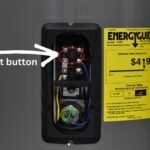
The reset button is usually small and marked clearly. It can be on the back or inside the machine near the control panel. Some models place it under the ice bin or near the water reservoir. Check your user manual if you cannot see it. Pressing the right button is important to avoid damage.
Reset Procedures
Turn off the ice maker first by unplugging it or using the power switch. Press and hold the reset button for 3 to 5 seconds. Release the button and wait for the machine to restart. Some models flash lights or beep to show the reset worked. Plug the machine back in and turn it on to check if ice production resumes.
When To Reset
Reset the ice maker when it stops making ice suddenly. Also, try resetting if the machine shows error codes or lights. Use reset after cleaning the parts or refilling water. If the ice bin is full and the machine still runs, a reset may help. Avoid resetting too often, as it may hide bigger issues.
When To Seek Professional Help
Knowing when to seek professional help for your portable ice maker saves time and prevents damage. Some problems need expert skills beyond simple fixes. Recognizing these moments ensures your ice maker gets the right care quickly. This section guides you on when to call a technician or replace parts safely.
Recording Issues For Support
Write down the exact problem your ice maker shows. Note error messages, unusual noises, or leaks. Record when the issue started and any steps you tried. This information helps support staff diagnose the problem faster. Keep your ice maker’s model and serial number ready. Clear details make technician visits more efficient and reduce repair time.
Consulting Manuals And Technicians
Check the user manual for troubleshooting tips and warnings. Manuals often list common problems and simple solutions. If the manual does not help, contact a qualified technician. Professionals have tools and knowledge to fix complex issues safely. Avoid guessing or forcing repairs, as this can cause more damage. A certified technician ensures your ice maker works properly again.
Replacing Faulty Parts
Some parts wear out and need replacement, like water pumps or sensors. Only replace parts after confirming the fault with a technician. Use original manufacturer parts to keep your warranty valid. Incorrect parts can harm your machine or reduce performance. Professional help ensures proper installation and testing. This avoids repeated breakdowns and extends your ice maker’s life.
Extending Ice Maker Lifespan
Extending the lifespan of your portable ice maker saves money and prevents frustration. Simple care steps keep it running well for many years. A well-maintained ice maker makes fresh ice without issues. Follow these tips to keep your machine in good shape and working smoothly.
Regular Maintenance Tips
Clean your ice maker regularly to avoid buildup. Mineral deposits can block water flow and damage parts. Use a soft cloth and mild detergent for cleaning. Run the machine’s cleaning cycle as recommended in the manual. Check and clean the water reservoir and filters often. Remove old ice from the bin to prevent jams. Regular checks help spot small issues before they grow.
Proper Usage Habits
Use clean, fresh water for better ice quality and machine health. Avoid overfilling the water reservoir to prevent leaks. Do not open the ice bin while the machine runs. Turn off the ice maker when not in use for long periods. Avoid using the machine in very hot or dusty places. Follow the manufacturer’s instructions for best results. Gentle handling prevents damage to internal parts.
Storage And Placement Advice
Place your ice maker on a flat, stable surface to avoid vibrations. Keep it in a cool, dry area with good air circulation. Avoid direct sunlight or near heat sources like ovens. When storing for a long time, clean and dry the unit thoroughly. Cover the machine to protect from dust. Store in a place where it won’t get bumped or knocked over. Proper placement reduces wear and tear on the machine.

Credit: kismile.com
Frequently Asked Questions
Why Isn’t My Portable Ice Machine Making Ice?
Your portable ice machine may not make ice due to low water, full ice bin, clogged filter, dirty parts, or faulty pump or sensor. Clean the unit, empty the ice bin, ensure water supply, and reset the machine. Contact a technician if problems persist.
How Do I Reset A Portable Ice Maker?
To reset a portable ice maker, unplug it for 5 minutes, then plug it back in. Locate and press the reset button if available. Remove the ice bin for better access. This restarts the machine and clears minor errors. Always refer to your model’s manual for specific instructions.
What Is The Life Expectancy Of A Portable Ice Maker?
A portable ice maker typically lasts 3 to 5 years with proper care. Regular cleaning extends its lifespan.
Where Is The Reset Button On An Icemaker?
The reset button on an icemaker is usually a small, recessed button located on the front, side, or bottom of the ice maker unit. Remove the ice bin to access it easily. Press and hold the button for a few seconds to reset the machine.
Why Is My Portable Ice Maker Not Producing Ice?
Common causes include an empty water reservoir, clogged filter, or full ice bin. Check for blockages or dirty parts. Cleaning or resetting often fixes the issue.
Conclusion
Troubleshooting your portable ice maker can save time and money. Start with simple checks like water level and ice bin space. Clean filters and parts regularly to avoid buildup. Inspect pumps, water lines, and sensors for deeper issues. Keep the unit in a cool, well-ventilated area for best results.
If problems persist, consult the manual or a technician. Taking these steps helps keep your ice maker working smoothly and ensures fresh ice whenever you need it. Small fixes often bring big improvements.