If you use a ResMed CPAP machine, you know how important it is for a good night’s sleep and overall health. But what happens when your device starts acting up?
Maybe your mask leaks air, your mouth feels dry, or you see strange error messages. These problems can be frustrating and disrupt your therapy. The good news? Most ResMed CPAP issues are easy to fix once you know what to look for.
In this guide, you’ll discover simple troubleshooting tips that help you solve common problems quickly. Keep reading to take control of your CPAP experience and enjoy restful nights again.

Credit: sleeplay.com
Mask Fit Issues
Mask fit issues are a common challenge for many ResMed CPAP users. A poor fit can cause air leaks, discomfort, and reduce the effectiveness of therapy. Fixing these problems helps you sleep better and get the full benefits of your CPAP machine.
Small adjustments to your mask can make a big difference. Focus on strap tension, cushion cleanliness, and correct positioning to improve the fit and comfort.
Adjusting Straps
Start by loosening all straps before putting on the mask. Then, tighten them evenly until the mask feels secure but not tight. Avoid over-tightening, which can cause skin marks and discomfort. Check for air leaks by turning on the machine and feeling around the edges. Adjust straps as needed to stop leaks without causing pain.
Cleaning Mask Cushions
Mask cushions collect oils and dirt, which can reduce seal quality. Clean cushions daily with mild soap and warm water. Rinse well and let them air dry completely before use. Regular cleaning keeps cushions soft and flexible, helping them fit your face better and prevent leaks.
Correct Mask Positioning
Place the mask so it rests comfortably on your nose and face. Avoid pushing it too hard against your skin. Align the mask frame evenly with your face to prevent gaps. Check the top headgear straps and adjust them if air leaks near your eyes. Proper positioning ensures a secure seal and a good night’s sleep.
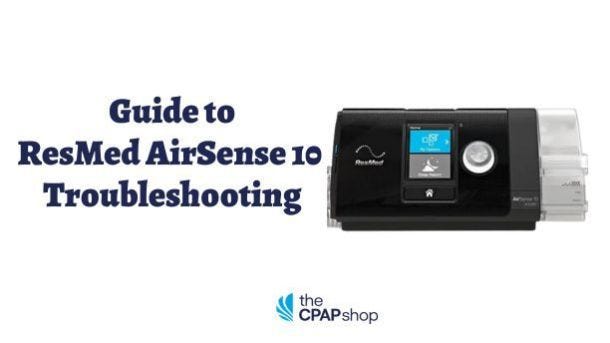
Credit: www.thecpapshop.com
Dry Mouth And Nose
Dry mouth and nose often trouble ResMed CPAP users. Air pressure can dry out mucous membranes. This causes discomfort and may interrupt sleep. Many find waking up with a sore throat or dry nose. It can reduce the therapy’s benefits. Fixing dryness improves comfort and therapy success.
Increasing Humidity
Adding humidity helps ease dryness in mouth and nose. Most ResMed CPAP machines have a built-in humidifier. Adjust the humidity level to a higher setting. Start with a medium level and increase slowly. Too much humidity can cause condensation inside the tubing. Use distilled water only. Change water daily to avoid bacteria growth.
Checking Heated Tubing
Heated tubing keeps air warm and moist during therapy. Check if the heated tubing is working properly. If tubing is cold or not warm enough, dryness may worsen. Replace tubing if damaged or worn out. Clean the tubing regularly to remove buildup. Connect tubing securely to the machine and mask. Heated tubing controls condensation and improves comfort.
Switching Mask Types
Mask choice affects dryness in mouth and nose. Nasal masks or nasal pillows can cause dry mouth if you breathe through your mouth. Full-face masks cover both nose and mouth, reducing dryness. Try different mask types to find the best fit. A better seal prevents air leaks, improving therapy and comfort. Ask your provider for mask options that reduce dryness.
Device Restart And Power
Device restart and power issues often cause ResMed CPAP machines to stop working properly. These problems can lead to interrupted therapy sessions and affect sleep quality. Understanding how to restart the device and check power connections helps users solve many common issues quickly.
Restarting the machine can clear minor errors and reset settings. Power supply problems often cause the device to shut down or not turn on. Careful inspection of all cables and plugs ensures a steady power flow. Following simple steps keeps the CPAP running smoothly each night.
Restarting The Machine
Turn off the CPAP machine using the power button. Wait about 30 seconds before turning it back on. This pause allows the internal system to reset. Restarting clears temporary glitches and refreshes the device’s software. If the machine does not respond, unplug it from the power source. Wait a minute, then plug it back in and switch it on again. This method often fixes freezing or error messages.
Ensuring Power Connections
Check the power cord for any visible damage or wear. Make sure the cord is firmly plugged into the CPAP machine. Verify the other end is securely connected to the wall outlet or power adapter. Test the outlet with another device to confirm it works. Avoid using extension cords or power strips that may cause power drops. A stable power source prevents unexpected shutdowns. Inspect the power adapter for overheating or unusual smells. Replace any damaged parts immediately to maintain safe operation.
Tube And Filter Problems
Tube and filter problems can disrupt your ResMed CPAP therapy. These parts ensure clean, warm air flows smoothly. Tubes deliver air from the machine to your mask. Filters keep dust and dirt out of the device. Issues with either can cause discomfort or reduce machine effectiveness. Regular checks help maintain therapy quality and comfort.
Handling Climatelineair Faults
ClimateLineAir tubing warms the air for comfort. Faults may cause cold air or error messages. Check the connection points for loose fittings. Inspect the tube for cracks or holes. Replace damaged tubes quickly to prevent leaks. Clean the tube regularly to avoid buildup. Restart the device after fixing the tube. This often clears the error and restores normal function.
Replacing Tubes
Replace CPAP tubes every three to six months. Remove the old tube gently from the machine and mask. Attach the new tube firmly to both ends. Avoid twisting or bending the tube sharply. Ensure no kinks block airflow. Clean the new tube before use with mild soap and water. Dry completely before reconnecting. This keeps air smooth and prevents bacteria growth.
Changing Air Filters
Air filters protect your CPAP device from dust and allergens. Check filters monthly for dirt and discoloration. Remove the filter by sliding it out carefully. Insert a new filter that fits your ResMed model. Never use a wet or damp filter. Dispose of used filters properly. Clean the filter holder area to remove dust. Fresh filters improve air quality and machine performance.
Data And Connectivity Errors
Data and connectivity errors are common challenges with ResMed CPAP machines. These errors can affect the transmission of therapy data to your healthcare provider. Proper data flow ensures accurate tracking and therapy adjustments. Resolving these errors helps maintain smooth device operation and consistent treatment monitoring.
Disabling Airplane Mode
Airplane mode stops all wireless connections on your device. Check if airplane mode is on. Turn it off to allow data transfer. This change can quickly fix connectivity issues. Without wireless signals, the CPAP cannot send data to the cloud.
After disabling airplane mode, restart your device. This step helps the machine reconnect to available networks. Confirm the data sync status afterward for success.
Improving Cellular Coverage
Poor cellular signal leads to failed data uploads. Move the CPAP machine closer to a window or open space. This placement improves signal strength. Avoid placing the device in basements or thick-walled rooms.
Consider using a Wi-Fi network if cellular coverage is weak. A strong Wi-Fi connection can stabilize data transfer. Check your router settings to ensure compatibility with the CPAP machine.

Credit: sleeplay.com
Noise Troubleshooting
Noise from your ResMed CPAP machine can disrupt sleep and reduce therapy effectiveness. Finding the noise source is key to fixing the problem quickly. Often, noise comes from airflow issues or mask problems. Simple checks and adjustments can restore quiet operation and comfort.
Clearing Airflow Obstructions
Blockages in the CPAP tubing or filters cause noisy airflow. Check the tubing for kinks or bends that restrict air. Straighten any twisted sections to restore smooth air passage.
Remove and clean the air filter regularly. A dirty filter limits airflow and increases noise. Replace the filter if it looks worn or clogged. Clean the humidifier chamber to prevent mineral buildup that can affect air flow.
Fixing Mask Leaks
Leaks around the mask cause a whistling or hissing noise. Check that the mask fits snugly on your face without gaps. Adjust the headgear straps to improve the seal but avoid overtightening.
Inspect the mask cushion for cracks or wear. Replace cushions regularly to maintain a good seal. Clean the mask daily to remove oils and dirt that break the seal. Proper mask fit reduces leaks and noise for better sleep.
Cleaning And Maintenance
Proper cleaning and maintenance keep your ResMed CPAP working well. Clean equipment helps prevent infections and improves therapy comfort. Regular care also extends the machine’s life. Follow simple steps to keep your device fresh and safe.
Weekly Equipment Cleaning
Clean your mask, tubing, and humidifier chamber every week. Use warm water and mild soap to wash these parts. Rinse thoroughly to remove soap residue. Let them air dry on a clean towel. Avoid direct sunlight or heat sources that can damage the materials. This routine prevents bacteria buildup and keeps air flow clear.
Monthly Filter Replacement
Replace the CPAP filter once a month for best results. The filter traps dust and particles that can clog the machine. Check your user manual for the correct filter type. Remove the old filter carefully and insert a new one. A clean filter ensures steady air pressure and protects your device from damage.
Persistent Device Errors
Persistent device errors on your ResMed CPAP machine can cause frustration and disrupt your sleep therapy. These errors might appear as warning messages, flashing lights, or the machine stopping unexpectedly. Such issues often indicate a deeper problem that simple restarts do not fix.
Ignoring these errors can affect your therapy effectiveness and comfort. It is important to address them quickly to ensure your machine works properly. Below are steps to help resolve these persistent device errors.
Contacting Technical Support
Technical support teams have the tools and knowledge to diagnose device errors. They can guide you through step-by-step fixes tailored to your model. Prepare your device details, error codes, and purchase information before calling.
Explain the error clearly and follow the instructions carefully. Support may suggest software updates, machine resets, or component replacements. They can also schedule repair or replacement if needed. Persistent errors often require expert help.
Seeking Equipment Provider Help
Your equipment provider is another valuable resource for troubleshooting. They can inspect your CPAP machine and accessories for defects or wear. Providers often offer in-person or remote assistance.
They may replace faulty parts like masks, tubing, or filters. Providers can also check your device settings and ensure proper fit. Regular equipment checks help prevent errors and improve therapy comfort.
Do not delay contacting your provider if errors continue after basic troubleshooting. Early intervention avoids bigger issues and therapy interruptions.
Frequently Asked Questions
How Do I Reset My Resmed Cpap?
To reset your ResMed CPAP, unplug it from the power source. Wait 10 seconds, then plug it back in. Select the option to erase data if needed. This restarts the device and clears settings for a fresh start.
What Are The Common Problems With Resmed Devices?
Common problems with ResMed devices include mask leaks, dry mouth, skin irritation, difficulty tolerating air pressure, and nasal dryness. Users may also face discomfort, claustrophobia, or trouble sleeping. Regular cleaning, proper mask fit, and adjusting humidity often resolve these issues.
What Is The 4 Hour Rule For Cpap Machines?
The 4-hour rule requires CPAP users to wear the machine at least four hours nightly. It ensures insurance coverage and therapy effectiveness. Meeting this usage helps prove treatment benefits and maintain device support. Consult your doctor if usage is difficult or uncomfortable.
What Does A Flashing Snowflake Mean On My Cpap Machine?
A flashing snowflake on your CPAP indicates the humidifier is cooling down or warming up. It may also signal low water level. Check the water chamber and refill if needed. This icon helps maintain optimal humidity for comfortable therapy.
How Do I Reset My Resmed Cpap Machine?
To reset your ResMed CPAP, navigate to the settings menu and select “Erase Data. ” Confirm by choosing “Yes,” and the device will restore to factory settings. This clears all stored therapy data and preferences.
Conclusion
Troubleshooting your ResMed CPAP can improve your therapy experience. Simple steps like adjusting your mask fit and cleaning regularly help reduce common problems. Use the myAir™ app to monitor your device and track your progress. Always check connections and settings if the machine shows error signals.
Don’t ignore discomfort or dryness; small changes can make a big difference. Regular care keeps your CPAP working well and supports better sleep. Stay patient and persistent—better nights are possible with consistent effort.