
Are you struggling with your ResMed device? Whether you’re new to CPAP therapy or have been using your machine for a while, encountering issues can be frustrating and disrupt your sleep.
You might notice leaks, dry mouth, or strange noises, and wonder how to fix them quickly. The good news is, many common problems have simple solutions you can try yourself. In this guide, you’ll discover easy troubleshooting tips that help you get the most from your ResMed machine every night.
Keep reading to regain your comfort and improve your sleep quality without the hassle.
Mask Fit Issues
Mask fit issues are common challenges for ResMed users. A poor fit can cause air leaks, discomfort, and disturbed sleep. Fixing these problems ensures better therapy and comfort. Simple steps can improve mask fit and effectiveness.
Adjusting Straps
Straps that are too tight or loose cause leaks. Loosen or tighten straps evenly on both sides. Avoid over-tightening to prevent skin marks. Check fit after adjustments to ensure comfort and seal.
Cleaning Mask
Dirt and oils build up on the mask and reduce seal quality. Clean the mask daily with mild soap and warm water. Rinse well and air dry before use. Regular cleaning keeps the mask soft and fitting well.
Replacing Cushions
Worn cushions lose their shape and cause leaks. Replace cushions every few months or when damaged. Use cushions recommended by ResMed for your mask model. New cushions restore a secure and comfortable fit.
Choosing Mask Types
Different masks suit different face shapes and sleep styles. Nasal masks cover the nose only. Full face masks cover nose and mouth. Pillows masks fit inside the nostrils. Try various types to find the best fit for you.

Credit: sleeplay.com
Dryness And Humidity
Dryness and humidity issues are common with ResMed CPAP machines. These problems can cause discomfort and affect sleep quality. Proper humidity helps keep airways moist and reduces irritation. Adjusting settings and maintaining equipment can relieve dryness and improve therapy.
Increasing Humidity Settings
Increasing humidity can help reduce dryness in your nose and throat. Use the machine’s menu to raise the humidifier level step by step. Avoid setting it too high to prevent condensation inside the mask or tubing. Small changes often make a big difference.
Checking Humidifier Water
Always use clean, distilled water in the humidifier chamber. Tap water can cause mineral buildup and block airflow. Check the water level before each use. Empty and refill the chamber daily to keep the air fresh and moist.
Using Heated Tubing
Heated tubing keeps the air warm and prevents moisture buildup inside the tube. This reduces condensation and helps maintain consistent humidity. Connect the heated tube properly and adjust its temperature for comfort. It is especially useful in cold or dry environments.
Preventing Mouth Leaks
Mouth leaks cause dry mouth and reduce therapy effectiveness. Use a chin strap or try a full-face mask to stop leaks. Make sure your mask fits snugly without being too tight. Proper fit keeps air flowing through your nose and maintains humidity levels.
Power And Connectivity
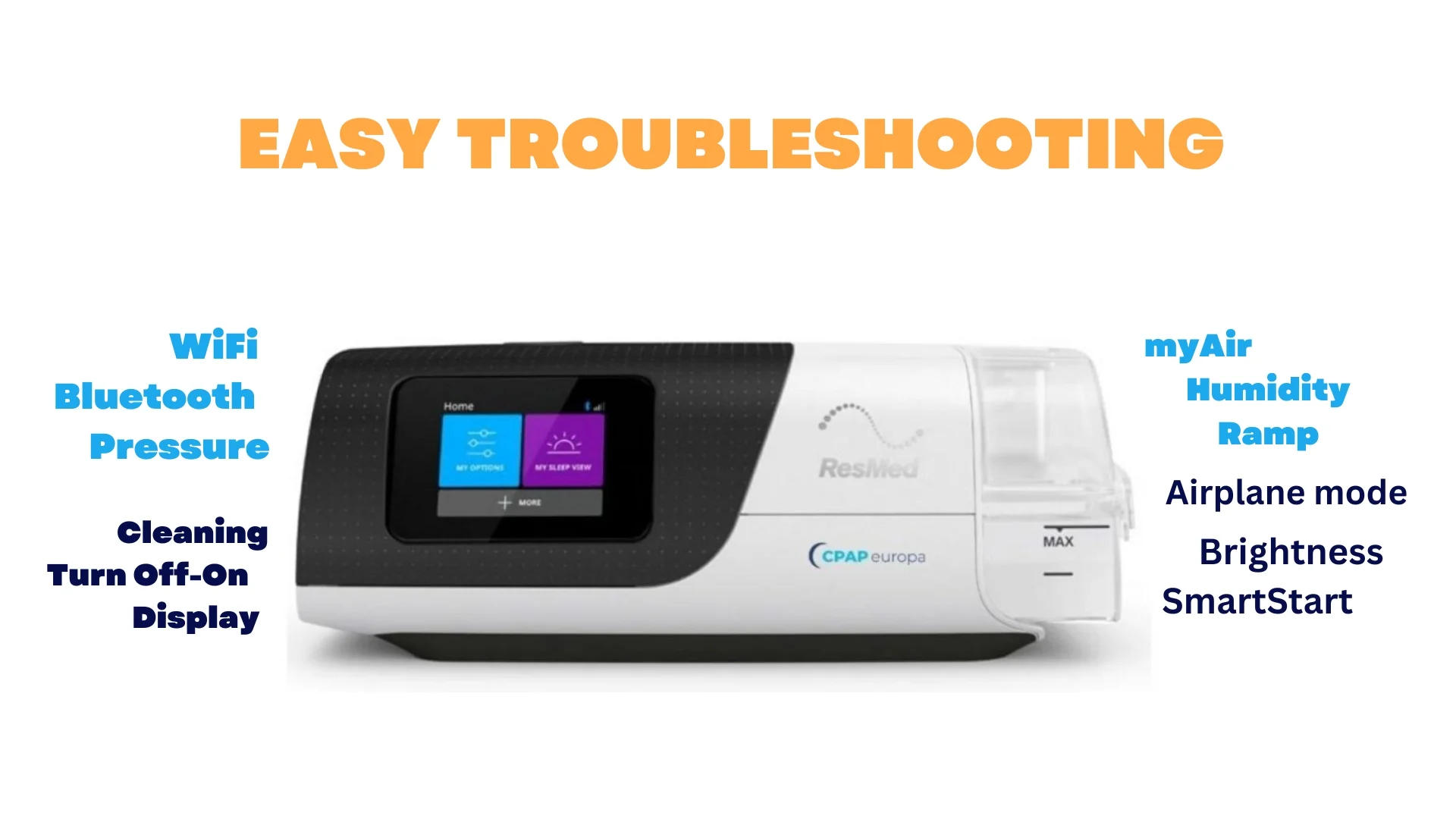
Power and connectivity issues can disrupt your ResMed device’s performance. Reliable power keeps your machine running all night. Strong connectivity helps sync data with your app or cloud. Troubleshooting these areas often solves many common problems quickly.
Securing Power Connections
Check all power cables for secure connections. Loose plugs cause your device to turn off unexpectedly. Make sure the power cord fits snugly into the machine and outlet. Avoid bending or twisting cables as this can damage them. Confirm the power adapter matches your device model for safety.
Avoiding Switched Outlets
Some wall outlets are connected to light switches. These switches can cut power if turned off. Plug your ResMed device into an unswitched outlet. Test the outlet by plugging in another device to ensure constant power. This prevents accidental shutdowns during sleep.
Disabling Airplane Mode
ResMed devices may use Wi-Fi or Bluetooth to sync data. Airplane mode disables wireless signals and stops syncing. Check device settings to ensure airplane mode is off. Turning it off restores connectivity and allows data transfer. Keep your device connected for accurate tracking.
Improving Signal Strength
Place your device near your Wi-Fi router for better signal. Avoid physical barriers like walls or metal objects between them. Restart your router if the connection is weak or slow. Use a Wi-Fi extender if the signal does not reach your bedroom. Strong signals ensure seamless syncing and updates.
Credit: www.cpapeuropa.com
Device Reset And Restart
Resetting and restarting your ResMed device can solve many common problems quickly. These steps help clear errors and refresh the system. They can improve device performance and ensure better therapy.
Try these simple actions before seeking technical support. They often fix issues like unresponsive screens or airflow problems. Follow the guidelines below carefully for best results.
Performing A Factory Reset
Start by turning off the machine. Press and hold the home and dial buttons together for about 10 seconds. The screen will show a message asking to confirm factory reset.
Select “Yes” to erase all settings and data. This will restore the device to its original state. Use this step only if other fixes do not work. Remember to set up your device again after the reset.
Restarting The Machine
Turn the device off using the power button. Wait 30 seconds to allow it to shut down completely. Power it back on by pressing the same button.
This simple restart can clear minor software glitches. It often improves device responsiveness and restores normal airflow. Restarting regularly can prevent some common errors.
Reattaching Tubing
Remove the tubing from both the mask and the device. Check for any cracks or blockages in the tubing. Replace the tubing if damaged.
Attach the tubing firmly back to the machine and mask. Ensure the connections are tight to avoid air leaks. Proper tubing attachment helps maintain correct pressure during therapy.
Noise And Performance
Noise and performance are key signs of your ResMed device’s health. Unusual sounds or airflow problems may affect therapy quality. Regular checks can help spot issues early. Addressing these problems keeps your machine running smoothly and ensures restful sleep.
Identifying Unusual Sounds
Listen closely for new noises from your device. Grinding, buzzing, or whistling sounds suggest a problem. These noises may come from the motor or fan. Check if the machine sits on a flat, stable surface. Vibrations can cause extra noise. Clean filters and tubing to remove blockages. Persistent sounds may require professional service.
Checking Airflow Consistency
Consistent airflow is vital for effective therapy. Feel the air pressure at the mask during use. Weak or fluctuating airflow could mean a leak or blockage. Inspect the tubing for holes or kinks. Make sure the mask fits snugly without gaps. Replace worn or damaged parts to restore steady airflow. Confirm your device settings match your prescription.
Humidifier Function Issues
The humidifier adds moisture to the air and prevents dryness. Check the water chamber for cracks or leaks. Use distilled water to avoid mineral build-up. Clean the chamber regularly to prevent mold and bacteria. If air feels dry or you notice water droplets, the humidifier may not work properly. Adjust humidity levels or replace faulty parts as needed.
Replacing Parts
Replacing parts of your ResMed device ensures it works well and lasts longer. Worn-out parts can cause discomfort and reduce therapy effectiveness. Regular checks and timely replacements keep your treatment smooth and comfortable. Focus on key components like the mask, headgear, tubing, and filters.
Mask And Headgear Lifespan
The mask and headgear face daily wear from skin oils and movement. Replace mask cushions and pillows every 1 to 3 months. Headgear should be replaced every 6 months or when it loses stretch. Damaged or loose parts cause leaks and reduce comfort. Clean them regularly to extend their life.
Tubing And Filter Replacement
CPAP tubing can develop cracks or become stiff over time. Replace tubing every 3 months or if you spot damage. Filters trap dust and particles to keep air clean. Disposable filters need changing every 2 weeks. Washable filters should be cleaned weekly and replaced every 6 months. Clean parts help prevent infections and maintain airflow.
When To Replace The Device
Most ResMed machines last about 5 years with proper care. Replace your device earlier if you hear unusual noises or notice reduced airflow. If you feel tired or snore again, the machine may not work well. Humidifier problems also signal replacement time. Regular maintenance helps detect issues early and ensures good therapy.
Common Error Indicators
Recognizing common error indicators on your ResMed device helps fix issues fast. These alerts guide users to maintain proper therapy and device health.
Early detection prevents discomfort and ensures consistent treatment. Watch for specific symbols and messages on the screen.
Flashing Snowflake Symbol
The flashing snowflake symbol signals low humidifier water levels. This icon appears to remind you to refill the water chamber.
Ignoring it may cause dry mouth or nasal irritation. Always use distilled water to prevent damage and buildup inside the humidifier.
Refilling the chamber stops the flashing symbol and restores comfort during therapy sessions.
Troubleshooting Error Messages
ResMed machines display error messages to identify device problems. Common messages include mask leaks, power issues, or data syncing errors.
Check the mask for proper fit and seal to avoid leak warnings. Ensure the power cord is firmly connected if the device won’t start.
Review the user manual for specific error codes and follow recommended steps. Resetting the device sometimes clears minor faults.
Prompt attention to these messages keeps therapy effective and your device functioning smoothly.
Handling Claustrophobia And Comfort
Claustrophobia and discomfort can make using a ResMed device difficult. Many users feel trapped or uneasy while wearing a mask. These feelings can affect sleep quality and device effectiveness. Addressing comfort issues helps users adapt and stay consistent with therapy.
Small changes often bring big improvements. Choosing the right mask style, adjusting pressure settings, and using support accessories ease discomfort and reduce claustrophobia. These steps help users feel more relaxed and improve sleep.
Mask Style Options
ResMed offers various mask styles to suit different needs. Nasal masks cover only the nose and feel less bulky. Nasal pillows sit at the nostrils and are lightweight. Full face masks cover nose and mouth, best for mouth breathers.
Trying different styles helps find the best fit. A good fit reduces leaks and pressure points. Masks with soft silicone cushions are gentler on the skin. Users should test masks to see which feels least confining.
Adjusting Pressure Settings
High pressure can cause discomfort and a feeling of suffocation. Lowering pressure slightly eases breathing and reduces claustrophobia. Pressure settings should still provide effective therapy.
ResMed machines often allow pressure adjustment within safe ranges. Gradual changes help the user adapt. Consulting a healthcare provider before changing settings is important for safety and effectiveness.
Using Chin Straps
Chin straps keep the mouth closed during sleep. This helps prevent air leaks and dry mouth. Chin straps are soft and adjustable for comfort.
Wearing a chin strap can reduce the need for a full face mask. This may lessen the feeling of being enclosed. Users should choose straps with breathable material to avoid skin irritation.

Credit: www.thecpapshop.com
Frequently Asked Questions
What Are The Common Problems With Resmed Devices?
Common ResMed device problems include mask leaks, dry mouth, nasal congestion, skin irritation, difficulty adjusting to airflow, and noisy operation. Users may also face humidifier issues, pressure sores, and trouble falling asleep. Regular cleaning, proper fit, and humidity adjustments help resolve these issues effectively.
How Do I Reset A Resmed Machine?
To reset a ResMed machine, navigate to the settings menu and select the option to erase data. Confirm by choosing “yes” to complete the reset.
What Does The Flashing Snowflake Mean On My Cpap Machine?
A flashing snowflake on your CPAP machine indicates the humidifier is cooling or in standby mode. Check water level and humidifier connection.
What Is The Average Lifespan Of A Resmed Cpap Machine?
The average lifespan of a ResMed CPAP machine is about five years. Proper maintenance extends its effectiveness. Replace masks and filters more frequently. Monitor for unusual noises or decreased performance as signs to replace sooner.
What Are The Common Problems With Resmed Devices?
Common issues include mask leaks, dry nose, and skin irritation. Users also report trouble adjusting to forced air or feeling claustrophobic. These problems can affect comfort and therapy effectiveness.
Conclusion
Troubleshooting your ResMed device can improve your sleep quality fast. Simple checks like adjusting mask fit and cleaning parts often fix common problems. Watch for leaks, dry mouth, or unusual noises as warning signs. Keep your machine maintained for best performance and longer life.
Restart the device if issues continue after basic fixes. Reach out to ResMed support when problems persist or seem complex. Taking small steps helps you get the most from your CPAP therapy every night.



