If you rely on your ReSound hearing aids every day, encountering problems can be frustrating and stressful. You want clear sound and seamless connection, not interruptions or silence.
That’s why knowing how to troubleshoot your ReSound hearing aids quickly can save you time and keep you connected to the world around you. Whether your device won’t turn on, you hear strange beeps, or the sound seems off, this guide will walk you through simple steps you can take right now.
By the time you finish reading, you’ll feel confident handling common issues and getting your hearing aids back to working perfectly—without waiting for an appointment. Let’s get started and make sure your hearing aids serve you exactly as they should.
Battery And Power
Battery and power are key to keeping your ReSound hearing aids working well. Without a good power source, the device will not function properly. Knowing how to handle batteries can save time and avoid frustration.
Whether your hearing aid uses disposable or rechargeable batteries, regular care is necessary. Small issues like a loose battery or dirty contacts can cause problems. Follow simple steps to check and maintain the power source for better performance.
Replace Disposable Batteries
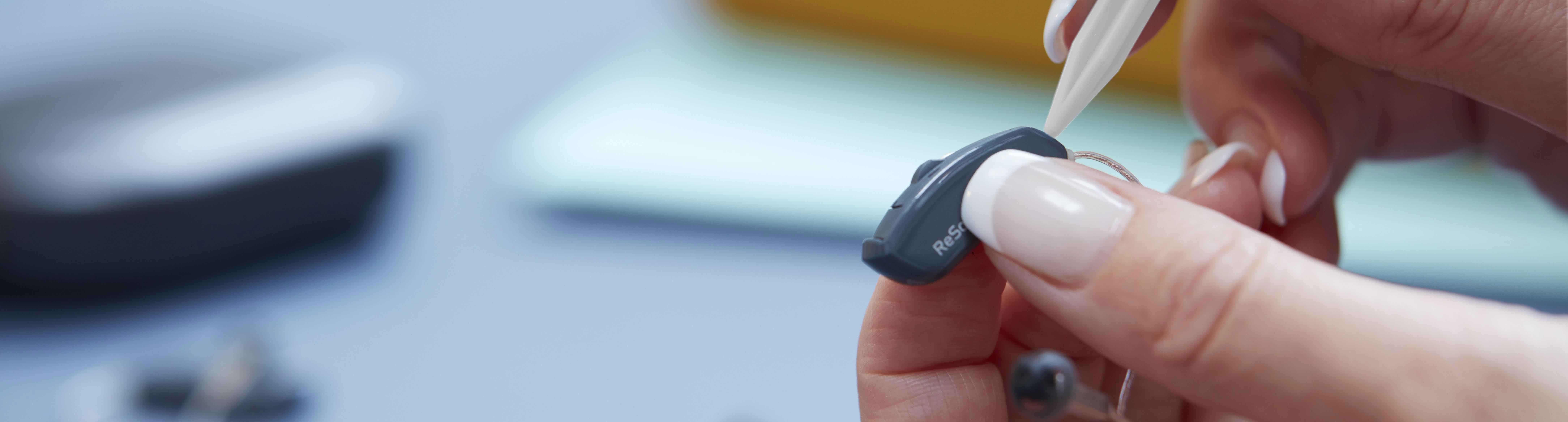
Disposable batteries need replacement regularly. Open the battery door gently to avoid damage. Remove the old battery and insert a new one with the plus side facing up. Close the door securely. Dispose of old batteries properly to protect the environment. Check the battery expiration date before use to ensure optimal life.
Recharge And Reseat Rechargeable Batteries
Rechargeable hearing aids require proper charging habits. Place the aids fully into the charging case. Wait until the indicator light shows a full charge. Remove and reseat the aids if they do not turn on. This can reset the connection between the battery and device. Avoid overcharging to extend battery life.
Battery Door And Charging Case Tips
Keep the battery door clean and free from debris. Dirt can block contacts and stop power flow. Use a soft cloth to wipe the door and battery compartment. For rechargeable models, clean the charging case contacts regularly. Avoid moisture and dust in the case to ensure good charging. Always close the battery door firmly to prevent accidental opening.

Credit: www.youtube.com
Cleaning And Maintenance
Resetting hearing aids can fix many common problems quickly. It refreshes the device and clears minor glitches. This process helps restore clear sound and smooth operation. Different reset methods exist depending on the issue and model.
Try simple resets first. If problems persist, use more advanced steps. Knowing when to reset and how to do it can save time and frustration.
Simple Power Cycle
For battery-powered hearing aids, open the battery door to turn it off. Wait a few seconds, then close the door to turn it back on. This simple step often solves minor issues.
Rechargeable models reset by placing them in the charging case. Remove the device after a few seconds to restart it. This quick power cycle can clear temporary errors.
Hard Reset Procedure
This reset works well if the hearing aid is unresponsive. It clears glitches but keeps your custom settings intact.
- Find the rocker or multi-function button on your hearing aid.
- Press and hold the button for a few seconds.
- Release the button and put the hearing aid in its charger.
- Wait for a flashing light to confirm the reset.
- Let it charge for several minutes before removing.
When To Seek Factory Reset
The factory reset erases all settings and data. It restores the hearing aid to original factory condition. Audiologists usually perform this reset using special software.
Use this option only if other resets fail. It is helpful for persistent problems or before selling the device. Remember to back up your settings before a factory reset.
Resetting Hearing Aids
Bluetooth connectivity plays a key role in the performance of your ReSound hearing aids. It allows seamless streaming from phones, tablets, and other devices. Sometimes, connection issues can interrupt this experience. Fixing Bluetooth and connectivity problems is often simple and quick.
Try these easy steps to restore your hearing aid’s Bluetooth connection. They help solve common pairing and streaming issues. Follow them carefully to enjoy clear sound again.
Restart Your Phone And App
Turn off your phone completely, then turn it back on. This refreshes the phone’s system and clears any glitches. Close the ReSound app fully before restarting your phone. Open the app again and check if the hearing aid connects properly.
Toggle Bluetooth Settings
Switch Bluetooth off on your phone. Wait a few seconds, then switch it back on. This simple step resets the Bluetooth signal. Check your hearing aid’s Bluetooth status in the settings menu. Make sure it is active and visible to your phone.
Re-pair Devices And Use Demo Mode
Forget the hearing aid from your phone’s Bluetooth list. Then, pair it again as a new device. Follow the instructions in the ReSound app for correct pairing. If problems continue, try using Demo Mode in the app. It tests the connection without full pairing and helps identify issues.

Credit: phctennessee.com
Bluetooth And Connectivity
Sound problems with your Resound hearing aid can be frustrating. Small issues often cause poor sound quality or no sound at all. Troubleshooting sound problems helps restore clear hearing quickly. Follow these simple steps to identify and fix common sound issues.
Check For Earwax Blockage
Earwax buildup blocks sound from entering the hearing aid. Remove the hearing aid and look inside the ear tip for wax. Use a soft cloth or a wax pick to clean the device carefully. Avoid pushing wax deeper into the hearing aid. Regular cleaning prevents sound distortion and muffled hearing.
Inspect For Physical Damage
Check the hearing aid for cracks or broken parts. Look at the microphone and speaker openings for dirt or damage. Bent or broken tubes can reduce sound quality. Damaged devices may need professional repair. Handle your hearing aid gently to avoid physical harm.
Adjust Volume And Settings
Sometimes, low volume causes poor sound. Increase the volume using the device buttons or the Resound app. Check if the hearing program matches your current environment. Reset settings to default if unsure. Proper settings improve sound clarity and comfort.
Troubleshooting Sound Issues
Knowing when to seek professional help for your Resound hearing aids ensures your device works properly. Some problems need expert care beyond basic troubleshooting steps. Recognizing these signs saves time and avoids further damage.
Persistent Sound Problems
Sound issues that last despite cleaning or battery changes require professional attention. Continuous distortion, buzzing, or weak volume may indicate internal damage. Audiologists can inspect and fix hardware or microphone issues. Avoid using faulty devices as they can worsen hearing ability.
Severe Connectivity Issues
When your hearing aids fail to pair or stay connected to phones or other devices, professionals can help. Complex wireless problems often need specialized tools and software. Persistent dropouts or inability to sync suggest a deeper issue. Experts can troubleshoot signal or hardware faults effectively.
Advanced Reset And Software Updates
Resetting and updating hearing aids sometimes go beyond user capability. Professionals perform factory resets without losing important data. They also install the latest software to improve device performance and fix bugs. Attempting these steps alone may cause data loss or errors.
Credit: www.resound.com
Frequently Asked Questions
How Do I Reset A Resound Hearing Aid?
To reset a ReSound hearing aid, open and close the battery door or place it briefly in the charging case. For unresponsive aids, press and hold the multifunction button, then charge until the light flashes. Contact your audiologist for a factory reset or severe issues.
Why Is My Left Hearing Aid Not Working?
Check and replace the left hearing aid battery first. Clean earwax or debris from microphones and receivers. Restart the device and ensure wireless connections are active between both aids. If problems continue, consult your hearing professional for advanced troubleshooting or repair.
What Do The Beeps Mean On A Resound Hearing Aid?
ReSound hearing aid beeps signal status alerts like low battery, volume changes, or connection issues. Different beep tones indicate specific notifications. Adjust beep frequency in the app settings to high or low. Beeps help users monitor and troubleshoot hearing aid functions quickly.
How Do I Reboot My Hearing Aid?
To reboot your hearing aid, open and close the battery door or place it in the charger briefly. For unresponsive aids, press and hold the reset button, then recharge. Contact your audiologist for a factory reset or advanced troubleshooting.
How Do I Reset A Resound Hearing Aid?
To reset a ReSound hearing aid, open the battery door to turn it off, then close it to turn it on. For rechargeable models, place the hearing aid in the charger, remove it after a few seconds to power cycle.
This simple reset often fixes minor issues quickly.
Conclusion
Troubleshooting your Resound hearing aid can solve many common issues quickly. Regular cleaning and simple resets often restore proper function. Keep batteries fresh and check for debris blocking microphones or speakers. Wireless connections need to be active for both sides to work well.
If problems persist, professional help may be necessary. Taking small steps can improve your hearing aid’s performance and comfort. Stay patient and follow these tips to keep your device working smoothly every day.