
Is your Samsung electric range acting up right when you need it most? Whether your oven won’t heat properly, the burners won’t light, or you’re dealing with uneven cooking, these issues can quickly disrupt your kitchen routine.
But before you panic or call for expensive repairs, there’s good news: many common problems with Samsung electric ranges are fixable with simple troubleshooting steps you can do yourself. In this guide, you’ll find clear, easy-to-follow tips tailored to your Samsung range that help you identify and resolve issues fast.
Keep reading to regain control of your cooking and avoid unnecessary hassle!
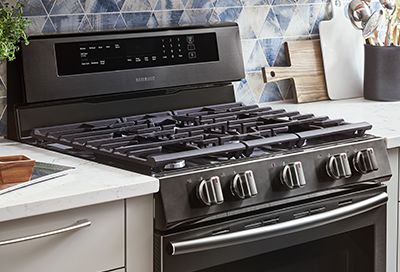
Credit: www.samsung.com
Common Heating Issues
Common heating issues in Samsung electric ranges often disrupt cooking and baking. These problems usually involve slow heating, uneven baking, overheating, or inaccurate temperature readings. Identifying the exact cause helps fix the issue quickly. Proper troubleshooting saves time and avoids costly repairs.
Slow Heating And Low Temperature
Slow heating happens when the oven takes too long to reach the set temperature. This issue can result from a faulty heating element or a broken temperature sensor. A defective control board may also cause low heat output. Check these parts if your oven does not heat properly.
Uneven Baking Problems
Uneven baking means food cooks poorly or burns in some spots. This problem often occurs due to a failing heating element or a malfunctioning convection fan. Dirt or debris inside the oven can block heat circulation. Regular cleaning and inspection can prevent uneven cooking.
Overheating Causes
Overheating happens when the oven gets hotter than the set temperature. A broken temperature sensor or a damaged control board may cause this. Overheating can burn food or damage the oven. Turn off the range and inspect these components carefully.
Temperature Inaccuracy
Temperature inaccuracy means the oven’s actual heat differs from the display. The temperature sensor often causes this issue. Calibration errors in the control board might also affect accuracy. Use an oven thermometer to check the real temperature and adjust settings accordingly.
Power And Control Problems
Power and control problems can stop your Samsung electric range from working properly. These issues affect how the oven and burners respond to your commands. Understanding these problems helps you fix them quickly. You can avoid costly repairs by checking simple causes first. This section covers common power and control problems. Learn what to do when your oven won’t turn on, the control panel fails, burners do not light, or burners turn on by accident.
Oven Won’t Turn On
The oven may not turn on if it has no power. Check if the range is plugged in securely. Make sure the circuit breaker is not tripped. Faulty wiring or a blown fuse can also cause power loss. Sometimes, the oven door switch is broken and stops the oven from heating. Test the door switch and replace it if needed. Resetting the oven by unplugging it for a few minutes may help.
Control Panel Failures
The control panel lets you set the oven temperature and timer. If it does not respond, the panel may be faulty. Dirt or moisture on the panel can cause errors. Clean the panel with a soft, dry cloth. A damaged control board or keypad may need replacement. Resetting the control board by unplugging the range can clear minor glitches. Contact a technician if problems continue.
Burners Not Lighting
Electric burners need power to heat up. Burners not lighting may have loose connections or broken heating elements. Check if the burner is seated properly in its socket. A damaged burner or switch can cause no heat. Replace faulty parts to restore burner function. Make sure the control knob is turned to the correct setting. Testing each burner helps find the one with issues.
Accidental Burner Activation
Burners may turn on without touch due to control faults. Knobs can be bumped easily, causing accidental activation. Some ranges have front-mounted knobs that are vulnerable. This issue poses safety risks like burns or fire. Use knob covers to prevent accidental turning. If the control board is defective, it might send wrong signals. Repair or replace faulty controls to avoid hazards.
Additional Faults
Beyond the common problems like heating errors or burner issues, Samsung electric ranges may face other faults. These additional faults can affect the oven’s performance and user experience. Identifying these issues early helps prevent bigger problems.
Two frequent additional faults involve the convection fan and the oven light. Both play vital roles in cooking and monitoring food. Let’s explore these faults and how to troubleshoot them.
Convection Fan Malfunctions
The convection fan circulates hot air for even cooking. If the fan stops working, food may cook unevenly or take longer. Sometimes the fan makes loud noises or vibrates excessively. These signs indicate a malfunction.
Check if the fan blades are clean and free from obstructions. Dirt or debris can block the fan. Also, inspect the fan motor for signs of damage or wear. A faulty motor will need replacement.
Loose wiring or a bad connection can stop the fan from running. Use a multimeter to test electrical continuity. Replace any damaged wires or connectors. If unsure, contact a professional for safe repairs.
Oven Light Issues
The oven light helps monitor food without opening the door. If the light does not turn on, cooking may become difficult. Faulty bulbs are the most common cause. Replace the bulb with the correct type specified in the manual.
Sometimes the socket or wiring causes the light to fail. Inspect for corrosion or loose connections. Clean contacts gently and tighten any loose wires.
Another cause is a broken door switch. The light only turns on if the door switch works properly. Test the switch with a multimeter and replace it if it is defective.
Simple Fixes To Try
Simple fixes can save time and money when your Samsung electric range acts up. Many issues come from small, easy-to-fix problems. Trying these basic steps first often restores your range’s function. They do not require special tools or skills. Start with these quick checks before calling a technician.
Checking The Door Seal
Inspect the oven door seal carefully for cracks or damage. A broken seal causes heat loss, making cooking uneven. Clean the seal gently to remove dirt or grease. Replace it if you spot tears or gaps. Proper sealing keeps the oven temperature stable and efficient.
Resetting The Control Board
Power cycling the control board can fix many errors. Unplug the range for one minute to reset the system. Plug it back in and check if the controls respond normally. This simple reset clears glitches and restores basic functions quickly.
Replacing Burners And Bulbs
Burners may stop heating due to wear or damage. Remove and check each burner element carefully. Replace any that look burnt or broken. Oven bulbs can also burn out and cause poor visibility inside. Swap old bulbs with new ones designed for your model.
Using Portable Thermometers
A portable oven thermometer helps verify the actual cooking temperature. Place it inside the oven and compare the reading with your set temperature. Differences indicate calibration issues or sensor faults. This tool guides you on whether the oven heats correctly or needs adjustment.
Safety Tips And Precautions
Safety is the top priority when troubleshooting your Samsung electric range. Taking the right precautions helps avoid accidents and damage. Simple safety steps protect your home and family during repairs or inspections.
Always work with the appliance unplugged and cool to prevent burns and shocks. Keep flammable materials away from the range. Use proper tools and follow the manufacturer’s guidelines carefully.
Handling Front Knob Concerns
Front knobs can cause accidental burner activation. Check if knobs turn easily or feel loose. Replace damaged knobs immediately to prevent gas or electric flow.
Clean knobs regularly to avoid buildup that may cause sticking. Never force a knob if it feels stuck. This can break the mechanism or cause unsafe operation.
Avoiding Fire Hazards
Keep the area around the range clear of cloth, paper, and other flammable items. Avoid leaving the stove unattended while cooking. Grease buildup can ignite quickly.
Inspect the range for any damaged wires or exposed connections. Repair or replace faulty parts right away. Use a fire extinguisher rated for kitchen fires near the range.
When To Call A Technician
Call a professional if the range smells of gas or there is smoke. Electrical sparks or frequent tripping of circuit breakers also need expert attention.
Do not attempt major repairs on heating elements or control boards yourself. Complex issues require specialized tools and knowledge to fix safely.

Credit: www.youtube.com
Maintenance Advice
Proper maintenance keeps your Samsung electric range working well. It helps avoid common problems and extends the range’s life. Simple care tasks can prevent breakdowns and improve safety in your kitchen. Follow these maintenance tips to keep your range in top shape.
Regular Cleaning Routines
Clean your range after each use. Wipe spills and food crumbs immediately. Use a soft cloth and mild cleaner to avoid damage. Avoid harsh chemicals that can harm surfaces. Clean the oven interior monthly to remove grease and burnt food. Regular cleaning stops buildup that can affect heating and controls.
Inspecting Heating Elements
Check heating elements often for signs of wear or damage. Look for cracks, blisters, or discoloration. Damaged elements can cause uneven cooking or fail to heat. Turn off power before inspecting to stay safe. Replace faulty elements promptly to keep cooking performance consistent.
Monitoring Fan Performance
The convection fan helps distribute heat evenly. Listen for unusual noises like grinding or rattling. Check if the fan spins smoothly without resistance. A failing fan can cause hot spots and poor baking results. Clean fan blades carefully to remove dust. Call a technician if the fan stops working properly.

Credit: www.youtube.com
Frequently Asked Questions
What Are Common Samsung Oven Problems?
Common Samsung oven problems include uneven heating, failure to reach temperature, burners not working, and the oven not turning on. Issues often involve the heating element, temperature sensor, control board, or igniter. Malfunctioning convection fans and inaccurate temperature readings also occur frequently.
How To Troubleshoot Samsung Range?
Check power supply and control panel for issues. Inspect heating elements and temperature sensors. Test door seals and convection fan. Reset or replace faulty control board if needed. Use a thermometer to verify temperature accuracy. Consult Samsung support for persistent problems.
What Are The Two Most Common Problems That May Occur In An Electric Stove?
The two most common electric stove problems are heating element failure and faulty temperature sensors. These issues cause uneven heating or prevent the stove from reaching the desired temperature.
Why Is My Samsung Electric Oven Not Turning On?
Your Samsung electric oven may not turn on due to a blown thermal fuse, faulty control board, or power supply issues. Check these components for faults.
Why Is My Samsung Electric Range Oven Not Heating?
The heating element may be faulty or damaged. Check the element and replace it if needed. Also, verify the temperature sensor is working correctly.
Conclusion
Troubleshooting your Samsung electric range helps keep it working well. Simple checks can solve many common problems fast. Watch for signs like uneven heating or burners not lighting. Regular care and quick fixes save time and money. Always follow safety steps when inspecting or repairing your range.
For tougher issues, professional help ensures safe and proper repairs. With the right approach, your Samsung range can cook reliably for years. Keep these tips handy to enjoy smooth cooking every day.



