
Is your Samsung microwave acting up just when you need it most? Whether it won’t heat your food, the turntable refuses to spin, or strange noises are driving you crazy, these problems can disrupt your daily routine.
But before you rush to replace it or call for expensive repairs, there are simple troubleshooting steps you can try yourself. In this guide, you’ll discover easy ways to diagnose and fix common Samsung microwave issues quickly. Keep reading to save time, avoid frustration, and get your microwave working like new again—your next meal depends on it!
Resetting Your Samsung Microwave
Resetting your Samsung microwave can fix many common issues. It clears errors and restores normal function. A simple reset often solves frozen touchpads, error codes, and filter light alerts.
Reset methods vary depending on the problem. Basic power cycling works for most cases. Other resets handle specific features like the filter light or demo mode.
Power Cycle Reset Steps
Unplug the microwave from the power outlet. Wait at least 60 seconds. This pause lets the microwave clear its memory. Plug it back in and test if it works properly.
This reset refreshes the control board and resets error codes. It often fixes frozen panels or unresponsive buttons.
Fixing Frozen Touchpad
A frozen touchpad may stop all microwave functions. Start with a power cycle reset. If it stays frozen, press and hold the “Stop/Cancel” button for 3 seconds. This can unlock the keypad.
Cleaning the touchpad surface gently can help. Avoid harsh chemicals. If the problem continues, the control panel may need repair.
Resetting Filter Light
The filter light warns to clean or replace the air filter. To reset, press and hold the “Filter Reset” button for 3 seconds. The light should turn off.
If there is no dedicated button, check the manual. Some models reset by holding the “Stop/Cancel” button instead.
Disabling Demo Mode
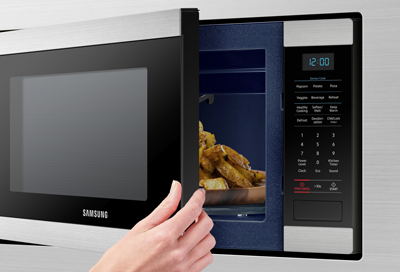
Demo mode shows microwave features without heating. If your microwave runs but does not heat, it might be in demo mode. To disable, open the settings menu.
Find “Demo Mode” or “Exhibition Mode” and turn it off. Some models require pressing “0” and “Start” together for 3 seconds.
After disabling, the microwave will heat food normally again.
Credit: www.samsung.com
Common Microwave Issues
Microwaves are essential kitchen appliances, but they can develop issues over time. Samsung microwaves may face common problems that affect their performance and safety. Understanding these issues helps in identifying and fixing them quickly. This section covers frequent microwave problems and their basic causes.
No Heat Or Uneven Heating
Microwave stops heating food or heats unevenly. This may result from a faulty magnetron, diode, or capacitor. Uneven heating can also occur if the turntable is not rotating properly. Dirt or damage inside the microwave may block microwave energy from distributing evenly.
Turntable Not Spinning
The turntable should rotate food for even cooking. If it stops spinning, check the motor, coupler, or roller guide. A broken or stuck motor can cause this issue. Sometimes food debris blocks the turntable mechanism, preventing rotation.
Sparking And Arcing Inside
Sparks or arcs appear inside the microwave during use. This may happen due to metal objects inside, such as foil or utensils. A dirty or damaged waveguide cover can also cause sparking. Immediate cleaning and removing metal can prevent damage and fire risk.
Loud Humming Or Buzzing
Unusual loud sounds indicate problems with the fan or magnetron. Loose parts or a faulty motor can cause buzzing. These noises often signal that the microwave needs professional inspection or repair.
Microwave Won’t Power On
If the microwave does not start, check the power source and fuse. A broken door switch or faulty control board may also stop power flow. Ensure the door closes properly to allow the microwave to operate.
Touchpad Or Buttons Unresponsive
When buttons or touchpad do not respond, the control panel might be defective. Dirt or moisture can cause unresponsiveness. Sometimes a reset or cleaning the panel helps, but persistent issues need professional service.
Door Latch And Opening Problems
The door must latch securely for safe operation. A broken latch or misaligned door stops the microwave from working. Difficulty opening the door after use may indicate a faulty latch or safety switch.
Mid-cycle Shutoff And Overheating
The microwave may stop during cooking due to overheating or safety shutdown. Dirty vents or blocked air circulation cause heat buildup. Cleaning vents and ensuring proper airflow prevents this problem.
Burning Smell Or Smoke
A burning smell or smoke signals serious issues. It can come from food spills, electrical faults, or overheating parts. Stop using the microwave immediately and inspect for damage or residue before restarting.
Quick Troubleshooting Tips
Quick troubleshooting can save time and avoid costly repairs. Many common Samsung microwave issues have simple fixes. These tips help you check and correct problems fast. Use these easy steps before calling a technician. Keep your microwave working smoothly with regular care.
Checking For Metal Objects
Metal inside a microwave causes sparks and damage. Look inside for foil, utensils, or containers with metal parts. Remove any metal objects immediately. This prevents arcing and protects the microwave’s interior. Always use microwave-safe dishes to avoid problems.
Cleaning Interior And Vents
Food spills and grease block vents and cause overheating. Clean the microwave interior with mild soap and water. Wipe down vents to keep air flowing freely. Regular cleaning stops odors and prevents shutdowns. A clean microwave heats food more evenly.
Ensuring Turntable Alignment
Check if the turntable spins smoothly during use. Remove and reposition it if it wobbles or stops. Align the turntable on the center spindle correctly. Broken or misaligned turntables cause uneven cooking. Proper alignment extends the motor’s life.
Replacing Burnt Out Bulbs
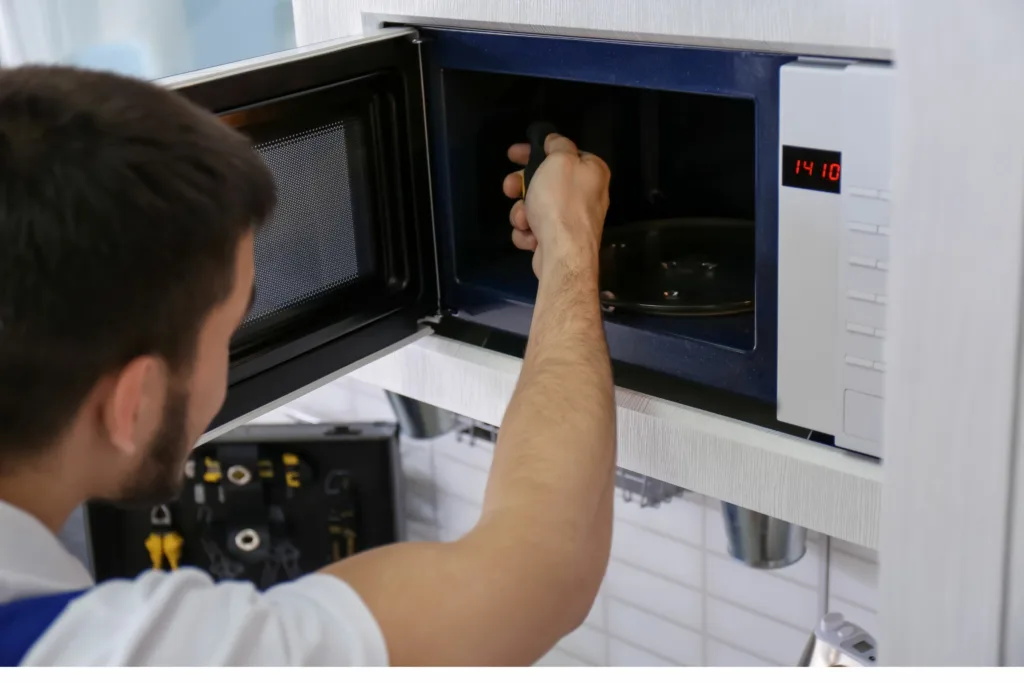
Dim or no light inside makes it hard to monitor cooking. Replace burnt-out bulbs with the right type for your model. Unplug the microwave before changing the bulb. Use a screwdriver to access the bulb cover safely. New bulbs improve visibility and safety.
Credit: www.smartappliance.co.za
When To Call A Technician
Knowing when to call a technician for Samsung microwave issues saves time and prevents hazards. Some problems need expert tools and knowledge. Attempting repairs without experience can cause damage or injury. Recognize signs that signal professional help is required. Below are key situations to consider calling a technician.
High-voltage Component Repairs
High-voltage parts like the magnetron, capacitor, and transformer carry dangerous electricity. These components can cause shocks even when unplugged. If your microwave does not heat, the magnetron or capacitor might be faulty. Repairing these parts needs special skills and equipment. Avoid opening the microwave if you suspect a high-voltage problem. Call a technician to handle these repairs safely.
Control Board Issues
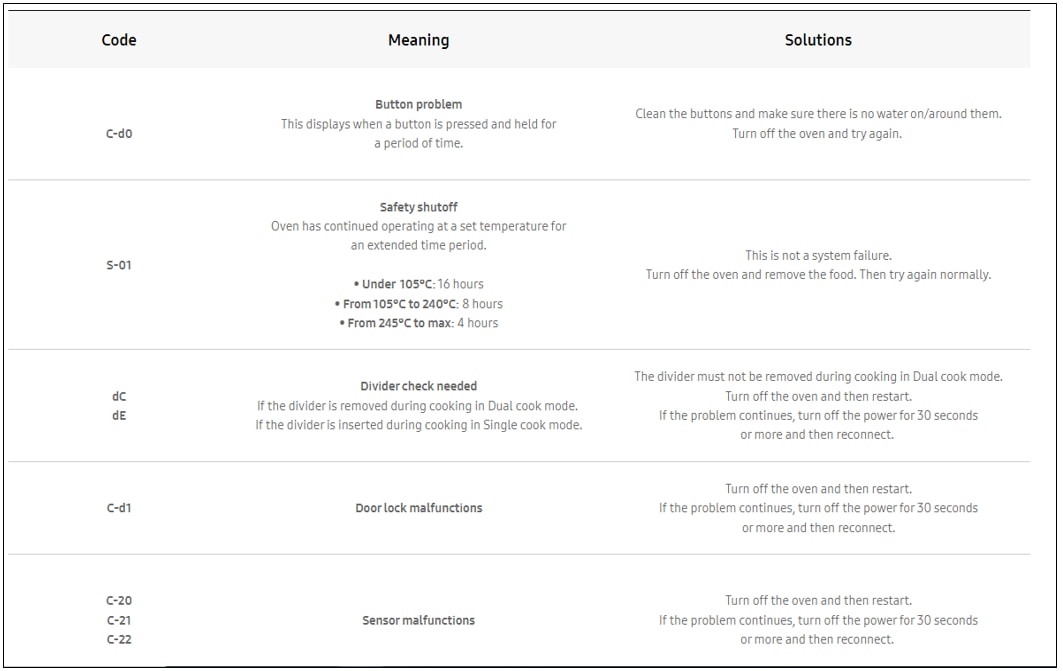
Malfunctions in the control board can cause buttons to stop working or error codes to appear. Resetting might fix minor errors but persistent issues often need board replacement. Control boards are complex and sensitive to static electricity. An expert can diagnose and replace the control board properly. Improper repair can lead to more damage or fire risks.
Safety Precautions
Microwaves store electrical charge even when unplugged. Never touch internal parts without proper training. Avoid DIY repairs on electrical or mechanical components. Always unplug the microwave before inspecting it. Use a technician for repairs involving electrical testing or part replacement. Professional service ensures your microwave works safely and reliably.
Maintaining Your Microwave
Maintaining your Samsung microwave ensures it works efficiently and lasts longer. Small habits keep the appliance clean and safe. Regular care prevents common issues and costly repairs. Follow simple steps to keep your microwave in top condition.
Regular Cleaning Routine
Clean the inside after every use. Wipe spills and splatters quickly to avoid buildup. Use a mild detergent and soft cloth. Avoid harsh chemicals that damage surfaces. Clean the exterior with a damp cloth to remove dust and fingerprints. Regular cleaning stops odors and sparks.
Inspecting Door Seals
Check door seals for cracks or dirt. A tight seal keeps microwaves safe and efficient. Wipe the seal gently with a damp cloth. Replace seals that are damaged or worn out. Poor seals cause heat loss and may stop the microwave from working.
Monitoring Filter Lights
Watch the filter light on your microwave’s display. It signals when the filter needs cleaning or replacing. Clean filters keep air flowing and prevent overheating. Follow the user manual for filter care instructions. Reset the filter light after maintenance to track the next cycle.
Credit: www.samsung.com
Frequently Asked Questions
How Do I Reset My Samsung Microwave?
To reset your Samsung microwave, unplug it from the power outlet for 1-2 minutes. Then, plug it back in and test its functions. This power cycle clears minor errors and freezes. For persistent issues, check the door latch or consult the user manual for model-specific resets.
What Is The Common Problem With A Microwave?
Common microwave problems include not heating, turntable not spinning, sparking inside, loud noises, and unresponsive buttons. These often result from faulty parts like the magnetron, motor, diode, capacitor, or control board. Regular cleaning and proper maintenance help prevent these issues.
How Do I Troubleshoot My Samsung Microwave?
Unplug your Samsung microwave, then plug it back in to reset. Check the door latch for debris. Ensure it’s not in Demo Mode. Clean the waveguide and vents. Consult the manual or Samsung support for persistent issues.
Why Is My Samsung Microwave Not Responding To Buttons?
Your Samsung microwave buttons may not respond due to a frozen touchpad, moisture, or a faulty control board. Try unplugging it for a reset. Check the door latch for debris and ensure it’s properly closed. Consult your manual or Samsung support if issues continue.
How Do I Reset My Samsung Microwave Quickly?
Unplug the microwave from power for 1-2 minutes. Plug it back in and test if it works. This simple reset often clears minor errors.
Conclusion
Samsung microwave issues often have simple fixes you can try. Start by unplugging and plugging the unit back in to reset it. Check for stuck buttons, dirty vents, or a blocked door latch. Small problems like the turntable not spinning or no heat often come from easy-to-replace parts.
Always consult your manual for model-specific advice. If the microwave still does not work, contact Samsung support or a professional technician. Regular cleaning and proper use can prevent many common problems. Keep your microwave working well with these easy troubleshooting tips.



