Is your Samsung refrigerator’s control panel acting up or completely unresponsive? You’re not alone, and the good news is that many common issues can be fixed with a simple reset or troubleshooting steps you can do yourself.
Whether the buttons won’t respond, the display is blank, or your fridge isn’t cooling properly, understanding how to reset and troubleshoot the control panel can save you time and money. In this guide, you’ll discover straightforward, step-by-step methods to reset your Samsung refrigerator’s control panel and identify if there’s a deeper problem.
Keep reading to regain full control over your fridge and avoid unnecessary service calls.

Credit: www.youtube.com
Symptoms Of Control Panel Issues
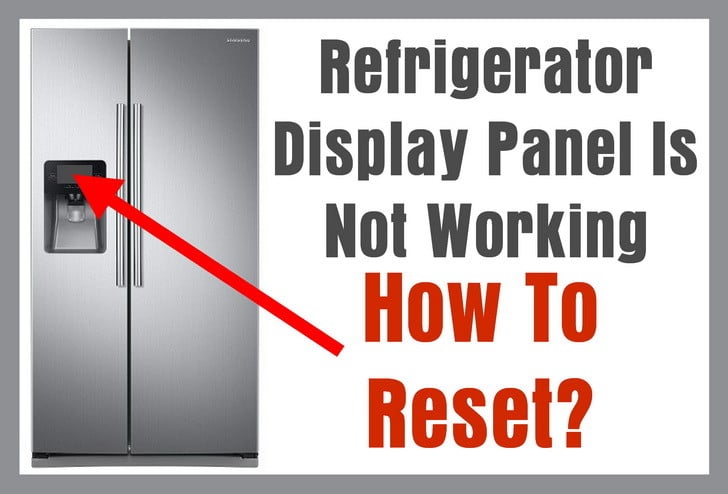
Basic reset methods often resolve common issues with Samsung refrigerator control panels. These methods refresh the system and clear minor glitches. Trying simple resets first saves time and avoids unnecessary repairs. The following steps show easy ways to reset your refrigerator’s control panel safely and effectively.
Power Cycling The Refrigerator
Power cycling is the easiest reset method for Samsung refrigerators. Unplug the refrigerator from the power outlet. Wait for about 5 minutes to let it fully power down. Plug it back in and turn it on. This process can clear temporary errors and restore control panel function.
Using Control Panel Reset Functions
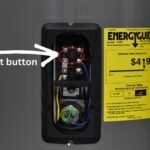
Many Samsung refrigerators have built-in reset options on the control panel. Locate the reset or power cool button on the panel. Press and hold this button for 10 seconds. Release the button when the panel lights blink or change. This resets the control board and refreshes system settings.
Resetting After Power Outages
Power outages can disrupt the refrigerator’s control panel. After power returns, press the reset button on the control panel. If no reset button exists, unplug the fridge for 5 minutes. Plug it back in and wait for the panel to reboot fully. This restores normal operation after voltage drops or surges.
Credit: www.manualslib.com
Basic Reset Methods
Checking for control locks is the first step in troubleshooting your Samsung refrigerator control panel. Control locks prevent accidental changes to settings. They also stop children from pressing buttons.
Sometimes the panel does not respond because a lock is active. Identifying and turning off the lock can restore control panel function. This process is simple and quick.
Child Lock Activation
The child lock keeps children from changing settings. It disables the control panel buttons. The lock is usually activated by pressing and holding a specific button or combination of buttons.
Check your fridge manual to find the exact method. Often, holding the “Lock” or “Child Lock” button for 3 to 5 seconds activates or deactivates the lock. When active, the panel will not respond to button presses.
Control Lock And Dispenser Lock Indicators
Look for control lock indicators on the display. A small lock icon or the words “Control Lock” may appear. The dispenser lock indicator shows if the water or ice dispenser is locked.
These indicators confirm which lock is active. To unlock, press and hold the corresponding button. The indicator should disappear, and the panel will become responsive again.
Checking For Control Locks
Diagnosing control board problems in a Samsung refrigerator requires careful observation. The control board manages many functions, including temperature and display operations. Faulty control boards can cause unresponsive panels or cooling issues. Identifying the exact problem helps avoid unnecessary repairs.
Follow these steps to check the control board effectively. Understanding the difference between the display board and main control board is the first step. Then, inspect wiring and connections for damage or loose contacts. Finally, test the power supply to both boards to ensure proper voltage.
Distinguishing Display Board Vs Main Control Board Issues
The display board controls the user interface. It shows temperature and settings on the screen. If the screen is blank or buttons fail, the display board might be faulty. The main control board manages the fridge’s cooling and other functions. Cooling problems or error codes often indicate main control board issues. Testing each board separately helps identify the faulty part.
Inspecting Wiring And Connections
Loose or damaged wires can cause control panel problems. Check all wiring harnesses connecting the boards. Look for frayed wires, corrosion, or disconnected plugs. Secure all connections firmly. Clean any corrosion on terminals with a soft brush. Proper wiring ensures smooth communication between boards and other components.
Testing Power Supply To Boards
Both boards need steady power to work correctly. Use a multimeter to check voltage at the board connectors. Compare readings with the fridge’s service manual specifications. Low or no voltage signals power supply issues. Check fuses, circuit breakers, or power cords for faults. Fixing power problems can restore control panel functionality quickly.
Diagnosing Control Board Problems
Advanced troubleshooting steps help diagnose issues beyond basic resets. These steps require some technical tools and knowledge. Proceed carefully to avoid damage or injury. Always disconnect power before inspecting electrical components.
Using A Multimeter For Voltage Checks
A multimeter measures electrical voltage, current, and resistance. Use it to check power supply to the control panel. Set the multimeter to measure AC or DC voltage based on your fridge model. Carefully probe the control board connectors. Confirm the voltage matches the manufacturer’s specifications. Low or no voltage indicates power supply issues. Replace faulty fuses or wiring as needed.
Assessing The Inverter Board Functionality
The inverter board controls the compressor and fan motors. A malfunction here can cause control panel errors. Inspect the board visually for burnt components or loose connections. Use the multimeter to check for proper output voltage. Test continuity of fuses and relays on the board. If the inverter board fails these tests, it may require replacement. Consult the refrigerator’s service manual for specific test points.
When To Call A Technician
Complex electrical tests can be risky without experience. Call a technician if unsure about the procedures. Professional repair avoids damage to your fridge and ensures safety. Technicians have tools to diagnose hidden faults quickly. They provide reliable fixes for control panel and inverter board issues. Avoid prolonged troubleshooting to prevent worsening the problem.
Advanced Troubleshooting Steps
Factory reset procedures restore your Samsung refrigerator control panel to its original settings. This can fix many control-related issues quickly. Resetting clears errors and refreshes the system. Use this method only when simple fixes do not work. Follow the steps carefully to avoid new problems.
Resetting With Side Buttons
Start by turning off the refrigerator. Press and hold the Volume Up, Home, and Power buttons together. When the device vibrates, release the Power button only. Keep holding the Volume Up and Home buttons until the recovery menu appears. Use the side buttons to scroll to “Wipe data/factory reset.” Press the side button again to confirm and start the reset. Wait until the process finishes and the fridge restarts.
Safety Precautions During Reset
Unplug the refrigerator before beginning the reset. Avoid touching other buttons during the process. Ensure no water or moisture is near the control panel. Use dry hands to press buttons. Do not force any buttons if they feel stuck. Keep children and pets away while resetting. If unsure, consult the user manual or call a professional technician for help.
Credit: removeandreplace.com
Factory Reset Procedures
Proper care of your Samsung refrigerator’s control panel helps avoid many common issues. Simple preventive steps keep the panel working smoothly for longer. These tips save time and reduce repair costs. Follow these easy maintenance methods to ensure consistent performance and fewer resets.
Regular Cleaning Of Control Panel
Keep the control panel clean from dust and grime. Use a soft, damp cloth to wipe it gently. Avoid harsh chemicals or abrasive materials that can damage the surface. Cleaning regularly prevents buildup that may block buttons or sensors. This simple habit helps maintain panel responsiveness and clarity.
Avoiding Power Surges
Power surges can harm electronic parts inside the control panel. Use a surge protector to guard against sudden voltage spikes. Unplug the refrigerator during storms or electrical work. Protecting your fridge’s electronics reduces the risk of malfunction and control panel errors. This precaution extends the panel’s lifespan.
Keeping Firmware Updated
Samsung often releases firmware updates to fix bugs and improve panel functions. Check for updates regularly via the fridge’s settings menu or Samsung’s app. Installing updates keeps the system running efficiently and can prevent control panel glitches. Staying current with firmware ensures smooth operation and fewer resets.
Frequently Asked Questions
Why Is My Samsung Refrigerator Control Panel Not Responding?
Your Samsung refrigerator control panel may not respond due to an active Child Lock or Control Lock. Unplug the fridge briefly to reset it. Persistent issues could indicate a faulty control board requiring professional repair.
How Do I Factory Reset My Samsung With Side Buttons?
To factory reset your Samsung using side buttons, turn off the device. Hold Volume Up, Home, and Power buttons. Release Power when it vibrates. Keep holding Volume Up and Home until recovery menu appears. Select “Wipe data/factory reset” and press the Side button to start.
How Do You Know If Your Samsung Refrigerator Control Board Is Bad?
Signs of a bad Samsung refrigerator control board include unresponsive display, non-working buttons, cooling failure, erratic or no lights, and error codes. Check after resets and wiring tests fail. Partial button failure suggests display board issues; total control failure points to the main control board.
How To Do A Hard Reset On A Refrigerator?
To hard reset a refrigerator, unplug it from power for 5 minutes. Plug it back in and restart. This clears minor errors and resets the control board.
Why Is My Samsung Refrigerator Control Panel Not Responding?
The control panel may be locked due to Child Lock or Control Lock settings. Unplug the fridge for a few minutes to reset the panel. Check if the Family Hub display switch needs resetting.
Conclusion
Troubleshooting your Samsung refrigerator control panel is simple with these steps. Always start by checking for a lock on the panel. Unplugging the fridge can reset the system quickly. Watch for error codes or unresponsive buttons as signs of deeper issues.
If problems persist, professional help may be needed. Keeping your fridge’s control panel working ensures your food stays fresh. Follow these tips to fix common problems fast and easily. Maintenance and quick resets save time and frustration. Stay calm, and handle issues step-by-step for best results.