
Is your Samsung washer acting up and leaving you frustrated? Whether it’s refusing to spin, shaking uncontrollably, leaking, or just won’t start, these common problems can disrupt your daily routine.
But don’t worry—you don’t need to call a repair technician right away. With the right troubleshooting tips, you can often fix these issues yourself quickly and easily. In this guide, you’ll learn how to identify the root causes behind your Samsung washer troubles and discover simple, practical solutions to get your machine running smoothly again.
Keep reading to save time, avoid costly repairs, and get your laundry back on track today!
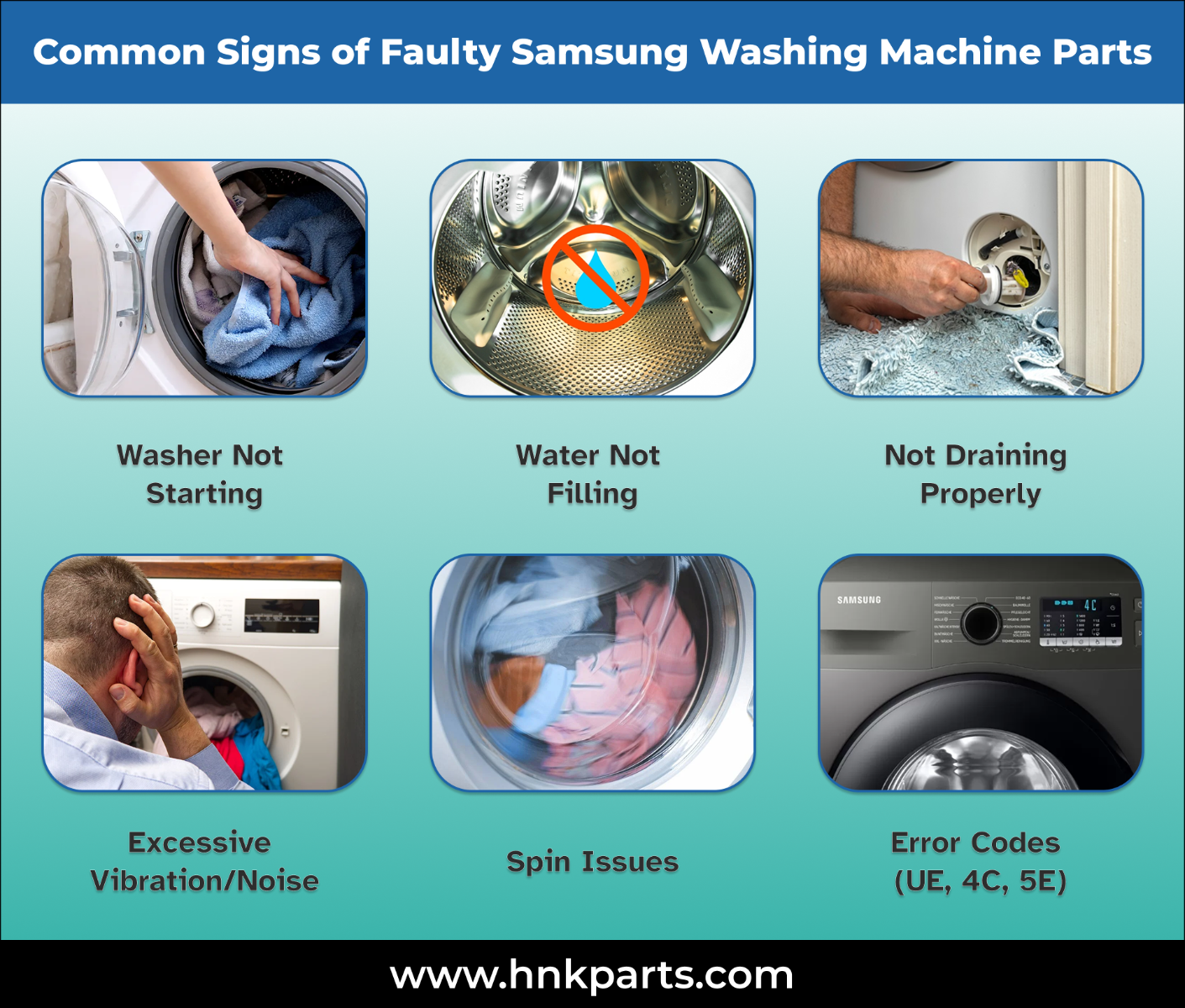
Credit: www.hnkparts.com
Common Samsung Washer Problems
Excessive vibration in a Samsung washer can disrupt washing cycles and damage the machine. Understanding common causes helps prevent further issues and keeps your washer running smoothly. Several factors contribute to this problem, each affecting the washer’s balance and function.
Unbalanced Loads
Uneven distribution of clothes creates heavy spots inside the drum. These heavy spots cause the washer to shake violently during spinning. Overloading or washing bulky items alone often leads to unbalanced loads. Sorting laundry and arranging clothes evenly reduces vibration.
Leveling Problems
A washer not sitting flat on the floor wobbles during operation. Uneven flooring or improperly adjusted feet cause this issue. Using a level tool and adjusting the washer’s feet ensures stability. Placing anti-vibration pads under the feet also helps absorb shocks.
Worn Suspension Rods
Suspension rods hold the drum in place and absorb shocks. Over time, these rods can wear out or break. When rods fail, the drum swings excessively and causes strong vibrations. Replacing worn suspension rods restores the washer’s balance and smooth operation.
Damaged Spider Bracket
The spider bracket supports the drum and connects it to the motor shaft. Corrosion or metal fatigue can damage this part. A broken spider bracket causes irregular drum movement and loud shaking. Metal pieces found in the drain filter may signal this problem.
Clogged Drain Filters
Drain filters catch lint and debris to prevent clogging. Blocked filters slow water removal and affect the spin cycle. Poor drainage makes the washer vibrate more as the drum spins unevenly. Regular cleaning of drain filters keeps water flowing freely and reduces vibration.
Causes Of Excessive Vibration
Drainage problems are common issues in Samsung washers. Water may not drain fully, causing clothes to stay wet. This can stop the washer from completing its cycle. Fixing drainage issues helps your washer work better and lasts longer.
Cleaning Drain Filters
Drain filters catch lint, hair, and small objects. Over time, these filters get clogged. This stops water from flowing out properly. Open the filter cover at the bottom front of the washer. Remove the filter and clean it with warm water. Put the filter back securely before using the washer again.
Checking Drain Pump Function
The drain pump pushes water out of the washer. Sometimes, the pump may break or get stuck. Listen for a humming or buzzing sound during the drain cycle. If you hear nothing, the pump might not work. Test the pump with a multimeter or call a technician for help. Replace the pump if it is faulty.
Removing Obstructions
Hoses and drain pumps can get blocked by small items or buildup. Check the drain hose for kinks or bends that block water flow. Detach the hose and flush it with water to clear debris. Also, inspect the pump area for coins, buttons, or fabric pieces. Remove any found objects to restore proper drainage.
Fixing Washer Leaks
Power and start issues can stop your Samsung washer from working. These problems often cause frustration and delay laundry tasks. Simple checks can solve many of these issues quickly. This section helps identify and fix common power and start problems.
Checking Power Supply
First, confirm the washer is plugged in securely. Check the power outlet for any damage or loose connections. Test the outlet with another device to ensure it works. Look at the circuit breaker or fuse box for any tripped switches or blown fuses. Reset the breaker if needed. A faulty power supply often causes the washer not to start.
Inspecting Door And Lid Switches
The door or lid must close fully for the washer to start. Check if the door latch or lid switch is broken or stuck. These switches act as safety features to prevent operation when open. Press the door or lid firmly and listen for a click. Replace broken switches to restore normal function. A faulty switch stops the washer from powering on.
Resetting The Washer
Resetting the washer can clear minor errors. Unplug the machine from the power source. Wait for about one minute to allow the system to reset. Plug it back in and try to start the washer. This simple step often resolves electronic glitches. If the problem continues, further inspection may be necessary.
:max_bytes(150000):strip_icc()/samsung-front-load-washer-fault-codes-2147297_final-fbe1df0aaa4540bbac79238436bead3d.png)
Credit: www.thespruce.com
Solutions For Drainage Problems
Running diagnostic tests on your Samsung washer helps identify issues quickly. These tests reveal error codes and system faults. Understanding these codes guides you to the right fix. Diagnostic tests save time and unnecessary repairs. They give a clear view of what the washer needs.
Entering Diagnostic Mode
Start by turning off the washer. Press and hold specific buttons to activate the test mode. The exact buttons vary by model but usually include combinations of power, spin, and temperature keys. Wait a few seconds until the display changes or beeps sound. This confirms the washer is in diagnostic mode and ready for testing.
Reading Error Codes
Once in diagnostic mode, the washer shows error codes on the display. Each code points to a specific problem. Codes like “UE” mean unbalanced load, while “dE” signals a door error. Write down the codes or take a picture for reference. Use the error codes to check your user manual or online guides for troubleshooting steps.
Model-specific Button Combinations
Samsung washers use different button combos for diagnostics. Front-load and top-load models often differ. For example, some front-load washers require pressing “Spin” and “Soil” buttons together. Top-load washers might need “Temp” and “Rinse” held simultaneously. Check your model number and follow the exact steps. This ensures you enter diagnostic mode correctly without errors.
Troubleshooting Power And Start Issues
Keeping your Samsung washer in good shape helps avoid common problems. Quick maintenance saves time and prevents costly repairs. Simple daily care keeps your washer running smoothly and efficiently.
Regular Filter Cleaning
Filters catch dirt and lint during washing. Clean the filter every month to avoid blockages. Remove the filter cover and take out the filter. Rinse it under running water to clear debris. A clean filter improves water flow and washing quality.
Inspecting Door Gasket
The door gasket seals water inside the drum. Check it often for tears or trapped dirt. Wipe the gasket with a soft cloth after every use. Remove any trapped coins, hair, or lint carefully. A clean gasket prevents leaks and bad smells.
Keeping Detergent Drawers Clean
Detergent drawers can build up soap residue and mold. Pull out the drawer and wash it with warm water. Use a brush to clean hard-to-reach corners. Dry the drawer fully before placing it back. Clean drawers stop clogging and improve detergent flow.
Leveling And Vibration Reduction
Samsung washers come in various models, each with unique features and troubleshooting needs. Understanding these model-specific details helps fix problems quickly. This section focuses on common issues found in front load and top load Samsung washers. Follow these simple tips to identify and solve common faults effectively.
Front Load Washer Tips
Front load washers often face issues like unbalanced loads and drainage problems. Always check if the washer is level on the floor. An uneven surface causes excessive vibration and noise. Remove any objects trapped in the door gasket to prevent leaks. Clean the drain filter regularly to avoid clogging. Run the machine’s calibration cycle to reset sensors if the drum does not spin properly. Look out for error codes such as UB or DC, signaling load imbalance or door problems. Replace worn suspension rods or shock absorbers to reduce drum bouncing.
Top Load Washer Tips
Top load washers usually experience problems with the lid switch or water drainage. Ensure the lid closes firmly to start the wash cycle. A faulty lid switch often stops the washer from running. Inspect and clean the drain pump and hoses to prevent water buildup. Avoid overloading the washer, as this causes poor washing performance and strain on parts. Level the washer by adjusting its feet to reduce shaking. Remove any shipping bolts from new installations to allow proper tub movement. Run a diagnostic test if the machine does not start or shows error messages.

Credit: mastermindsofappliances.com
Frequently Asked Questions
What Is The Most Common Problem With Samsung Washing Machines?
The most common problem with Samsung washing machines is spin cycle failure. Causes include unbalanced loads, worn suspension rods, damaged spider brackets, clogged filters, and leveling issues. These lead to excessive vibration, error codes, drainage problems, leaks, and sometimes control panel malfunctions.
Where Is The Reset Button On A Samsung Washing Machine?
The Samsung washing machine does not have a dedicated reset button. To reset, unplug it for one minute, then plug it back in. This clears errors and restarts the system. Some models allow a reset by holding the Start/Pause button for 5 seconds.
How Do I Run A Diagnostic On My Samsung Washer?
Turn on the washer and select a cycle. Hold specific buttons like Start + Delay End or Spin + Soil Level. Wait for a chime or error code. Use the dial to navigate tests. Button combos vary by model; check your manual for exact steps.
What Does Flashing Light Mean On A Samsung Washing Machine?
A flashing light on a Samsung washing machine signals an error or issue. Check the display for error codes. It often indicates unbalanced loads, drainage problems, or door lock issues. Refer to the manual to identify and fix the specific problem quickly.
Why Is My Samsung Washer Not Spinning Properly?
A common cause is an unbalanced load or worn suspension rods. Check if clothes are bunched on one side. Also, ensure the machine is level on a hard surface.
Conclusion
Samsung washers can face common issues like spin failures, leaks, and error codes. Simple checks often solve these problems quickly. Keep the machine level and clean filters regularly. Inspect the door seal and remove any trapped debris. Use the calibration cycle if your model supports it.
These steps help maintain washer performance and extend its life. Regular care reduces the chance of costly repairs. Stay patient and follow troubleshooting tips carefully. Your Samsung washer will run smoothly again.



