
Is your Samsung WF42H5000AW/A2 washing machine acting up? Maybe it’s shaking more than usual, refusing to spin, or showing strange error codes.
These common issues can be frustrating, especially when you need your laundry done quickly. But don’t worry—you’re not alone, and many problems have simple fixes you can try yourself. In this guide, you’ll learn how to troubleshoot your Samsung washer step-by-step.
Whether it’s unbalanced loads, leaks, or error messages, we’ll help you get your machine running smoothly again. Keep reading to save time, avoid costly repairs, and take control of your washer’s health today!
Credit: www.ebay.com
Common Washer Issues
Understanding the causes behind issues with the Samsung WF42H5000AW/A2 washer helps with faster troubleshooting. Many problems arise from mechanical or maintenance-related faults. Identifying the root cause saves time and avoids unnecessary repairs.
Unbalanced Loads
Unbalanced loads happen when clothes gather unevenly in the drum. This causes the washer to shake or stop spinning. Small or heavy items grouped on one side create this problem. Redistributing clothes evenly usually fixes it.
Leveling Problems
If the washer is not level, it may vibrate excessively. Uneven floors or improperly adjusted feet cause this. A tilted machine struggles to spin correctly. Checking and adjusting the feet can restore balance and reduce noise.
Worn Suspension Parts
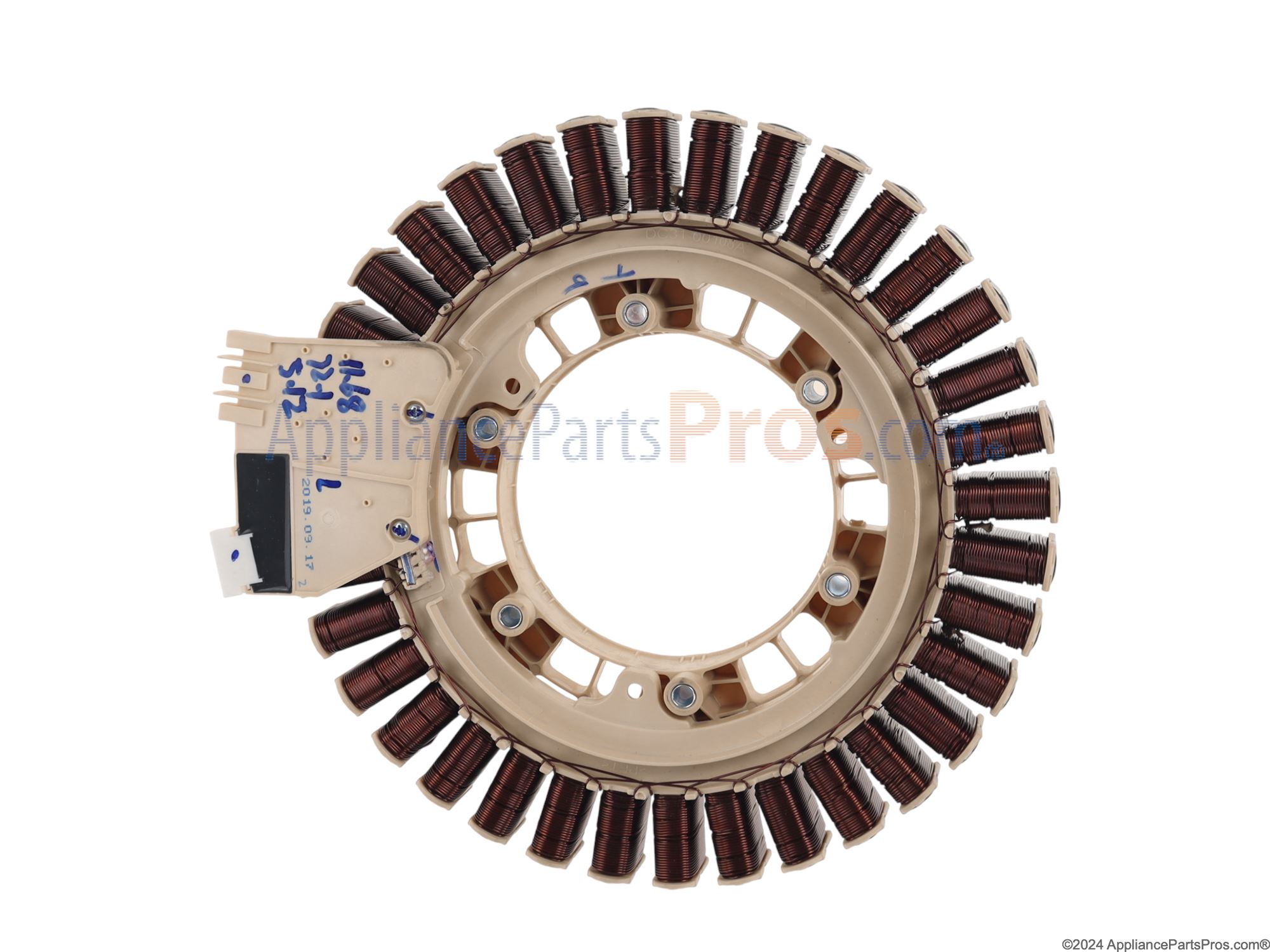
Suspension rods and shock absorbers hold the drum steady during cycles. Over time, these parts wear out or break. A worn suspension allows the drum to bounce and hit the washer body. Replacing damaged suspension parts stops excessive movement.
Damaged Spider Bracket
The spider bracket connects the drum to the motor shaft. Rust or metal fatigue can damage this part. Small metal pieces in the drain filter indicate spider bracket failure. A broken bracket causes loud noises and spinning issues.
Clogged Filters And Hoses
Filters and hoses remove water and debris during washing. Blockages slow drainage and affect spinning. Lint, coins, or dirt often clog these parts. Cleaning filters and hoses regularly keeps water flowing properly.
Door Seal Damage
The door seal prevents leaks by keeping water inside the drum. Tears, cracks, or trapped debris weaken the seal. A damaged seal causes water to leak on the floor. Inspecting and replacing the seal solves leak problems.
Credit: www.appliancepartspros.com
Causes Behind Issues
Quick fixes can solve many common Samsung WF42H5000AW/A2 washer issues fast. These simple steps restore proper function and stop errors. Most fixes require no special tools or skills. Follow each step carefully for best results.
Adjusting Level And Feet
Start by checking if the washer stands level. Uneven feet cause shaking and noise during spin. Use a spirit level on top of the washer. Adjust the feet by twisting them clockwise or counterclockwise. Make sure all four feet touch the floor firmly. This prevents unbalanced loads and error codes.
Cleaning Drain Filters
Drain filters can clog with lint and debris. This stops water from draining properly. Locate the filter near the bottom front of the washer. Open the access panel and remove the filter cap carefully. Clean out all dirt and rinse the filter under running water. Replace the filter securely before closing the panel.
Inspecting Door Gasket
The door gasket seals the washer door. Dirt, torn rubber, or trapped objects cause leaks and errors. Check the gasket for tears or buildup. Wipe it clean with a damp cloth. Remove any small items stuck inside the seal. A clean gasket ensures the door closes tightly and stops leaks.
Removing Shipping Bolts
Shipping bolts keep the drum safe during transport. Forgetting to remove them causes loud noises and poor spinning. Look at the back of the washer for 3-4 metal bolts. Unscrew and remove all shipping bolts. Store them safely for future moves. This allows the drum to move freely.
Running Calibration Cycle
Calibration resets the drum’s position and balance sensors. It helps fix spinning and error problems. Turn the washer on and select the calibration or tub clean cycle. Follow the machine’s instructions to start the process. Wait until the cycle finishes fully. Calibration improves washer performance and stability.
Quick Fixes
Resetting the Samsung WF42H5000AW/A2 washer can solve many common problems. This process clears minor errors and restores normal operation. It helps when the washer is unresponsive or shows error codes. Resetting can be done in different ways depending on the issue. Follow clear steps to reset safely and effectively.
Power Cycle Steps
First, unplug the washer from the power outlet. Wait for about one minute to let the machine fully power down. Plug the washer back in and turn it on. This simple power cycle can clear temporary glitches. It refreshes the washer’s electronics and often fixes small faults.
Performing Factory Reset
To perform a factory reset, press and hold the Start/Pause button for five seconds. This resets settings to the original factory state. All customized settings will be lost. Use this reset if the washer still acts up after a power cycle. It can fix software issues and restore default functions.
Network Reset Tips
If your washer is connected to Wi-Fi, resetting the network can help. Turn off the washer and unplug it. Wait 30 seconds, then plug it back in. On the control panel, go to the network settings menu. Select the option to reset or forget the Wi-Fi network. Reconnect the washer to your home network as if new. This fixes connectivity problems and helps with app control issues.
Resetting The Washer
Knowing when to call a technician for your Samsung WF42H5000AW/A2 is key. Some issues need expert help to avoid damage or safety risks. Minor problems can be fixed at home. But serious or repeated faults require professional diagnosis and repair. This saves time and prevents further breakdowns. Below are signs that a technician’s help is needed.
Persistent Error Codes
Error codes appear on the display to show faults. Some errors clear after resetting the machine. Others keep returning despite attempts to fix them. Persistent codes often indicate deeper problems in the washer’s system. A technician can read the codes properly. They identify the root cause and apply the correct repair.
Mechanical Part Failures
Mechanical parts like the drum, motor, or suspension rods wear out over time. Signs include loud noises, shaking, or the drum not spinning. These failures need special tools and skills to fix. Trying to repair mechanical parts without experience can cause more damage. A technician replaces worn or broken parts safely and efficiently.
Electrical Component Issues
Electrical faults affect the washer’s control board, wiring, or sensors. These issues cause the machine to stop working or behave erratically. Electrical repairs require knowledge of circuits and safety precautions. A technician tests and replaces faulty components. This ensures your washer works reliably and avoids electrical hazards.

Credit: www.youtube.com
Frequently Asked Questions
What Is The Most Common Problem With Samsung Washers?
The most common problem with Samsung washers is spin cycle failure due to unbalanced loads or worn suspension parts. Leaks and drainage issues also occur frequently. Regularly leveling the machine and cleaning filters helps prevent these problems.
How To Do A Hard Reset On Samsung Washing Machine?
To hard reset a Samsung washing machine, turn it off and unplug it for one minute. Plug it back in and power on. For a factory reset, select “Factory Reset” from the settings, confirm, and let the machine restart to restore default settings.
How To Put Samsung Front Load Washer In Diagnostic Mode?
To enter diagnostic mode on a Samsung front load washer, turn off the machine. Press and hold the Spin and Soil buttons simultaneously, then press the Power button. Release all buttons when the display shows “dE. ” The washer is now in diagnostic mode.
What Is The Most Common Problem With A Washing Machine Front Loader?
The most common problem with a front-load washing machine is an unbalanced load causing failure to spin. This leads to excessive vibration and shaking. Worn suspension rods, damaged drum supports, clogged drain filters, and leveling issues often cause these problems.
What Causes Samsung Wf42h5000aw/a2 Washer Not To Spin?
The washer may not spin due to unbalanced loads or worn suspension rods. Also, clogged drain filters or an uneven surface can stop the spin cycle.
Conclusion
Troubleshooting the Samsung WF42H5000AW/A2 can save time and money. Simple fixes like leveling the washer or cleaning filters often solve issues. Checking the door seal and removing debris helps stop leaks. Running a reset can clear error codes and glitches.
Regular maintenance keeps the washer running smoothly longer. Remember, small steps can prevent bigger problems later. Stay patient and follow each step carefully. Your Samsung washer can work well again with these tips.



