
Is your Sensi thermostat acting up and leaving you wondering what to do next? You’re not alone, and the good news is that most common problems can be fixed quickly with the right steps.
Whether your thermostat won’t connect to Wi-Fi, shows a blank screen, or just isn’t responding properly, this troubleshooting manual is designed to guide you through easy, effective solutions. You’ll learn how to power cycle your system, check for simple issues like keypad lockout or tripped breakers, and when it’s time to call in a professional.
Keep reading to regain control of your home’s comfort without frustration or delay.
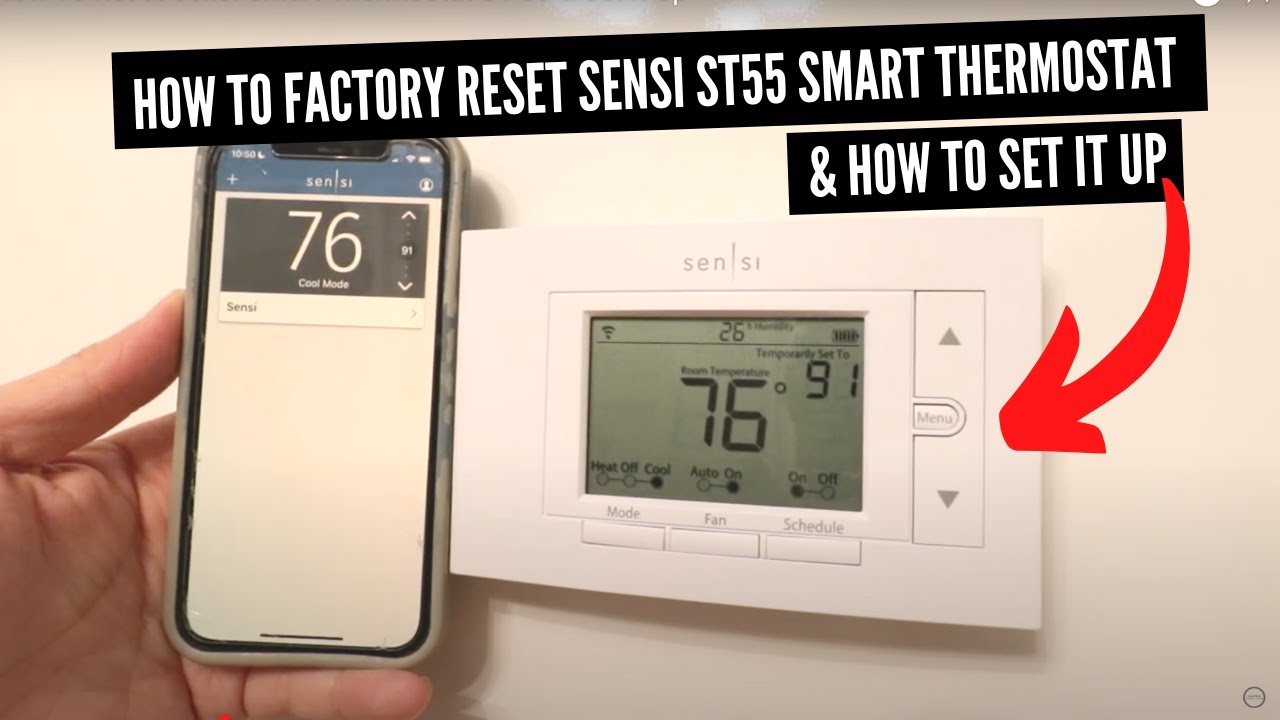
Credit: www.youtube.com
Common Fixes
When your Sensi thermostat acts up, some common fixes can solve most problems quickly. These simple steps help restore normal function without needing expert help. Start with basic resets and checks that often clear minor glitches. Follow these easy methods to get your thermostat working again.
Power Cycle Hvac And Router
Turn off your HVAC system using the breaker or power switch. Unplug your Wi-Fi router from the power source. Wait about 30 seconds to one minute. Plug the router back in and turn on the HVAC system. This step refreshes the connection between your thermostat and network. It often fixes communication or power issues.
Reboot Thermostat
Remove the batteries from your Sensi thermostat if it uses them. For battery-free models, gently pull the faceplate off to disconnect power. Wait for about two minutes before reinstalling batteries or snapping the faceplate back. This reboot clears temporary software errors. Your thermostat should restart and work normally.
Disable Keypad Lockout
Keypad Lockout disables the buttons on your thermostat. Open the Sensi app on your smartphone. Check the settings to see if Keypad Lockout is enabled. If yes, disable it from the app to regain control. This fix solves issues where buttons on the thermostat do not respond.

Credit: techniart.com
No Power Or Blank Screen
The Sensi thermostat may show no power or a blank screen for several reasons. This issue can stop your HVAC system from working properly. Simple checks can often solve the problem quickly. Follow these steps to troubleshoot your thermostat and restore power.
Check Circuit Breakers
First, check your home’s circuit breakers. A tripped breaker can cut power to the thermostat. Locate the breaker box and find the switch labeled for your HVAC system. Flip it off and then back on. This can reset the power and may fix the blank screen issue.
Verify Hvac Power Switch
Look near your furnace or air handler for a power switch. It looks like a regular light switch. Make sure it is turned on. Sometimes, this switch is accidentally turned off during maintenance or cleaning. Turning it on can restore power to the thermostat.
Inspect Wiring And Voltage
Check the wiring connected to the thermostat. Loose or damaged wires can cause power loss. Turn off power before inspecting. For those with a voltmeter, measure voltage at the thermostat’s wall plate. No voltage means the problem is in the power supply, not the thermostat itself.
Look For Hvac System Issues
Sometimes, system problems affect thermostat power. A clogged filter or a malfunctioning furnace can cause issues. Check your HVAC system for error lights or unusual sounds. Fixing these problems may restore normal thermostat function and display.
Wi-fi Connectivity Issues
Wi-Fi connectivity issues can disrupt your Sensi thermostat’s performance. Without a stable connection, remote control and scheduling may fail. Troubleshooting these problems can restore your thermostat’s online status quickly. Follow simple steps to get your device back online.
Restart Wi-fi Router
Turn off your Wi-Fi router and unplug it from the power source. Wait about 30 seconds before plugging it back in. Switch the router on and wait for the lights to stabilize. This simple step often solves many connectivity problems.
Factory Reset Thermostat
Resetting your thermostat clears any software glitches causing connection issues. Go to Menu, select About, then choose Factory Reset. Alternatively, remove the batteries for a few minutes and reinstall them. This action restores the device to its original settings.
Re-add Device In App
Open the Sensi app and remove your thermostat from the device list. After the factory reset, follow the app instructions to add the thermostat again. This process ensures your device pairs correctly with your Wi-Fi network and app.
Heating And Cooling Problems
Heating and cooling problems with your Sensi thermostat can disrupt home comfort. These issues often have simple fixes. Understanding the common problems helps you troubleshoot effectively. Below are solutions for typical heating and cooling troubles.
Thermostat Clicking Without Cooling
A clicking sound from your thermostat usually means it sends a signal to your HVAC system. If you hear clicking but no cooling, check the air filter first. A dirty filter can block airflow and stop cooling.
Next, ensure the thermostat settings are correct. The system should be set to “cool” mode with the temperature lower than the room temperature. Verify the circuit breaker for the air conditioner is not tripped.
Sometimes, the contactor in the outdoor unit may be faulty. This part controls power to the compressor and fan. A professional can test and replace it if needed.
System Running But Lukewarm Air
If your system runs but only blows lukewarm air, the issue might be with the refrigerant levels. Low refrigerant causes poor cooling and may damage the compressor.
Check the thermostat fan setting. It should be set to “auto” so the fan only runs during cooling. A fan set to “on” can blow warm air when the compressor is off.
Blocked or closed vents also reduce airflow and cause lukewarm air. Make sure all vents are open and unblocked. Cleaning or replacing the air filter can improve airflow too.
Advanced Troubleshooting
Advanced troubleshooting steps help resolve complex issues with your Sensi thermostat. These steps require basic tools and some technical knowledge. They provide deeper insight into power and system problems. Understanding these checks can save time and avoid unnecessary service calls.
Use Voltmeter For Power Check
Testing power with a voltmeter confirms if the thermostat receives electricity. Turn off the HVAC power before testing for safety. Remove the thermostat from the wall to access wiring terminals. Set the voltmeter to AC voltage mode. Measure voltage between the R and C terminals. A reading near 24 volts means power is present. No voltage suggests a power issue outside the thermostat. Check circuit breakers and wiring if there is no power.
Inspect Furnace For Error Lights
The furnace often shows error lights to indicate system faults. Locate the furnace’s control board panel. Look for blinking or steady lights on the board. Compare the light pattern with the furnace manual’s error code chart. Codes may point to issues like a clogged filter or ignition failure. Addressing these errors can restore normal thermostat operation. Call a technician if the codes are unclear or complex.

Credit: device.report
When To Call A Professional
Knowing when to call a professional for your Sensi thermostat can save time and prevent damage. Some problems require expert skills and tools. Trying to fix complex issues alone may lead to bigger troubles. Here are signs that show it’s time to get help from a technician.
Electrical Issues Concerns
Electrical problems can be dangerous and tricky. If you notice burning smells or sparks near the thermostat, turn off power immediately. Flickering display or frequent breaker trips mean a wiring problem might exist. Avoid handling electrical parts unless you are trained. A professional can safely diagnose and fix these issues.
Persistent System Malfunctions
If your HVAC system keeps failing despite resets and basic fixes, it needs expert care. Constant errors, random shutdowns, or no response to controls show deeper faults. Problems like clogged filters or faulty wiring inside the system require special tools. A certified technician can find and solve these hidden troubles efficiently.
Reset And Test Procedures
Reset and test procedures are essential steps to fix common issues with your Sensi thermostat. Performing these steps helps clear errors and confirms if the device works properly. They are simple and can save time before seeking professional help.
Following the correct reset and test process ensures your thermostat controls your home comfort as expected. It also helps identify if the problem lies within the thermostat or the HVAC system.
Thermostat Operation Test
After resetting your Sensi thermostat, test its operation by adjusting the temperature. Set it a few degrees higher or lower than the current room temperature. Listen for the HVAC system to respond by turning on heating or cooling.
Check if the thermostat display updates and buttons respond correctly. This confirms the device is communicating with your HVAC system. If the system does not respond, repeat the reset or check wiring and power.
Reinstall Original Thermostat
If problems continue after testing, reinstall your original thermostat. Turn off power to the HVAC system before removal to avoid damage. Carefully disconnect the Sensi thermostat and reconnect the original unit using the same wiring.
Restore power and test the original thermostat’s function. This step helps confirm if the issue is with the HVAC system or the Sensi thermostat itself. If the original thermostat works fine, your Sensi device may need repair or replacement.
Frequently Asked Questions
Why Is My Sensi Thermostat Not Working?
Your Sensi thermostat may not work due to power issues, Wi-Fi problems, keypad lockout, or HVAC system faults. Restart HVAC and router, reboot thermostat, check breakers, wiring, and app settings. Contact support if problems persist.
How To Hard Reset Sensi Thermostat?
To hard reset a Sensi thermostat, go to Menu > About > Factory Reset. Confirm the reset to restore factory settings. Alternatively, remove batteries or pull off the faceplate, wait a few minutes, then reinstall to reboot the device.
How To Get Sensi Thermostat Back Online?
Power cycle your HVAC system and Wi-Fi router. Reboot the thermostat by removing batteries or faceplate, wait, then reinstall. Check for keypad lockout in the app and disable it. Ensure breakers and HVAC power switch are on. Restart your router or factory reset and re-add the device if needed.
How To Fix An Unresponsive Thermostat?
Power cycle your HVAC system and Wi-Fi router. Reboot the thermostat by removing batteries or faceplate, wait, then reinstall. Check for keypad lockout in the app. Verify breakers and wiring. Restart your router and reset the thermostat if needed. Call a pro for electrical or system issues.
Why Is My Sensi Thermostat Not Responding?
Power cycle your HVAC and Wi-Fi router first. Then, reboot the thermostat by removing batteries or faceplate. Check for keypad lockout in the app.
Conclusion
Troubleshooting your Sensi thermostat can be simple with the right steps. Start with power cycling and rebooting to solve many issues. Check breakers, wiring, and filters if problems persist. Resetting Wi-Fi or re-adding the device often restores connectivity. Some fixes you can do yourself; others may need a professional’s help.
Keep this manual handy for quick reference. Your thermostat will work smoothly with patience and careful checks.



