
Is your solar inverter acting up and leaving you in the dark about your energy system’s performance? You’re not alone.
When your solar inverter shows error codes, overheats, or unexpectedly shuts down, it can feel overwhelming and frustrating. But here’s the good news: many common solar inverter problems are easier to diagnose and fix than you might think. By learning a few simple troubleshooting steps, you can save time, avoid costly repairs, and keep your solar power system running smoothly.
In this guide, you’ll discover practical tips to identify issues quickly, understand what those warning signals mean, and take effective action—so you regain control over your clean energy source without stress. Keep reading to empower yourself with the know-how to troubleshoot your solar inverter like a pro.
Credit: gienergy.com.au
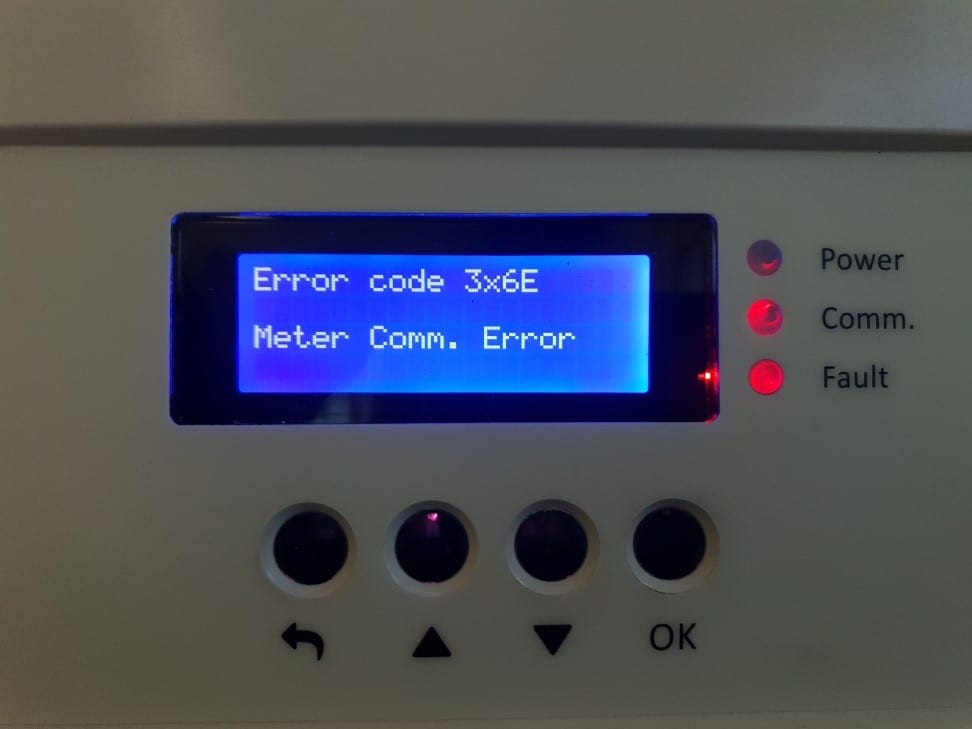
Error Codes And Status Lights
Overheating is a common issue that affects solar inverters. It can reduce efficiency and cause system shutdowns. Detecting overheating early prevents damage and costly repairs.
Solar inverters generate heat while converting energy. If heat builds up, components may fail. Proper care and troubleshooting help keep the inverter cool and running smoothly.
Causes Of Overheating
Overheating happens for several reasons. Poor ventilation blocks airflow. Dust and dirt buildup trap heat. High ambient temperatures add extra strain. Electrical faults increase power loss and heat. Overloading the inverter beyond its capacity also causes overheating.
Ventilation And Cooling
Good ventilation is key to prevent overheating. Install the inverter in a shaded, open space. Avoid tight or enclosed areas. Keep vents free from obstructions. Use cooling fans or air conditioning if needed. Proper airflow carries heat away from the device.
Cleaning Fans And Heat Sinks
Fans and heat sinks remove heat from the inverter. Dust and debris reduce their effectiveness. Clean fans regularly with compressed air or a soft brush. Check heat sinks for dirt and wipe them gently. Regular cleaning improves cooling and prevents overheating.
Credit: energylibrary.tesla.com
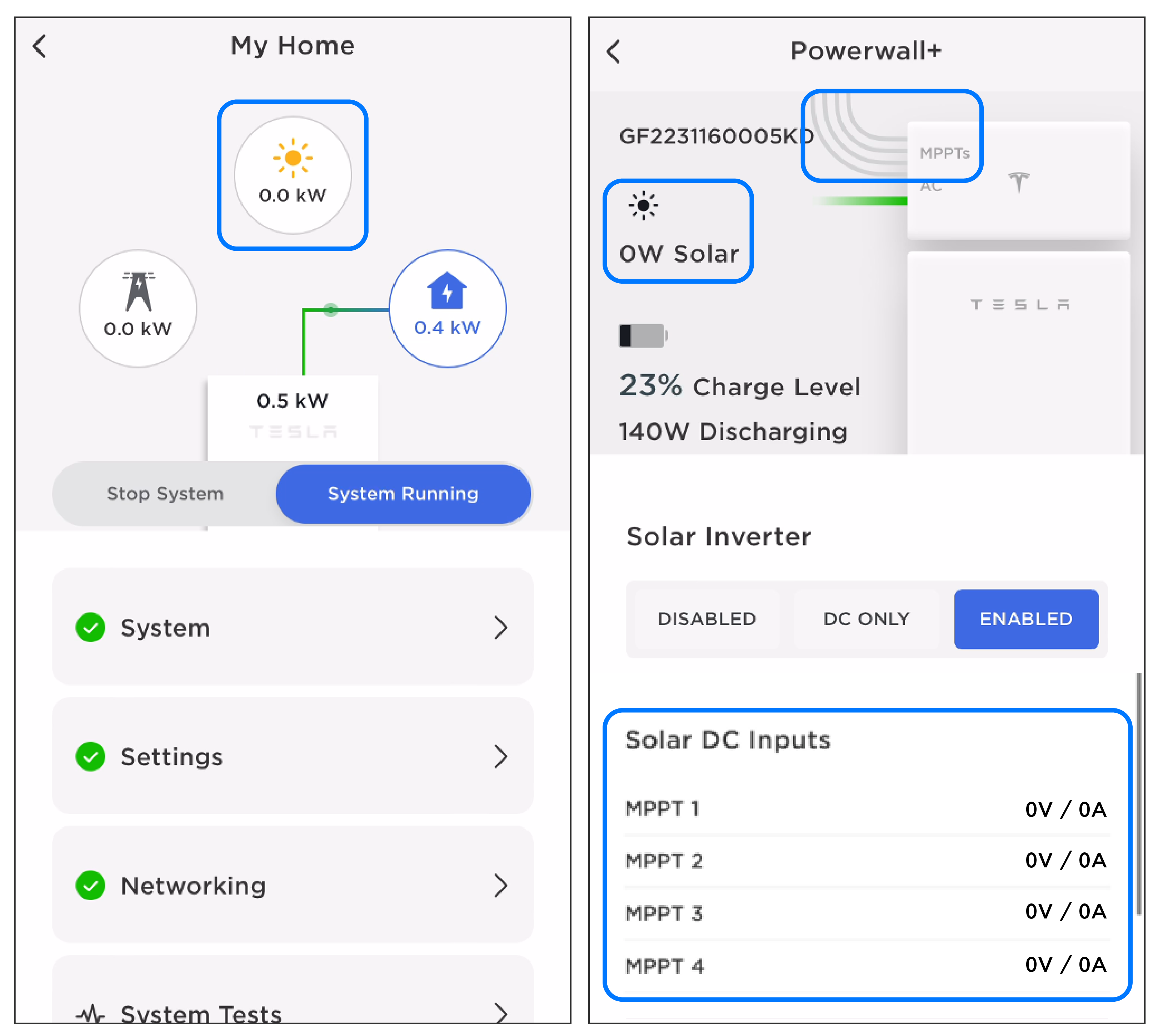
Overheating Issues
Power loss in a solar inverter can disrupt your entire solar energy system. Pinpointing the cause quickly keeps your system running efficiently. This section guides you through key steps to troubleshoot power loss. Follow each step carefully for safe and effective checks.
Checking Ac/dc Breakers
Start by examining the AC and DC breakers. These protect your system from electrical faults. Look for any tripped breakers or signs of damage. Reset any tripped breakers by switching them off and back on. If breakers keep tripping, avoid repeated resets. Call a professional to inspect your system further.
Inspecting Wiring And Connections
Loose or damaged wiring often causes power loss. Turn off the system before inspecting wires. Check all connections for corrosion, fraying, or looseness. Tighten any loose screws or terminals gently. Replace damaged wires to avoid future faults. Proper wiring ensures smooth energy flow from panels to inverter.
Resetting Disconnects Safely
Resetting disconnect switches can restore power safely. Always switch off the main disconnect before working. Wait a few minutes to let the system reset. Turn the disconnect back on slowly and observe the inverter display. If power does not return, do not force the reset. Seek expert help to avoid hazards.
Power Loss Troubleshooting
Resetting a solar inverter can often solve many common issues and restore normal operation. This process involves turning the system off and on to clear faults or error codes. Following the correct reset steps helps protect your inverter and ensures it runs smoothly. Below are clear instructions on how to reset your solar inverter safely and effectively.
Power Cycling Procedure
First, switch off the main solar supply to stop power flow. Next, turn off the solar inverter using its power button or switch. Wait for about 1 to 2 minutes to let the device fully power down. Then, switch the inverter back on and finally turn on the main solar supply again. Watch the inverter display for any error messages or unusual signs.
Safety Precautions
Always wear insulated gloves before handling electrical equipment. Avoid touching any exposed wires or terminals. Make sure your hands are dry and the area is free of water. Use a sturdy ladder or platform if the inverter is mounted high. Never reset the inverter during a storm or bad weather conditions.
Post-reset Checks
Check the inverter display for normal operation or error codes. Listen for unusual noises that might indicate a problem. Verify the system starts producing energy as expected. Inspect all electrical connections for tightness and signs of damage. Monitor the inverter for at least 30 minutes to confirm stable performance.
Inverter Reset Steps
Electrical issues and overloads are common problems in solar inverter systems. They can cause the inverter to shut down or reduce its efficiency. Understanding these problems helps maintain the system’s performance and longevity.
Overloads happen when the inverter receives more power demand than it can handle. This puts stress on the system and can damage components. Proper troubleshooting can identify the root cause and prevent future failures.
Identifying Overloads
Overloads show up as error messages or warning lights on the inverter display. The inverter may also shut down unexpectedly or run hotter than usual. Checking the inverter’s manual can help decode error codes related to overloads. Inspect wiring and connections for signs of wear or damage. Use a multimeter to measure current and voltage levels. High current readings indicate an overload condition.
Motor Vs Inverter Overload
Motor overload happens when a connected motor draws too much current. This often occurs due to mechanical issues or blockages. Inverter overload means the inverter itself is struggling to supply enough power. It can result from oversizing the load or electrical faults. Distinguishing between motor and inverter overload is crucial for correct repairs. Monitor motor operation and check for unusual noises or heating. Test the inverter’s output and input parameters for abnormalities.
Preventive Measures
Prevent overloads by regularly inspecting the system’s wiring and connections. Ensure the inverter is correctly sized for the load. Avoid sudden large power demands that exceed inverter capacity. Keep the inverter in a cool, ventilated place to prevent overheating. Install protective devices like fuses and circuit breakers. Schedule routine maintenance to detect issues early. These steps help extend the life of your solar inverter system.
Credit: www.tinyhouseplans.com
Frequently Asked Questions
How To Tell If A Solar Inverter Is Bad?
Check the inverter display for error codes or warning lights. Notice reduced energy output, unusual noises, frequent shutdowns, or overheating. Verify electrical connections and ventilation. Persistent issues often indicate a bad solar inverter needing professional inspection or replacement.
What Would Cause A Solar Inverter To Stop Working?
A solar inverter may stop working due to electrical faults, overloads, overheating, unstable voltage, or internal component failures. Check error codes, ventilation, wiring, and reset the system. Regular maintenance and prompt repairs improve reliability and performance.
What Is The Common Fault In Inverter?
The most common inverter faults include module failure, drive circuit failure, reactor failure, and overload issues. Overheating, electrical faults, and unstable voltage also cause frequent inverter shutdowns. Regular maintenance and checking error codes help identify and fix these problems quickly.
How Do I Reset A Solar Inverter?
To reset a solar inverter, turn off the main solar supply switch and the inverter. Wait a few minutes. Turn the inverter back on, then restore the main switch. Check the inverter display for normal operation or error codes.
What Are Common Signs Of Solar Inverter Failure?
Common signs include error messages, reduced power output, and unusual noises. Frequent shutdowns or overheating also indicate inverter problems.
Conclusion
Solar inverter troubleshooting helps keep your system running smoothly. Check error codes and electrical connections first. Clean panels and ensure good ventilation to avoid overheating. A simple reboot often fixes common problems. Pay attention to warning signs like unusual noises or frequent shutdowns.
If issues continue, consult the manual or a professional. Regular maintenance prevents many faults and extends inverter life. Stay proactive to protect your solar investment and enjoy reliable energy every day.



