Is your TV remote acting up right when you need it most? You’re not alone—and the good news is, you don’t have to rush out for a replacement just yet.
Troubleshooting your TV remote control can be easier than you think, and with a few simple steps, you can often fix the problem yourself. Whether your remote won’t respond, some buttons don’t work, or the signal seems weak, this guide will help you get to the bottom of the issue quickly.
Keep reading to discover straightforward tips and tricks that will save you time, money, and frustration—so you can get back to enjoying your favorite shows without interruption.
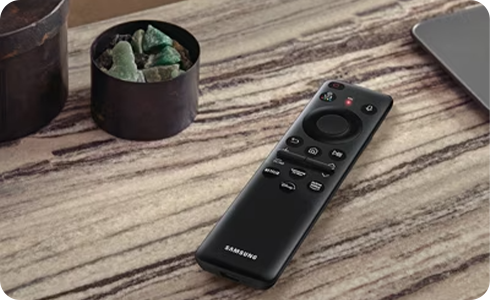
Credit: www.samsung.com
Basic Checks
Basic checks help fix many TV remote control issues fast. These steps take little time and no special tools. Begin by examining simple parts before moving to complex fixes. Confirm power and signal flow to ensure the remote works properly.
Replace Batteries
Old batteries often cause remote failure. Remove the current batteries and insert fresh ones. Check battery size and type matches the remote’s requirements. Place batteries in correct polarity, matching the + and – signs. Weak batteries can stop the remote from sending signals.
Clean Battery Contacts
Dirt and corrosion on contacts block power flow. Remove batteries and inspect contacts inside the battery compartment. Clean contacts gently with a cotton swab dipped in rubbing alcohol. Let them dry fully before reinserting batteries. Clean contacts improve electrical connection and remote performance.
Check Signal Path
Remote signals must travel from the remote to the TV sensor. Remove any objects blocking the path. Clear dust or obstacles near the TV’s infrared sensor. Point the remote directly at the sensor without obstructions. A clear signal path helps the TV receive commands correctly.
Test Infrared Emitter
Use a smartphone camera to check the remote’s infrared light. Point the remote at the camera lens and press any button. The camera shows a flashing light if the emitter works. No light means the remote may have internal problems. This test confirms if signals leave the remote properly.
Deep Cleaning
Deep cleaning a TV remote control can fix many common issues. Dirt, dust, and grime build up inside the remote over time. This buildup can block signals or prevent buttons from working. Taking the remote apart and cleaning it thoroughly often restores its function. The process is simple and requires only basic tools and cleaning supplies.
Open The Remote
Start by removing the batteries. Use a small screwdriver or pry tool to open the remote casing. Gently separate the two halves without breaking any clips. Keep track of screws and small parts. Work slowly to avoid damaging the plastic or internal components.
Clean Rubber Pads And Circuit Board
Remove the rubber button pad carefully. Clean the black contact spots with isopropyl alcohol and a cotton swab. Wipe the circuit board’s copper pads gently to remove dirt and oxidation. Avoid using too much liquid to prevent damage. Let all parts dry completely before reassembling.
Clean Housing And Buttons
Use a cloth dipped in alcohol to clean the inside of the remote housing. Clean between the buttons and inside corners. This removes grease and dust that block button movement. Clean the buttons themselves if they are sticky or dirty. Dry all parts thoroughly before putting them back together.
Reassemble The Remote
Place the rubber pad and buttons back in their original positions. Align the two halves of the remote carefully. Snap or screw the casing together firmly. Insert fresh batteries and test each button. A clean remote often works like new after this process.
Fixing Worn Buttons
Worn buttons on a TV remote can cause unresponsive controls. Over time, the rubber contacts beneath the buttons lose their conductivity. This problem makes it hard to change channels or adjust volume. Fixing worn buttons can extend your remote’s life without buying a new one.
Simple fixes restore the electrical connection under the buttons. These methods are easy and use common household items. Try each to see which works best for your remote.
Use Pencil Graphite
Pencil graphite is a good conductor of electricity. Take a soft pencil, like a 6B or 8B, and rub the graphite on the worn rubber contact pads. Cover the entire black spot where the button presses. Let the graphite dry for a few minutes. Test the button to check if it works better. This method fills in worn areas and improves contact.
Apply Aluminum Foil
Aluminum foil can replace lost conductivity on worn buttons. Cut a small piece of thin foil, slightly bigger than the worn spot. Place the foil on the rubber pad under the button. Press the button several times to fix the foil in place. Reassemble the remote and test the button. This method helps restore the circuit connection.
Try Conductive Paint
Conductive paint contains metal particles that carry electricity. Buy a small tube of conductive paint from electronics stores or online. Use a fine brush to apply a thin layer on the worn contact pads. Let it dry fully before testing. Conductive paint lasts longer than graphite or foil. It is a neat solution for badly worn buttons.
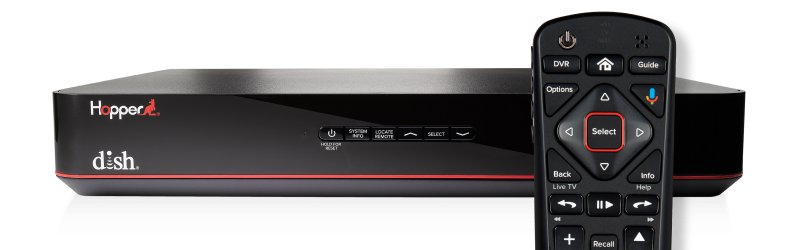
Credit: support.dish.com
Other Tips
Sometimes simple fixes make a big difference in remote control performance. These extra tips help keep your TV remote working smoothly. Small details often solve common issues quickly. Follow these steps to extend your remote’s life and avoid frustration.
Replace Missing Battery Cover
A missing battery cover can cause loose batteries. Loose batteries lead to poor connection and remote failure. Replace the cover to keep batteries secure and stable. It stops batteries from shifting and losing contact. Check local stores or online for the right cover model.
Check For Software Updates
Some remotes work with smart TVs that need updates. Software updates fix bugs and improve remote response. Use your TV menu to find update options. Keep both TV and remote software current. Updated software often enhances compatibility and fixes glitches.
Press Buttons Twice To Avoid Sticking
Sometimes button presses do not register the first time. Press each button twice to ensure the command is sent. This simple trick helps bypass sticky or slow buttons. It can prevent missed signals without opening the remote. Try this tip before deeper troubleshooting.

Credit: www.youtube.com
Frequently Asked Questions
Why Is My Tv Not Responding To The Remote?
Your TV may not respond if remote batteries are dead, contacts are dirty, or the IR signal is blocked. Clean the remote, replace batteries, and ensure no obstructions between remote and TV sensor. Testing the remote’s IR light with a smartphone camera can help diagnose the issue.
How Do I Reset My Tv Remote?
To reset your TV remote, remove the batteries, press all buttons for 10 seconds, then reinsert fresh batteries. This clears minor glitches and restores function.
Why Are Some Buttons On My Remote Not Working?
Some remote buttons fail due to dirt, worn contacts, or weak batteries. Clean the circuit board and replace batteries to fix.
Why Is My Led Remote Not Working Even With New Batteries?
Your LED remote may not work despite new batteries due to dirty contacts, blocked IR signal, or worn buttons. Clean battery terminals and circuit board with isopropyl alcohol. Ensure no obstruction between remote and TV sensor. Test the IR emitter using a smartphone camera.
Why Is My Tv Remote Not Working With New Batteries?
New batteries might be inserted incorrectly or have poor contact. Check battery polarity and clean battery terminals. Also, ensure nothing blocks the remote’s infrared sensor.
Conclusion
Troubleshooting your TV remote can save time and money. Start by checking batteries and cleaning contacts. Make sure nothing blocks the remote’s signal to the TV. If needed, open the remote carefully to clean inside parts. Fix worn buttons with simple tricks like pencil graphite or foil.
These steps often restore remote functions quickly. Regular care helps keep your remote working longer. Stay patient and follow each step slowly for best results. A working remote makes watching TV much easier and more enjoyable.