
Is your TV remote suddenly acting up and leaving you frustrated? You’re not alone—this common issue can disrupt your relaxation time and make you want to throw the remote across the room.
But before you give up, there’s good news: most TV remote problems are simple to fix with a few quick checks and tricks you can do right now. Whether your remote won’t respond, buttons feel stuck, or the signal just won’t reach your TV, this guide will walk you through easy steps to get your remote working perfectly again.
Stick with me, and you’ll save time, avoid unnecessary replacements, and get back to enjoying your favorite shows in no time. Ready to troubleshoot your TV remote like a pro? Let’s dive in!

Credit: www.youtube.com
Battery Issues
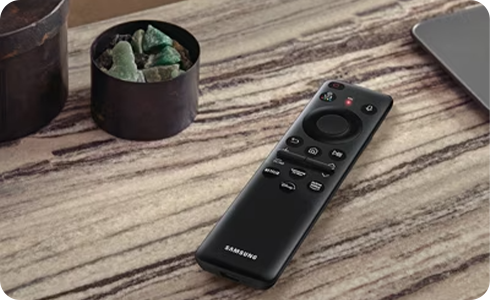
Physical obstructions can block the signals between your TV remote and the television. These barriers stop the remote’s infrared or Bluetooth signals from reaching the TV sensor. Checking for and removing these obstacles often solves remote control issues quickly. Keep the path clear to ensure smooth communication.
Clear Line Of Sight
Make sure nothing blocks the space between your remote and TV sensor. Common items like furniture, decorations, or even hands can interrupt the signal. Aim the remote directly at the TV sensor without any barriers. A direct line of sight helps the remote work properly every time.
Remove Nearby Interferences
Other electronic devices near your TV can interfere with the remote’s signal. Gadgets like routers, cordless phones, or speakers may cause disruptions. Move these devices away from the TV area to reduce interference. Keeping a clear zone around your TV improves remote response and performance.
Credit: www.samsung.com
Physical Obstructions
Remote reset techniques help fix many common TV remote issues quickly. Resetting clears minor glitches and restores normal function. These methods work for most types of remotes, including basic and smart ones. Follow simple steps to reset your remote and improve its response.
Hard Reset Steps
Remove the batteries from the remote. Press and hold the power button for 15 seconds. This drains leftover power inside. Reinsert the batteries carefully, matching the + and – signs. Test the remote by pressing any button to check if it works.
Draining Remote Power
Take out the batteries first. Press every button on the remote, one by one. This drains residual electrical charge completely. Wait for 1-2 minutes before putting the batteries back. This method helps clear stuck signals or frozen buttons.
Reset For Smart Remotes
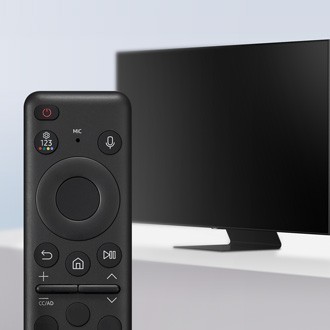
Hold the Play/Pause and Return buttons together for 5-10 seconds. This triggers a reset and may re-pair the remote with your TV. If no response, remove batteries and repeat the process. Follow your TV’s manual for specific pairing instructions after reset.
Remote Reset Techniques
Regular cleaning and maintenance keep your TV remote working smoothly. Dirt, dust, and grime build up over time. This buildup can cause buttons to stick or stop responding. Simple cleaning steps prevent many common remote control problems. A clean remote lasts longer and feels better in your hand.
Dislodge Stuck Buttons
Buttons may stick due to dirt or spills. Remove the batteries before cleaning to avoid damage. Press each button several times to loosen any debris. You can also gently tap the remote against your palm to dislodge dirt. Use a toothpick or a small brush to clean around the buttons carefully. Avoid using too much force to prevent damage.
Remove Dirt And Debris
Use a soft cloth slightly dampened with water or rubbing alcohol. Wipe the remote’s surface and between buttons. Cotton swabs help clean tight spaces and corners. Do not pour liquid directly on the remote. Let the remote dry completely before reinserting batteries. Clean your remote regularly to avoid dirt buildup and improve button response.
Credit: www.samsung.com
Testing Infrared Signal
TV sensor problems often cause remote control issues. The TV’s infrared (IR) sensor receives signals from the remote. If the sensor is dirty or faulty, the TV may not respond to remote commands. Sensor problems can mimic remote battery or signal problems but need different checks.
Understanding the TV sensor’s role helps in troubleshooting. The sensor is usually a small, dark window on the TV’s front. Dirt, dust, or physical damage can block or weaken the sensor’s signal reception. Testing and cleaning the sensor is essential before replacing parts.
Check Tv Ir Sensor
Locate the IR sensor on the TV front panel. Clean the sensor gently with a soft cloth. Avoid using liquids or harsh cleaners that can damage it. Shine a flashlight on the sensor to check for cracks or damage.
Use your phone’s camera to test the sensor. Point the remote at the TV sensor and press any button. Watch your phone screen through its camera. You should see a flashing light from the remote’s IR emitter. If no light appears, the remote may be faulty, not the sensor.
Remove any objects blocking the sensor. Bright light sources can interfere with the IR signal. Turn off strong lights or move the TV to a less bright area. Sometimes repositioning the TV or remote helps improve sensor reception.
When To Replace Tv Parts
If cleaning and testing do not fix the problem, consider part replacement. A broken IR sensor needs professional repair or TV service. Sensor replacement is not common but may be necessary for older TVs.
Replace the remote control first if the IR test fails. Remotes are cheaper and easier to replace than internal TV parts. Buy a remote compatible with your TV model to ensure proper function.
Continuous sensor issues despite a new remote suggest TV hardware problems. Consult a technician to check the sensor circuit or motherboard. Repair costs might be high for older TVs, so weigh repair versus replacement options.
Cleaning And Maintenance
Advanced troubleshooting helps fix complex TV remote issues that simple steps miss. It requires extra tools and techniques to find hidden problems. These tips save time and avoid unnecessary purchases. Follow these methods to restore your remote’s full function.
Using Alternative Remotes
Try using a universal remote as a test. These remotes can control many TV brands. If the universal remote works, your original remote likely has hardware faults. Another option is to use your smartphone as a remote. Many TVs support remote apps for phones. These apps connect via Wi-Fi and bypass infrared problems. Testing with alternative remotes confirms if the issue is with the remote or TV sensor.
When To Consider Replacement
Replace the remote if troubleshooting fails repeatedly. Signs include no IR light from the remote or unresponsive buttons after cleaning. Physical damage like broken buttons or cracked casing also warrants replacement. Smart remotes that cannot re-pair or sync with the TV need new ones. Replacing the remote is cheaper and quicker than repairing internal parts. Always buy compatible remotes to ensure smooth operation.
Frequently Asked Questions
Why Is My Remote Not Responding To My Tv?
Check and replace weak batteries, ensuring correct polarity. Remove obstructions between remote and TV. Reset the remote and TV by removing batteries and holding power buttons. Re-pair smart remotes if needed. Test the infrared signal with a phone camera. Clean or replace the remote if unresponsive.
What Are Common Problems With Tv Remotes?
Common TV remote problems include dead or weak batteries, signal obstruction, stuck buttons, pairing issues, and infrared sensor faults.
How Do I Reset The Tv Remote?
Remove the batteries, press and hold the power button for 10 seconds to drain power. Reinsert batteries correctly. For smart remotes, hold Play/Pause and Return together to re-pair. Clear obstructions and test with a phone camera for IR signal. Replace remote if issues persist.
Why Are Some Buttons On My Remote Not Working?
Some remote buttons may not work due to weak batteries, dirt under buttons, signal obstructions, or pairing issues. Clean buttons, replace batteries, clear obstructions, and re-pair smart remotes to fix the problem.
Why Is My Tv Remote Not Responding To The Tv?
Weak or dead batteries often cause this issue. Make sure batteries are fresh and correctly placed. Also, check for any objects blocking the remote sensor.
Conclusion
Troubleshooting your TV remote can be simple and quick. Start with basic checks like replacing batteries and removing obstructions. Testing the infrared signal helps find faults early. Resetting both remote and TV often solves many issues. Cleaning stuck buttons improves remote response.
Re-pair smart remotes if they lose connection. If problems continue, consider replacing the remote or checking the TV sensor. Small steps can save time and money. Keep this guide handy for easy fixes anytime.



