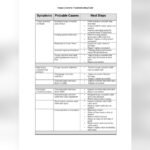
Having trouble with your Waterdrop system? Whether it’s strange beeping sounds, low water flow, or confusing filter lights, these issues can disrupt your daily routine.
You don’t have to guess what’s wrong or waste time searching for answers. This Waterdrop Troubleshooting Manual is designed just for you—clear, simple steps to quickly identify and fix common problems. By following this guide, you’ll save time, avoid frustration, and get your water purifier working like new again.
Keep reading to take control of your Waterdrop system and enjoy fresh, clean water without hassle.

Credit: www.amazon.com
Common Waterdrop Issues
Common issues with Waterdrop systems can affect water quality and flow. Knowing how to spot and fix these problems saves time and effort. Most problems relate to leaks, low flow, taste, indicator lights, no dispensing, or error alerts. Following simple checks often restores normal function quickly.
Leaks And Connection Problems
Leaks often happen due to loose connections or poorly seated filters. Check all tubing and fittings for tightness. Make sure the filter is installed correctly and the housing is screwed in fully. Replace worn or cracked parts to stop leaks.
Low Water Flow Causes
Low flow may occur from air trapped in the system after filter changes. Flush the unit thoroughly to remove air. Check for clogged filters or low water pressure. Ensure the filter is installed in the right direction.
Bad Taste And Odor
New units often need flushing before use. Run water through the system several times to clear any manufacturing residues. Replace filters regularly to avoid stale taste or odors. Use clean water sources to maintain freshness.
Filter Indicator Lights
Waterdrop uses LED lights to signal filter status. A blue light means the filter is good. Flashing red signals the filter needs replacement soon. A steady red light means change the filter immediately to keep water pure.
No Water Dispensing
Check that the water supply valve is open. Confirm the filter is installed and not clogged. Inspect tubing for kinks or airlocks blocking flow. For electric models, check power supply or batteries to ensure operation.
Error Codes And Alerts
Error codes often relate to filter issues or system flushing. Power cycling the unit by turning it off and on can clear some errors. Consult the manual for specific codes and follow recommended solutions to fix alerts.

Credit: www.amazon.com
Fixing Leaks And Flow Issues
Leaks and flow problems can disrupt your Waterdrop system’s performance. Fixing these issues quickly ensures clean water keeps flowing smoothly. Follow these steps to identify and solve common leak and flow challenges effectively.
Checking And Tightening Connections
Loose connections cause most leaks. Check all tubing joints carefully. Tighten any loose fittings with a wrench. Avoid overtightening to prevent damage. Inspect connections regularly for signs of moisture or drips.
Proper Filter Installation
Incorrect filter placement can reduce flow or cause leaks. Remove the filter and check for correct orientation. Align the filter with the housing grooves. Press firmly until you hear a click. Confirm the filter seals tightly without gaps.
Flushing The System
Flushing removes trapped air and debris. Open the faucet and let water run for 5-10 minutes. This clears contaminants and improves flow. Flush after installing a new filter or after long inactivity. Flushing also helps remove unpleasant tastes.
Handling Airlocks In Tubing
Airlocks block water flow inside tubes. To release air, disconnect tubing slightly at the highest point. Allow trapped air to escape while water flows. Reconnect tubing securely once air is out. Repeat if flow remains weak or stops.
Ensuring Adequate Water Pressure
Low pressure limits water flow and filtration. Verify your home’s water pressure meets Waterdrop’s requirements. Check valves and faucets for full opening. Clear any blockages in supply lines. Installing a booster pump can help if pressure is too low.
Resolving Taste And Smell Problems
Resolving taste and smell problems in your Waterdrop system ensures fresh, clean water every time. Unpleasant flavors or odors often indicate issues with the filters or the system setup. Simple steps can restore your water’s purity quickly. Follow these easy methods to improve taste and smell.
Flushing New Units
New Waterdrop units need flushing before use. This removes manufacturing residues that affect taste and smell. Run water through the system for several minutes. Repeat flushing if odor or bad taste persists. This step helps prepare the filters for optimal performance.
Replacing Filters
Old or clogged filters cause bad taste and odors. Check the filter indicator lights on your Waterdrop system. Replace filters promptly when the light turns yellow or red. Use genuine Waterdrop replacement filters for best results. Regular filter changes keep water fresh and healthy.
Cleaning Tips For Better Taste
Regular cleaning prevents build-up that affects water quality. Clean the water tank and housing with mild soap and warm water. Avoid harsh chemicals that can damage the system. Wipe down external parts to remove dust and grime. Keep your Waterdrop system clean for better taste and smell.

Credit: device.report
Interpreting Filter Indicator Lights
The filter indicator lights on your Waterdrop system provide quick, clear information about your filter’s status. Understanding these lights helps you maintain clean water and avoid issues. Each color signals a different condition, guiding you on what action to take.
Blue Light Status
A steady blue light means your filter works well. The water is clean and safe to drink. No action is needed when you see this light. It shows the system is functioning normally and the filter is still effective.
Yellow Light Warnings
A yellow light warns the filter will need replacement soon. The water quality may start to decline. Prepare to change the filter to keep your water pure. The system alerts you early to avoid any sudden problems.
Red Light Urgency
A red light signals an urgent need to replace the filter. The water may no longer be safe to drink. Stop using the system until you install a new filter. Ignoring the red light can harm your health and damage the unit.
Electrical And Power Troubleshooting
Electrical and power issues can cause your Waterdrop system to stop working properly. Troubleshooting these problems helps bring your device back to normal quickly. Follow simple steps to check and fix power-related errors. These easy fixes save time and avoid costly repairs.
Resetting The System
Resetting your Waterdrop system can clear many electrical errors. Locate the reset button on the unit, usually near the power switch. Press and hold the button for a few seconds until the lights blink or the device restarts. This action refreshes the system’s settings and can resolve minor glitches.
Power Cycling Tips
Power cycling means turning the system off and on again. Unplug the device from the power source. Wait for about 30 seconds to let it fully shut down. Plug it back in and switch it on. This simple step can fix frozen screens or unresponsive buttons. Repeat if the problem continues.
Battery And Power Supply Checks
Check if your Waterdrop device uses batteries or a power adapter. For battery-powered models, remove and inspect the batteries for corrosion or leaks. Replace old or weak batteries with fresh ones. For plug-in models, ensure the power cord is firmly connected and not damaged. Test the power outlet by plugging in another device to confirm it works.
Special Troubleshooting Cases
Special troubleshooting cases often require focused attention to solve unique problems. These cases go beyond common issues and can affect your Waterdrop system’s performance. Understanding these helps maintain clean water flow and system reliability.
Below are key areas to watch for when facing special troubleshooting challenges with your Waterdrop system.
Solenoid Valve Issues
The solenoid valve controls water flow in the system. If it fails, water may stop or leak. Listen for unusual sounds or check if water stops unexpectedly. Clean the valve gently to remove dirt or debris. Replace it if damage is visible. Always turn off water and power before handling the valve.
Handling Filter Error Codes
Your Waterdrop system shows error codes for filter problems. These codes signal when filters are clogged or need replacement. Check the manual for specific code meanings. Clear error codes by resetting the system after fixing the filter. Regular filter checks prevent these errors and keep water tasting fresh.
Dealing With System Stoppages
System stoppages stop water flow entirely. Causes include power failure, clogged filters, or airlocks. First, check the power supply and battery. Next, inspect filters for blockages and replace if needed. Remove airlocks by flushing water through the system. Restart the system to restore normal operation.
Maintenance Tips For Longevity
Proper maintenance ensures your Waterdrop system runs smoothly for years. Small efforts keep water pure and flow steady. Follow these simple tips to avoid common issues and extend your filter’s life.
Regular Filter Replacement
Change filters on time to keep water clean and fresh. Most Waterdrop models have LED reminders for filter status. Replace filters immediately when the light turns red. Ignoring this can reduce water quality and damage the system.
Cleaning And Flushing Schedule
Flush your system regularly to remove trapped air and impurities. New filters need thorough flushing before use to avoid bad taste. Clean the filter housing and parts every few months to prevent buildup. This keeps water flowing and tasting great.
Checking Tubing And Seals
Inspect tubing and seals for cracks or leaks often. Tighten any loose connections to stop water drips. Replace worn or damaged seals quickly to prevent system failure. Proper sealing maintains pressure and stops contamination.
Where To Find Help
Finding help for your Waterdrop device is simple and quick. Knowing where to search saves time and reduces frustration. This guide shows you the best places to get reliable support. Whether you need instructions or direct assistance, resources are ready to assist you.
Official Waterdrop Help Center
The Official Waterdrop Help Center is the first stop for troubleshooting. It offers answers to common questions and detailed solutions. The site updates regularly with new tips and fixes. You can find guides for various Waterdrop models here. This resource helps solve many issues on your own.
User Manuals And Guides
User manuals provide step-by-step instructions for setup and repair. They explain how each part works and what to check for problems. You can download digital manuals from the Waterdrop website. Reading the manual helps prevent mistakes and speeds up repairs. Keep a copy handy for quick reference anytime.
Customer Support Contacts
Customer support teams are ready to help with complex issues. They offer personalized assistance via phone, email, or chat. Contact details are available on the official Waterdrop site. Support staff can guide you through troubleshooting or arrange repairs. Don’t hesitate to reach out when you need expert help.
Frequently Asked Questions
Where Is The Reset Button On Waterdrop?
The reset button on Waterdrop is usually located near the control panel or inside the filter compartment. Refer to your model’s manual for exact placement.
Why Is My Waterdrop Beeping?
Your Waterdrop beeps to signal filter replacement or system errors. Check filter status, water supply, and power. Replace filters promptly and reset the system to stop beeping.
Why Is There No Water Coming Out Of My Reverse Osmosis System?
No water from your reverse osmosis system usually means a closed water supply valve, clogged filters, or an airlock. Check tubing for kinks, ensure filters are properly installed, and flush the system to remove air. Also, verify power supply for electric models.
What Do The Lights On The Waterdrop Mean?
Blue light means the filter is good. Flashing red warns to replace soon. Solid red means replace immediately.
Where Is The Reset Button On A Waterdrop System?
The reset button is usually located near the control panel or filter indicator. Press and hold it for a few seconds to reset the system. Check your model’s manual for exact placement.
Conclusion
Waterdrop troubleshooting can feel simple with the right steps. Check connections and filters carefully to avoid leaks and low flow. Flushing new units helps remove bad taste or smell. Watch LED lights to know when to replace filters. Power cycling often fixes error messages or stoppages.
Regular maintenance keeps your system working well. Use your manual or the Waterdrop Help Center for extra guidance. Staying patient and following instructions ensures clean, fresh water every day.