
Is your Whirlpool WTW4800BQ0 washer acting up? Maybe it won’t spin, drain, or even start properly.
You’re not alone—and the good news is, many common issues have simple fixes you can try yourself. Understanding what’s behind those frustrating problems can save you time, money, and a service call. You’ll find clear, easy-to-follow troubleshooting tips tailored specifically for your Whirlpool WTW4800BQ0.
Whether it’s loud noises, error codes, or performance glitches, you’ll learn how to identify the cause and get your washer back to working smoothly. Keep reading—you’re just a few steps away from solving your washer troubles!
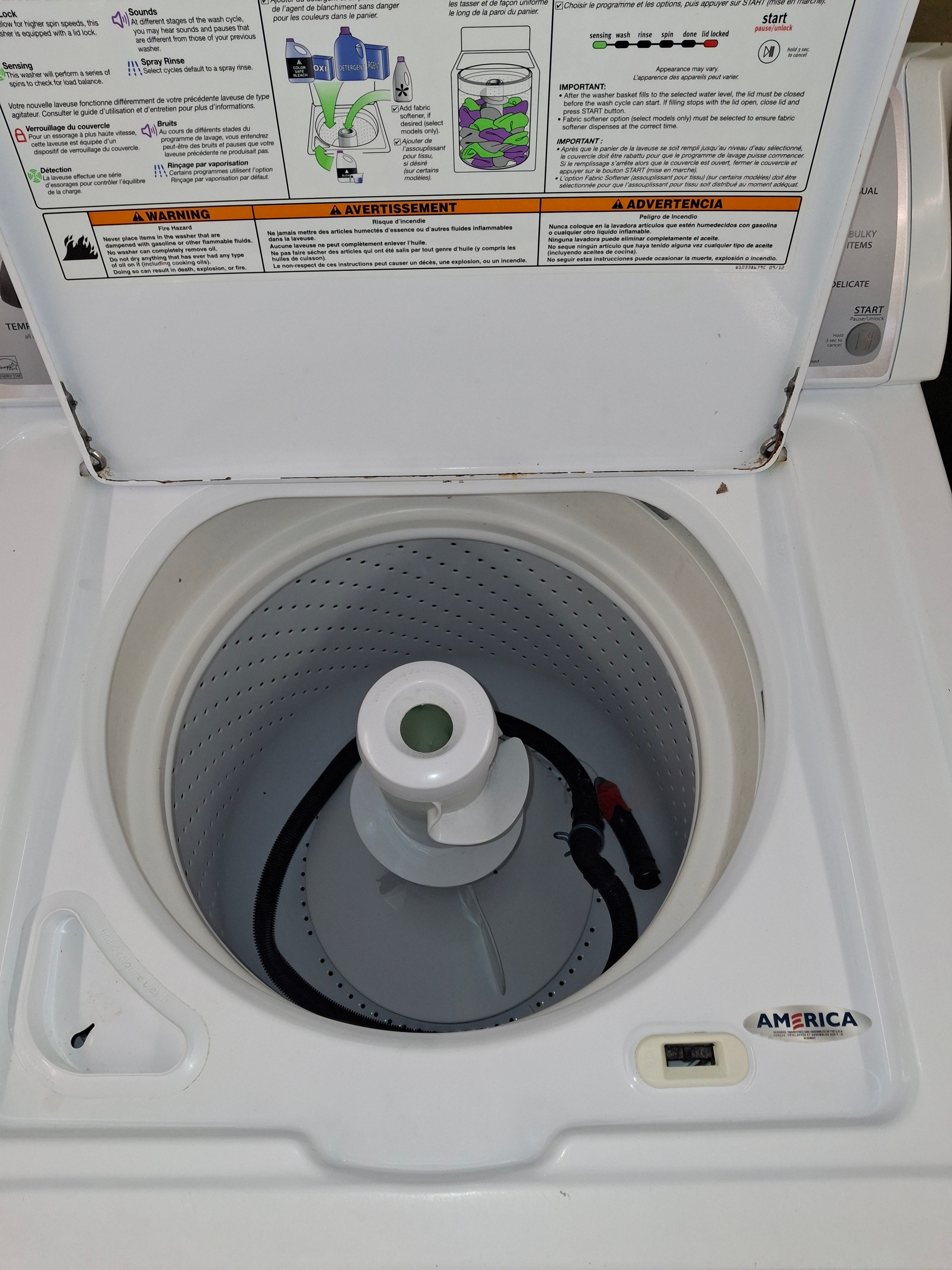
Credit: theadoutlet.com
Common Whirlpool Wtw4800bq0 Issues
The Whirlpool WTW4800BQ0 washer is reliable but may show some common issues. Understanding these problems helps in quick troubleshooting and repair. This section covers frequent faults users face with this model.
Most issues relate to noises, spinning and draining failures, starting problems, and error codes. Knowing symptoms and causes guides proper fixes. Keep your washer running smoothly by spotting these troubles early.
Loud Noises And Vibrations
Loud noises often come from unbalanced loads or worn parts. Overloading or mixing heavy and light clothes causes thumping sounds. Worn suspension rods or foam pads may also create vibrations.
Fix this by redistributing clothes evenly and checking if the washer is level. Inspect suspension rods and replace if they look damaged or greasy.
Washer Won’t Spin Or Drain
Spinning or draining problems often happen due to clogged pump filters or hoses. A kinked drain hose or a broken lid switch can stop the washer from spinning.
Clean the pump filter and remove any debris. Make sure hoses are clear and properly connected. Test the lid switch for faults and replace if needed.
Machine Fails To Start Or Fill
Starting or filling failures can result from power issues or faulty lid locks. Control board faults and water supply problems may also cause this issue.
Check the circuit breaker and ensure the lid is fully closed. Try unplugging the washer for a short reset. Confirm water supply valves are open and working.
Frequent Error Codes
Error codes like “UL” and “LD” signal common problems. “UL” means the load is unbalanced. “LD” shows the washer is draining slowly or not at all.
For “UL,” rearrange the load to balance the clothes. For “LD,” inspect and clean the drain pump and filter. Clearing these issues can stop error codes from appearing.
Causes Behind Common Problems
Understanding the causes behind common Whirlpool WTW4800BQ0 problems helps in quick fixes. Identifying the root can save time and prevent damage. Many issues arise from simple mistakes or worn parts. Knowing these causes aids in effective troubleshooting.
Unbalanced Loads And Overloading
Unbalanced loads cause the washer to shake or stop spinning. Mixing heavy and light clothes leads to uneven weight distribution. Overloading fills the drum too much, stressing the motor. Both issues trigger error codes like ‘UL’ or cause loud noises. Always balance clothes and avoid overstuffing the washer.
Clogged Pump Filters And Hoses
Pump filters and hoses can clog with lint, coins, or small items. Blockages stop water from draining properly. This causes the washer to stop mid-cycle or show error codes like ‘LD’. Regular cleaning of the pump filter and hoses keeps water flowing smoothly. Check these parts if the washer won’t drain or spin.
Faulty Lid Switch Or Lock Mechanism
The lid switch tells the washer when the lid is closed. A broken switch or lock stops the machine from starting or spinning. This safety feature prevents accidents but can cause frustration if faulty. Test the lid switch if the washer won’t start or stops suddenly during cycles.
Electrical And Control Board Issues
Electrical problems can cause the washer to behave erratically. Faulty control boards may stop cycles or cause error messages. Power surges or wiring issues can damage these parts. Resetting the machine by unplugging it often helps. Persistent problems may need professional repair or part replacement.
Quick Fixes For Whirlpool Washer
Quick fixes can save time and effort for your Whirlpool washer. These simple steps help solve common issues fast. Most problems arise from uneven loads, clogged filters, or power glitches. Trying these solutions first can avoid costly repairs or service calls.
Redistributing And Balancing Laundry
Uneven clothes cause the washer to shake or stop spinning. Spread heavy and light items evenly in the drum. Avoid overloading the machine with bulky items. Check if the washer sits flat on the floor. Adjust the feet if needed for better balance.
Cleaning Drain Pump Filter
A clogged drain pump filter blocks water flow. Turn off and unplug the washer before cleaning. Locate the filter access panel near the bottom front. Open it and remove any lint, coins, or debris. Rinse the filter under running water and replace it securely.
Resetting The Washer
Resetting clears minor electronic errors in the washer’s system. Unplug the machine from the power outlet for one minute. Plug it back in and close the lid firmly. Start a new wash cycle to check if the issue is fixed.
Checking Power And Water Supply
Confirm the washer is plugged in and the outlet works. Inspect the circuit breaker or fuse box for tripped switches. Ensure both hot and cold water faucets are turned on fully. Check hoses for kinks or leaks that block water flow.
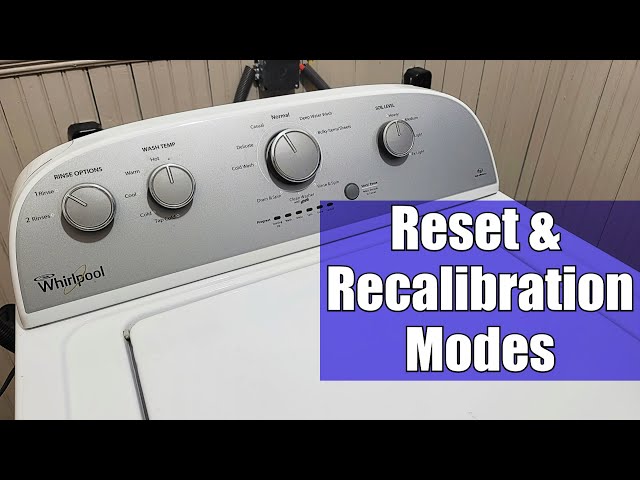
Credit: www.youtube.com
How To Reset Your Whirlpool Washer
Resetting your Whirlpool WTW4800BQ0 washer can solve many common issues quickly. It clears error codes and restarts the control board. This process is simple and safe to perform at home. Knowing how to reset helps avoid unnecessary service calls.
Follow clear steps to reset your washer properly. This guide shows you how to find the reset button, perform the reset, and decide when a reset is needed.
Locating The Reset Button
Most Whirlpool washers do not have a dedicated reset button. Instead, resetting happens by unplugging the washer or using control panel buttons. Check your washer’s control panel for a cancel or pause button. Sometimes, pressing and holding these buttons triggers a reset.
Look behind the control panel or near the power cord if unsure. Your user manual also explains reset options specific to your model.
Step-by-step Reset Process
- Turn off the washer using the power button.
- Unplug the washer from the electrical outlet.
- Wait at least one minute. This allows the control board to clear.
- Plug the washer back in securely.
- Press the power button to turn it on.
- If your model has a cancel or pause button, press and hold it for 3 to 5 seconds.
- Start a new wash cycle to check if the reset worked.
When To Perform A Reset
Reset the washer if it stops mid-cycle or shows error codes. A reset helps if the washer won’t start or the control panel is unresponsive. Use reset after power outages or electrical surges.
A reset can fix minor software glitches. Avoid resetting repeatedly without checking for other issues. If problems persist after a reset, contact a technician.
Decoding Common Error Codes
Understanding error codes on your Whirlpool WTW4800BQ0 washer saves time and effort. These codes help identify issues quickly. Decoding them guides you to the right fixes. Below are some common error codes and what they mean.
Ul Code: Unbalanced Load
The UL error shows when the washer detects an uneven load. Clothes may be bunched on one side. This causes the washer to stop spinning to protect itself. To fix this, open the lid and spread clothes evenly. Avoid mixing heavy and light items together. Restart the cycle after adjusting the load.
Ld Code: Long Drain
LD means the washer is taking too long to drain water. A clogged drain hose or pump filter often causes this. Check for blockages in the drain hose and clean the pump filter. Remove lint, coins, or debris that might block the water flow. Clearing these helps the washer drain faster and finish the cycle.
Sud/sd: Excessive Suds
This error signals too many suds inside the washer. Using regular detergent instead of high-efficiency (HE) detergent causes this. Suds can stop the washer from rinsing properly. To fix, run a rinse cycle without adding detergent. Always use HE detergent to prevent suds buildup.
Other Frequent Error Codes
Other codes include “F” for motor issues and “dE” for door lock problems. The F code may mean the motor is overloaded or stuck. The dE code shows the lid is not closed properly. Check the lid switch and motor connections. Fixing these usually clears the error and resumes washing.
Testing And Troubleshooting Techniques
Testing and troubleshooting techniques help identify problems in Whirlpool WTW4800BQ0 washers. These steps guide users through checking the machine’s condition safely and effectively. Proper testing avoids unnecessary repairs and saves time.
Follow these techniques carefully to diagnose common issues like unbalanced loads, spinning problems, or error codes. Understanding each step allows better maintenance of the washer.
Entering Diagnostic Mode
Enter diagnostic mode to access the washer’s internal checks. Start by turning the washer off. Next, press the “Soil Level” button and hold it while turning the washer on. Release the button when the display lights up. The washer now runs self-tests and shows codes for any errors.
Retrieving Error Codes
Once in diagnostic mode, retrieve error codes to understand specific faults. Watch the display panel for blinking lights or numbers. These codes indicate problems such as unbalanced loads or drainage issues. Write down the codes for reference. Use the washer’s manual to decode the meaning.
Running Recalibration Cycle
Run a recalibration cycle to fix balance and sensing issues. Enter diagnostic mode first. Then press the “Start” button to begin recalibration. The washer adjusts the tub position and weight sensors automatically. This step often resolves errors related to load imbalance or spinning failures.
Inspecting Suspension Rods And Components
Suspension rods keep the tub stable during washing. Check these rods for signs of wear or damage. Look for broken rods or loose mounts. Replace any faulty parts to reduce noise and vibration. Proper suspension extends the washer’s life and improves performance.
Tips To Prevent Future Problems
Preventing problems with your Whirlpool WTW4800BQ0 keeps it working well longer. Simple daily habits protect your machine from common issues. Follow these easy tips to reduce repairs and improve washing results.
Proper Loading Practices
Load clothes evenly around the agitator to avoid unbalanced cycles. Mix heavy and light items to balance weight. Do not overload the washer, as it strains the motor and suspension. Leave space for clothes to move freely for better cleaning and less wear.
Regular Filter And Hose Maintenance
Clean the pump filter every few months to remove lint and debris. Check hoses for kinks, cracks, or blockages that stop water flow. Replace damaged hoses to prevent leaks and drainage problems. Routine inspection prevents clogs and keeps water draining properly.
Using Suitable Detergents
Use high-efficiency (HE) detergent designed for your washer type. Avoid using too much detergent; excess soap causes buildup and odors. Choose detergents without harsh chemicals that can damage washer parts. Proper detergent keeps your machine clean and functioning well.
Routine Washer Care
Run a cleaning cycle monthly using a washer cleaner or vinegar to remove residue. Leave the lid open after washing to let the drum dry and prevent mold. Check and tighten loose parts to avoid noise and damage. Regular care extends the life of your Whirlpool washer.
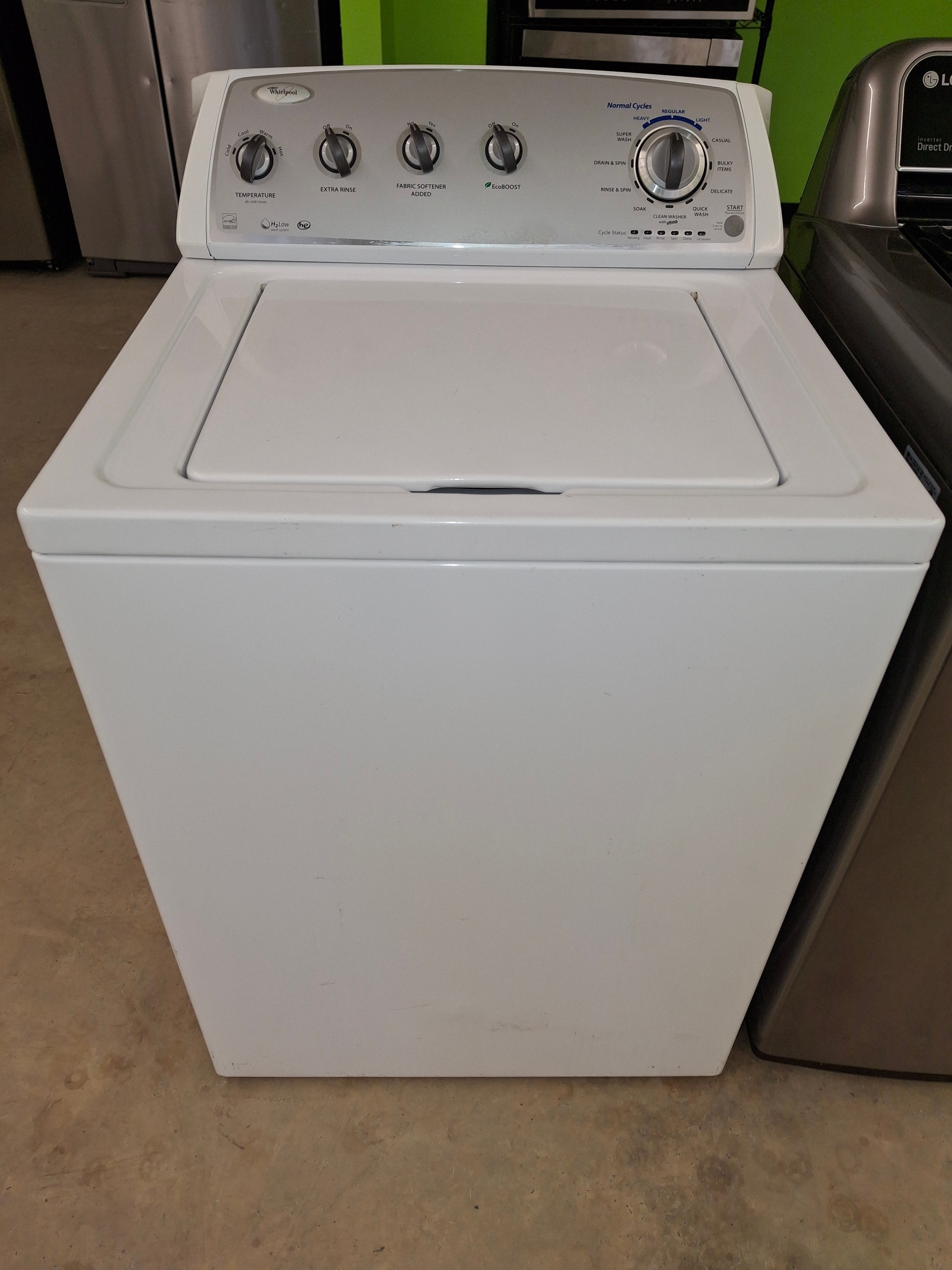
Credit: theadoutlet.com
When To Seek Professional Help
Knowing when to seek professional help for your Whirlpool WTW4800BQ0 washer saves time and prevents damage. Some problems need expert skills and tools to fix safely. Ignoring serious issues can lead to costly repairs or replace the washer. Watch for signs that suggest a technician is needed. This guide helps you decide the right moment to call a pro.
Persistent Error Codes
Error codes that stay on the display after resets mean deeper problems. Simple fixes like power cycling or checking hoses may not clear these codes. Persistent error codes often point to faulty sensors or control boards. Professional diagnosis is needed to identify and fix the root cause. Avoid guessing or ignoring these signals to keep your washer safe.
Electrical And Motor Issues
Electrical faults can be dangerous. If the washer won’t start or stops mid-cycle, it might be an electrical or motor problem. Strange noises, burning smells, or sparks require immediate expert attention. Handling electrical parts without training risks shocks or further damage. Leave motor repairs and wiring checks to certified technicians for safety.
Parts Replacement
Replacing parts like the motor, control board, or pump can be complex. Some components need special tools and careful installation. Incorrect fitting can cause leaks or operational failure. If a part is broken or worn out, a professional can ensure the correct replacement. They also test the machine after repair to confirm it works properly.
Authorized Service Options
Using authorized service centers guarantees genuine parts and trained technicians. These centers follow Whirlpool’s repair guidelines. They provide warranties on repairs and parts, giving peace of mind. Local authorized services are easy to find online or through Whirlpool’s website. Choosing authorized help protects your washer’s lifespan and value.
Frequently Asked Questions
What Is A Common Problem For A Whirlpool Washer Top Loader?
A common problem for Whirlpool top loader washers is unbalanced loads causing loud noises or failure to spin. Clogged drain pumps and faulty lid switches also often cause draining and starting issues. Regularly check load balance, clean pump filters, and ensure the lid locks properly.
Where Is The Reset Button On A Whirlpool Washer?
The Whirlpool washer reset button is not a physical button. Unplug the washer for one minute to reset it.
What’s The Most Common Whirlpool Error?
The most common Whirlpool error is the unbalanced load (“UL”) error. It occurs when clothes are unevenly distributed, causing vibration or no spin. Rearrange the load evenly to fix this issue quickly and prevent further errors.
What Are The Most Frequent Whirlpool Issues?
Common Whirlpool issues include loud noises from unbalanced loads, failure to spin or drain due to clogged pumps or lid switch faults, and machines not starting because of power or lid lock problems. Frequent error codes like ‘UL’ and ‘LD’ signal unbalanced loads or drainage issues.
What Causes Whirlpool Wtw4800bq0 Not To Spin?
The washer may not spin due to a clogged pump filter or a broken lid switch. Uneven or overloaded clothes can also stop spinning. Check and clean the filter, and ensure the lid is properly closed.
Conclusion
Troubleshooting your Whirlpool WTW4800BQ0 can save time and money. Start by checking for unbalanced loads or clogged filters. Simple fixes like cleaning the pump or redistributing clothes often solve issues. Always unplug the washer before any repair to stay safe.
Understanding common error codes helps identify problems faster. Regular maintenance keeps the machine running smoothly. With patience and these tips, you can handle most problems yourself. Keep your washer working well and avoid costly repairs.



