
You can fix most cooling issues by cleaning the condenser coils and ensuring the unit has enough space for proper airflow, which is the standard breezaire wkce 1060 troubleshooting approach for temperature fluctuations. The most common cause is dirt buildup on the coils, which prevents the unit from removing heat effectively. If your unit isn’t cooling but the fan is running, check the external vents for obstructions first.
Breezaire WKCE 1060 troubleshooting when it stops cooling

The cooling process in this cellar unit relies on a steady flow of air through the condenser coils. When dust, lint, or pet hair covers these coils, the heat can’t escape into the room. This forces the compressor to work harder, which eventually causes it to shut down to prevent overheating. If the coils are clean but the unit still struggles, consider the ambient temperature of the room where the unit is installed.
According to the Breezaire cooling unit installation guidelines, these systems are designed to operate in spaces where the ambient temperature doesn’t exceed 85 degrees Fahrenheit. If your room is hotter than this, the unit will fail to reach your target cellar temperature regardless of its condition.
Another cause involves the air intake and exhaust paths. If you have placed boxes or furniture too close to the exhaust vent, the hot air will recirculate back into the unit. This creates a feedback loop where the system constantly pulls in its own hot exhaust, making it impossible to maintain a steady climate. If you notice the fan running but no cool air entering the cellar, check for these physical blockages before assuming an internal mechanical failure.
Safety: Inside a mains-powered machine, the parts behind the outer cover can hold a dangerous electrical charge even after it has been unplugged — that’s why they sit behind a cover. Opening the housing, or testing or replacing anything behind it, is a job for a qualified technician, never a home repair.
Clear the airflow paths
The first step is to remove all obstructions from around the unit. You need at least 6 inches of clearance on all sides to allow the heat to dissipate into the room. If the unit is built into a wall or cabinet, ensure the intake and exhaust vents aren’t blocked by shelving or decorative panels.
Check the front of the unit for any debris that might be blocking the intake grille. If you see dust buildup, use a vacuum with a soft brush attachment to gently clear the surface.
Never use a stiff brush or metal tool, as these can bend the delicate fins of the condenser. If you feel warm air coming out of the exhaust vent but the cellar temperature remains high, the unit is likely working but is simply overwhelmed by the room’s heat load.
This fix is for owners who have adequate ventilation but have noticed a decline in cooling performance. If you still see no change after clearing the area, the problem may be an internal issue. If you aren’t comfortable moving the unit or if it’s mounted high on a wall, hire a professional HVAC technician to perform the inspection.
Clean the condenser coils
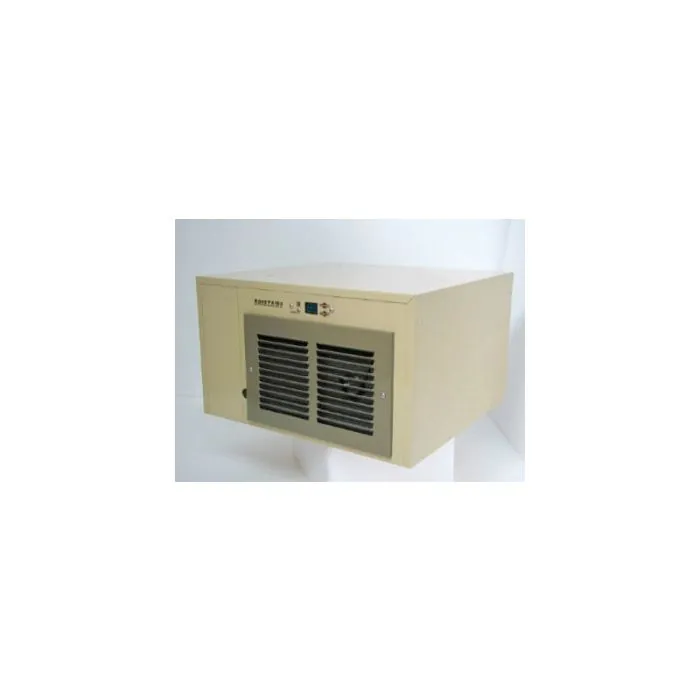
Dirty coils are the most common reason for a loss of cooling power. When the coils are covered in dust, the refrigerant can’t release the heat it absorbed from the cellar. This causes the unit to cycle on and off frequently, which is a sign of thermal protection engagement.
The compressor draws more current during each short cycle. That extra load burns through electricity faster than steady running would.
To clean the coils, turn off the power at the breaker or unplug the unit. Use a vacuum cleaner with a hose attachment to pull dust and lint out of the coil fins. If you can’t reach the coils easily because of the unit’s position, don’t attempt to force your hand or tools into narrow openings.
Bent fins block airflow just like dirt does. Slide a fin comb gently through any crushed rows to straighten them.
If the unit is located in a dusty environment, such as a garage or utility room, you should perform this cleaning every 3 to 6 months. A clean coil surface looks like bare metal, free of grey or brown fuzz.
A greasy film means dust mixed with oil vapor. Wipe those coils with a rag dampened in mild soapy water instead.
If you notice the unit makes a loud rattling noise while the fan spins, this could indicate a loose blade or a failing motor. In such cases, stop using the unit immediately to avoid further damage and contact a qualified cooling specialist for a repair.
Inspect the control settings
Sometimes the issue isn’t mechanical but rather a misconfiguration of the digital thermostat. If the unit displays a temperature that seems correct but the room feels warm, verify that the setpoint hasn’t been accidentally adjusted. A common mistake is setting the temperature too low. This forces the system into a continuous run cycle that it can’t sustain.
Check whether the control is locked in fan-only mode. Some controllers have a mode button that cycles between cooling and fan-only operation. If it lands on fan, the blower runs but the compressor never engages. The air moves without cooling.
Look at the programmed schedule if your model supports one. A time-of-day setting might be overriding your manual adjustment during afternoon hours. Disable the program temporarily to test whether the unit responds to a direct command.
Check the display for any error codes that might be flashing. Most units provide a specific code if the probe is disconnected or if the compressor has tripped a safety limit. If the screen is blank, confirm that the power outlet is receiving electricity. Plug a lamp into the same socket. If the lamp works, the issue is internal to the unit.
This troubleshooting step is for those who have confirmed the unit is getting power but isn’t cooling the air. If you find that the display is unresponsive or shows an error you can’t clear by resetting the power, don’t attempt to open the electrical housing. These systems contain high-voltage components that present a risk of electric shock. Any unauthorized internal work will void your warranty.
Mistakes that cause damage
- Blocking the exhaust vent: Placing items against the rear or side vents traps heat. The compressor overheats and fails prematurely. Leave at least six inches of clearance on every side. A unit pushed flush against a wall runs hotter within hours.
- Cleaning with water: Never spray water or cleaning solutions directly onto the unit. Moisture damages internal electronics and fan motors. Wipe surfaces with a barely damp cloth instead. If you must rinse a filter, let it dry completely before reinstalling it.
- Ignoring rattling sounds: Grinding or loud clicking noises mean trouble. Continuing to run the unit destroys motor bearings or compressor seals. Turn it off immediately when those sounds start. Waiting even one cycle can turn a cheap bearing swap into a full compressor replacement.
- Overloading the cellar: Putting too much warm product in at once exceeds capacity. This leads to ice buildup on the evaporator. Stagger large deliveries across multiple days if you need to stock up.
- Using extension cords: These units draw significant power. An undersized cord causes a voltage drop that damages the control board. Plug directly into a dedicated outlet every time.
Prevent cooling loss
| If you’re doing this | Do this instead | Why |
|---|---|---|
| Leaving vents blocked | Provide 6 inches of clearance | Allows heat to escape properly without triggering thermal cutoffs |
| Cleaning coils with water | Use a vacuum with a brush | Prevents electrical short circuits and corrosion on finned aluminum |
| Using a thin extension cord | Plug directly into the wall | Ensures consistent voltage supply and prevents dangerous cord heating |
| Ignoring dust buildup | Clean every 3 to 6 months | Maintains efficient heat transfer before compressor strain begins |
| Storing items against the unit | Keep the area clear | Prevents hot air recirculation that fools internal thermostats |
Never assume all units share identical clearance specs. Always verify manufacturer requirements first. Portable models often need more space than window units. Measure from the hottest exhaust point, not just the cabinet edge. Guessing wrong here causes premature failure.
Frequently asked questions
Can I use a pressure washer to clean the coils?
Never use a pressure washer on the unit, as it isn’t sealed against water. Liquid entering the housing will damage electrical components and the fan motor. Use a dry vacuum for dust, but hire a professional for heavy grease.
How long should the unit run before it reaches the target temperature?
The unit typically takes 24 to 48 hours to reach the target temperature in a properly insulated cellar. Loading the room with warm wine will increase this time. If it exceeds 48 hours, check your door seals and insulation.
Is it safe to leave the unit running if it makes a clicking sound?
Turn the unit off immediately if you hear clicking or grinding noises to prevent permanent mechanical failure. These sounds indicate that the compressor or fan motor is struggling. Continued operation can lead to a costly total motor burnout.
Why does the unit display a flashing temperature?
A flashing temperature indicates the unit is in a delay mode or has reached a thermal safety limit. The system includes a built-in delay to protect the compressor from short-cycling. Wait 15 minutes for the system to reset before checking for errors.
What happens if the room temperature is too high?
The unit can’t effectively cool the cellar if the room temperature exceeds 85 degrees Fahrenheit. High heat prevents the refrigerant from condensing, causing the compressor to run continuously. You must add external ventilation to keep the ambient temperature within limits.
Conclusion
If you have tried cleaning the coils and clearing the vents without success, the issue likely involves the sealed refrigerant system or the control board. At this stage, you should contact a professional refrigeration technician or the manufacturer for service. Don’t attempt to add refrigerant or open the sealed cooling system yourself, as this requires specialized tools and certification to handle pressurized gases.