You can fix most issues with your remote control through basic proflame transmitter troubleshooting by replacing the batteries and resetting the communication sync. The most common cause of a non-responsive remote is a simple loss of signal sync or depleted battery power. If your fireplace doesn’t react to button presses, start by checking the power source before assuming the unit is broken. You can verify your specific remote model and its pairing requirements on the Sit Group official product documentation.
Troubleshooting your Proflame transmitter issues
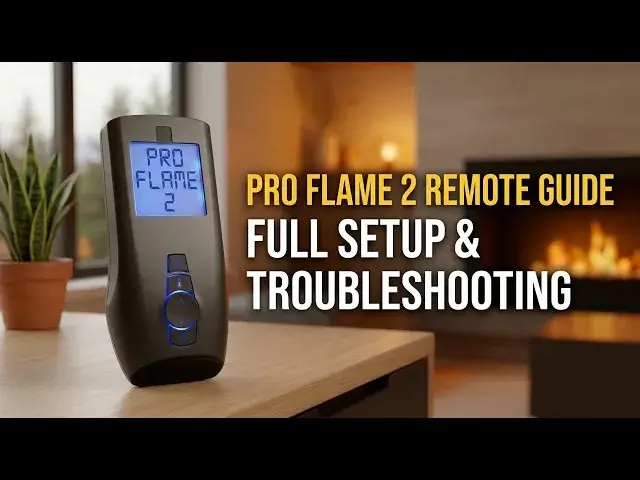
Remote controls for gas fireplaces often stop working because the signal between the handheld unit and the receiver box has been interrupted. This happens frequently after a power surge or when the batteries have been removed for an extended period. If the receiver box under your fireplace loses its memory of the remote’s unique identification code, it will ignore all incoming commands.
Another common reason for failure is the accumulation of dust or debris near the fireplace receiver. Because these units rely on radio frequency signals, any metal objects or thick obstructions placed directly in front of the receiver box can block the transmission. If your fireplace is located in a basement or a room with heavy insulation, the signal strength may also be naturally lower than in an open-concept living space.
Finally, battery chemistry plays a large role in performance. While batteries might have enough energy to power the screen on your remote, they may not have the voltage required to transmit a strong radio signal to the fireplace receiver. If you see the screen flickering or the backlight dimming when you press a button, it’s a clear sign that the internal power is too low to complete the transmission task.
Change the Batteries Properly
If your remote screen is blank or the icons look faint, the first step is to replace the existing batteries with fresh, high-quality alkaline cells. Never mix old and new batteries, as this can cause the remote to behave erratically or fail to send a signal entirely. You must ensure the positive and negative ends are seated firmly against the contacts inside the battery compartment.
If you find the remote still unresponsive, have a technician check the battery power. Batteries that are too weak will often power the LCD screen but lack the strength to transmit a radio frequency signal to the receiver. Always use fresh batteries from the same package to guarantee consistent power levels across the terminals.
Once you have inserted fresh batteries, observe the display. If the screen shows a “Lo Bat” indicator or simply fails to light up, double-check the compartment for any corrosion on the metal springs.
If you find white or blue powder on the contacts, gently wipe it away with a dry cotton swab before inserting new batteries. If the screen lights up but the fireplace doesn’t ignite, you have successfully ruled out a power issue and can move on to the synchronization process.
Reset the Signal Synchronization
To restore communication between your remote and the fireplace, you must initiate the “learn” or “sync” function on the receiver box. Locate the receiver module, which is usually a small black box placed near the gas valve inside your fireplace cabinet. Look for a button labeled “PRG” or “Program” on the face of the receiver.
Press and hold this button until you hear a series of audible beeps coming from the unit. Once you hear the beeps, immediately press the “On/Off” button on your handheld remote. If the sync is successful, the receiver will emit a confirmation tone, usually a double beep, signaling that it has accepted the remote’s code.
If you don’t hear this confirmation, release both buttons and repeat the process. Most users fail because they wait too long between the receiver beep and the remote press. You have exactly three seconds to trigger the remote before the receiver times out and exits learning mode.
If it fails after three attempts, ensure you’re standing within five feet of the receiver to eliminate any distance-related interference. If the unit still remains unresponsive, swap the batteries in both the receiver and the remote. A low-voltage battery often provides enough power to light an LED but lacks the strength to broadcast a clear signal during the handshake process. Always use fresh alkaline batteries, as rechargeable options frequently fail to meet the consistent voltage requirements of the Proflame system.
Check for Receiver Interference
Sometimes the issue isn’t the remote, but the environment surrounding the receiver. If you have recently moved furniture or placed metal decor near the fireplace, these items can act as a shield against the radio signal. Ensure there’s a clear line of sight, or at least no heavy metal obstacles, between the area where you typically hold the remote and the fireplace receiver box.
Radio waves struggle to penetrate dense materials. If you have a decorative metal screen or a heavy cast-iron surround, try operating the remote from a different angle or closer to the unit. If the system responds only when you’re within three feet of the hearth, the metal is absorbing the signal.
Check the power supply to the receiver box itself. Most receivers are connected to a wall outlet or a battery backup pack located inside the fireplace hearth. If the receiver has lost its main power source, it can’t listen for your signal.
Ensure the power cord is plugged in securely or replace the backup batteries in the receiver box, as these often drain faster than the handheld remote batteries. If you’re uncomfortable handling electrical cords or the receiver box wiring, contact a certified gas fireplace technician to perform a safety inspection.
Common Mistakes to Avoid
Using rechargeable batteries often fails because they provide a lower starting voltage than standard alkaline cells. This drop prevents the Proflame remote from reaching the signal strength required to trigger the receiver. Always stick to high-quality alkaline batteries to ensure consistent transmission.
Holding the button too long can confuse the receiver’s programming mode. A quick, firm press is all the system needs to register a command. If you press and hold, the receiver may interpret the signal as an attempt to enter a learning cycle rather than a simple on-off request.
Ignoring the “Lo Bat” warning is a common error. The remote screen might still light up, but the unit lacks the raw power to push a radio signal through the air to the receiver. Replace the batteries the moment the icon appears to avoid a total system lockout.
Forgetting to reset the receiver after a battery change leaves the system stranded. If the remote and receiver lose their handshake, the receiver continues looking for an outdated signal code. Perform a hard reset by cycling the power to the receiver box to force a fresh sync between the two devices.
How to Keep Your Remote Working
The best way to prevent future issues is to maintain a consistent power schedule and keep the receiver clear of physical obstructions. If you notice the fireplace responding more slowly than usual, it’s a sign that the signal is struggling, and you should perform a quick battery check immediately.
| If you’re doing this | Do this instead | Why |
|---|---|---|
| Leaving batteries in all year | Replace them once every season | Prevents leaks and maintains power |
| Keeping metal objects near the receiver | Clear the area around the base | Metal blocks the radio signal |
| Ignoring a dim screen | Change the batteries today | Low voltage causes signal dropouts |
| Syncing from across the room | Stand within five feet | Ensures a strong, clear signal match |
Many owners mistakenly leave the Proflame receiver tucked deep inside the metal firebox cavity. This creates a Faraday cage effect that kills signal strength. If your remote only works when held inches from the glass, move the receiver box to the outer edge of the fireplace floor.
Check the battery contacts for white, powdery corrosion every time you swap the cells. Even a tiny amount of buildup increases electrical resistance, which causes the remote to lose its sync with the receiver. If you see this residue, clean the terminals with a cotton swab dipped in white vinegar before inserting fresh batteries.
Finally, avoid mixing battery brands or combining old cells with new ones. This imbalance creates uneven voltage, which leads to erratic flame modulation or sudden, unexplained system shutdowns. Always replace the entire set at once to ensure a steady, reliable current.
Frequently asked questions
How long do the batteries in the remote last?
Under normal usage, you can expect the batteries to last for approximately six to twelve months, depending on how often you adjust the flame settings. If you use the flame height adjustment feature daily, you’ll likely need to replace them sooner. You’ll know it’s time for a change when the screen brightness drops or you notice a delay between pressing a button and the fireplace responding.
Is it safe to open the receiver box?
No, you should never attempt to open the receiver box yourself, as it contains sensitive electronic components and is connected to your gas system. If the receiver box requires internal repairs, it’s a job for a qualified gas fireplace technician. A professional can ensure all connections remain safe and meet local building codes while avoiding any risk of damaging the gas valve or the ignition system.
Why does my fireplace turn on by itself?
Unexpected fireplace activation is typically caused by signal interference or a corrupted sync code. Reset the communication link by following the synchronization steps to clear the memory. If the issue persists, the receiver module may be faulty and requires inspection by a professional service technician to ensure your home’s safety.
Can I use a universal remote for my fireplace?
No, you can’t use a standard universal remote because these fireplaces use specific radio frequencies and encrypted codes for safety. You must use the remote control provided by the manufacturer that matches your specific receiver model. Using an incompatible remote will prevent the fireplace from receiving the correct instructions, and it won’t function even if you attempt to force a sync.
What happens if the power goes out?
If your fireplace has a battery backup pack installed in the receiver, it will continue to function normally during a power outage. If you don’t have a battery backup, the fireplace will remain off until the main power is restored. You should check your owner’s manual to see if your specific model supports an external battery pack for emergency operation.
Conclusion
If your fireplace still won’t respond after these checks, don’t worry. It’s likely time to reach out to a certified technician who can inspect the receiver box inside your unit. They’ll quickly identify if there’s a deeper wiring fault, so you’re back to enjoying a cozy, warm home in no time.