If your landline is dead or the screen is blank, you can perform at&t cordless phone troubleshooting by checking the power connection and the battery seating before you look for hardware faults. The most common cause for a system failure is a simple power outage or a base unit that has been accidentally unplugged from the wall outlet. If the handset says “Searching for Base,” your phone has lost its wireless signal, which is usually corrected by power-cycling the base station.
Why your cordless phone needs troubleshooting

Most signal issues occur because the connection between the base unit and the handset is interrupted. When you move the handset too far from the base, the signal drops.
Interference from devices like Wi-Fi routers or microwaves causes the same failure. This is a common environmental factor that varies based on your home size.
Wall thickness matters too. DECT 6.0 phones operate at 1.9 GHz, which penetrates drywall easily but struggles against brick or concrete.
If your base sits near an exterior masonry wall, moving it to an interior room often restores full range.
Another frequent cause is a dead battery or a poor charge contact. Over time, metal pins on the base can become oxidized.
Battery contacts on the handset suffer the same fate. This prevents charging even if the phone looks correctly seated in the cradle.
People mistake this for a dead battery and buy a replacement. The real fix is wiping the gold contacts with isopropyl alcohol.
You can find official guidance on maintaining your device’s power levels through the AT&T product support portal.
Finally, internal software glitches can cause the unit to freeze. If the screen sticks on a menu, the processor needs a reset.
Unplug the base from the wall outlet for thirty seconds before reconnecting it. This clears the volatile memory without erasing your saved contacts.
Reset the base unit
If your phone isn’t making or receiving calls, you should reset the base station to clear its memory. First, unplug the power adapter from the wall outlet and disconnect the phone line cord from the back of the base. Remove the batteries from the handset as well. Leave the entire system disconnected for at least 60 seconds to ensure the internal capacitors have fully discharged.
After the minute has passed, plug the power adapter back into the wall outlet. Reconnect the phone line cord to the base unit, then insert the batteries back into the handset. Place the handset into the base cradle and wait for it to register with the base. You’ll know it worked if the handset screen stops flashing “Searching” and shows a clear display with a signal icon.
This fix is for users who have a device that’s currently powered on but unresponsive. If the base unit shows no lights at all even after being plugged into a confirmed working outlet, the power adapter itself may be faulty. If you don’t have a spare adapter that matches the voltage and polarity exactly, don’t attempt to force a different one into the port.
Clean the charging contacts

If your handset doesn’t hold a charge, the issue is often a buildup of dust or oils on the metal contact points. Use a dry, soft cloth to gently wipe the charging pins on the base and the corresponding metal pads on the bottom of the handset.
Never use water or liquid cleaners, as these can cause corrosion or short out the delicate electrical components inside the plastic housing. Isopropyl alcohol above ninety percent concentration is the one safe exception for stubborn grime. Apply it sparingly with a cotton swab and let the contacts dry fully before docking.
A common mistake here is pressing too hard while wiping. The spring-loaded pins in most bases bend easily under lateral pressure. If even one pin fails to retract, the handset will sit unevenly and charge only intermittently.
If the contacts appear dark or feel rough, you can lightly rub them with a clean pencil eraser to remove surface oxidation. After cleaning, place the handset back into the base and ensure it sits flush against the pins.
If the charging light doesn’t illuminate, try a different handset in the same cradle to determine if the base or the battery is the culprit. A working phone that charges fine in that cradle confirms your original battery needs replacing.
This approach is intended for standard maintenance of the charging system. If the plastic housing is cracked or you see signs of bulging in the battery compartment, stop using the unit immediately. These are signs of a damaged battery that poses a safety risk. Contact the manufacturer or a certified electronics recycler for safe disposal.
Replace the battery pack
A battery that no longer holds a charge for more than an hour of use has likely reached the end of its chemical lifespan. Most cordless phone batteries are NiMH (Nickel-Metal Hydride) and typically last between 18 and 24 months depending on usage patterns. If your phone works perfectly while sitting in the cradle but dies immediately when picked up, the battery is almost certainly the failure point.
When choosing a replacement, ensure you match the exact voltage and milliamp-hour (mAh) rating printed on your current battery pack. Using a battery with a higher voltage than specified can damage the handset’s internal circuitry. If you can’t find an exact match, check the manufacturer’s website for a compatible part number for your specific model.
A common mistake is buying a battery with a significantly higher mAh rating than the original. While it sounds like an upgrade, these batteries are often physically larger and may not fit the battery compartment or charge correctly. Stick to the manufacturer’s specified capacity to ensure the charging circuit can handle the load.
This fix is worth the effort if your phone is otherwise in good physical condition. If your handset has a cracked screen or broken buttons, the cost of a new battery may be better spent on a modern replacement system. Always follow the local regulations for recycling old batteries, as they should never be placed in your regular household trash bin. Contact your local municipal waste department to find a drop-off location for hazardous materials.
Common troubleshooting mistakes
Using a universal power adapter: These adapters often output inconsistent voltage. If your device requires 9V but the adapter pushes 12V, you risk a permanent short circuit. Always verify the polarity symbol on the base unit matches the adapter’s output exactly.
Wiping contacts with household chemicals: Standard glass cleaners contain ammonia and other chemicals that can leave conductive residues or cause corrosion on metal pins over time. Use only 99% isopropyl alcohol and a lint-free swab to ensure moisture evaporates instantly.
Ignoring the battery’s expiration: A battery that fails to hold a charge for four hours has reached its chemical end-of-life. Leaving it on a charger for days won’t restore capacity; it only stresses the internal cells, creating a fire hazard.
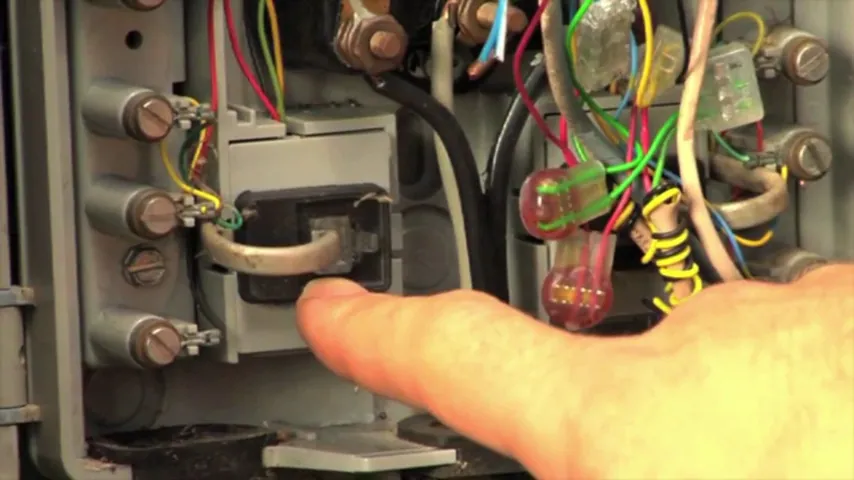
Overlooking the wall jack: Before opening the device, plug a known working phone into the same jack. If that phone also fails, the fault is your home wiring, not the hardware.
Prevent future connection drops
| If you’re doing this | Do this instead | Why |
|---|---|---|
| Placing base near routers | Keep base 3 feet away | Prevents wireless interference |
| Letting batteries drain to 0% | Return to base after use | Prevents deep discharge damage |
| Using a cheap power strip | Plug directly into wall | Ensures steady power flow |
| Keeping handset in humid areas | Store in a dry, cool room | Humidity ruins internal sensors |
Most people treat the three-foot rule as a rough guess. It’s actually a practical minimum distance to reduce interference from the router’s omnidirectional signal. Put your base closer and the router’s strong signal can still cause electromagnetic interference with the phone’s receiver. You’ll hear static or lose calls entirely during heavy network traffic.
Cheap power strips often lack voltage regulation. A brief voltage sag forces the base to reboot its connection handshake. That takes up to thirty seconds of dead air on an active call.
Deep discharge is the mistake that costs the most money.
Frequently asked questions
Can I use my cordless phone during a power outage?
No, most cordless phones require the base unit to be plugged into an electrical outlet to function. Even if the phone line itself carries a signal, the base can’t process or transmit that signal to the handset without power. If you need a phone that works during a blackout, you must keep a corded, non-electric telephone plugged into a wall jack as a backup.
How long should the initial battery charge take?
The initial charge for a new battery pack typically takes 12 to 16 hours to reach full capacity. You should leave the handset in the base unit undisturbed for this entire period before using it for the first time. If you use it before the cycle completes, the battery may report a false low-charge state or fail to hold a consistent charge in the future.
Why does my phone say “Out of Range”?
This message means the handset has lost its digital handshake with the base station. This happens if you walk too far away, or if a physical obstruction like a thick brick wall blocks the radio frequency. Try moving the handset closer to the base; if the error persists, perform a power cycle of the base unit to force it to re-establish the wireless link.
Is it safe to leave the phone on the charger all the time?
Yes, modern cordless phone bases are designed to manage the charging process and won’t overcharge the battery. You should return the handset to the cradle whenever it isn’t in use to ensure it’s always ready for a call. The only exception is if you notice the handset becoming abnormally hot to the touch, which indicates a potential battery or charging circuit fault.
What happens if I use the wrong battery type?
Using a battery with a different chemistry or voltage can lead to poor performance, shortened battery life, or permanent damage to the charging circuit. The phone’s charging logic is calibrated for the specific chemistry of the original battery, usually NiMH. Substituting a different type can prevent the base from correctly detecting when the battery is full, leading to an overheating hazard.
How do I know if the phone line is the problem?
You can verify the line by plugging a basic corded phone into the same wall jack and checking for a dial tone. If the corded phone also has no dial tone, the issue is with your service provider or the home wiring rather than the cordless phone itself. In this case, you should contact your telephone service provider to report a service outage.
Conclusion
If your handset still won’t connect after trying these fixes, it’s time to reach out for help. Call AT&T support or visit a local store so a technician can test the base unit. They’ll figure out if you need a replacement part or a brand-new system.