
A blank screen or a system that won’t respond is the most common issue you’ll face, and bryant thermostat troubleshooting starts by checking the batteries or the circuit breaker before touching any wires. Dead batteries cause most sudden black screens on battery-powered models. A tripped breaker stops wired units from getting power. If your display is dark, swap in two fresh AA batteries first. If it’s hardwired, check your home’s electrical panel for a flipped switch. That single step fixes the problem without tools or extra cost.
Why a Bryant thermostat goes blank or unresponsive
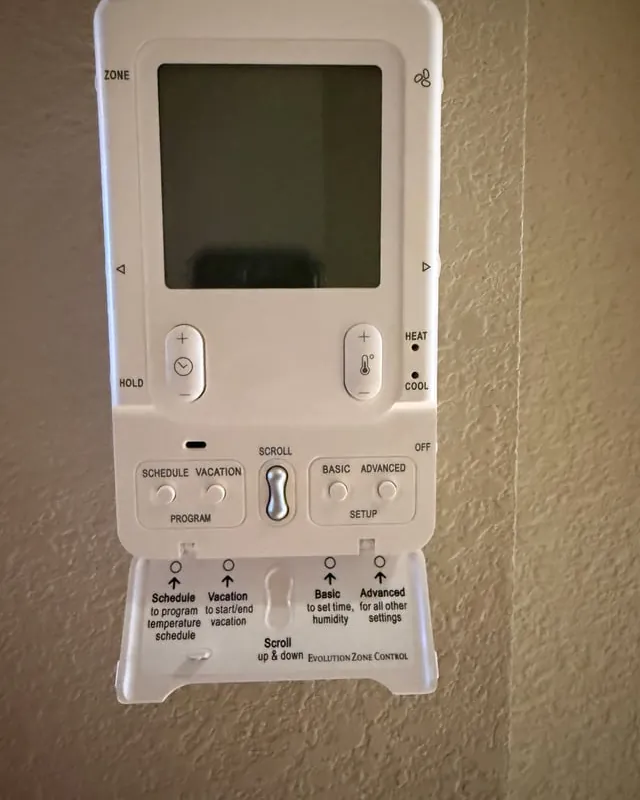
Three things usually stop a Bryant thermostat from working. The first is dead batteries. When they drain completely, the screen dies and the furnace won’t start. This happens slowly, but the final drop can look sudden if you aren’t watching the low-battery icon.
The second cause is lost mains power. Hardwired thermostats pull low-voltage power straight from your HVAC control board. If the breaker for your furnace or air handler trips, the thermostat loses its only power source. You’ll see a blank screen even though the unit has no batteries to replace.
The third reason is a dirty or loose connection. Dust builds up behind the faceplate over time. It coats the metal pins that link the wall plate to the main body. A loose wire at the base does the same thing. Both break the electrical path.
If the screen lights up but ignores your taps, the software may have frozen. A quick reset clears that glitch. Don’t guess which part failed. Check the batteries, then the breaker, then the pins. Stop there. Opening the furnace panel or testing internal wiring with a meter risks a shock, because components inside the HVAC unit can retain an electrical charge even when unplugged. Leave those steps to a licensed technician.
Replace the batteries in the wall unit
This fix is for battery-powered models that show a blank screen or a flashing low-power warning. You don’t need tools. Pull the thermostat body gently away from the wall plate. It usually snaps off with light pressure from the bottom edge. Turn it over to find the battery compartment.
Take out the old AA batteries. Put in two brand-name alkaline cells. Don’t use rechargeable ones. Their lower nominal voltage can cause the thermostat to read them as depleted and shut down early. Match the plus and minus marks exactly. Snap the unit back onto the wall plate until you hear a click.
Wait about 30 seconds. The screen should wake up and show your set temperature. If your model needs programming after a power loss, enter your schedule again using the arrow keys.
If the screen stays dark with fresh batteries, the problem isn’t the power cells. The metal contacts inside the slot might be bent or corroded. Look closely at them. If one is pushed flat, you can bend it slightly forward with a wooden toothpick. Don’t use a metal tool for this.
If bending the pin doesn’t work, the unit itself is likely broken. You’ll need a replacement. You can check your exact model number on the Bryant thermostat support page to confirm which type your system uses.
Reset the breaker for the HVAC system
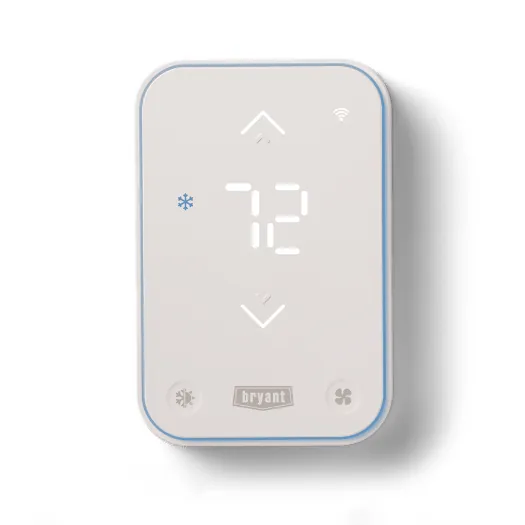
Use this method when your thermostat is hardwired and the screen suddenly goes blank. Hardwired units don’t have batteries. They get low-voltage power directly from your furnace or air handler, which a technician must measure. When that power drops, the screen dies.
Walk to your home’s main electrical panel. Look for the breaker labeled “furnace,” “HVAC,” or “air handler.” If the switch sits in the middle instead of fully on or off, it tripped. Push it firmly to the off position first. Then flip it all the way back to on.
Go back to the thermostat. Give it 60 seconds to boot up. Digital screens take a moment to restart, just like a phone. If the numbers appear, you’ve fixed it.
If the breaker trips again right away, stop flipping it. A repeated trip means a short circuit somewhere in the wiring. Pushing it back on over and over can damage the control board inside your furnace. That turns a simple fix into a costly repair.
This is also where you must draw a line. If the thermostat wakes up but won’t turn on the heat, the issue might be inside the furnace itself. Checking the control board or measuring voltage at the terminals requires professional training. Call an HVAC technician to handle anything past the breaker box safely.
Clean the pins and reseat the faceplate
This fix takes more effort, so save it for cases where fresh batteries and a good breaker didn’t solve the problem. Dust and grime block the electrical connection between the wall plate and the thermostat body. Over months, this buildup stops signals from passing through.
Pull the faceplate straight off the wall mount. Look at the row of metal pins on the back. If they’re covered in grey dust, clean them. Use a dry cotton swab to wipe each pin gently. Don’t spray cleaner directly onto the electronics. Liquid seeps into the gaps and ruins the circuit board.
While the faceplate is off, look at the wires connected to the wall plate. Each wire should sit tight under its screw terminal. If one looks loose, don’t pull it out further. Just make sure it hasn’t slipped free entirely.
Push the faceplate back onto the mount. Press evenly around the edges until it clicks. An uneven fit leaves some pins floating without contact.
Here’s the honest limit: the exact voltage reaching your thermostat varies by your specific HVAC transformer, and you can read your own value off the label printed on the furnace control board. If cleaning the pins doesn’t restore power, the wall plate itself might be cracked. Replacing it means dealing with low-voltage wiring, which is best left to a pro.
Bad advice that breaks Bryant thermostats
People try shortcuts that end up costing more than calling a technician early. Here are the worst habits to avoid.
- Taping batteries to force a connection. Some wrap electrical tape around loose batteries to keep them in place. Tape leaves sticky residue on the contacts. That residue blocks electricity worse than the original dust did.
- Spraying household cleaners on the screen. Windex or all-purpose sprays contain ammonia and water. Ammonia eats the anti-glare coating off the display. Water drips down into the buttons and shorts the board underneath.
- Flipping the breaker repeatedly to “force” a reset. If a breaker trips twice, something is shorted. Forcing it on a third time sends excess current through the HVAC control board. Replacing that board costs far more than a service call.
- Pulling wires out to clean behind the plate. Yanking the thermostat off the wall without pressing the release tab bends the mounting pins. Once those pins warp, the unit won’t sit flush again. You’ll lose connection every time the house vibrates.
- Swapping a smart model for a basic one without checking compatibility. Newer Bryant systems often need a common wire for Wi-Fi thermostats. Hooking up a basic four-wire unit to a board expecting five leaves the system unable to communicate properly.
How to keep your Bryant thermostat running
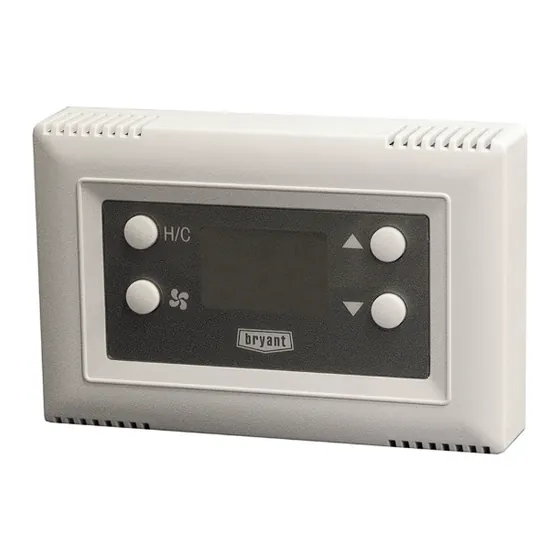
Small habits prevent most sudden failures. Follow these swaps to keep the screen on and the system responding.
| If you’re doing this | Do this instead | Why |
|---|---|---|
| Waiting for the screen to die | Changing batteries every fall | Prevents mid-winter shutdowns when you need heat most. |
| Wiping the screen with wet cloth | Using a dry microfiber cloth | Stops liquid from leaking behind the buttons and ruining the board. |
| Ignoring the low battery icon | Swapping cells within a week | The icon means you have days left, not months. |
| Mounting the unit near a lamp | Placing it on an interior hallway wall | Heat from lamps tricks the sensor into shutting off the furnace early. |
| Leaving the faceplate slightly loose | Pressing until you hear a firm click | Loose plates disconnect the pins during normal wall vibrations. |
| Painting the wall with the unit attached | Removing the faceplate before painting | Paint seals the pins and blocks the electrical connection permanently. |
Changing batteries before winter starts is the easiest trade-off you’ll make. You spend a few dollars now to avoid waking up freezing in January. Who this is NOT for: renters who aren’t allowed to touch the electrical panel should skip the breaker steps and notify their landlord immediately instead.
Frequently asked questions
Why is my Bryant thermostat screen blank?
A blank screen usually means dead batteries or a tripped breaker. Battery models need two fresh AA cells. Hardwired models lose power when the furnace breaker flips off. Check the batteries first if your unit takes them. If it doesn’t, walk to your electrical panel and look for a tripped switch. Don’t open the wall plate to look for broken parts yourself.
How long do Bryant thermostat batteries last?
Two standard alkaline AA batteries typically last 8 to 12 months. That assumes normal use without constant Wi-Fi syncing. Smart models that stay connected to an app drain faster, sometimes in six months. Rechargeable batteries don’t last as long per charge. Swap them once a year before heating season begins to avoid surprise shutoffs.
Can I reset my Bryant thermostat myself?
Yes, you can reset it by removing the batteries or flipping the breaker. Take out the batteries for 30 seconds, then put them back in. For hardwired units, turn the HVAC breaker off for one minute. This clears frozen software glitches. If the screen stays blank after a reset, the problem is hardware, and you’ll need a technician.
Is it safe to pull the thermostat off the wall?
Yes, pulling the faceplate off the wall mount is safe for battery changes or cleaning. Most Bryant models snap off with gentle upward pressure from the bottom. Don’t yank it straight out. Pulling too hard bends the metal pins or rips the low-voltage wires from the wall plate. Always press the release tab if your model has one.
What happens if I wire it wrong?
Wiring it wrong can blow the fuse on your furnace control board. The R wire carries low-voltage power that only a technician should test. Touching it to the wrong terminal sends power where it shouldn’t go. This shuts down the whole HVAC system. Fixing a blown board requires a licensed technician. Never guess where a wire goes based on color alone; always match the letter labels.
Why does my Bryant thermostat keep losing settings?
It loses settings when power drops briefly. A weak battery causes micro-shutdowns you don’t notice until the clock resets. A loose wire at the wall plate does the same thing. If it forgets the schedule, replace the batteries first, as how often this is needed depends on use and the owner’s manual is the authority. If that fails, the internal memory chip is wearing out and the unit needs replacing.
How much does a replacement Bryant thermostat cost?
Prices range widely based on features. Basic non-programmable models cost less, while Wi-Fi smart thermostats cost significantly more. Installation adds labor fees if you hire a pro. You can check current retail prices on Bryant’s official site or ask a local dealer for a quote.
Conclusion
Every thermostat has a breaking point where cleaning and resetting won’t help. If the screen stays dark after fresh batteries and a checked breaker, the internal board is likely dead. At that stage, buying a new unit or calling an HVAC technician saves you from chasing a problem that’s already finished. Keep the spare batteries in a drawer, check the breaker when the lights flicker, and leave the wiring to someone with the right tools.