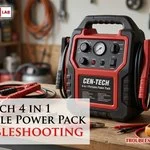
Most cen-tech 4 in 1 portable power pack troubleshooting starts with checking the internal battery’s charge state and the AC adapter connection, since a depleted cell or loose input cable causes nearly every failure. If the unit won’t turn on, plug it into a known-good outlet for at least four hours using the original charger; if lights flash but no power comes out, reset the overload button. The most common cause is simply deep discharge from long storage without maintenance charging.
Why your Cen-Tech power pack fails
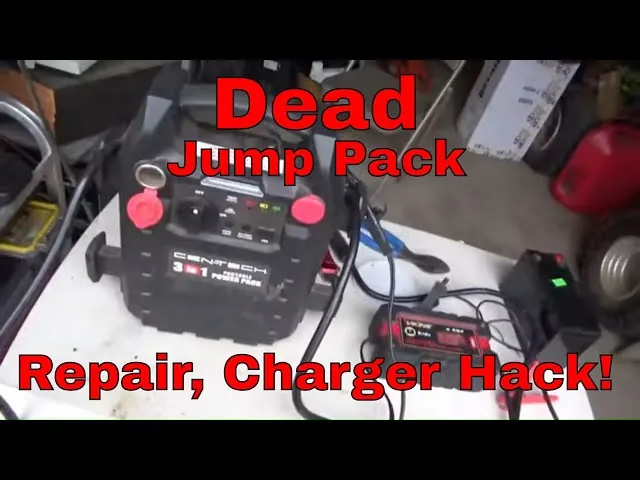
These units combine a jump starter, air compressor, DC outlet and LED light into one sealed case, and each function draws from the same internal lead-acid or lithium battery. When the pack stops working, the problem usually traces back to three specific issues that don’t require opening the housing.
Deep discharge is the primary culprit, especially when the unit sits unused for months without a maintenance charge. Lead-acid batteries sulfated below 50% capacity often can’t accept a full recharge, while lithium cells may trigger an undervoltage lockout that mimics total failure.
Overload protection trips are the second major cause. The built-in circuit breaker disables all outputs when combined draw exceeds the unit’s rated limit, which happens easily when running the compressor and USB ports simultaneously. This safety feature prevents damage but leaves users thinking the device is broken.
You’ll find the reset button near the output ports on most models, though its exact location varies by production year. Check your specific model’s manual on the Harbor Freight support page for the precise spot.
Charger or cable faults account for most remaining failures. The proprietary AC adapter or cigarette lighter cable can develop internal breaks that aren’t visible outside. A damaged cable delivers partial voltage, causing slow charging or intermittent operation. Before assuming the battery is dead, test with a replacement charger matching the original’s voltage and amperage specs printed on the unit’s label. Using mismatched chargers risks permanent damage or fire, so never substitute without verifying compatibility first.
Safety: Inside a mains-powered machine, the parts behind the outer cover can hold a dangerous electrical charge even after it has been unplugged — that’s why they sit behind a cover. Opening the housing, or testing or replacing anything behind it, is a job for a qualified technician, never a home repair.
Charge the battery fully before testing
This fix targets units showing no lights, weak compressor performance, or inability to hold charge after brief use. It’s specifically for packs stored over 30 days without maintenance charging or those recently purchased from discount bins where shelf time is unknown. If your unit displays solid green indicator lights and powers accessories normally, skip this section — your battery isn’t the issue.
Connect the original AC adapter directly to a wall outlet, avoiding power strips or extension cords that introduce voltage drop. Allow exactly 12 hours of uninterrupted charging for lead-acid models or 6 hours for lithium variants, regardless of what the indicator shows early on. The onboard gauge often reads full before the battery reaches true capacity, particularly in older units with degraded cells. After the timed charge completes, disconnect power and wait 30 minutes before testing any function.
Test by running the LED light continuously for 10 minutes, then attempting a single compressor cycle lasting under 60 seconds. If both complete without dimming or shutdown, the battery has recovered enough for normal use. If the light dims immediately or the compressor stalls, the battery has suffered irreversible sulfation or cell failure.
At this point, replacement is necessary — continued charging attempts won’t restore capacity and risk overheating. Note that battery lifespan depends heavily on usage patterns and storage conditions; there’s no universal hour count that predicts failure across all units.
Reset the overload protection circuit
Use this method when your power pack shows active indicator lights but delivers no output to accessories, or when it shuts down mid-operation during high-draw tasks like tire inflation. This fix addresses tripped internal breakers caused by exceeding the unit’s combined wattage rating, not battery depletion. If your unit displays no lights at all even after confirmed charging, the overload circuit isn’t your problem — return to battery diagnostics instead.
Locate the red or black reset button positioned adjacent to the DC output port or cigarette lighter socket on your specific model. Press firmly until you feel or hear a distinct click, which confirms the mechanical breaker has reseated. Some newer lithium-based units lack physical buttons and auto-reset after 60 seconds of rest; consult your model’s documentation if no button is visible. After resetting, wait a full two minutes before reconnecting any load to allow internal capacitors to stabilize.
Reconnect only one accessory at a time, starting with low-draw devices like phone chargers before testing higher-demand functions. Run each item independently for 30 seconds to verify stable operation before combining loads. The trade-off here is convenience versus safety: running multiple high-wattage devices simultaneously will trip the breaker again, as the protection circuit can’t distinguish between legitimate overload and fault conditions.
If the breaker trips repeatedly with single, rated loads connected, the internal wiring or switch contacts have failed and professional service is required. This fix doesn’t apply to units with burnt smells, visible scorch marks, or swollen cases — those indicate component-level damage beyond user repair.
Test with a known-good replacement charger
This approach isolates charging system failures when the battery tests good but won’t accept charge, or when charging takes abnormally long despite correct timing. It’s worth the effort only if you’ve already ruled out deep discharge and overload trips through the previous fixes. Skip this step if your unit charges normally but fails during output — charger issues don’t cause operational failures once the battery is full.
Identify your exact model number from the label on the unit’s back or bottom, then source a replacement AC adapter matching both voltage and amperage specifications precisely. Harbor Freight sells official replacements for current models, but discontinued units may require third-party suppliers. For 12V car charger cables, verify the fuse inside the plug hasn’t blown by unscrewing the tip and inspecting the glass element.
Connect the replacement charger and monitor the charge indicator for the first 30 minutes. A functioning charger should trigger immediate response from the status LEDs; no change after half an hour confirms the original charger was faulty. If the new charger works but the old one doesn’t, discard the defective unit rather than attempting repair — opened chargers pose shock hazards and lack user-serviceable parts.
The honest limit here is that charger testing only diagnoses input-side problems; if both original and verified-good replacement chargers fail to initiate charging, the fault lies in the power pack’s internal charging circuitry, which requires manufacturer service or unit replacement depending on warranty status and repair cost.
Common mistakes in Cen-Tech 4-in-1 portable power pack troubleshooting
- Leaving the unit plugged in indefinitely after reaching full charge damages lead-acid batteries through overcharging, causing electrolyte loss and plate corrosion that permanently reduces capacity.
- Attempting to jump-start vehicles larger than the unit’s rated engine size forces excessive current draw that can melt internal connections or weld relay contacts shut, creating fire risk.
- Storing the power pack in freezing temperatures can damage a deeply discharged lead-acid battery whose electrolyte has thinned, and charging lithium cells while they’re below freezing can cause irreversible plating.
- Using undersized or damaged USB cables can introduce excess resistance that generates heat at connection points, potentially melting ports.
- Ignoring unusual sounds, burning odors, or case swelling while continuing to operate the unit risks thermal runaway in lithium models or acid leakage in lead-acid variants, both presenting serious safety hazards.
Prevent future Cen-Tech power pack failures
Small habits determine whether these units last years or fail within months, and prevention costs nothing compared to replacement. Establishing a maintenance routine based on your actual usage pattern matters more than following generic advice meant for different battery chemistries or duty cycles.
| If you’re doing this | Do this instead | Why |
|---|---|---|
| Storing fully discharged for months | Charge to 80% before storage, recharge every 90 days | Prevents sulfation in lead-acid and undervoltage lockout in lithium cells |
| Running compressor until tank empties | Limit cycles to 60 seconds with 2-minute cool-down | Avoids thermal overload that degrades motor windings and trips breakers |
| Testing jump starter on running engine | Connect only to stalled engines with ignition off | Prevents exposure to alternator voltage spikes and accidental short circuits |
| Leaving accessories plugged in when idle | Disconnect all loads when not actively using | Eliminates parasitic drain that slowly depletes battery below safe thresholds |
Frequently asked questions
How long does a Cen-Tech power pack battery last?
Typical lifespan varies by model, assuming consistent maintenance and moderate use. Your actual lifespan depends entirely on storage conditions, discharge depth per cycle, and ambient temperature exposure. There’s no guaranteed duration because usage patterns vary too widely; check your battery’s health by measuring voltage under load rather than relying on age alone.
Can I replace the battery inside my Cen-Tech power pack myself?
No, opening the sealed housing voids the warranty and exposes you to shock hazard from charged capacitors and potential acid contact. Battery replacement requires proper disposal of hazardous materials and calibration of the charging circuit afterward. Contact Harbor Freight customer service or an authorized repair center for battery replacement options specific to your model number.
Why does my power pack beep continuously when plugged in?
Continuous beeping indicates either a charging fault or battery failure that the unit’s protection system has detected. First verify your charger matches the exact voltage and amperage specs on the unit’s label; mismatched chargers trigger this alarm. If the correct charger still causes beeping, the battery has likely failed internally and needs professional assessment. Don’t ignore this warning by unplugging and continuing use.
Is it safe to leave my Cen-Tech power pack charging overnight?
Yes, modern units include charge controllers that prevent overcharging when using the original equipment charger. However, this assumes your unit’s protection circuitry is functional and the charger is undamaged. Older lead-acid models without smart charging shouldn’t exceed 12 hours unattended. Always place the unit on a non-flammable surface away from bedding or curtains during extended charging sessions.
What happens if I use my power pack while it’s charging?
Nothing dangerous occurs electrically, but simultaneous charging and discharging generates excess heat that accelerates battery degradation. The unit prioritizes charging over output, meaning accessories may receive reduced power or operate intermittently. For best results and longest battery life, complete charging before using any functions. Reserve pass-through use only for emergencies where waiting isn’t possible.
How often should I charge my power pack if rarely used?
Charge your battery regularly regardless of indicator readings, as self-discharge continues even when powered off. Maintenance frequency depends on your specific usage, so consult the owner’s manual for the authoritative schedule. Set a reminder rather than trusting memory, since voltage meters don’t reveal damage that accumulates during extended idle periods.
Why won’t my power pack jump start my car anymore?
Your battery may lack the cranking amps to start your vehicle, even if it still powers lights and USB ports. Jump starting requires peak current that aged batteries often can’t sustain. If your vehicle fails to start, the battery likely needs replacement regardless of other functions working normally.
Conclusion
If none of these steps restore your unit’s function and it’s beyond warranty, compare the cost of professional repair against purchasing a new unit — labor often exceeds half the price of a replacement, making repair economically impractical for most home users.