You can fix most issues with your motorized window treatments through simple somfy troubleshooting steps like checking your power source and resetting the remote control. Most problems arise from a dead battery in the transmitter or a loss of power to the motor itself. When the motor doesn’t respond to your remote, the first step is always to verify that the device is receiving electricity. If the motor is battery-powered, replacing the batteries is usually the only action needed to restore function.
Troubleshooting your Somfy motor issues
The most common cause for a motor to stop responding is a simple loss of power. If your system uses a plug-in transformer or a hardwired connection, check the breaker panel in your home to ensure the circuit hasn’t tripped. For battery-powered motors, the internal cells often lose charge over time, which prevents the signal from reaching the motor head. You can find specific details on your motor type in the Somfy support documentation.
If the motor hums but doesn’t move, check for physical obstructions in the tracks. Debris or a jammed slat can trigger the motor’s torque sensor, forcing an immediate stop to prevent damage. Clear the path manually and attempt a reset.
Another frequent issue is a communication error between the transmitter and the receiver. This happens if the remote signal is blocked by large metal objects or if the remote has become de-synchronized from the motor’s internal memory. If you recently changed your home Wi-Fi or moved furniture, the signal path might be obstructed.
If the remote LED fails to light up when pressed, the remote battery is the culprit rather than the motor itself. Replace the battery and test again.
Finally, extreme heat or cold can cause the motor’s thermal protection to engage. This is a safety feature that prevents the motor from overheating during heavy use. If this occurs, the motor will stop moving until it cools down to a normal operating temperature, which usually takes about 15 to 30 minutes.
Check the power supply first
If your motor is completely unresponsive, begin by checking the power source. If you have a plug-in motor, ensure the power cord is pushed firmly into the wall outlet. If the outlet is controlled by a wall switch, make sure that switch is in the “on” position.
For battery-powered units, replace the batteries with a fresh set of high-quality lithium batteries. Don’t mix old and new batteries, as this can cause performance issues or leak fluids that damage the battery compartment.
If you have a rechargeable battery pack, plug it into the charger for at least 4 hours. Once the light on the charger turns green, try the remote again. If the motor still doesn’t move, look for a small LED light on the motor head. If this light doesn’t blink when you press the button on the remote, the motor is likely not getting power.
If you’re comfortable working with electrical components, you can inspect the wiring for loose connections. However, if the wiring is hidden inside the wall or if you’re unsure about the electrical setup, stop immediately. Don’t attempt to open the motor housing yourself, as this will void your warranty and could lead to electrical shock. Contact a licensed electrician or an authorized window covering professional to handle internal electrical repairs.
Reset your remote and motor
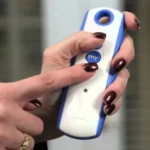
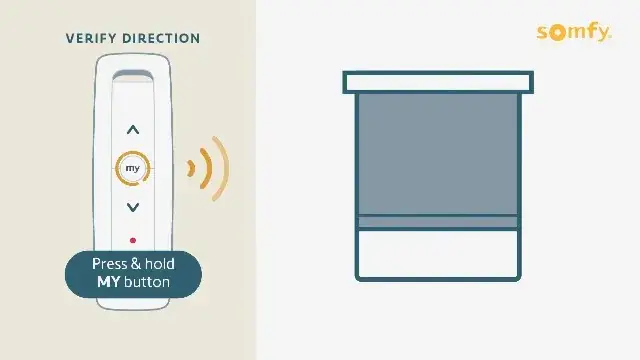
If the power is fine but the shade won’t move, you may need to re-pair your remote. Start by finding the programming button on the back of your remote or on the motor head. Press and hold this button until the motor jogs, which is a quick up-and-down movement. This indicates that the motor is in pairing mode and ready to accept a new signal. Once the motor jogs, press the programming button on your remote again to link it.
If you have multiple remotes, ensure you’re using the one designated for that specific window. A common mistake is trying to control a shade with a remote that was never linked to it, or one that has been programmed to a different channel. If you have a multi-channel remote, check that you have selected the correct channel number before trying to operate the shade.
If the motor still doesn’t respond after these steps, the memory might be corrupted. In this case, you must perform a factory reset by holding the programming button on the motor head for at least 10 to 15 seconds until the motor jogs three times. This will erase all saved remotes, and you’ll need to re-program your limits and transmitters from the beginning.
Troubleshoot signal interference
When your remote works only when you stand very close to the window, you likely have signal interference. Large appliances, metal frames, or other wireless devices like baby monitors can disrupt the radio frequency signal. Try moving other electronic devices away from the motor area to see if the range improves. If you have a wall-mounted transmitter, ensure it isn’t located behind a large piece of furniture or a metal curtain rod, as these materials block the signal.
If you recently added a smart home hub, ensure it isn’t placed directly next to the motor. Sometimes, having too many wireless signals in one small area creates “noise” that prevents the motor from hearing the command. If the issue persists, try changing the position of your remote antenna if your model has an external one. If you have a large home, you might need a signal repeater to reach windows that are far from your primary control point.
Note that signal strength varies based on the building materials in your walls; a home with thick brick walls will require a much stronger signal than a home with simple drywall. If you can’t find a clear line of sight or a path for the signal, consult a professional installer to discuss signal boosters or wired control options.
Common mistakes to avoid
If the shade is stuck on a physical object, stop using the remote immediately. Forcing the motor against a physical obstruction causes internal heat buildup that can permanently burn out the winding.
Never disassemble the internal gears or electronics. These housings are sealed for a reason; opening them creates a fire risk and voids your manufacturer warranty. If the unit fails, contact a certified technician rather than attempting a DIY repair.
Use only high-quality, name-brand lithium batteries. Cheap cells often provide inconsistent voltage, which causes the motor to behave erratically or drop its programmed limits. If your shade moves in short, jerky increments, swap the batteries before assuming the motor is faulty.
If the motor doesn’t jog during a reset, you’re likely not holding the button long enough. You must hold the reset button for exactly five seconds until the motor jogs once, then release it. If it still fails to respond, check your power source.
Maintain your motorized system
To keep your window treatments running smoothly, perform checks based on your specific usage patterns. Consult your owner’s manual for the recommended maintenance schedule. If your shade moves slower than normal, it’s a sign that the battery is low or the fabric is catching on the track.
When you notice a stuttering movement, check the track for small obstructions like dead insects or loose threads. If the shade stops halfway, the motor has likely reached its thermal limit. Wait fifteen minutes for it to cool down before trying again.
| If you’re doing this | Do this instead | Why |
|---|---|---|
| Using the remote from far away | Stand within 5 feet of the motor | Ensures the signal is strong enough for pairing |
| Mixing old and new batteries | Use a full set of new batteries | Prevents voltage drops and potential leaks |
| Pulling on the shade manually | Use only the remote control | Avoids damaging the internal drive gears |
| Ignoring a slow-moving shade | Check the battery charge level | Low voltage causes the motor to fail prematurely |
If you hear a grinding noise, stop operation immediately. This usually indicates that the crown or drive wheel has slipped out of alignment. Forcing the motor to push through this friction will strip the internal gears, turning a simple adjustment into a full replacement.
Frequently asked questions
How long do the batteries last in my motor?
Batteries typically last 6 to 12 months, depending on shade size and usage frequency. Frequent daily operation will drain the battery faster than occasional use. If motor movement becomes sluggish or stops mid-travel, it’s time to replace or recharge the power source.
Can I fix a motor that makes a grinding noise?
No, you should stop using the motor immediately if you hear grinding, as this indicates a mechanical failure of the internal gears. This issue isn’t user-serviceable and requires a professional to replace the internal components or the entire motor unit.
How do I know if my remote is broken?
You can confirm if your remote is broken by checking the indicator light when you press any button. If the light doesn’t turn on, the battery inside the remote is likely dead or the remote hardware has failed. If the light turns on but the motor doesn’t react, try using a secondary remote that you know works to see if the problem is with the transmitter or the motor itself.
Is it safe to reset my motor?
Yes, it’s safe to reset your motor, but this will erase all current settings including your upper and lower limits. You’ll need to manually reprogram the stop points after the reset. Please consult the instruction manual for your specific model, as programming processes vary.
What happens if the power goes out?
If your system is hardwired, the motor won’t respond until power returns, though battery-backed motors will operate until depleted. Most motors are designed to remain in their current position during an outage, so your shades won’t move on their own when electricity is restored.
Conclusion
If these simple checks don’t get your shades moving again, don’t worry. It’s likely time to reach out to a professional installer who can inspect the internal wiring for you. They’ll help you get everything running smoothly, so you can enjoy your home’s comfort without any more frustration.