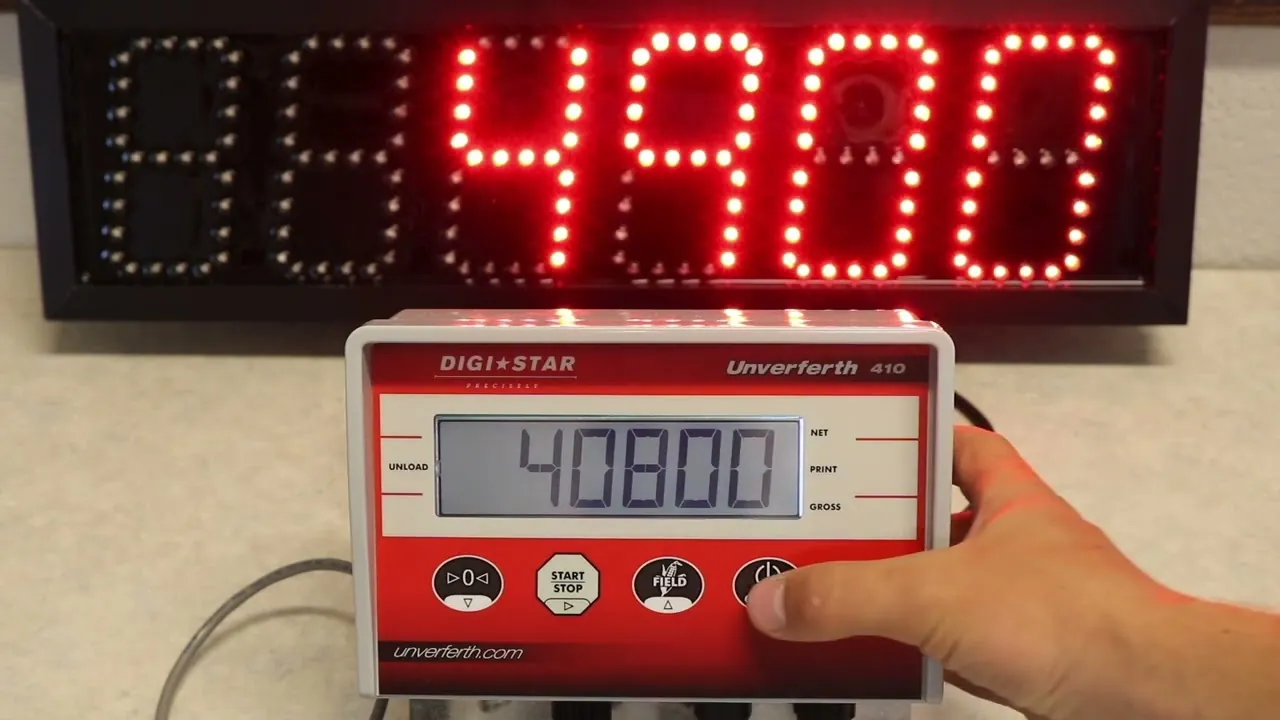
You can fix most display errors or weight inaccuracies by performing simple digi-star scale troubleshooting steps, starting with a basic power cycle and cable check. The most frequent cause of an incorrect reading is a damaged load cell cable or a loose connection at the indicator port. If your scale shows a constant error code or displays “0” even when loaded, check your wiring connections first. You can find official guidance on sensor maintenance through the Digi-Star support resources provided by the manufacturer.
Fixing inaccurate Digi-Star scale readings
Scale systems often lose accuracy due to physical debris or environmental interference rather than internal component failure. When heavy equipment sits on a scale for long periods, mud, ice, or stones can build up between the frame and the weighing platform. This buildup acts as a bridge, preventing the load cells from moving freely. If the platform can’t move, the weight sensor can’t detect the true force of the load.
Another common cause is electrical noise or poor grounding. These indicators are sensitive to voltage fluctuations, especially when used near large motors or welding equipment. If your display flickers or shows random numbers when no weight is added, the system is likely picking up electromagnetic interference. Always ensure your power supply is clean and that the indicator is properly grounded to the frame.
Finally, moisture ingress is a frequent culprit for erratic behavior. While these units are built for rugged environments, water can eventually seep into junction boxes or cable connectors. If you see signs of oxidation or green corrosion on your plug pins, the signal is likely shorting out. If you’re unsure if your unit is still within its operational specs, refer to the manual for your specific model to identify the correct voltage ranges and environmental limits.
Inspect the load cell cables
You should start by inspecting every cable running from your load cells to the junction box and the main indicator. Look for cuts, frayed wires, or spots where the insulation has worn away from rubbing against the metal frame. If you find a damaged section, you must replace the cable, as spliced wires often introduce resistance that throws off the weight calibration.
After checking the exterior, inspect the connectors at the indicator port. Even if the plug looks tight, unscrew it to look for bent pins or debris inside the socket. If the pins are clean, use a contact cleaner to remove any dust or film. If you have multiple load cells, try unplugging one at a time to see if the error disappears, which helps you isolate a faulty sensor.
This fix is intended for users who are comfortable handling basic electrical plugs and inspecting wiring. If you find that the internal circuit board has signs of burning or if the cable damage is inside the sealed housing, stop immediately. You should then contact a certified scale technician, as opening the internal housing may void your warranty or lead to further hardware failure.
Reset the indicator settings

If the hardware appears to be in good working order but the weight is still incorrect, you may need to reset the indicator to its factory defaults. Start by turning the unit off for 60 seconds to clear the temporary memory. When you turn it back on, observe the startup sequence to see if the display shows any specific error codes that identify a software fault.
Next, verify that the unit is set to the correct weighing mode and unit of measure. It’s a common mistake to accidentally switch from pounds to kilograms, which makes the weight appear significantly lower than expected. If you have access to a known test weight, place it on the scale to see if the variance is consistent across the entire range.
A consistent variance across different weights usually indicates a calibration drift, whereas a variance that changes as the load increases suggests a mechanical binding issue. If the error is linear, you can likely fix it with a software reset. If the error is erratic, a reset won’t solve the underlying hardware problem.
This process is for users who have access to the user manual for their specific indicator model. If the reset doesn’t fix the issue, you may need to perform a new calibration using a certified test weight.
If you don’t have the proper calibration weights or the access code for the setup menu, don’t guess the settings. Guessing leads to inaccurate measurements that could result in costly inventory discrepancies or regulatory fines. Always document your original settings before attempting a reset to ensure you can revert if the process fails.
Perform a structural platform check
Sometimes the problem isn’t the electronics but the mechanical freedom of the scale platform. Check the gaps around the perimeter of the scale to ensure that nothing is wedged between the platform and the foundation. Even a small rock or a piece of frozen debris can create a “binding” effect that prevents the load cells from settling correctly.
Inspect the clearance gap specifically. If you can’t slide a standard business card through the entire perimeter, the platform is likely touching the frame. This physical contact creates a shunt path for the weight, causing the scale to consistently under-report the load.
If you’re using a portable scale, ensure that it’s sitting on a flat, level surface. Uneven ground puts unnecessary stress on one side of the system, which can cause the load cells to report varying weights depending on how the load is positioned. Use a level to verify the platform is balanced, and adjust the leveling feet if your model includes them.
This fix is worth the effort if you move your scale between different locations or work in muddy conditions. It isn’t helpful if your scale is permanently bolted to a concrete foundation, as the issue in that case is likely internal.
If you suspect the load cells have been overloaded or physically damaged by a heavy impact, no amount of cleaning will fix the hardware. If the scale displays a constant error code even when empty, the internal strain gauge is likely severed. At that point, you should contact a professional to confirm whether the load cell has failed.
Things to avoid during maintenance
Don’t use a pressure washer directly on the indicator display or junction box. High-pressure water forces its way past protective seals, causing immediate short circuits. Use a damp, lint-free cloth instead.
Avoid soldering damaged load cell cables. Even a professional solder joint changes the electrical resistance of the circuit. This alteration permanently ruins the accuracy of your weight readings, forcing a full recalibration or sensor replacement. If you see frayed shielding, replace the entire cable run immediately.
Never leave the scale platform loaded during long periods of inactivity. Constant pressure induces metal fatigue in the load cells, which permanently drifts your zero-point calibration.
Finally, never use an ungrounded power extension cord. Ungrounded lines allow static electricity to build up, which fries the sensitive internal processor. If you see a spark when plugging in, stop and test your outlet’s ground integrity before proceeding.
Prevent future scale issues
If you’re currently experiencing frequent errors, compare your daily habits with the recommended care steps below.
| If you’re doing this | Do this instead | Why |
|---|---|---|
| Washing with a hose | Use a damp cloth | Keeps moisture out of electronics |
| Leaving scale loaded | Clear the platform daily | Prevents load cell fatigue |
| Ignoring small debris | Clean gaps weekly | Ensures the platform moves freely |
| Using cheap power cables | Use shielded cables | Prevents electromagnetic interference |
The most common mistake is leaving a static weight on the platform overnight. This constant tension permanently deforms the load cell, leading to “drift” where the scale fails to return to zero. If your scale displays a persistent offset even when empty, the sensor is likely already compromised.
Use this decision rule: if your scale is used in a high-traffic area, inspect the gaps every Friday. If you work in a dusty environment, move to a daily cleaning cycle. Neglecting these gaps causes debris to bind the frame, which forces the internal electronics to overcompensate and eventually burn out.
Frequently asked questions
Can I calibrate the scale myself?
You can calibrate your scale if you have a certified test weight and the original manual. You must use a weight that accurately represents your scale’s capacity. Without the correct weight or calibration code, don’t attempt to guess the values, as this will result in inaccurate readings that are difficult to reverse.
Why does my scale show a different weight every time?
The most common reason for inconsistent readings is a loose electrical connection or a load cell that’s binding against the frame. Check all your cable plugs for corrosion and ensure the platform is free of debris. If the weight still fluctuates while the load is stationary, it’s likely that one of your load cells has an internal fault and needs to be tested by a professional.
How long do load cells typically last?
Load cells can last for many years if they’re kept clean and aren’t subjected to shock loads or constant moisture exposure. The lifespan depends entirely on the environment and how well you protect the cables from damage. If you work in a high-moisture or corrosive environment, you should expect to inspect the connections every few months to catch issues before they turn into permanent hardware failures.
Is it safe to open the indicator housing?
No, you should never open the indicator housing unless you’re a trained technician. The internal components are sensitive to static electricity and moisture, and opening the case will likely void your warranty. If the problem is inside the main box, you should contact a professional service center to handle the repair safely without risking further damage to the circuit board.
What happens if I overload the scale?
Overloading the scale beyond its rated capacity can permanently deform the metal inside the load cells, which causes a permanent loss of accuracy. Even if the display still functions, the scale will likely show incorrect weights because the sensor can no longer return to its original shape. If you suspect an overload has occurred, you must have the load cells tested by a technician to determine if they need to be replaced.
Conclusion
If these quick checks don’t solve the problem, don’t hesitate to reach out to a certified technician for help. It’s better to get a professional opinion before the issue worsens, so you’ll have peace of mind knowing your equipment is accurate and ready for the next big job on the farm.