To fix poor reception, you should perform digital tv antenna troubleshooting by checking your cable connections and adjusting the device’s position toward the nearest broadcast tower. Signal loss usually happens because of loose cables or physical obstructions between your home and the transmitter. If you can’t see a clear picture, start by tightening every connection point from the wall to the back of your television set.
Troubleshoot digital antenna signal loss
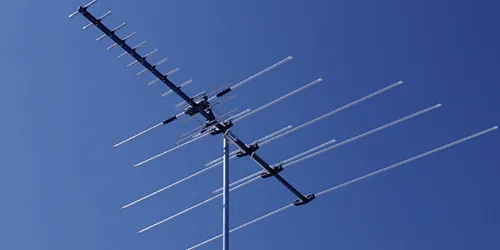
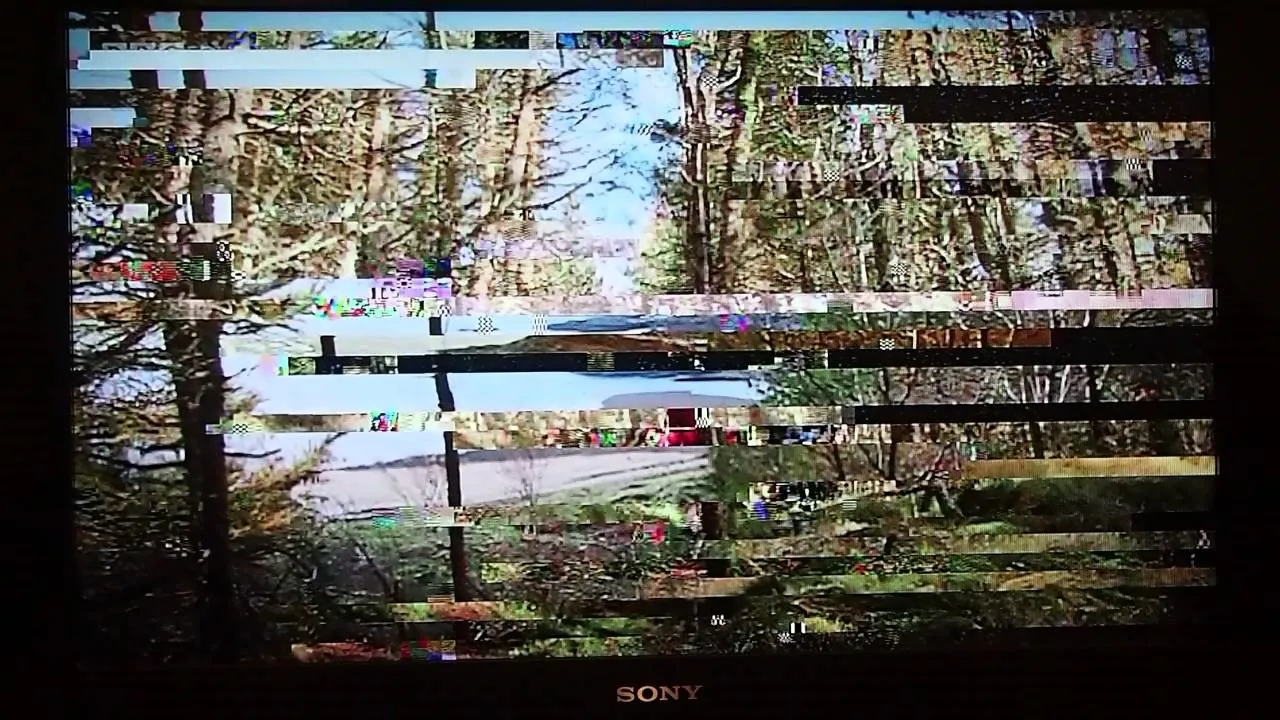
The most common cause for lost channels is a weak signal reaching your receiver due to physical obstacles. Large buildings, dense trees, or even hills can block the broadcast waves before they reach your home. If your antenna is placed behind a thick wall or near metal objects, these items often interfere with the incoming signal and cause the image to freeze or pixelate.
Another frequent problem involves the length and quality of the coaxial cable connecting your hardware. Long cables lose signal strength over distance, especially if the wire is old or has small cracks in the outer coating. If you notice the signal quality is fine on one channel but disappears on another, the antenna may be poorly positioned for the specific broadcast frequency or direction of the weaker station.
Environmental factors also play a major role in how well your system performs. Heavy rain, high winds, or even snow can temporarily disrupt the path of broadcast waves, making it difficult for your tuner to lock onto a stable stream.
You can verify the official coverage area and transmitter locations for your specific region through the Federal Communications Commission reception map. If you live in a valley or far from the broadcast source, you may need a more powerful amplifier or a higher mounting position to get a reliable feed.
Tighten all cable connections
This fix is for anyone who has a picture that cuts in and out or shows a “No Signal” error message. Start by inspecting the coaxial cable that runs from your wall or antenna directly into the television.
Ensure the metal connector is pushed in all the way and screwed on tightly until it feels firm. If you use a signal amplifier, check the power cord to ensure it’s plugged into a wall outlet and that the light on the unit is glowing.
Check the back of your television to see if the cable is bent or pinched by the frame of the TV. A cable that’s twisted at a sharp angle can break the internal wire, which stops the signal from reaching the tuner.
If you have a spare cable, replace the current one to see if the picture improves. If the problem persists even after using a new, high-quality cable, the issue is likely with the antenna’s orientation rather than the wire itself.
If you aren’t comfortable moving heavy furniture or reaching behind your equipment, ask a friend to help you access the ports. Don’t force the connector if it feels stuck, as you could damage the port on your TV. If the port itself is wobbly or feels loose, you should contact a professional repair service, as this is a hardware fault that requires specialized tools to fix.
Adjust your antenna position
This method works best if you’re missing specific channels or the picture is constantly breaking into blocks. Move your device to a window that faces the direction of the broadcast towers in your area.
Even moving the unit just a few feet or rotating it by 45 degrees can change how well it catches the signal. If you have an indoor model, try placing it as high up as possible, such as on a shelf or mounted to the wall near the ceiling.
Avoid placing your unit near large metal appliances like refrigerators or air conditioners, as these create electromagnetic noise that disrupts the signal. If you find a spot that works, leave the antenna there for a few minutes to see if the signal remains stable. You may need to run a new channel scan on your TV menu every time you move the device to a new position. This allows the tuner to recognize the signals coming from the new angle.
This fix isn’t for people using outdoor antennas that are already mounted on a roof, as those require climbing gear and safety equipment. If you can’t get a stable signal after trying different locations, it’s possible your home is in a “dead zone” where broadcast signals can’t penetrate. In these cases, you might need a professional installer to mount a high-gain antenna on your roof to reach the signal above the obstacles.
Scan for channels again
Performing a full channel scan is necessary whenever you move your antenna or change any part of your setup. Your TV needs to re-map the available frequencies to ensure it’s looking for the correct broadcast data. Most modern televisions have a “Channel Scan” or “Auto-Tune” option located within the settings menu under the “Antenna” or “Air” source selection. Select this option and wait for the progress bar to reach 100%.
If the scan stops early or finds zero channels, check that your TV is set to “Air” or “Antenna” mode instead of “Cable.” People often make the mistake of leaving the input on “Cable,” which looks for a different type of signal and won’t work with an antenna.
If the scan finishes but the picture is still pixelated, try turning off any nearby electronic devices like lamps with dimmers or cordless phones. These devices can sometimes create interference that confuses the tuner during the scan process.
If you still can’t find your favorite channels after three attempts, your antenna might not be powerful enough for your distance from the towers. A simple indoor antenna is limited by its size and design; it can’t pull in signals from towers located more than 20 to 30 miles away in most cases. If you live in a rural area, you’ll likely need an outdoor model with a much larger reception range to get any usable signal.
Avoid common reception mistakes
- Placing the antenna on the floor: Signals travel better through open air, so keeping the device low traps the signal behind furniture and walls.
- Using a splitter on the cable: Adding a signal splitter divides the incoming power between two TVs, which often makes both signals too weak to display a clear picture.
- Ignoring the TV input settings: Many people forget to change the TV source to “Antenna,” meaning the tuner is looking for a signal that doesn’t exist.
- Mounting behind a metal screen: Metal acts as a shield that blocks broadcast waves, so placing your device behind a screen or near metal siding prevents reception.
- Running a scan while the antenna is moving: The tuner can’t lock onto a signal if the antenna is being moved during the scan, so keep it stationary until the process finishes.
Improve your signal stability
| If you’re doing this | Do this instead | Why |
|---|---|---|
| Hiding the antenna | Place it by a window | Obstacles block weak signals |
| Using a long, old cable | Use a short, new cable | Wires lose signal over distance |
| Placing near electronics | Keep it 3 feet away | Electronics cause interference |
| Scanning once only | Scan after moving it | Tuners need a fresh map |
The best way to ensure a clear picture is to prioritize a direct line of sight to the broadcast tower. If you’re doing this, you’ll see a consistent, high-quality image across all your channels. If you aren’t seeing this, you likely have a physical barrier that needs to be moved or an antenna that’s too small for your distance.
Frequently asked questions
Can I use a metal coat hanger as an antenna?
No, a metal hanger isn’t designed to tune into the specific frequencies used by modern digital broadcasts. These hangers lack the engineering required to capture signals effectively.
How long does a channel scan take?
A full channel scan typically takes between 3 to 10 minutes to complete. You must allow the scan to reach 100% to ensure the television identifies all available local stations. Stopping the scan early will result in missing channels that weren’t yet processed.
Why do my channels disappear when it rains?
Signal loss during rain occurs because water droplets absorb and scatter broadcast waves before they reach your antenna. This is a common issue for users, especially when the initial signal is weak. You can’t control the weather, but a higher-gain antenna may help maintain stability.
Is it safe to move my antenna while the TV is on?
Yes, it’s perfectly safe to move your antenna while the television is powered on. You won’t damage your equipment by adjusting the position to find a better signal. Just avoid pulling on the cable to prevent loosening the port on your television.
How many channels should I get?
The number of channels you receive depends on your distance from broadcast towers and local geography. You can check the FCC website to see how many stations are theoretically available at your address. Note that your actual results may be lower if your antenna placement is poor.
What happens if I use an amplifier on a strong signal?
Using an amplifier on an already strong signal can cause distortion that degrades your picture quality. Amplifiers are designed to boost weak signals over long cable runs rather than improve clear feeds. Only use an amplifier if your antenna is far from the TV or you’re splitting the signal.
Conclusion
If these simple adjustments don’t restore your channels, you might need a signal amplifier to boost the feed. Don’t worry if it’s still fuzzy; you can’t always overcome distance alone. Check your local channel map online to see if a roof-mounted model is your best bet for a perfect, crisp picture.