You can resolve most issues with your device by checking the battery connections, controller settings, and wiring for loose ends during drive titan power chair troubleshooting. The most common cause for a power chair that won’t move is a battery that has lost its charge or a circuit breaker that has tripped due to an overload. If the chair doesn’t respond to the joystick, check these basic connections first before you assume a mechanical failure.
Common reasons for Drive Titan power chair failure
The primary reason for a power chair to stop working is an interruption in the electrical circuit. When the chair suddenly stops, it’s often because the main circuit breaker has tripped to protect the motor from overheating. You can usually reset this by pressing the small button located on the battery box or near the controller. If the button clicks back into place, the power flow should return.
Another frequent cause involves the battery terminals. Over time, the metal connectors can corrode or become loose from the vibration of daily use. If the connection is weak, the chair may stutter, lose power on inclines, or fail to start entirely.
You should inspect the cables to ensure they’re tight and free of white or green crusty buildup, which indicates oxidation. Use a wire brush to remove this debris, as even a thin layer of corrosion creates enough resistance to prevent the high current flow required to move a heavy chair.
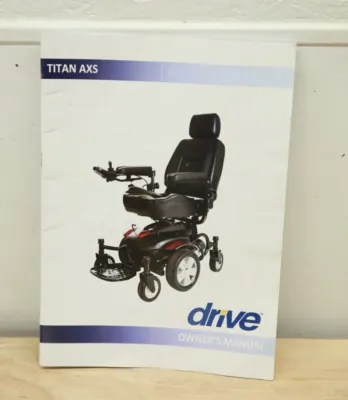
Finally, the controller might be in “lock” mode or have a fault code active. Most modern power chairs have a light on the joystick module that flashes in a specific sequence when an error occurs. These flash codes correspond to specific system faults, such as a disconnected motor or a low-voltage warning. If the light is blinking, count the flashes and consult the manual to identify the specific error.
A common mistake is assuming the batteries are dead when the charger light stays red. If the charger indicates a full charge but the chair remains unresponsive, the fault lies in the internal wiring or the joystick module itself. If the light blinks rapidly, it’s almost always a controller communication error. If it blinks slowly, check your battery voltage first.
Safety: Inside a mains-powered machine, the parts behind the outer cover can hold a dangerous electrical charge even after it has been unplugged — that’s why they sit behind a cover. Opening the housing, or testing or replacing anything behind it, is a job for a qualified technician, never a home repair.
Check the battery and cable connections
This fix is for users who experience intermittent power or a chair that refuses to charge. Start by turning off the main power switch on the controller. Open the battery compartment and visually inspect every cable leading from the batteries to the main power harness. If you find a cable that looks loose or disconnected, push it firmly into its port until you feel a solid click.
If the cables are secure, check the terminals for corrosion. If you see a powdery substance on the metal, wipe it away with a dry, clean cloth. Don’t use water or liquid cleaners, as moisture can damage the sensitive electronics inside the battery housing. Once the terminals are clean and the cables are tight, turn the power back on and see if the joystick light remains steady.
If the light continues to blink a specific error code after you reseat the cables, consult your manual to identify the system fault indicated by that code. In this case, stop troubleshooting and contact a technician to perform the necessary electrical measurements.
If you’re uncomfortable handling battery cables or if you see signs of fraying wires, stop immediately. Electrical systems in power chairs carry high current and can cause sparks if handled incorrectly. If the wires are damaged, you must contact a certified mobility technician to perform a repair. Never attempt to solder or modify the wiring yourself, as this can void the manufacturer’s warranty and create a fire hazard.
Reset the system and controller settings
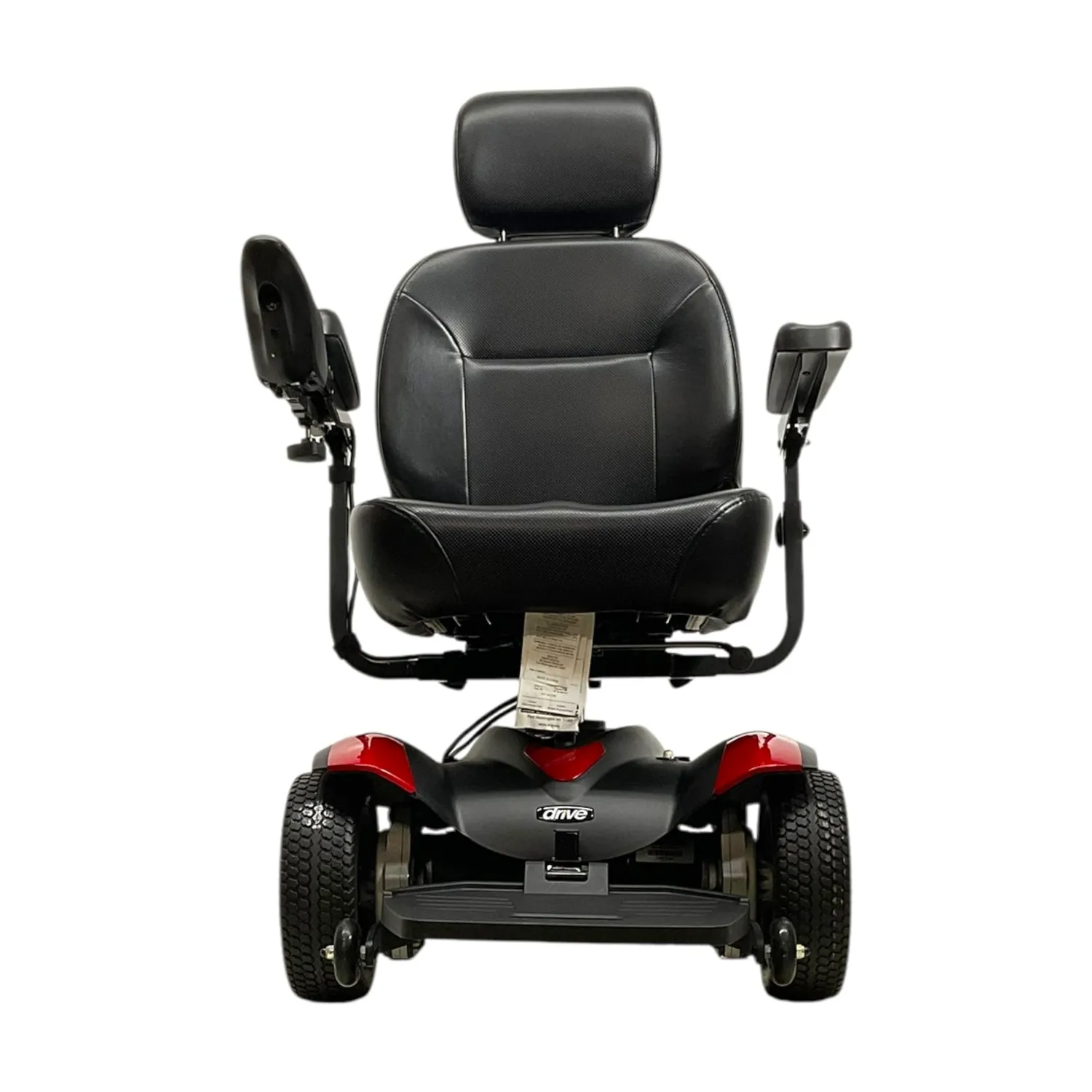
This fix is for cases where the chair has power but won’t move, or where the joystick feels unresponsive. First, ensure the “freewheel” levers are in the “drive” position. These levers are usually located near the rear wheels and allow you to push the chair manually. If they’re left in the “neutral” or “push” position, the motor will be disengaged, and the chair won’t move under its own power.
After verifying the levers, perform a hard reset of the controller. Turn the power off and wait at least 30 seconds before turning it back on. This allows the internal computer to clear any temporary software glitches or sensor errors.
If the controller still shows a fault light, check that your joystick is in the center, neutral position when you turn the power on. If you’re holding the joystick to one side during startup, the system will often lock itself as a safety precaution.
If the chair still refuses to move, check the charger port on the controller. If the charger is still plugged in, the chair won’t move to prevent damage to the charging cable. Unplug the charger and try to operate the chair again. If the problem persists after these steps, the issue may be in the motor or the main control module, which requires professional diagnostic equipment to fix.
Verify motor and electromagnetic brake function
This fix is for situations where the chair makes a clicking sound but doesn’t move, or where it feels like it’s stuck in place. The electromagnetic brake is designed to lock the wheels when the joystick is released. If this brake fails to disengage, the chair will remain locked even when you push the joystick forward. You can hear a faint “click” from the motor area when you start the chair or move the joystick.
If you hear the click but the chair doesn’t move, look at the motor assembly for debris. Small objects like stones or thick carpet fibers can sometimes get caught in the axle, preventing the wheels from turning. Carefully remove any visible debris using a soft tool or your fingers. Never force the wheel to turn if it feels stuck, as this can strip the gears inside the motor.
If the motor is clear but the chair still doesn’t move, the electromagnetic brake might be faulty. This is a complex mechanical component that requires specialized tools to service safely. If you suspect a brake failure, don’t attempt to disassemble the motor housing. Contact your local mobility equipment provider to schedule a professional inspection, as a malfunctioning brake is a significant safety issue that could cause the chair to roll unexpectedly.
Avoid common troubleshooting mistakes
Don’t use liquid cleaners. Spraying water or chemical solvents directly onto the controller or battery terminals causes immediate short circuits and permanent motherboard corrosion. If you must clean the surface, use a dry, lint-free microfiber cloth.
Avoid forcing the joystick. Pushing against resistance won’t fix a non-responsive chair. Instead, you’ll likely snap the delicate internal centering springs, which turns a simple sensor calibration issue into a total joystick replacement.
Don’t ignore flashing lights. The LED flash code on your controller is the most accurate diagnostic tool available. If the light blinks, count the pulses; this sequence identifies the specific error code in your manual.
Never bypass safety circuits. Attempting to jump a breaker or bridge a fuse is dangerous. These components protect your chair from current spikes. Bypassing them risks battery explosions or motor fires that destroy the entire unit.
Prevent future power chair issues

Consistent maintenance is the best way to keep your equipment running smoothly over the long term. You should establish a weekly routine of checking your hardware to catch small issues before they become expensive repairs.
| If you’re doing this | Do this instead | Why |
|---|---|---|
| Charging only when dead | Charge after every use | Maintains battery health |
| Ignoring loose wires | Tighten them immediately | Prevents power loss and heat buildup |
| Using in wet weather | Keep chair in dry areas | Protects internal electronics |
| Leaving it in neutral | Keep in drive mode | Prevents accidental rolling |
Related guides
- Quickie Power Chair Troubleshooting: Easy Fixes for Common Issues
- Jazzy Select Power Chair Troubleshooting: Expert Tips
Frequently Asked Questions
Can I fix a flashing light code on my controller myself?
Yes, you can often fix a code by turning the power off, waiting 30 seconds, and ensuring the joystick is centered during startup. If the light continues to flash after a reset, the code is indicating a specific hardware failure, such as a loose motor connection or a low battery. In these cases, you must refer to the manual to identify the exact part that needs professional attention.
How long should the batteries last on a full charge?
The distance you can travel on a single charge varies based on the rider’s weight, the terrain, and the age of the batteries. Most standard power chair batteries provide a range of 10 to 15 miles under ideal conditions on flat, paved surfaces. If your chair is no longer reaching this distance, the batteries may be reaching the end of their lifespan and might need to be replaced.
Is it safe to use the chair if it makes a grinding noise?
No, you should stop using the chair immediately if you hear grinding noises from the motors or wheels. Grinding usually indicates that the gears are worn or that debris is trapped in the drive train, and continuing to use it can cause catastrophic damage to the motor assembly. Contact a professional technician to inspect the drivetrain before you attempt to operate the chair again.
Why does my chair stop moving on hills?
Your chair may stop on inclines because the current draw exceeds the limit of the circuit breaker, causing it to trip for safety. This often happens if the batteries are old or if the chair is carrying a load near its maximum weight capacity. If this happens frequently, check that your batteries are fully charged and avoid steep slopes that exceed the manufacturer’s suggested grade.
How often should I check the cable connections?
You should visually inspect your cable connections at least once a month to ensure they remain tight and free of corrosion. Vibrations from daily use can gradually loosen the connections over time, leading to intermittent power loss or complete failure. A quick check takes less than a minute and can save you from being stranded while you’re away from home.
What happens if I leave the freewheel levers in neutral?
If you leave the levers in the neutral position, the electromagnetic brakes are disengaged and the chair won’t move under its own power. The controller will often detect this and prevent the chair from starting to ensure your safety. Always ensure the levers are clicked firmly into the drive position before you attempt to use the joystick to move the chair.
Conclusion
Proper care and regular observation will keep your mobility device reliable for years. If you notice a change in how the chair handles or if it begins to make sounds that are out of the ordinary, address the issue early by checking your connections and verifying your battery levels. When you reach a point where basic resets no longer solve the problem, reach out to a professional to ensure your safety remains a priority.