If your machine isn’t reading the room humidity correctly, you can fix it by clearing dust from the intake or by resetting the power settings to perform dehumidifier sensor troubleshooting. Most problems start because the sensor is blocked by dust or the unit is placed in a spot with poor airflow. You should check your user manual for the specific location of the sensor, as models vary by brand and size.
Troubleshoot inaccurate dehumidifier sensor readings
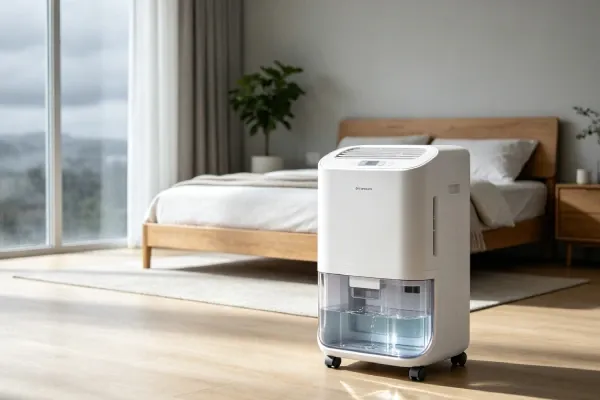
Most sensors fail because of simple physical blockage or environmental interference. When dust or pet hair collects on the filter, it stops air from reaching the sensor. This makes the machine think the room is drier than it really is, so it stops running too soon. If the filter is clean, check if the unit is too close to a wall or a heat source.
Another common cause is the calibration of the sensor itself. Electronic sensors can drift over time due to high humidity or rapid temperature changes. If the machine is located near a window or a cold basement wall, the sensor may struggle to get an accurate reading of the overall room air. You can check the Energy Star dehumidifier guidance for details on how unit placement impacts efficiency and sensor accuracy.
If the internal board has a fault, the sensor will show a constant error code or a static number that never changes. This often happens if there’s high moisture buildup inside the housing, which can corrode connections over time. If you see an error code, note it down before you unplug the unit, as this code is often the key to identifying if the sensor itself has completely failed or if it just needs a reset.
Safety: Inside a mains-powered machine, the parts behind the outer cover can hold a dangerous electrical charge even after it has been unplugged — that’s why they sit behind a cover. Opening the housing, or testing or replacing anything behind it, is a job for a qualified technician, never a home repair.
Clean the air filters and vents
This fix is for users who notice the unit stops running before the room feels dry. Start by turning off the power and unplugging the device to ensure your safety. Locate the air filter, which is usually behind a plastic grille on the back or side of the unit. Remove the filter and wash it with warm water and mild soap, then let it air dry completely before putting it back.
If the filter feels brittle or shows permanent gray streaks after washing, replace it immediately. A clogged filter restricts airflow, forcing the compressor to cycle off prematurely because the sensor detects the drier air trapped near the coils rather than the actual room humidity.
Use a vacuum hose with a soft brush attachment to gently clean the intake vents. Don’t use compressed air or sharp tools, as you might push dirt deeper into the sensor housing or damage the delicate fins. If you see dust buildup inside the vent slats, use a dry microfiber cloth to wipe them down individually.
Once the path is clear, plug the unit back in and set your desired humidity level. If the sensor starts showing a realistic number again, the blockage was the primary issue.
If you aren’t comfortable handling the internal parts or if the unit remains under warranty, don’t attempt to disassemble the outer casing. Opening the housing can void your manufacturer’s warranty and may expose you to electrical components that remain charged even after the unit is unplugged. In such cases, contact the manufacturer’s support line directly for a repair under your service agreement. If the unit is out of warranty, seek a professional technician rather than risking a short circuit.
Reset the electronics and power
When the sensor gives an impossible reading, such as 0% or 99% continuously, a power cycle can often clear the memory. Unplug the dehumidifier from the wall outlet and leave it disconnected for at least 15 minutes. This allows the internal capacitors to drain their stored charge, which resets the digital control board and forces the sensor to recalibrate when it powers back up.
After the wait, plug the device directly into a wall outlet rather than an extension cord or power strip. Extension cords can cause voltage drops that confuse sensitive electronic sensors, leading to erratic readings or frequent restarts. If your unit is plugged into a GFCI outlet, check the small reset button on the plug itself; a tripped breaker here often mimics a sensor failure.
Once plugged in, select your target humidity level again. If the display shows a stable and reasonable reading, the reset was successful. If the reading remains locked at an extreme, the sensor has likely suffered a hardware failure rather than a software glitch.
This method is for users whose machines have digital displays and electronic touchpads. If your unit uses a mechanical dial, a power cycle won’t change the calibration. For mechanical models, the sensor is often a simple spring-loaded device that can become stuck.
If that’s the case, the unit may require a professional service visit to replace the mechanical sensor link. Attempting to force the dial past its mechanical stop will strip the internal gears, turning a sensor issue into a total unit failure.
Perform a manual calibration check
If the unit runs but doesn’t match a separate hygrometer, you may need to calibrate your expectations. Place a reliable, battery-operated digital hygrometer next to the dehumidifier and let both sit for 30 minutes in the same spot. If the difference between the two is less than 5%, the sensor is likely working within its normal factory tolerance and doesn’t need a repair.
If the gap is larger than 10%, check if your model allows for an “offset” adjustment in the settings menu. Some modern units allow you to manually shift the sensor reading to match an external device. If your specific model doesn’t have this feature, the sensor is likely aging and losing its accuracy. For heavy-duty use in large spaces, a professional technician can verify if the sensor board needs a total replacement.
This fix is worth the effort if you rely on the machine for sensitive environments like a library or a basement storage area. However, if the cost of the repair is more than half the price of a new unit, it’s usually better to replace the device. Always check the manufacturer’s website for your specific model number to see if a sensor replacement part is even available for purchase.
Avoid these common mistakes
Using extension cords: These devices draw significant power, and cords can drop the voltage, which causes the sensor to report false data. If you suspect a power issue, contact a qualified technician to inspect the electrical supply.
Placing the unit in a corner: Sensors need good airflow; putting the unit against a wall creates a “micro-climate” that tricks the sensor. Always maintain at least 18 inches of clearance on all sides. If the unit feels warm to the touch, it’s likely recirculating its own exhaust.
Ignoring the filter: A dirty filter restricts airflow, which makes the sensor read the air trapped near the coils instead of the room air. Clean your filter based on your usage levels; consult your owner’s manual for the manufacturer’s specific recommendations.
Running it in very cold rooms: Most sensors are designed for temperatures above 65°F; using them in colder spots causes frost and erratic readings.
Adjust your habits for better results
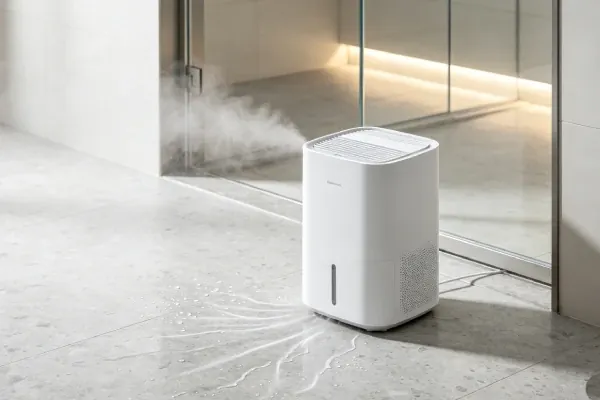
You can improve sensor performance by changing how you manage the room environment. Many people try to dehumidify an entire house with one small unit, which forces the sensor to work harder than it should. This overextension leads to premature hardware fatigue and inaccurate readings.
| If you’re doing this | Do this instead | Why |
|---|---|---|
| Running it in a cold room | Move it to a warmer area | Sensors fail in cold air |
| Using an extension cord | Plug it into the wall | Ensures stable voltage flow |
| Blocking the back vents | Keep 12 inches of space | Allows air to reach sensor |
| Leaving the door open | Close the room doors | Stops outside air interference |
If your room temperature drops below 60 degrees Fahrenheit, the internal sensor often misreads moisture levels, causing the unit to cycle on and off constantly.
To determine if your placement is correct, check the intake vent for dust buildup every 30 days. If the filter looks gray rather than white, the sensor is likely struggling to pull enough air, forcing it to compensate by running at peak power. Always prioritize a central location away from windows to ensure the sensor captures the true average humidity of the space.
Frequently asked questions
How long should a dehumidifier sensor last?
This lifespan assumes you keep the unit in an environment between 65°F and 85°F. Lifespan may be shorter in dusty environments due to debris buildup.
Can I replace a broken dehumidifier sensor myself?
No, home users shouldn’t replace internal sensors. These components are soldered onto the control board and require specialized tools to remove. Attempting this repair will void your warranty and may create a fire hazard.
Why does my dehumidifier say the room is 99% humid?
A reading of 99% usually means the sensor has a short circuit or the connector has become loose. This often happens after a power surge or if moisture has entered the control panel housing. Try the 15-minute power cycle described earlier to see if the board resets itself. If the reading stays at 99% after the reset, the sensor or the main logic board is likely damaged and needs professional service.
Is it safe to keep using a dehumidifier with a faulty sensor?
No, you shouldn’t continue using the unit if the sensor is malfunctioning. A bad sensor can cause the unit to run continuously, leading to compressor overheating and wasted electricity. Turn the machine off until it’s repaired.
How do I know if my dehumidifier sensor is calibrated?
You know the sensor is calibrated if it stays within 5% of a separate digital hygrometer in the same room. If the reading differs by more than 5%, the sensor is drifting. Most consumer units don’t allow for manual recalibration.
Conclusion
If these adjustments don’t improve your unit’s accuracy, it’s likely that the internal component has reached the end of its lifespan. Don’t worry, though; you can easily contact the manufacturer’s support team to order a replacement part. They’ll help you get your home’s air feeling comfortable and dry again in no time.