If your device fails to turn on or hold a charge, you can resolve most issues by performing a simple hard reset as part of the standard dyson corrale troubleshooting process. The most common cause for these problems is a software glitch in the battery management system or a loose connection in the charging cable. Before you assume the hardware is broken, ensure the device is fully seated in its charging dock or that the magnetic cable is firmly attached to the magnetic contact points.
Troubleshooting your Dyson Corrale power issues
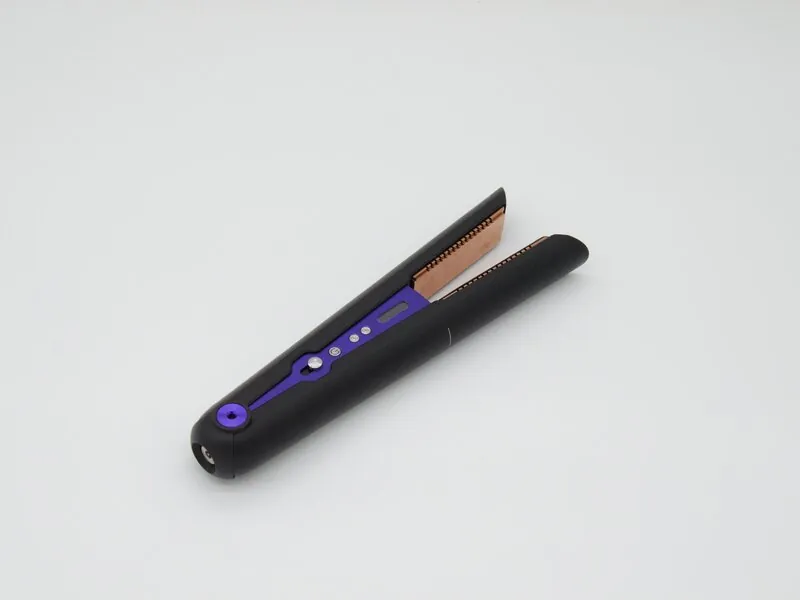
Most issues with this hair straightener stem from the battery protection mode or an interrupted power signal. When internal sensors detect a voltage drop or a heat inconsistency, the software shuts down the unit to prevent damage to the lithium-ion cells. This is a safety feature, not a hardware failure.
If your device shuts down during use, wait ten minutes before restarting. If it powers on but immediately turns off, the battery has likely reached a critical discharge state and requires a full, uninterrupted charge cycle.
Another frequent cause is the buildup of residue on the charging contacts. If you use styling products like hairspray or heat protectant, these substances create a thin, invisible layer on the metal pins. This layer prevents a clean electrical connection, causing the device to stop charging. Use a dry, lint-free cloth to gently wipe the pins. If you see dark spots or pitting on the gold-plated surfaces, the connection is permanently compromised and the charging dock may require replacement.
Physical damage to the cable is also a significant factor. Even if the cable looks fine from the outside, the fine copper wires inside can fray if the cord is wrapped too tightly around the base. If the power light doesn’t glow when you plug it in, the fault often lies in the cable rather than the straightener.
Test the unit with a secondary compatible cable if available. If the light remains dark, the internal charging port has likely suffered a mechanical failure, which typically costs more to repair than the unit’s current residual value.
Perform a hard reset of the unit
If your straightener is unresponsive, a hard reset forces the onboard computer to restart and clear minor errors. This is the first step for anyone experiencing power issues, as it fixes most software-related freezes without needing professional help.
To perform the reset, first ensure the device is switched off and disconnected from the charging cable. Locate the reset button, which is situated near the charging port on the base of the handle. Use a small, blunt object like a paperclip to press and hold this button for 20 seconds. Once you release the button, wait another 30 seconds before attempting to turn the unit back on.
A common mistake is using a sharp needle or pin to press the reset switch. This can puncture the internal membrane, causing permanent hardware failure. Always use a blunt tool to ensure you only trigger the electronic switch.
This fix is for users who have a device that won’t power up but shows no physical signs of damage. If the device still doesn’t respond, check that the battery isn’t completely drained by leaving it on the charger for at least 60 minutes.
If the light remains dark after an hour of charging, the battery or the internal connection is likely faulty. If the unit remains cold to the touch while charging, the charging port itself may have failed. If you aren’t comfortable handling electronics or if the unit is physically damaged, stop immediately and contact the manufacturer for a professional repair.
Clean the charging contacts and cable
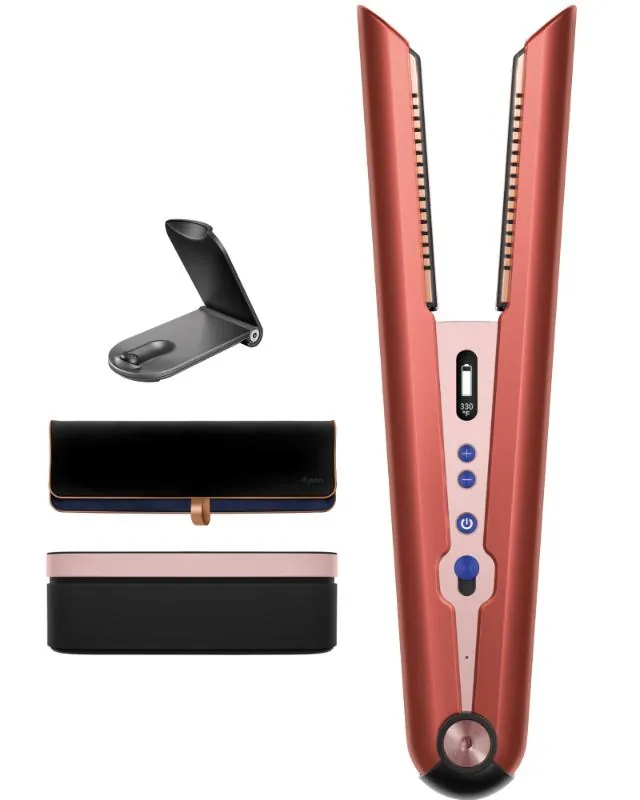
Dirty contacts are a common reason for charging failures. If your device isn’t holding a charge, you should clean the magnetic contact points on both the straightener and the charging dock or cable.
Use a soft, dry, lint-free cloth to gently wipe the gold-colored pins on the charging dock and the corresponding metal plates on the straightener. Don’t use water, soap, or harsh chemical cleaners, as these can corrode the metal and cause permanent damage to the charging circuit. If there’s stubborn residue, you can use a very small amount of isopropyl alcohol on the cloth, but ensure the contacts are completely dry before you try to charge the unit again.
This step is for anyone who notices the charging light flickering or failing to turn on when docked. A common mistake people make is using a metal object to scrape the contacts, which leaves scratches and damages the plating. If you see signs of oxidation or deep pitting on the metal, the contact points are likely beyond cleaning and will need a professional replacement.
To determine if the issue is the cable or the device, swap the cable with a known working unit. If the device charges with a different cable, the original cord has an internal break. If it still fails, the internal contacts on the straightener are likely fouled. Always unplug the dock from the wall before cleaning to prevent shorting the pins. If the pins remain depressed or stuck, the spring mechanism has failed, and cleaning won’t restore the connection.
Verify your power source and cable
If the reset and cleaning don’t help, the problem might be your power source or the cable itself. The device requires a steady flow of power to initialize the charging sequence, and unstable power can cause the unit to reject the charge.
Try plugging the charging cable into a different wall outlet that you know works with other appliances. If you’re using a power strip or a surge protector, remove it and plug the cable directly into the wall. If you have access to a second charging cable, test it with your device to see if the original cable is the source of the problem.
This fix is for users whose device works perfectly fine when plugged in but loses power immediately when removed from the cable. This behavior usually indicates a failing battery that can no longer hold a charge.
If the device still refuses to charge regardless of the outlet or cable used, there’s an honest limit to what you can do at home. If the internal battery has reached the end of its cycle, the unit must be sent to an authorized service center for a battery replacement, as this part isn’t intended for user service.
Common mistakes to avoid
Don’t wrap the charging cable tightly around the unit. Always coil the cable loosely in a circular loop to preserve its integrity.
Avoid third-party charging cables. These products often lack the proprietary voltage regulation circuitry required to protect your battery from power surges. Using a generic cable can cause the device to overheat during charging, which permanently reduces its total capacity.
Never attempt to open the outer casing. This action immediately voids your warranty and exposes you to physical risks from the high-capacity lithium-ion cell.
Finally, don’t leave the device in a car during summer. Temperatures exceeding 100°F accelerate chemical degradation inside the battery. If the device feels hot to the touch, move it to a shaded area immediately.
How to manage your device settings
| If you’re doing this | Do this instead | Why |
|---|---|---|
| Leaving it plugged in 24/7 | Unplug after charging | Prevents constant trickle stress |
| Cleaning with wet cloths | Use a dry microfiber cloth | Avoids electrical shorts/corrosion |
| Storing it while still hot | Let it cool down first | Protects the internal sensors |
| Ignoring the error lights | Check the user manual | Lights indicate specific faults |
Frequently Asked Questions
Can I use the device while it’s charging?
No, the device is designed for cordless use and won’t heat while plugged in. It displays charging status instead of heating to prevent hazards. You must unplug the device to begin styling.
How long does the battery last on one charge?
The battery lasts for 30 minutes of cordless styling, depending on hair type and heat settings. Thick or long hair drains the battery faster as the plates work harder. Note that hybrid mode isn’t available for heating.
Is it safe to travel with my device?
Yes, you can travel with your device by activating the “Flight-ready” tag. This disconnects the battery to meet airline safety regulations for lithium-ion batteries. Always check with your airline regarding specific carry-on requirements.
What happens if the error light flashes red?
A flashing red light usually means the device has detected an internal error or a temperature sensor fault that it can’t fix on its own. You should try the hard reset procedure first to see if the software can clear the error. If the light continues to flash red after you have performed a full reset and verified that the device is cool, this indicates a hardware failure that requires professional repair.
How do I know if the battery is dead?
The battery is dead if it fails to hold a charge for more than 5 minutes or the indicator never turns green. This indicates the cells have reached the end of their service life. You’ll need to contact an authorized repair center.
How often should I clean the charging contacts?
Clean the charging contacts whenever the device fails to charge on the first try. Styling product residue can build up and interfere with the connection. Simply wipe the contacts with a dry, lint-free cloth.
Conclusion
If your straightener still won’t power up after these checks, don’t worry. It’s likely time to reach out to the support team for a professional inspection. They’ll help you determine if your battery needs a replacement or if there’s a deeper issue that’s covered under your current warranty.