Are you frustrated because your Fellowes paper shredder isn’t working the way it should? You rely on this device to keep your documents safe, but when it jams or stops suddenly, it can throw off your whole routine.
Don’t worry—you’re not alone, and fixing these common problems is easier than you think. In this guide, you’ll find simple, clear solutions to get your Fellowes shredder back up and running quickly. Keep reading to take control and save yourself time and stress.
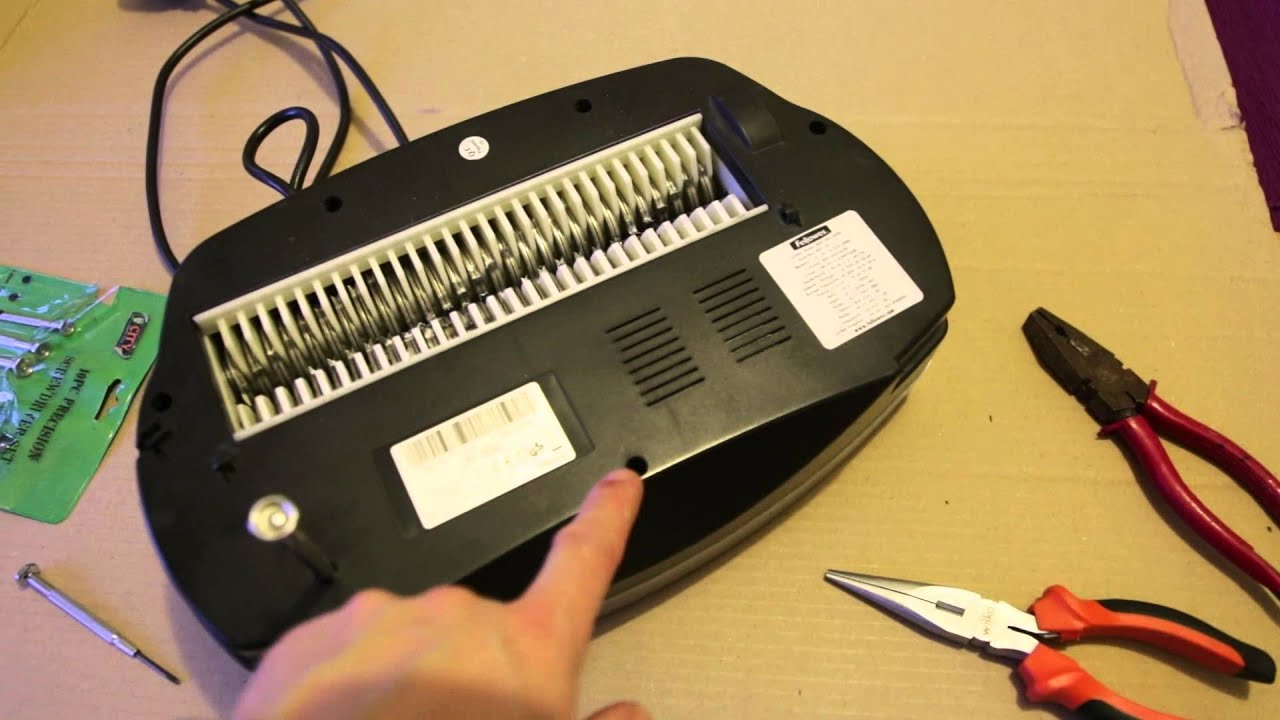
Common Issues
Fellowes paper shredders are reliable but can face common issues. These problems can stop your shredder from working properly. Understanding these issues helps fix them fast. Here are some frequent problems users face.
Shredder Won’t Start
Check if the shredder is plugged in tightly. Make sure the power switch is turned on. The shredder may have a safety lock; confirm it is off. Sometimes, the bin might be full or not placed correctly. Clear the bin and reposition it to try again.
Paper Jam Problems
Paper jams happen when too many sheets go in at once. Use the reverse button to clear stuck paper gently. Avoid forcing paper to prevent damage. Regularly clean the shredder blades to keep them sharp. Feed paper slowly and evenly for smooth shredding.
Overheating And Shutdown
Shredders can overheat if used for a long time. Give the machine time to cool down after heavy use. Check the manual for the recommended shredding time. Keep the shredder in a cool, dry place for better performance. Overheating protection will shut the shredder off automatically.
Unusual Noises
Strange sounds can mean something is stuck inside. Turn off the shredder and unplug it before checking. Remove any small pieces of paper or debris carefully. Loud grinding might indicate dull blades or motor issues. Contact service if noises continue after cleaning.
Basic Fixes
Basic fixes solve common problems with Fellowes paper shredders fast. These simple steps keep the shredder working well. Troubleshooting starts with checking power and clearing jams. Then, cool the machine if it overheats. Finally, lubricate the blades for smooth cutting. These easy actions extend your shredder’s life.
Power And Connection Check
First, make sure the shredder is plugged in securely. Check the power outlet by plugging in another device. Look at the shredder’s power switch and confirm it is on. Inspect the power cord for any visible damage. A loose or damaged connection stops the shredder from running.
Clearing Paper Jams
Paper jams are the most common shredder problem. Turn off and unplug the shredder before fixing jams. Remove stuck paper carefully to avoid damage. Use the reverse mode to push the paper out gently. Avoid pulling hard to prevent tearing the paper inside.
Cooling Down The Shredder
Shredders stop working if they overheat. Turn off the shredder and unplug it. Let it cool for 20 to 30 minutes. Cooling prevents motor damage and resets the machine. Do not try to use the shredder while it is hot.
Lubricating The Blades
Lubricate the shredder blades regularly to keep them sharp. Use shredder oil or lubricant sheets made for this. Apply oil along the blades or run a lubricant sheet through. This reduces jams and noise. Proper lubrication helps the shredder cut smoothly.
Maintenance Tips
Keeping your Fellowes paper shredder in good shape helps it work longer and better. Simple care steps stop common problems. Follow these maintenance tips to avoid jams and damage. Regular care saves time and money.
Regular Cleaning
Clean the shredder often to remove dust and paper bits. Turn off and unplug the machine first. Use a soft brush or cloth around the blades and openings. Empty the waste bin regularly to stop paper buildup. Clean sensors gently to keep the auto-start working well.
Proper Paper Loading
Do not overload the shredder with too many sheets. Follow the sheet limit shown on the machine. Insert paper straight and avoid folded or crumpled sheets. Shred paper slowly if the machine feels warm. This reduces jams and protects the motor.
Using Recommended Oil
Apply shredder oil to the blades often. Use only oil made for shredders, not other lubricants. Pour a small amount on a sheet and run it through. Oil keeps blades sharp and stops rust. Regular oiling lowers noise and extends shredder life.
Storage And Handling
Place the shredder in a dry, clean spot. Avoid areas with extreme heat or moisture. Unplug the machine when not in use for a long time. Handle the shredder gently to avoid damage. Proper storage keeps parts working smoothly.

When To Seek Help
Knowing when to seek help for your Fellowes paper shredder can save time and avoid damage. Small issues might be fixed at home. Some problems need expert attention. Recognizing the signs helps keep your shredder working well.
Warranty And Support
Check your shredder’s warranty before any repair. Many models come with a limited warranty. This covers parts and labor for a set time. Contact Fellowes support for guidance. They can offer free repairs or replacements if covered.
Professional Repair Options
Persistent problems require professional help. Certified technicians have the right tools and knowledge. They can fix complex issues quickly and safely. Avoid trying to repair electrical parts yourself. This can cause more damage or void warranties.
Parts Replacement
Some shredder parts wear out over time. Blades, motors, or sensors might need changing. Buy genuine Fellowes parts for best results. Incorrect parts can harm performance or safety. Professionals can recommend and install the correct replacements.
Frequently Asked Questions
How Do I Fix A Paper Jam In A Fellowes Shredder?
Turn off and unplug the shredder first. Gently pull out stuck paper from the feed opening. Use the reverse mode to clear small jams safely.
Why Won’t My Fellowes Shredder Start Working?
Check if the shredder is plugged in and switched on. Ensure the waste bin is properly closed. Overheating can cause shutdown; wait 30 minutes and try again.
How Can I Prevent Overheating In My Fellowes Shredder?
Avoid shredding continuously for more than 5 minutes. Let the shredder cool down after heavy use. Keep the shredder in a cool, ventilated area.
What Type Of Paper Should I Use With Fellowes Shredders?
Use standard office paper, no thicker than 20 lbs. Avoid shredded staples, paper clips, or very thick cardstock. Check your model’s manual for sheet capacity.
How Often Should I Oil My Fellowes Shredder?
Oil your shredder blades every 30 minutes of use or once a month. Use Fellowes-approved shredder oil for best results. Regular oiling keeps blades sharp and working smoothly.
Conclusion
Fellowes paper shredders can face common issues but often fix easily. Clear jams by following simple steps. Regular cleaning helps keep the shredder working well. Always check the user manual for specific tips. Small problems don’t need a service call right away.
Taking care of your shredder saves time and money. Keep shredding safe and smooth with these easy fixes. Don’t let minor troubles stop your work. Stay calm, act fast, and your shredder will run better.