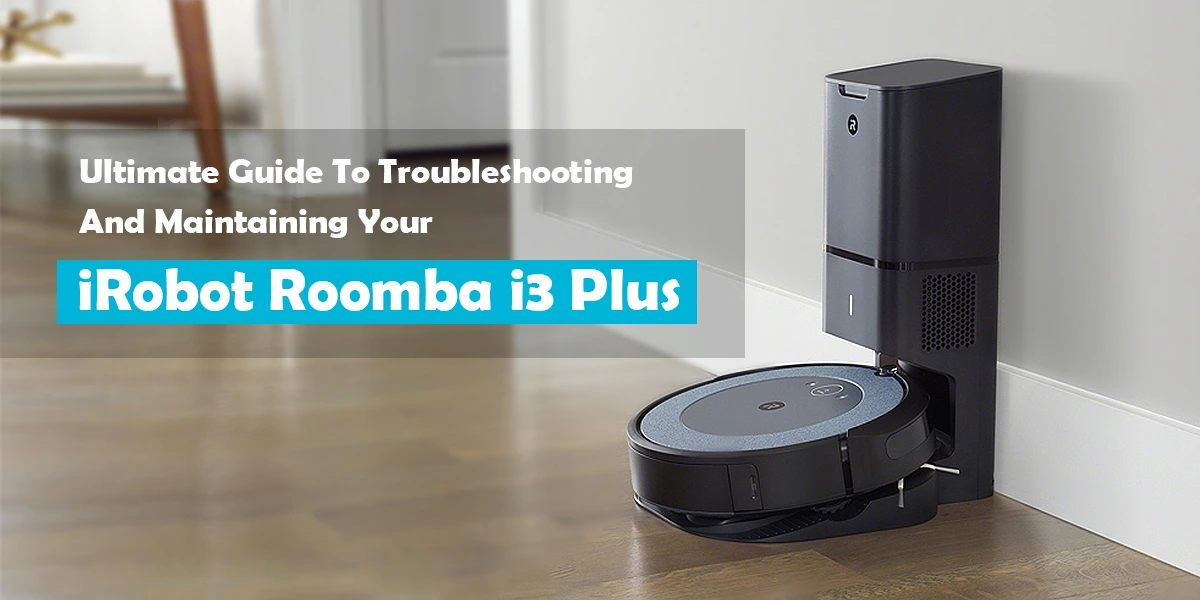
Is your iRobot Roomba i3 not working like it used to? You’re not alone.
When your trusty vacuum stops cleaning properly, it can be frustrating and disrupt your routine. But don’t worry—most issues are easier to fix than you think. In this guide, you’ll discover simple troubleshooting tips that can get your Roomba i3 back to spotless cleaning in no time.
Keep reading, and you’ll learn how to solve common problems quickly, saving you time and stress.
Power Problems
Power problems can stop your Roomba i3 from working properly. Without power, the robot vacuum cannot clean your floors. Many users face issues like the Roomba not turning on or battery not charging. These problems need quick fixes to get your device running again.
Roomba Won’t Turn On
First, check if the battery is installed correctly. A loose battery can prevent the Roomba from starting. Press the clean button and see if any lights appear. No lights? The battery might be dead or faulty.
Try resetting your Roomba by holding the clean button for 20 seconds. This can fix minor software glitches. If it still won’t turn on, inspect the charging contacts. Clean them gently with a dry cloth to remove dirt or dust.
Battery Charging Issues
Battery problems are common with the Roomba i3. Make sure the charger is plugged in and working. Check the charging dock for damage or dirt. The Roomba needs a clean surface to charge properly.
If the battery does not charge, try removing it and reinserting it. Sometimes, this helps reconnect the power. Old batteries lose their ability to hold a charge. Consider replacing the battery if it drains quickly or won’t charge at all.
Navigation Errors
Navigation errors are common issues with the iRobot Roomba i3. These errors stop the vacuum from cleaning properly. The robot may get stuck or fail to map your home. Understanding these problems helps fix them quickly.
Roomba Getting Stuck
The Roomba i3 can get stuck on cables, rugs, or furniture. Small objects on the floor also cause it to stop. Clear the cleaning area before starting the robot. Check for loose cords and remove them. If the robot gets stuck often, clean its wheels and brushes. Dirt can slow down movement and cause jams.
Mapping And Sensor Troubles
The Roomba uses sensors to map and navigate your space. Dirty or blocked sensors cause navigation errors. Wipe sensors gently with a soft cloth. Avoid using water or harsh cleaners on sensors. Poor lighting or reflective surfaces confuse the robot. Keep the room well-lit and remove shiny objects. Reset the robot if mapping fails repeatedly. This can refresh its system and improve navigation.
Cleaning Performance
The cleaning performance of the iRobot Roomba i3 is key to its value. A strong clean means less time spent on chores. Sometimes, the Roomba might not work as well as expected. Understanding common cleaning issues helps fix them fast. This section covers common problems and easy fixes.
Poor Suction Power
Poor suction power reduces Roomba’s cleaning ability. Dust and dirt stay on floors, not in the bin. Check if the suction is weak or uneven. A blocked vacuum path often causes this problem. Remove any debris stuck in the intake or brush area. Also, ensure the dustbin is not full. A full bin lowers suction strength. Regular checks keep suction strong and effective.
Brush And Filter Maintenance
The brushes and filters need regular care for good cleaning. Brushes pick up dirt and hair but can get tangled. Remove hair and threads from the brushes often. Clean the side brushes too, as dirt can build up there. Filters capture fine dust and need cleaning or replacing. Washable filters should dry fully before use. Clogged filters reduce airflow and cleaning power. Proper maintenance extends Roomba’s life and keeps it working well.
Connectivity Issues
Connectivity issues are common with the iRobot Roomba i3. These problems stop the vacuum from connecting to your home Wi-Fi or app. Without connection, you cannot control the Roomba remotely. Fixing these problems helps the Roomba work smoothly.
Wi-fi Setup Failures
Wi-Fi setup can fail for many reasons. The Roomba might be too far from the router. Walls or furniture may block the signal. Check the router is on and working correctly. Use a 2.4 GHz network because Roomba does not support 5 GHz. Restart the router and Roomba before setup. Make sure you enter the correct Wi-Fi password. Follow the app instructions carefully during setup.
App Connection Problems
The Roomba app may fail to connect to your vacuum. This happens if the app is outdated or has bugs. Update the app to the latest version. Restart your smartphone to clear temporary errors. Ensure your phone is on the same Wi-Fi network as the Roomba. Log out and log back into the app. If problems continue, uninstall and reinstall the app. These steps often solve app connection issues.
Error Messages
The iRobot Roomba i3 uses error messages to tell you when something is wrong. These messages help you fix problems quickly. Knowing what each error means saves time. It also keeps your Roomba running well.
Error messages appear as beeps or on the app. Each code points to a specific issue. Understanding these codes helps you solve problems without calling support. It makes your cleaning routine smoother and less stressful.
Common Roomba Alerts
The Roomba i3 shows alerts for dirt in brushes or wheels. It may warn about a stuck side brush or a full dustbin. Sometimes, sensors get dirty and cause errors. Low battery or charging problems also trigger alerts. Each alert has a simple meaning to guide you.
How To Reset Error Codes
Resetting error codes often clears small issues. Turn off the Roomba by pressing the CLEAN button. Wait 10 seconds, then press CLEAN again. This restarts the robot and clears errors. For persistent errors, clean sensors and brushes first. Resetting after cleaning helps the Roomba work better.

Maintenance Tips
Keeping your iRobot Roomba I3 in top shape needs regular care. Proper maintenance helps the vacuum work better and last longer. Small, daily tasks prevent big problems later. Follow these simple tips to keep your Roomba running smoothly and cleaning well.
Regular Cleaning Routine
Empty the dustbin after each use. Clean the brushes and side wheels weekly. Remove hair and dirt from the rollers carefully. Wipe sensors and charging contacts with a dry cloth. Check for blockages in the vacuum path. This keeps your Roomba efficient and avoids errors.
Replacing Parts And Accessories
Change the filter every 2 months to keep suction strong. Replace brushes every 6 to 12 months for best results. Use only original parts for compatibility and safety. Inspect parts often for wear and tear signs. Timely replacement ensures your Roomba cleans like new.

Frequently Asked Questions
Why Is My Roomba I3 Not Charging Properly?
Your Roomba I3 may not charge due to dirty charging contacts or a misaligned dock. Clean the contacts and ensure the dock is against a wall. Also, check if the power outlet is working.
How To Fix Roomba I3 Stuck On A Spot Cleaning Loop?
Roomba I3 stuck means it may have a sensor error or debris blocking wheels. Clean sensors and wheels carefully. Restart the robot to reset its system.
What To Do If Roomba I3 Won’t Connect To Wi-fi?
Check your Wi-Fi network name and password for errors. Make sure your router is 2. 4 GHz, not 5 GHz. Restart your router and Roomba, then try connecting again.
How Can I Clear Error Messages On Roomba I3?
Turn off your Roomba and remove debris from brushes and wheels. Restart the robot to clear simple errors. If errors persist, consult the user manual for specific codes.
Why Does My Roomba I3 Stop In The Middle Of Cleaning?
Roomba I3 might stop due to low battery or obstacle detection. Check for dirt in sensors and clean them. Place Roomba on its dock to recharge before starting again.
Conclusion
Troubleshooting your Roomba i3 can save time and effort. Simple steps often fix common problems. Cleaning the brushes and sensors helps it work better. Restarting the robot clears many minor errors. Keep the battery charged for longer use. Regular maintenance improves its performance and life.
Small fixes prevent bigger issues later on. Your Roomba i3 will keep your floors clean. Stay calm and follow these easy tips. Enjoy a smoothly running robot every day.